[supervisor] track cpu/memory usage analytics#12680
Conversation


|
/werft run 👍 started the job as gitpod-build-ak-perf-anayltics.2 |

ab79aa7 to
d12567b
Compare
 roboquat
added
release-note-none
and removed
do-not-merge/release-note-label-needed
labels
roboquat
added
release-note-none
and removed
do-not-merge/release-note-label-needed
labels

d12567b to
4933052
Compare
 akosyakov
changed the title
akosyakov
changed the title
|
/werft run 👍 started the job as gitpod-build-ak-perf-anayltics.5 |
|
/werft run with-clean-slate-deployment=true 👍 started the job as gitpod-build-ak-perf-anayltics.6 |
|
/werft run with-clean-slate-deployment=true 👍 started the job as gitpod-build-ak-perf-anayltics.7 |

|
I took down the prev env (too much memory usage testing) 🤦♂️ /werft run 👍 started the job as gitpod-build-ak-perf-anayltics.8 |
|
the prev env is back now, but werft failed so I am trying with: /werft run with-clean-slate-deployment=true 👍 started the job as gitpod-build-ak-perf-anayltics.9 |

 andreafalzetti
left a comment
andreafalzetti
left a comment
andreafalzetti
left a comment
There was a problem hiding this comment.
Code changes LGTM 🍪
I've tested it and it works as advertised. I was able to get the CPU to hit the biggest bucket and the reporting worked quite well.
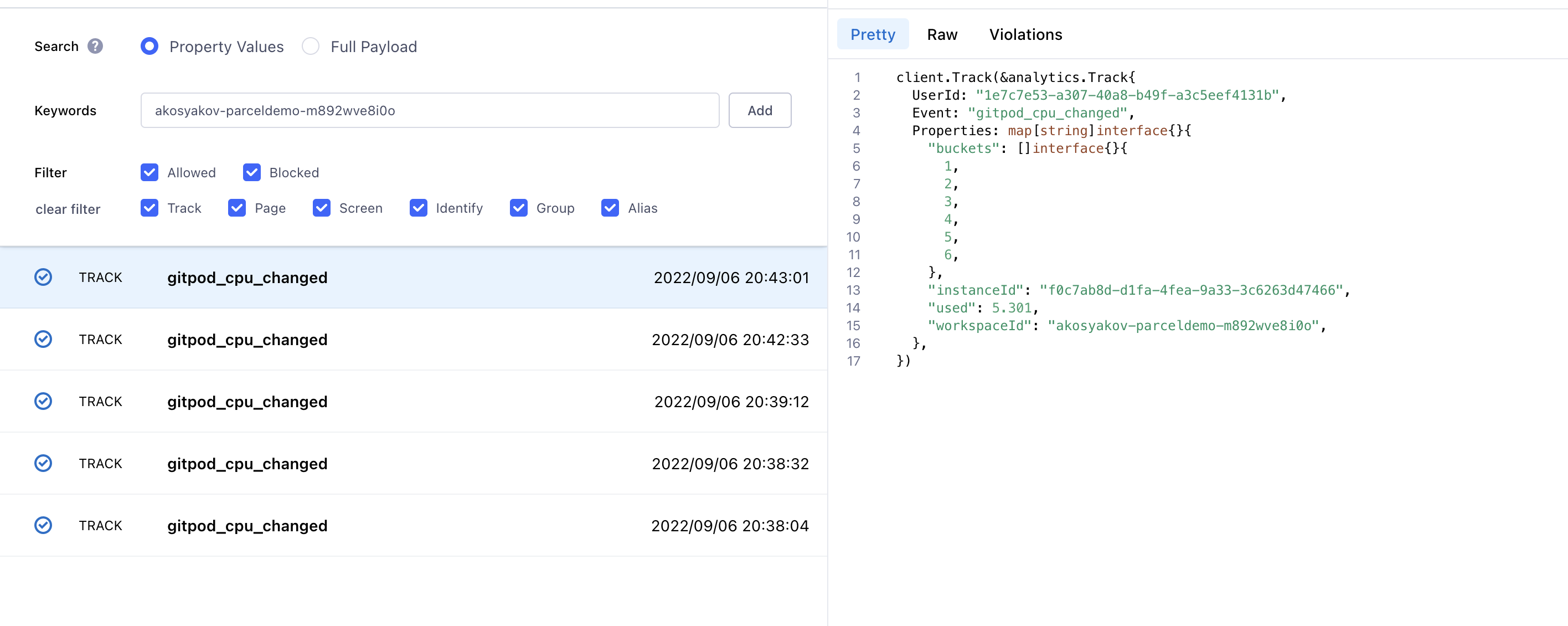
For the memory I also tried to stress it to see reports and I saw up to 4GB, and saw no more reporting but I think it's due to my approach for stressing the memory which is too agressive, I think: cat /dev/zero | head -c 5G | tail, and it basically very quickly kills the workspace.
If you have another way to consume more memory, I am interested to know.
/hold
in case someone wants to review/test further

Files in |
|
/unhold |

4 participants


Description
This PR adds analytics to track cpu and memory consumption by individual workspace instances. It adds 2 new events
gitpod_cpu_changedandgitpod_memory_changedcorrespondingly. Each event hasbucketsproperty and reported whenever a workspace instance hit higher bucket.It will allow us to segment users by perf requirements and also correlate with other event like active language to see requirements from different languages. Mixpanel is capable to breakdown arrays to individual properties. I've verified it with IDE lab project.
Related Issue(s)
Fixes #
How to test
gitpod_cpu_changedandgitpod_memory_changedevents in segment untrusted. I would recommend to filter by instance id. Whenever perf metrics hit a higher bucket you should see a change. If it goes down though we don't report changes.Release Notes
Documentation
Werft options: