Repository navigation
Releases: glanceformac/glance
Releases · glanceformac/glance
Release list
Glance for Mac 1.1.0

Updating from 1.0.0
Glance 1.0.0 has no built-in updater, so update once by hand. With Homebrew: brew upgrade --cask glance. With the install script: run the same install command again. From 1.1.0 on, Glance updates itself.
New
- Updates inside the app: Glance checks for a new version once a day, and you can check any time from the menu bar icon, Settings or the command palette. Updates are signed, so only real Glance releases install.
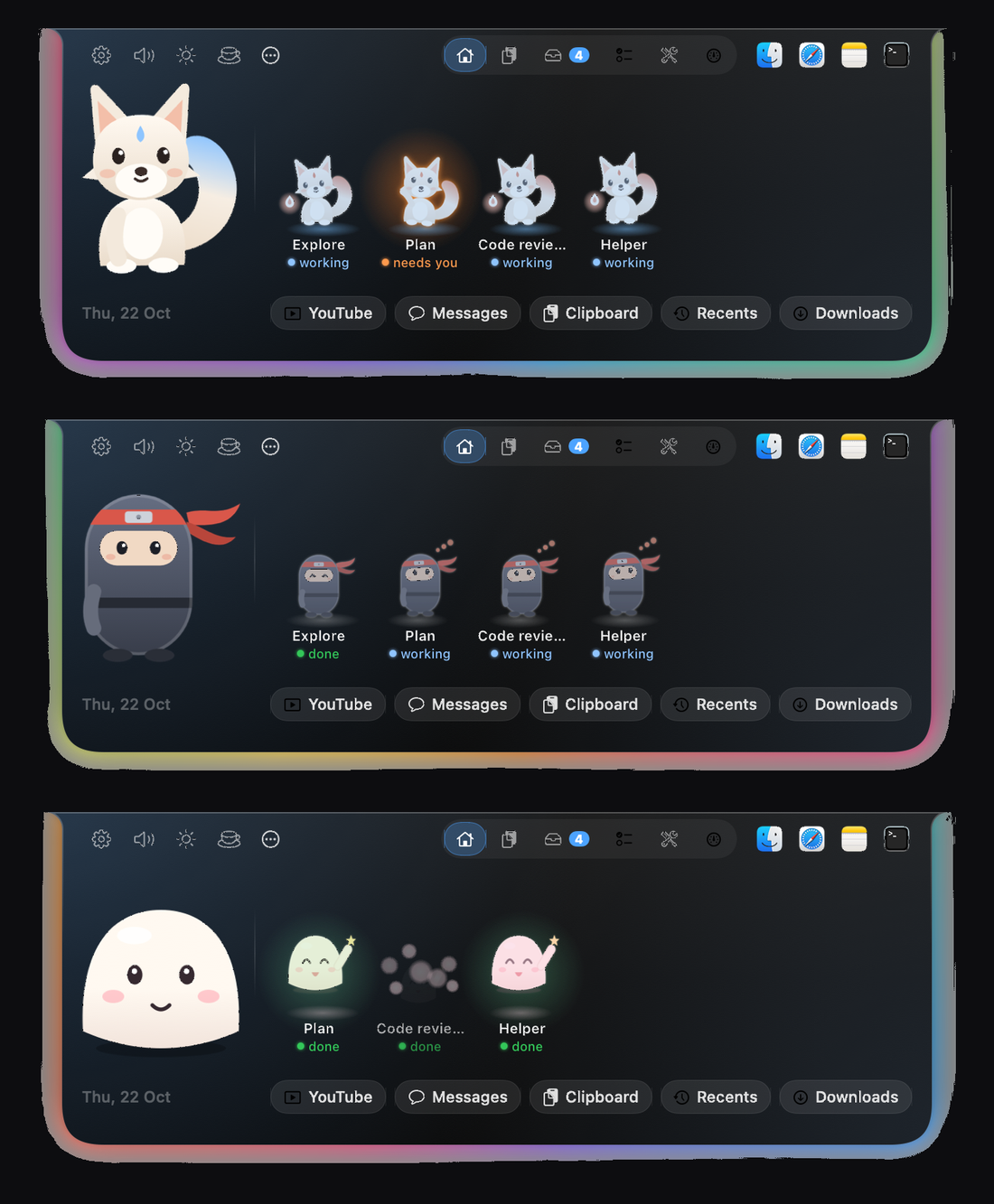
- A character in your notch: pick Mochi, Kitsune or Pocket ninja in Settings, Character. It naps when you are away, moves to your music, slips away when a video goes full screen, catches files you drop on the Shelf, and waits beside Claude Code when it needs your OK. You can also add your own character packs.
- Shadow Clones: while Claude Code runs helper agents, a small clone appears for each one with its name and status, waves when that helper needs your OK, and vanishes in a puff when it finishes.
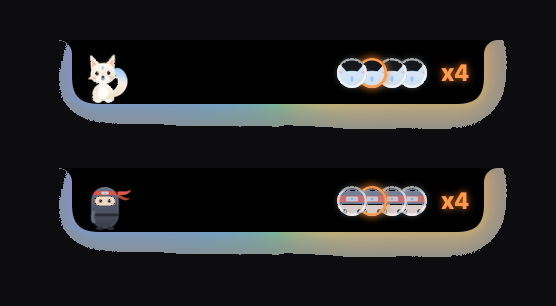
- Touch Bar strip: on Macs with a Touch Bar, the character, Claude's status, the clones and Approve and Deny buttons show there too.
- Settings sidebar: every Settings page is one click away.
- New app icon.
Better
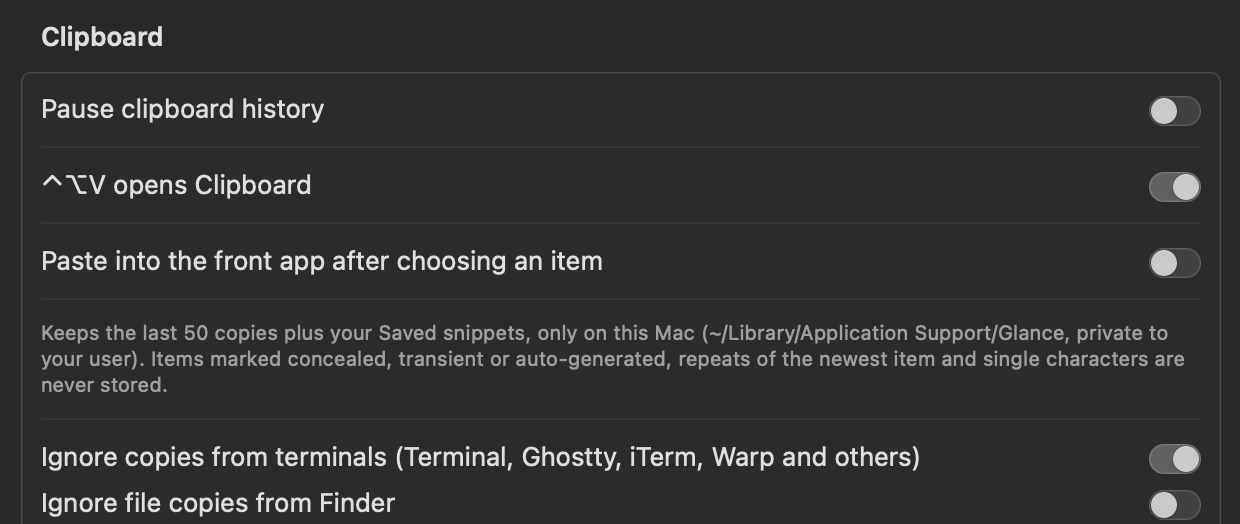
- Clipboard history ignores noise: dictation, password managers and other apps you choose are left out, and repeats and single-character copies are skipped. New switches in Settings, Clipboard ignore copies from terminals (Terminal, Ghostty, iTerm, Warp and others) and file copies from Finder.
- The Shelf tidies itself: a file you drag out of the Shelf leaves it, with a 5 second Undo. Pinned items stay. You can turn this off in Settings.
- The Claude Code approval card shows the character at a comfortable size, with nothing cut off.
- Lower CPU use: Glance does almost nothing while it is idle, and closing Settings now stops all its work.
Claude Code setup
The approval card, the character's Claude reactions and Shadow Clones need a few Claude Code hooks. Glance never edits your Claude settings. Follow the short guide in INSTALL-HOOKS.md (also linked from Settings, Claude Code) to add them by hand, check they work, or remove them.
Fixed
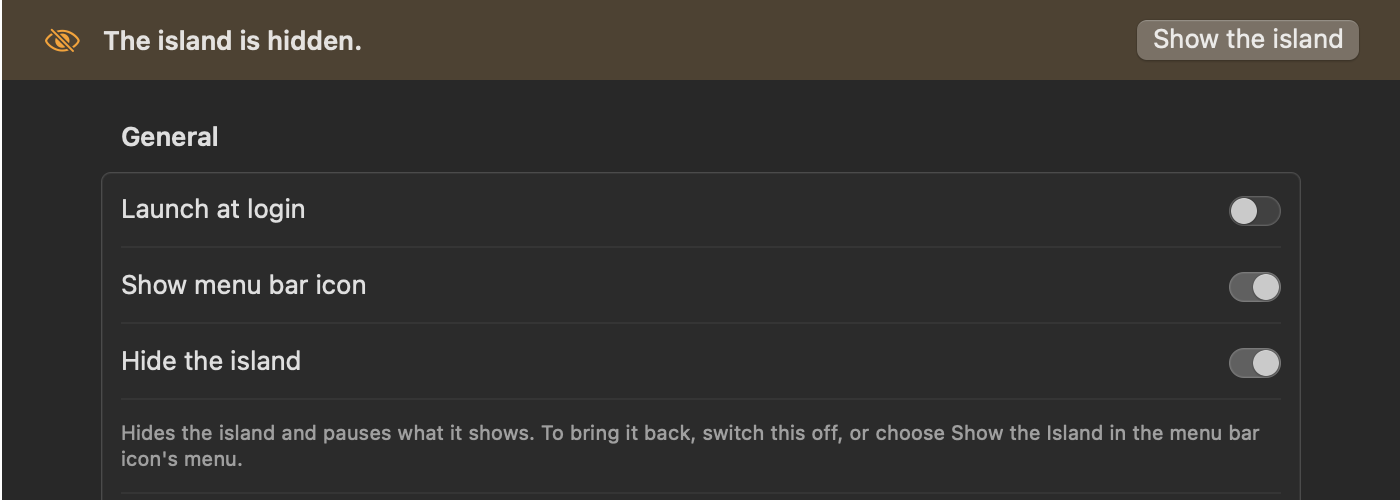
- When the island is hidden, Settings now says so at the top of every page, with a button to show it again. The switch is now called Hide the island.
- The character could be missing from the open island until something changed.
- Settings now opens on the page you asked for the first time it opens.
Screenshots


Glance for Mac 1.0.0
First public release. Install: curl -fsSL https://glanceformac.vercel.app/install.sh | bash