This shows how you can use one or more mics, and it will then transcribe that audio to text
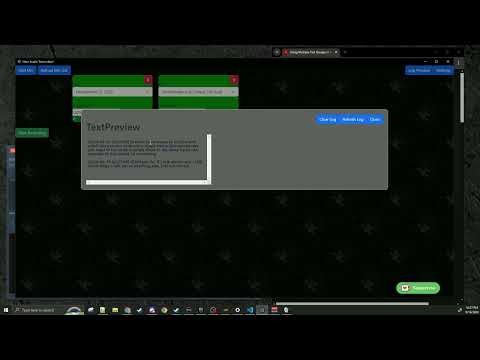
click on this its a link, idk why github pages is cringe and won't let me properly embed
So this app is basically a way to use one or more mics with AI whisper to record that to a text log. Each microphone's audio can be detected audio so you know which mic is speaking. This can make it easy to identify multiple speakers which whisper does not currently support.
It grabs your system mics, records in chunks, and runs them against OpenAI whisper or a local whisper model.
You can then use this log in some other app to do realtime subtitles, have an AI look at your messages and run some commands, etc.
DISCLAIMER: if you use openai whisper instead of a local whisper, it does cost money because it uses openai's api. Your not paying me, your paying openai. as of Sept 2024 its 6 cents per 10 minutes per microphone.
I highly recommend reloading your mic list, this will refresh which mics you are using. I often times find that my system changes the order list of the mics im using, which can lead to an error when you press record. By refreshing the list you'll always make sure you are using the correct device.
To check the log for errors %appdata%/heroaudiotranscriber/logs
If the app crashes, sometimes electron can leave child processes open. Make sure there are no heroaudiotranscribers in your process list in this event. Additionally if you exit with an alt-f4 same kind of thing can happen
- Recording length: this is how long to record, which will determine how much text per upload.
- Log Location: this is where your log will store
- Model: use open ai or not
- Open Ai Secret key: This is the secret key to run the model. https://platform.openai.com/api-keys to find or generate a new one. Please be smart and set spending limmits.
- whisper model options: This is the options to run whisper. Whisper is usually "Whisper {audio file} {options}" https://github.com/openai/whisper is where you can find the options. I highly recommend using the tiny or tiny.en model's because they are the fastest.
DISCLAIMER: you need whisper installed to use whisper. Please make sure you have it installed & can run from your command line before using that.
Install node. I used version 18.16.1 while developing, also tested on v20.17.0 Install the dependencies
npm install
Run index.mjs, in vscode i use the following launch script
{
  "version": "0.2.0",
  "configurations": [
    {
      "name": "Debug Main Process",
      "type": "node",
      "request": "launch",
      "cwd": "${workspaceFolder}",
      "runtimeExecutable": "${workspaceFolder}/node_modules/.bin/electron",
      "windows": {
        "runtimeExecutable": "${workspaceFolder}/node_modules/.bin/electron.cmd"
      },
      "args" : ["."],
      "outputCapture": "std"
    }
  ]
}
To make a local version of the app, run
npm run pack
to make an executable to share
npm run dist