Repository navigation
Releases: gonzaroman/RainDesktop
Release list
RainDesktop 1.2

Mafia mode, fish and people with umbrellas. Your desktop now has company.
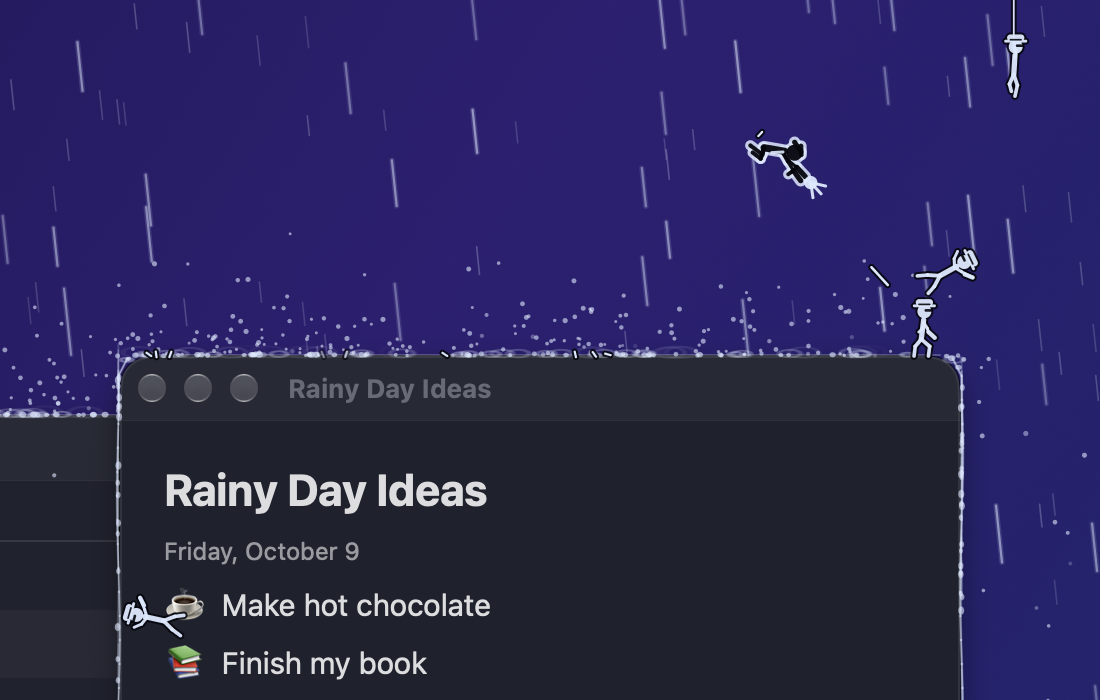
- Mafia mode (off by default): an invincible man in a black suit fights wave after wave of gangsters in fedoras. They slide down ropes from the menu bar and leap in from the sides; he flips between windows, rolls under their bullets, fires two pistols in mid-air and sends them flying with kicks. When the screen floods, they arrive by speedboat, and he swims to a boat, throws the crew overboard and takes it. Cartoon violence, no blood.
- People with umbrellas float down from the sky, stroll along the top of your windows and drift down when they reach a corner.
- Fish swim in the flood once the water is deep enough.
- All the characters have an outline so they're easy to see on any wallpaper, and each one has its own switch in the panel.
Install
Download RainDesktop-1.2.zip, open it and drag RainDesktop.app to Applications, replacing the old one. The app isn't notarized by Apple, so macOS will block it the first time: click Done, then go to System Settings → Privacy & Security and click Open Anyway.
RainDesktop 1.1
Update notices. RainDesktop now tells you when a new version is out.
- Once a day it asks GitHub for the latest version. If there's a newer one, a dot appears on the menu bar icon and the panel shows a Download button.
- New Check for updates switch (on by default) and a Check now button at the bottom of the panel.
- Privacy: this is the app's only network connection. It sends nothing about you, and you can turn it off.
Install
Download RainDesktop-1.1.zip, open it and drag RainDesktop.app to Applications, replacing the old one. The app isn't notarized by Apple, so macOS will block it the first time: click Done, then go to System Settings → Privacy & Security and click Open Anyway.
RainDesktop 1.0
The first public release of RainDesktop: rain behind your windows on macOS.
- Rain falls behind your windows and bounces off title bars, rounded corners and, with wind, their sides.
- Water collects on top of each window, runs down the sides and keeps dripping below.
- Flood mode: leave your Mac alone and the water rises, with waves and bubbles. Touch anything and it drains.
- Rain sound synthesized in real time, with thunder after each flash of lightning. It mutes during calls.
- Control panel in the menu bar. English and Spanish.
- No permissions, no network, App Sandbox. macOS 14 Sonoma or later, Apple silicon and Intel.
Install
Download RainDesktop-1.0.zip, open it and drag RainDesktop.app to Applications. The app isn't notarized by Apple, so the first time macOS will block it: click Done, then go to System Settings → Privacy & Security and click Open Anyway.