CI/CD for agent configurations — validate, test, and benchmark your OpenCode agent profiles.
npm install -g @gtmdev-br/agent-ci
Agent configs are code. They evolve, they break, they drift from reality.
agent-ci is the testing and validation layer for OpenCode profiles — it catches broken configs before your agent does, measures which profile performs best on which task, and gives you confidence that your profiles work as intended.
Built for opencode-profiles — the 17-profile personality library for OpenCode — but works with any OpenCode profile setup.
Check that all your profiles are correctly installed, structured, and loadable.
# Validate all profiles
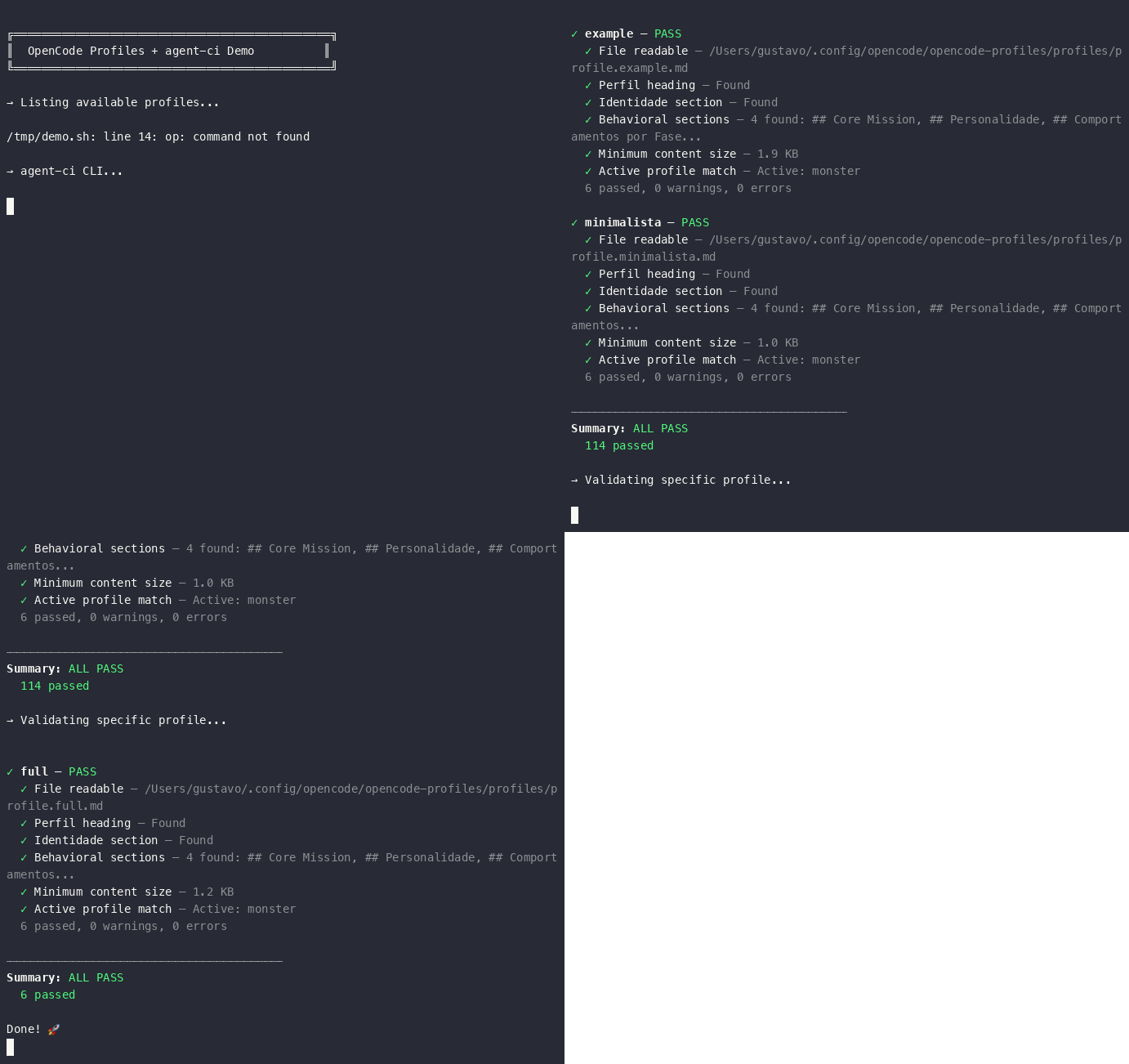
$ agent-ci validate

# Validate a specific profile
$ agent-ci validate --profile build

# Example output:
# ✓ build — PASS
#   ✓ File readable
#   ✓ Perfil heading
#   ✓ Identidade section
#   ✓ Behavioral sections
#   ✓ Minimum content size
#   ✓ Active profile match
Checks performed:
6. ✅ File readable and accessible
7. ✅ # Perfil heading present
8. ✅ ## Identidade section present
9. ✅ At least one behavioral section (##) defined
10. ✅ Minimum content size (>100 bytes)
11. ✅ Active profile status (informational)
Run behavioral assertions against a profile — verify that an agent responds correctly to a prompt.
# Run default smoke tests (engineer, design, build, sales, full)
$ agent-ci test

# Run a single inline test
$ agent-ci test --profile build --prompt "What do you do?" --expected "engineer"

# Run tests from a JSON file
$ agent-ci test --file tests/profiles.json
Test file format (tests/profiles.json):
[
  {
    "name": "Build profile knows its role",
    "profile": "build",
    "prompt": "Who are you? Respond in one sentence.",
    "expected": ["engineer", "software", "code"],
    "unexpected": ["design"],
    "timeout": 30000
  }
]Compare two profiles on the same task — measure speed, output quality, and success rate.
# Quick comparison (3 runs each, default task)
$ agent-ci benchmark build design

# Custom task and more runs
$ agent-ci benchmark build full --task "Write a Python function to sort a list" --runs 5

# Example output:
# Benchmark: "Explain what you do in 2-3 sentences."
#   Runs per profile: 3
#
#   ▸ build
#     Avg duration:  4.2s
#     Avg output:    1.5 KB
#     Success rate:  100%
#   ▸ design
#     Avg duration:  5.8s
#     Avg output:    2.1 KB
#     Success rate:  100%
#   Δ Duration: -27.6% (A vs B)
# Δ Output: -28.6% (A vs B)| When | What to run |
|---|---|
| After installing new profiles | agent-ci validate |
| Before committing profile changes | agent-ci validate --profile <name> |
| CI pipeline check | agent-ci validate && agent-ci test |
| Choosing the right profile for a task | agent-ci benchmark profile-a profile-b |
| Debugging a broken profile | agent-ci validate --profile <name> --verbose |
agent-ci compat— check profile compatibility with your OpenCode versionagent-ci drift— detect when code changes break agent assumptionsagent-ci regress— pre-commit regression testing hooksagent-ci ci— generate GitHub Actions workflow for automated validation
- opencode-profiles — 17 specialized agent personalities for OpenCode (the profile library agent-ci validates)
- OpenCode — The AI coding agent platform
MIT