Repository navigation
Releases
v2.1.0 - Vandal Hearts PC Port

Vandal Hearts — PC Port v2.1.0
A native PC port of Vandal Hearts — one executable for the USA (SLUS-00447), Asia
(SCPS-45183) and Japan (SLPM-86007) releases. You must supply your own
legally-owned disc image (.bin); the download does nothing without it.
A maintenance release: two small conveniences, and a large batch of robustness fixes from an
independent code review of the port. As always, normal mode is unaffected — still byte-for-byte
the retail game.
Added
-
A message box when no disc is found. Launching by double-click with no
game/folder set
up used to open a window and close it again with no explanation. It now shows a dialog
explaining what it looked for and where to put your disc.bin, on top of the existing console
message.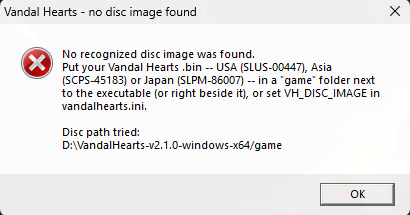
-
Escape asks before quitting. Once a game is underway, pressing Escape now opens a
confirmation ("QUIT THE GAME?") with NO selected by default, so an accidental press can't
lose unsaved progress — the same confirm the overlay's RETURN TO TITLE uses. At the title screen
and during its logo/title-attract videos, Escape quits immediately because no run is active. The
window's close button also still quits immediately, as before.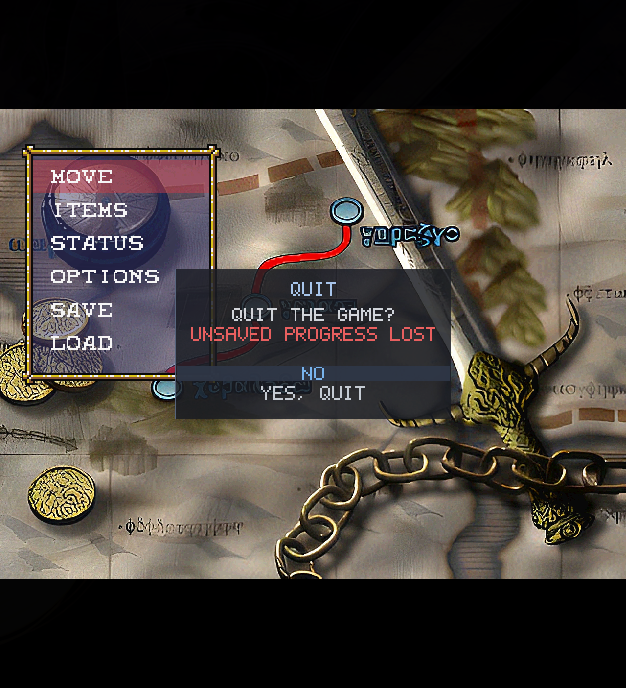
Fixed
Eighteen issues found by an independent code review of the port. All but the first need a damaged
or deliberately modified disc image or add-on file to reach:
- A rare audio crackle/crash on scene change — a sound bank could be freed while a fading-out
sound effect was still playing from it. Voices using a bank are now stopped before it's freed. - Windows and Linux now compute identical geometry for large camera/object translations — a
32-bit-vs-64-bit arithmetic difference in the GTE math (invisible in ordinary play, where the
values involved stay small) meant the two platforms could diverge in principle. Both now use
the same wide arithmetic. - Corrupt or hand-modified game data can no longer crash the port — out-of-bounds reads and
unbounded parsing were closed across TIM/VRAM image loading, VAB/SEQ sound-bank loading, HD
video (a mid-file resolution/format change), an oversized HD image, and hand-edited subtitle
cue files. All require a damaged or deliberately modified disc image or add-on file — an
unmodified disc was never affected. - A genuine crash now fails loudly instead of being silently "repaired." A safety net meant
for one specific startup case had grown to catch stray memory writes anywhere, turning some
real bugs into silent corruption instead of a clean crash. It's now scoped back to its
original job.
Changed
- Headless launches now explain themselves in the log (advanced) — if the game can't open a
window, the log names the reason instead of just noting that it's running without one. - An optional exact-integer camera-math path (advanced, off by default) —
VH_GTE_EXACT
switches the GTE's rotation-matrix math to a bit-for-bit transcription of the original PlayStation
integer routine, for comparing against the port's default floating-point path. See
OPTIONS.md.
Developer
- Comment hygiene enforced tree-wide (
make check-comments); the data-segment generator now
refuses a wrong-region or truncated game executable instead of silently mis-building; ten new
regression harnesses underplatform/pc/tools/regress/; release-script hardening (a bad
version tag is refused before anything is deleted, the shared-region identity check is now
enforced, per-game HD-pack packaging, a Windows-only publish no longer references a missing
file).
Compatibility
- Saves,
vandalhearts.iniand language packs all keep working untouched. - HD packs are unchanged since 2.0.0 — keep the one you already have, or download the same
packs again from this release.
Downloads
| Platform | File | How to run |
|---|---|---|
| Windows 10/11 | VandalHearts-v2.1.0-windows-x64.zip |
Unzip; put your disc in a game\ folder next to vandalhearts_pc.exe; run it. |
| Linux (glibc ≥ 2.34) | VandalHearts-v2.1.0-linux-x86_64.AppImage + vandalhearts.ini |
Put both together; put your disc in a game/ folder beside the .AppImage; chmod +x and run. Needs FUSE2. |
| Any | VandalHearts-v2.1.0-Manual.pdf |
The Player Manual: setup, controls, features, troubleshooting. |
| Optional | VandalHearts-v2.1.0-hdpack-SLUS-00447.zip |
HD backgrounds + movies. Unzip so hdpacks/ sits beside the executable. Loaded on US/Asia discs. |
| Optional | VandalHearts-v2.1.0-hdpack-SLPM-86007.zip |
HD backgrounds + movies. Unzip so hdpacks/ sits beside the executable. Loaded on Japan. |
Config: edit vandalhearts.ini next to the executable (window scale, audio, etc.).
Note on contents
A release binary embeds a portion of game-derived data (the executable's static
data segment, a small BIOS-derived font, reconstructed tables) so the port can
run — © Konami / © Sony, no ownership claimed. It is a fraction of the game; the
bulk loads from your own disc at runtime. See NOTICE/DISCLAIMER.
Verify downloads against SHA256SUMS.txt.
Optional HD packs
Higher-resolution backgrounds + re-encoded FMV movies, one pack per game
(SLUS-00447 for US/Asia, SLPM-86007 for Japan). Optional; the game runs
identically without one. Unzip so hdpacks/ sits next to the executable, then
enable HD PACK in the Select+Start options (see docs/hd-pack.md). Upgrading a
1.x install? Your old pack still works — or move the previous contents of
hdpacks/ into a new hdpacks/SLUS-00447/ folder to match the new layout.
This is upscaled derivative art (© Konami), provided for convenience and also
buildable from your own disc — see NOTICE / DISCLAIMER.
v2.0.0 — Vandal Hearts PC Port
Vandal Hearts — PC Port v2.0.0
A native PC port of Vandal Hearts — one executable for the USA (SLUS-00447), Asia
(SCPS-45183) and Japan (SLPM-86007) releases. You must supply your own
legally-owned disc image (.bin); the download does nothing without it.
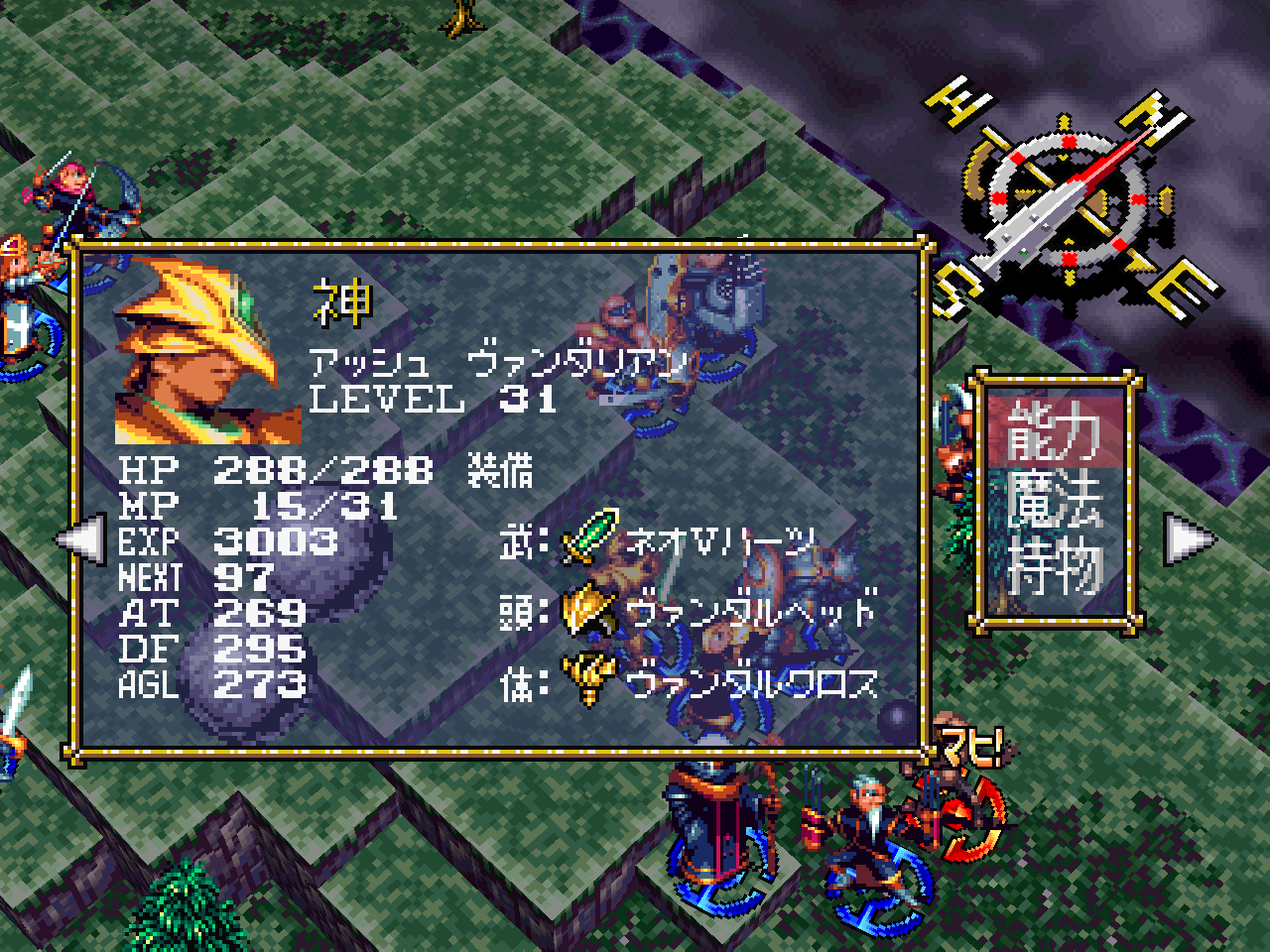
A region barrier falls. This release adds a second complete matching decompilation — the
Japanese release, SLPM-86007, rebuilt byte-for-byte like the US one — and ships one
executable that runs the USA, Asia and Japan discs, auto-detecting whichever you own. The
Japanese game is a first-class citizen: the full PC feature set, its own HD pack, its own
faithful Japanese text. As always, normal mode remains byte-for-byte the retail game — now for
two retail games.
Added
- Japan and Asia disc support. Drop any supported disc — USA (
SLUS-00447), Asia
(SCPS-45183) or Japan (SLPM-86007) — in thegame/folder and play; several at once is
fine. The Asia release (byte-identical to USA bar the save id) has quietly worked for a while —
this is its first supported release. The Japanese release is a different build of the game
entirely, and runs on its own decompiled code. Setup:
configuration.md. - The DISC option. With more than one disc installed, a new overlay row lists each by its
release id; pick one and it boots at the next launch (marked*until then, like LANGUAGE). - Full feature parity on the Japanese game: Tactical Mode, the options overlay, save
management, battle fast-forward, threat overlay, unit-cycle, finer camera elevation, internal
resolution, HD pack support. Tactical Mode's reworked text stays faithful to the Japanese disc —
its clarified item descriptions reuse the disc's own Japanese spell lines, and adjusted spell
info lines are the retail Japanese text with only the numbers updated. Language packs remain a
US-disc feature by design (they are built on the US game's text engine); the LANGUAGE row
explains itself — greyed on the Japanese game, and even usable there to queue a pack when a
switch to a US disc is pending. - A Japanese HD pack. Backgrounds and story videos for the Japanese game (its movies carry
the original burned-in Japanese subtitles), downloadable as a release asset like the US pack. - The developers' own debug menu (advanced). KCET's development menu — battle warp, a
selector for all 95 story events, world-map and town warps, a unit viewer — survived in the
Japanese release; the US release stripped most of it, and what remained could never render even
on real hardware. Restored on every disc, translated on US/Asia. Off by default; launch
withVH_DEBUG_MENU=1and idle at the title screen. Warped scenes can load in odd states —
that's authentic dev-tool behavior — and saves made from them are unsupported. Details:
gameplay-additions.md. - Fast boot. The fresh-launch load before the intro logo (a black screen a real console hides
behind its BIOS animation) now runs accelerated — launch-to-logo drops from ~7 s to under 2 s.
Everything from the logo onward keeps the hardware-exact load pacing.VH_FAST_BOOT=0restores
full hardware timing.
Changed
- Load pacing is now hardware-exact on the US game too. The CD-timing model gained the
drive's per-read start cost, tuned against real-hardware captures of both regions; US loads
were previously ~5% faster than a console. If a load feels marginally longer than 1.7.1, it is
now exactly as long as the real thing. - HD packs are per-game —
hdpacks/SLUS-00447/andhdpacks/SLPM-86007/side by side, the
right one auto-detected for the running disc (the Asia disc uses the US pack — same master).
Already have the 1.x HD pack? No need to re-download — createhdpacks/SLUS-00447/and move
the previous contents ofhdpacks/into it (the old flat layout also still works as-is). - Tactical Mode: Mystic Energy's info line now reads "Protect Magic" (was "DEF,AT Up") —
matching the spell's Tactical redesign, which is protective (DEF + magic resistance) and no
longer raises ATK. Display only; Normal mode untouched.
Fixed
- RETURN TO TITLE is now safe from anywhere. Pressed during a loading scene it could crash;
pressed during a video it froze the frame while audio played on. The jump now tears down
in-flight loads and movie streams cleanly, from any state. - The startup "not responding" dialog is gone. During long loads the window answered no
desktop events, so window managers (notably GNOME) sometimes flagged the game as stuck and the
close button appeared dead. Loads now stay responsive — closing the window works even
mid-load. Latent since 1.0.0. - Stray files in
saves/no longer break saving. A folder or foreign file in the saves
directory was treated as save-card content and could produce a bogus "no free blocks" error.
Latent since 1.1.0. - Windows, Tactical Mode: crash on a reworked spell's info line. Moving the spell-list
cursor onto a Tactical-reworked spell (Spread Force, Thunder Ball, the retuned support
spells) could crash — a 32-bit truncation specific to Windows builds (Linux was never
affected). Latent since Tactical Mode shipped in 1.3.0; found in 2.0.0's Windows
validation and fixed, with a full audit of the port for the same defect class
(width-bugs.md). - Internal hardening from the two-region port work: object-pool overflow and a corrupt GPU
ordering table now fail soft instead of crashing or hanging, and a reconstructed animation
table's safety padding is sized from the shipped game data instead of an estimate.
Compatibility
- Existing installs upgrade in place: saves,
vandalhearts.iniand the flat 1.xhdpacks/
layout all keep working untouched. - Saves are per-region (matching the real consoles' different memory-card formats): the
US/Asia and Japanese games keep separate save files, and the DISC switch does not carry
progress across. - New
vandalhearts.inikeys:VH_REGION,VH_DISC_ID(written by the DISC row) and
VH_FAST_BOOT. Full reference:
OPTIONS.md.
Downloads
| Platform | File | How to run |
|---|---|---|
| Windows 10/11 | VandalHearts-v2.0.0-windows-x64.zip |
Unzip; put your disc in a game\ folder next to vandalhearts_pc.exe; run it. |
| Linux (glibc ≥ 2.34) | VandalHearts-v2.0.0-linux-x86_64.AppImage + vandalhearts.ini |
Put both together; put your disc in a game/ folder beside the .AppImage; chmod +x and run. Needs FUSE2. |
| Any | VandalHearts-v2.0.0-Manual.pdf |
The Player Manual: setup, controls, features, troubleshooting. |
| Optional | VandalHearts-v2.0.0-hdpack-SLUS-00447.zip |
HD backgrounds + movies. Unzip so hdpacks/ sits beside the executable. Loaded on US/Asia discs. |
| Optional | VandalHearts-v2.0.0-hdpack-SLPM-86007.zip |
HD backgrounds + movies. Unzip so hdpacks/ sits beside the executable. Loaded on Japan. |
Config: edit vandalhearts.ini next to the executable (window scale, audio, etc.).
Note on contents
A release binary embeds a portion of game-derived data (the executable's static
data segment, a small BIOS-derived font, reconstructed tables) so the port can
run — © Konami / © Sony, no ownership claimed. It is a fraction of the game; the
bulk loads from your own disc at runtime. See NOTICE/DISCLAIMER.
Verify downloads against SHA256SUMS.txt.
Optional HD packs
Higher-resolution backgrounds + re-encoded FMV movies, one pack per game
(SLUS-00447 for US/Asia, SLPM-86007 for Japan). Optional; the game runs
identically without one. Unzip so hdpacks/ sits next to the executable, then
enable HD PACK in the Select+Start options (see docs/hd-pack.md). Upgrading a
1.x install? Your old pack still works — or move the previous contents of
hdpacks/ into a new hdpacks/SLUS-00447/ folder to match the new layout.
This is upscaled derivative art (© Konami), provided for convenience and also
buildable from your own disc — see NOTICE / DISCLAIMER.
v1.7.1
Vandal Hearts — PC Port v1.7.1
A native PC port of Vandal Hearts (US, SLUS_004.47). You must supply your own
legally-owned disc image (.bin); the download does nothing without it.
The translation framework's one remaining gap is closed: the burned-in English narration of the
story videos (the six chapter intros and both endings) can now be subtitled by a language pack.
As always, the base build is unchanged without a pack — English players keep the original videos
exactly as they were.

Added
- Movie subtitles. A pack can translate the narration of all eight story videos: the renderer
covers the burned-in text and draws the translation in the game's large font, at the original
narration's own on-screen size — identically with and without the HD pack, at every INTERNAL RES
setting. Cue timings were validated frame-by-frame against the retail videos, so a translator
only writes text. Subtitles are a per-line diff: an untranslated line keeps its burned-in
English, so a partially subtitled pack is still a working pack. The ending's credit roll stays
English by design (names and universally understood roles). Player guide:
language-packs.md. - Toolchain: a fifth export.
lang_export_cues.pyinstalls the per-video subtitle templates
into the working set; each cue carries the English reference next to the translator's field.
Subtitles may be written in natural mixed case even in a capitals-only script pack — the
builder folds them correctly. The template tool counts subtitle letters in its art report, and
the build verifies every subtitle character has a glyph before a pack ships.
Quickstart
and
reference
updated, with new captures.
Changed
- Save-management hardening (from the project's first community code contribution — thanks
to Christopher Ball). Backups and restores are now atomic: a crash or full disk mid-restore
can no longer corrupt the active save card. Every backup is checksum-validated (the game's
own save-card CRC) before a restore or inspection, so a damaged backup is refused with a clear
message instead of being copied over your saves. The SAVES overlay gained a status line
("BACKUP CREATED", "RESTORE FAILED", …), and the 64-backup list limit is gone. - Disc auto-discovery improvements (same contribution). Candidate
.binfiles are verified
by their boot signature, so a folder with a multi-track dump now finds the data track
instead of failing on the first file, and discovery is case-insensitive.
Compatibility
- Packs built before 1.7.1 keep working (they simply have no subtitles); packs built with the
1.7.1 toolchain load on older builds too — the subtitle data is skipped there. To gain
subtitles, rebuild the pack with the current toolchain and fill the newstrings/cues/files.
Downloads
| Platform | File | How to run |
|---|---|---|
| Windows 10/11 | VandalHearts-v1.7.1-windows-x64.zip |
Unzip; put your disc in a game\ folder next to vandalhearts_pc.exe; run it. |
| Linux (glibc ≥ 2.34) | VandalHearts-v1.7.1-linux-x86_64.AppImage + vandalhearts.ini |
Put both together; put your disc in a game/ folder beside the .AppImage; chmod +x and run. Needs FUSE2. |
| Any | VandalHearts-v1.7.1-Manual.pdf |
The Player Manual: setup, controls, features, troubleshooting. |
| Optional | VandalHearts-v1.7.1-hdpack.zip |
HD backgrounds + movies. Unzip so hdpacks/ sits beside the executable. Unchanged since v1.6.1 — keep yours if you have it. |
Config: edit vandalhearts.ini next to the executable (window scale, audio, etc.).
Note on contents
A release binary embeds a portion of game-derived data (the executable's static
data segment, a small BIOS-derived font, reconstructed tables) so the port can
run — © Konami / © Sony, no ownership claimed. It is a fraction of the game; the
bulk loads from your own disc at runtime. See NOTICE/DISCLAIMER.
Verify downloads against SHA256SUMS.txt.
Optional HD pack
VandalHearts-v1.7.1-hdpack.zip — higher-resolution backgrounds + re-encoded FMV
movies. Optional; the game runs identically without it. Unzip so hdpacks/
sits next to the executable, then enable HD PACK in the Select+Start options
(see docs/hd-pack.md). This is upscaled derivative art (© Konami), provided for
convenience and also buildable from your own disc — see NOTICE / DISCLAIMER.
v1.7.0 — Language packs
Vandal Hearts — PC Port v1.7.0
A native PC port of Vandal Hearts (US, SLUS_004.47). You must supply your own
legally-owned disc image (.bin); the download does nothing without it.
The port can now display the game in another language, loaded from an optional language pack
beside the executable. The base build still ships no game text and behaves identically without a
pack; normal mode remains byte-for-byte the retail game. Packs are a community effort — this
release ships the engine and the complete authoring toolchain, not translations.
Added
- Language packs. Install a pack under
langpacks/<name>/and pick it with the new
LANGUAGE option (SELECT+START overlay, System) — the one overlay setting that is not live:
the choice is marked*and applies at the next launch. A pack covers everything the game
draws: story dialogue, menus, battle messages, item/spell names and descriptions, character,
class and terrain names, the text hardcoded in the game's code, Tactical Mode's text, and the
save-slot captions (translated at display time, so save files stay language-neutral and
portable). A pack is a diff — untranslated entries simply stay English. Player guide:
language-packs.md. - Non-Latin scripts. Accented Latin (French, Italian, Portuguese, German, Spanish…) renders
with no extra art — letterforms are composed from the game's own font. Scripts the game has
never drawn ship their own glyph sheets, rasterised from GNU Unifont by the tooling and
hand-tweakable: Cyrillic and Greek are proven in game. Packs can also opt into true
mixed-case rendering (--mixed-case) instead of the retail ALL-CAPS folding. - Longer item names (pack format 2). A pack can store item names as 16 characters instead of
the retail 8, rendered through the small font across the shop, depot and battle screens — the
difference betweenMEGAHERBand a real translation. A build that doesn't understand a pack's
format refuses it loudly and keeps English — never garbled text. - Localized backgrounds. A pack can replace backgrounds with text baked into the art (the
title card, signposts) with translated versions — same content-hash mechanism as the HD pack,
and a translated background takes priority over the HD one. They render at every INTERNAL RES
setting (at 1× the art is downscaled to native resolution) and need nothing from the player —
no HD pack required. - The authoring toolchain
(hands-on quickstart ·
reference):
export the game's complete text from your own disc into a translator working set (every entry
carries its English source and its display limit), translate, merge, validate against the
engine's real limits (hard rules + on-screen fit lint), and build. Non-Latin packs derive and
rasterise exactly the glyphs a translation needs. Game text is never committed to the
repository — everything regenerates from the disc.
Changed
- The console is quiet by default. Recurring per-event lines (per-table pack loads, per-scene
HD replacements, per-movie decoder open/close) are now behindVH_VERBOSE=1(env or ini). The
boot summary and every warning still always print — a refused or damaged pack says so loudly. - The issue template asks about language packs, and the documentation covers them throughout (the
Player Manual, configuration reference, feature guide, and a
translator entry point in
the README).
Downloads
| Platform | File | How to run |
|---|---|---|
| Windows 10/11 | VandalHearts-v1.7.0-windows-x64.zip |
Unzip; put your disc in a game\ folder next to vandalhearts_pc.exe; run it. |
| Linux (glibc ≥ 2.34) | VandalHearts-v1.7.0-linux-x86_64.AppImage + vandalhearts.ini |
Put both together; put your disc in a game/ folder beside the .AppImage; chmod +x and run. Needs FUSE2. |
| Any | VandalHearts-v1.7.0-Manual.pdf |
The Player Manual: setup, controls, features, troubleshooting. |
| Optional | VandalHearts-v1.7.0-hdpack.zip |
HD backgrounds + movies. Unzip so hdpacks/ sits beside the executable. Unchanged since v1.6.1 — keep yours if you have it. |
Config: edit vandalhearts.ini next to the executable (window scale, audio, etc.).
Note on contents
A release binary embeds a portion of game-derived data (the executable's static
data segment, a small BIOS-derived font, reconstructed tables) so the port can
run — © Konami / © Sony, no ownership claimed. It is a fraction of the game; the
bulk loads from your own disc at runtime. See NOTICE/DISCLAIMER.
Verify downloads against SHA256SUMS.txt.
Optional HD pack
VandalHearts-v1.7.0-hdpack.zip — higher-resolution backgrounds + re-encoded FMV
movies. Optional; the game runs identically without it. Unzip so hdpacks/
sits next to the executable, then enable HD PACK in the Select+Start options
(see docs/hd-pack.md). This is upscaled derivative art (© Konami), provided for
convenience and also buildable from your own disc — see NOTICE / DISCLAIMER.
v1.6.2 — Vandal Hearts PC Port
Vandal Hearts — PC Port v1.6.2
A native PC port of Vandal Hearts (US, SLUS_004.47). You must supply your own
legally-owned disc image (.bin); the download does nothing without it.
A small maintenance release, prompted by the first user bug report after release. No gameplay
changes; normal mode remains byte-for-byte the retail game.
Fixed
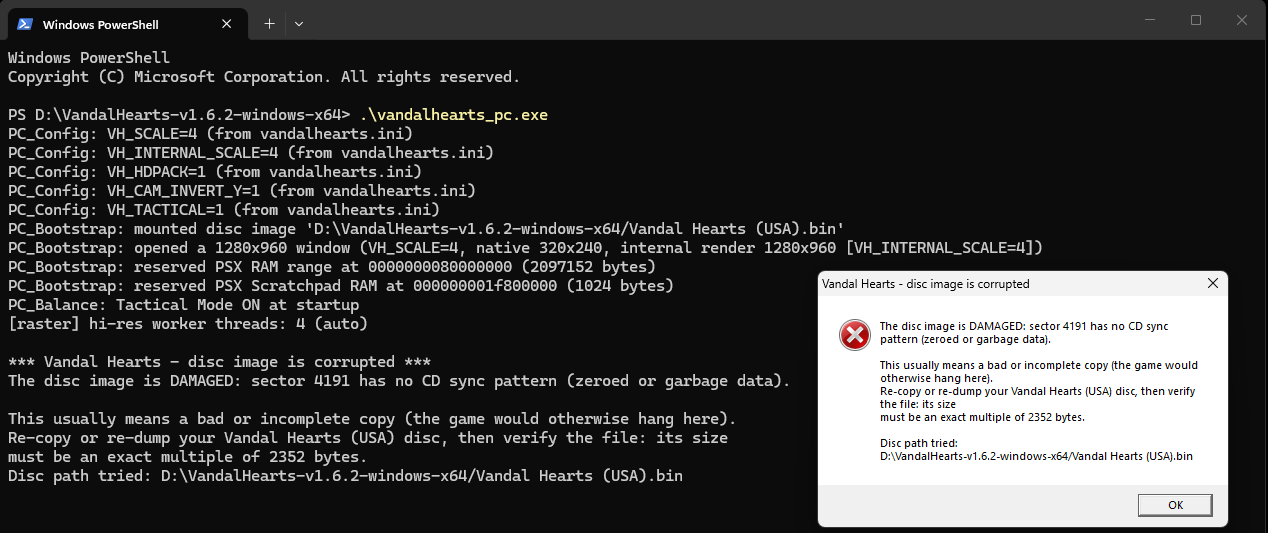
- A damaged disc image no longer hangs the game silently. A
.binthat was truncated
(interrupted copy/download) or carried garbage sectors (bad rip) used to pass the quick boot
check and then freeze the game — typically right after the[HD] pack detectedconsole line,
with no error at all. The port now validates the image three ways: the file size must be a whole
number of raw CD sectors at startup, and every sector read during play is checked for the CD
sync pattern and its own embedded sector address. A damaged image now stops with a clear message
naming the exact broken sector (see
troubleshooting.md) instead of hanging. Intact
images are unaffected — the checks are structural, so any valid dump still works, and their cost
is unmeasurable (a 15-byte compare on data already being read).
What it looks like
Instead of freezing, a damaged disc image now stops immediately and says exactly what is wrong —
including the sector that failed — on both platforms.
Linux: the message now also appears as a dialog, so a double-clicked AppImage no longer just closes
without explanation.
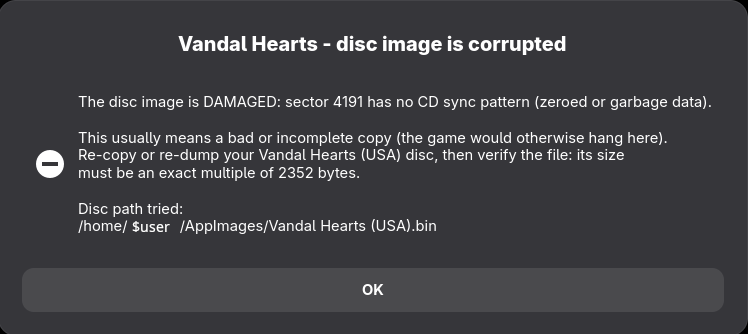
Windows: the console output and the message box carry the same detail.
Downloads
| Platform | File | How to run |
|---|---|---|
| Windows 10/11 | VandalHearts-v1.6.2-windows-x64.zip |
Unzip; put your disc in a game\ folder next to vandalhearts_pc.exe; run it. |
| Linux (glibc ≥ 2.34) | VandalHearts-v1.6.2-linux-x86_64.AppImage + vandalhearts.ini |
Put both together; put your disc in a game/ folder beside the .AppImage; chmod +x and run. Needs FUSE2. |
| Any | VandalHearts-v1.6.2-Manual.pdf |
The Player Manual: setup, controls, features, troubleshooting. |
| Optional | VandalHearts-v1.6.2-hdpack.zip |
HD backgrounds + movies. Unzip so hdpacks/ sits beside the executable. Unchanged since v1.6.1 — keep yours if you have it. |
Config: edit vandalhearts.ini next to the executable (window scale, audio, etc.).
Note on contents
A release binary embeds a portion of game-derived data (the executable's static
data segment, a small BIOS-derived font, reconstructed tables) so the port can
run — © Konami / © Sony, no ownership claimed. It is a fraction of the game; the
bulk loads from your own disc at runtime. See NOTICE/DISCLAIMER.
Verify downloads against SHA256SUMS.txt.
Optional HD pack
VandalHearts-v1.6.2-hdpack.zip — higher-resolution backgrounds + re-encoded FMV movies.
Optional; the game runs identically without it. The pack is identical to the v1.6.1 one
(same file, same checksum), so if you already have it installed there is nothing to re-download.
Unzip so hdpacks/ sits next to the executable, then enable HD PACK in the Select+Start options
(see docs/hd-pack.md).
This is upscaled derivative art (© Konami), provided for convenience and also buildable from your
own disc — see NOTICE / DISCLAIMER.
v1.6.1 — Vandal Hearts PC Port
Vandal Hearts — PC Port v1.6.1
A native PC port of Vandal Hearts (US, SLUS_004.47). You must supply your own
legally-owned disc image (.bin); the download does nothing without it.
A maintenance and polish release. No gameplay changes; normal mode remains byte-for-byte the retail
game.
Fixed (both modes)
- Battle fast-forward now holds the full 2× at every graphics setting. A frame-pacing flaw made
battles at highINTERNAL RESsleep away part of each fast-forwarded frame (about 53 of the
targeted 60 ticks/sec at ×4). The pacing now spends the whole frame budget; measured 60/60 with
headroom on a worst-case battle scene. - HD pack scene loads no longer dip the frame rate. HD backgrounds decode on a background
thread; the brief 60→55 fps dip on entering a scene is gone (worst case validated at fullscreen
×4).
Changed
- The HD pack format is now v2 — re-download the pack. The pack manifest now declares the FMVs
too; the game verifies the pack's contents at startup (a missing movie is reported instead of
silently playing the original), and the HD PACK option explains itself when a pack can't be used
(NO PACK/OUTDATED PACK/WRONG GAME). The 1.6.0 pack download is withdrawn; this
release's pack (same art, current manifest) is the supported one. - The Linux AppImage shrank from 65 MB to 14 MB (the movie decoder is now built into the
executable instead of bundling a system multimedia stack — same approach as Windows).
Added
- A Player Manual (PDF) ships with each release: setup on Windows and Linux, controls, every
feature illustrated, and a quick problem table. - Reorganized documentation: the feature guide is now organized by feature with current
screenshots, plus new troubleshooting and
performance pages. - Quality-of-life for diagnostics: the per-second FPS meter is now opt-in (
VH_FPS_LOG, settable
in the ini), joined by frame-budget and display-path meters (VH_FRAME_TIME,
VH_PRESENT_TIME) — the first stops for any performance report. - Developer-facing: an in-repo regression harness (a 7-second headless boot test and a byte-exact
rasterizer golden-image check), a build-system parity guard, warning-clean builds on all
targets, a release checklist, and contributor/issue templates.
Downloads
| Platform | File | How to run |
|---|---|---|
| Windows 10/11 | VandalHearts-v1.6.1-windows-x64.zip |
Unzip; put your disc in a game\ folder next to vandalhearts_pc.exe; run it. |
| Linux (glibc ≥ 2.34) | VandalHearts-v1.6.1-linux-x86_64.AppImage + vandalhearts.ini |
Put both together; put your disc in a game/ folder beside the .AppImage; chmod +x and run. Needs FUSE2. |
| Any | VandalHearts-v1.6.1-Manual.pdf |
The Player Manual: setup, controls, features, troubleshooting. |
Config: edit vandalhearts.ini next to the executable (window scale, audio, etc.).
Note on contents
A release binary embeds a portion of game-derived data (the executable's static
data segment, a small BIOS-derived font, reconstructed tables) so the port can
run — © Konami / © Sony, no ownership claimed. It is a fraction of the game; the
bulk loads from your own disc at runtime. See NOTICE/DISCLAIMER.
Verify downloads against SHA256SUMS.txt.
Optional HD pack
VandalHearts-v1.6.1-hdpack.zip — higher-resolution backgrounds + re-encoded FMV
movies. Optional; the game runs identically without it. Unzip so hdpacks/
sits next to the executable, then enable HD PACK in the Select+Start options
(see docs/hd-pack.md). This is upscaled derivative art (© Konami), provided for
convenience and also buildable from your own disc — see NOTICE / DISCLAIMER.
v1.6.0 — Vandal Hearts PC Port
Vandal Hearts — PC Port v1.6.0
A native PC port of Vandal Hearts (US, SLUS_004.47). You must supply your own
legally-owned disc image (.bin); the download does nothing without it.
An optional HD layer for the two pre-rendered parts of the game — the 320×240 backgrounds and the FMV
movies. Everything here is inert unless you install a pack: the source tree and base build ship no HD
art — a pack is either built from your own disc or downloaded as the optional asset on this release — it
is auto-detected in hdpacks/ beside the executable, and without one the build renders exactly as before.
Hand-drawn pixel art (portraits, sprites, UI, fonts) stays native by design. Applies to both modes; normal
mode is still byte-for-byte the retail game.
Added (both modes)
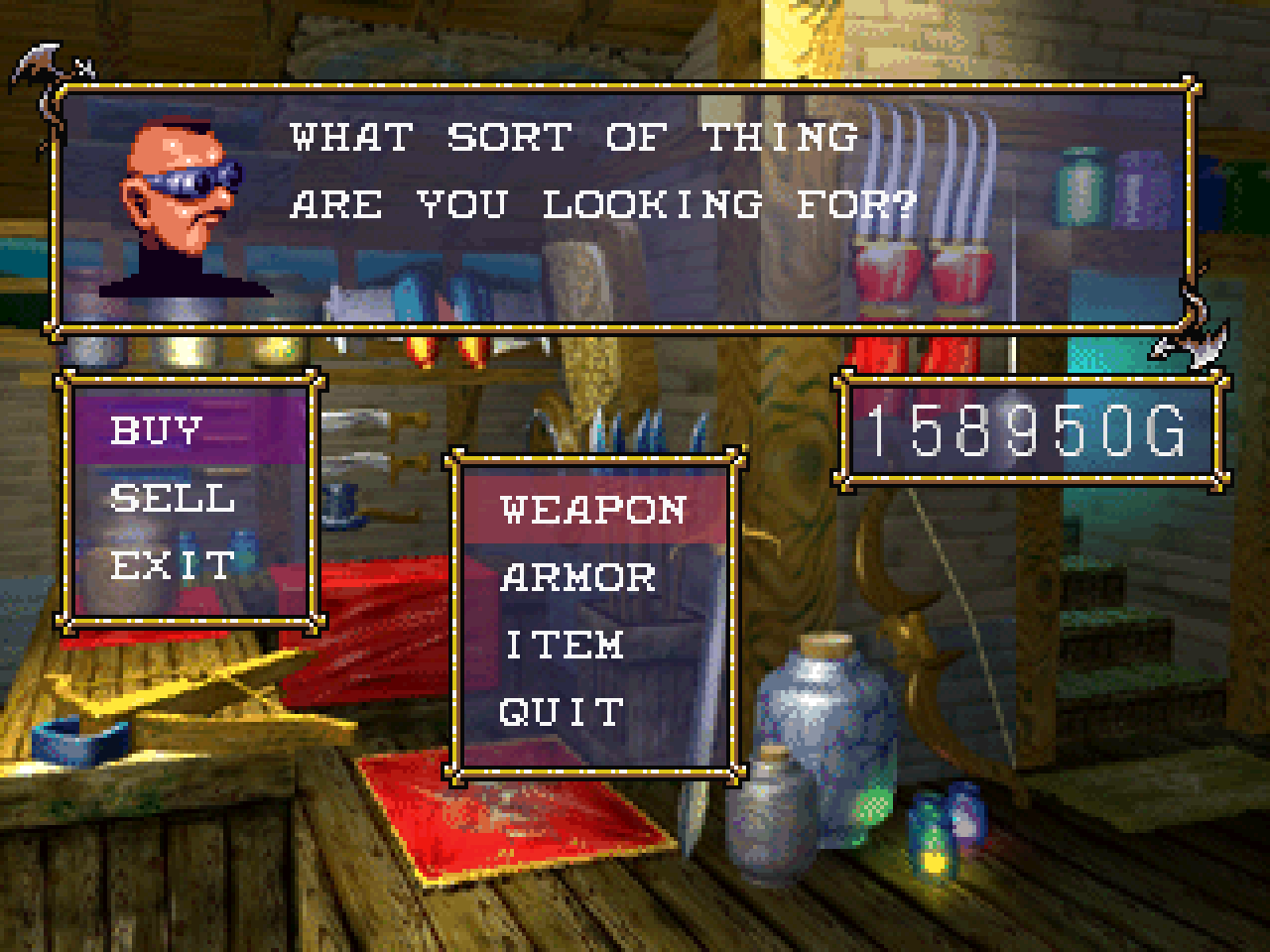
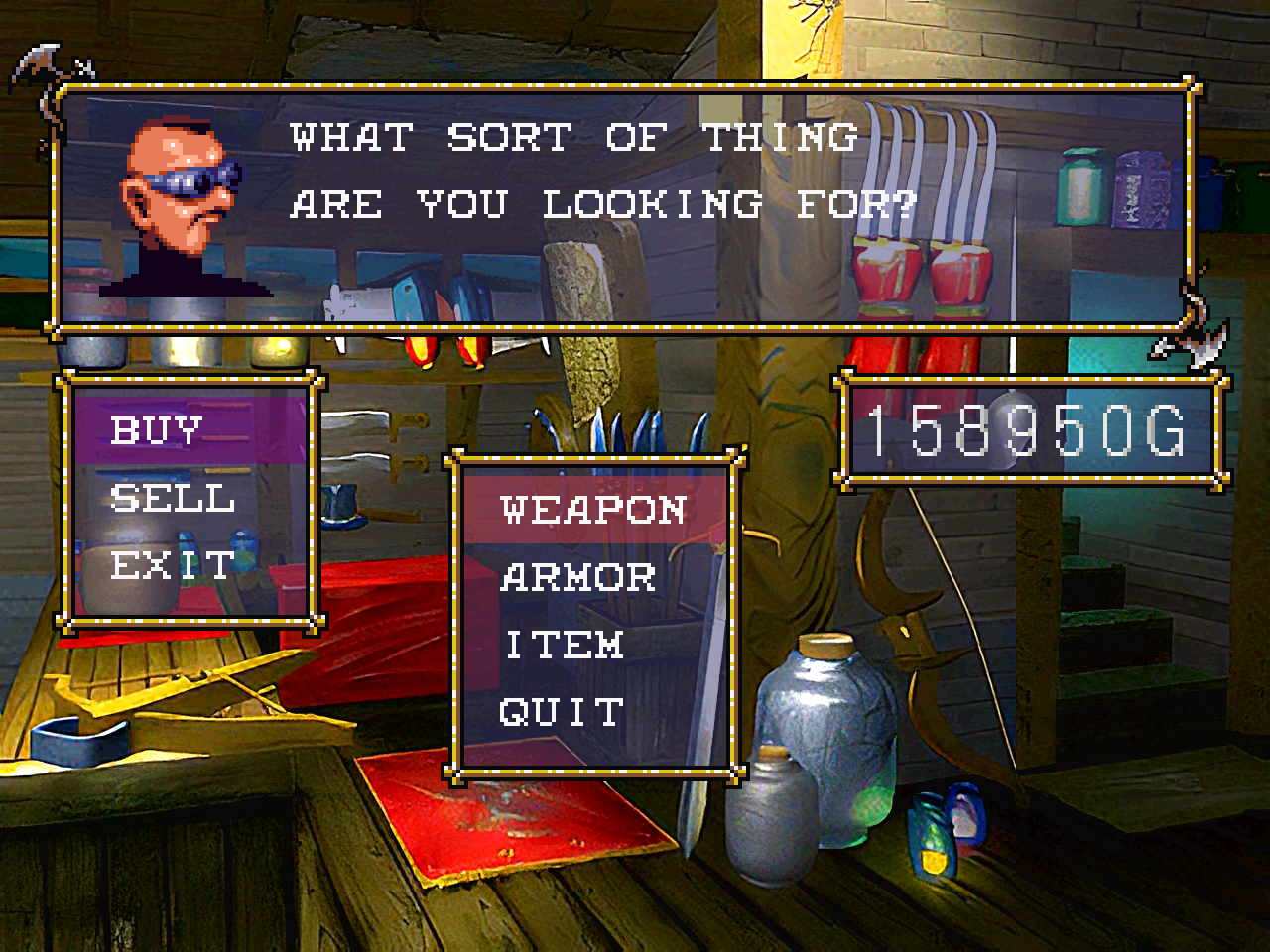
- HD backgrounds — the pre-rendered backgrounds are replaced with higher-resolution images at render
time (no change to layout, palette or UI). Each is keyed by a content hash of the VRAM upload, so a pack
maps 1:1 with no play-through. Enabled by the new HD PACK options row (auto-detected, defaults on,
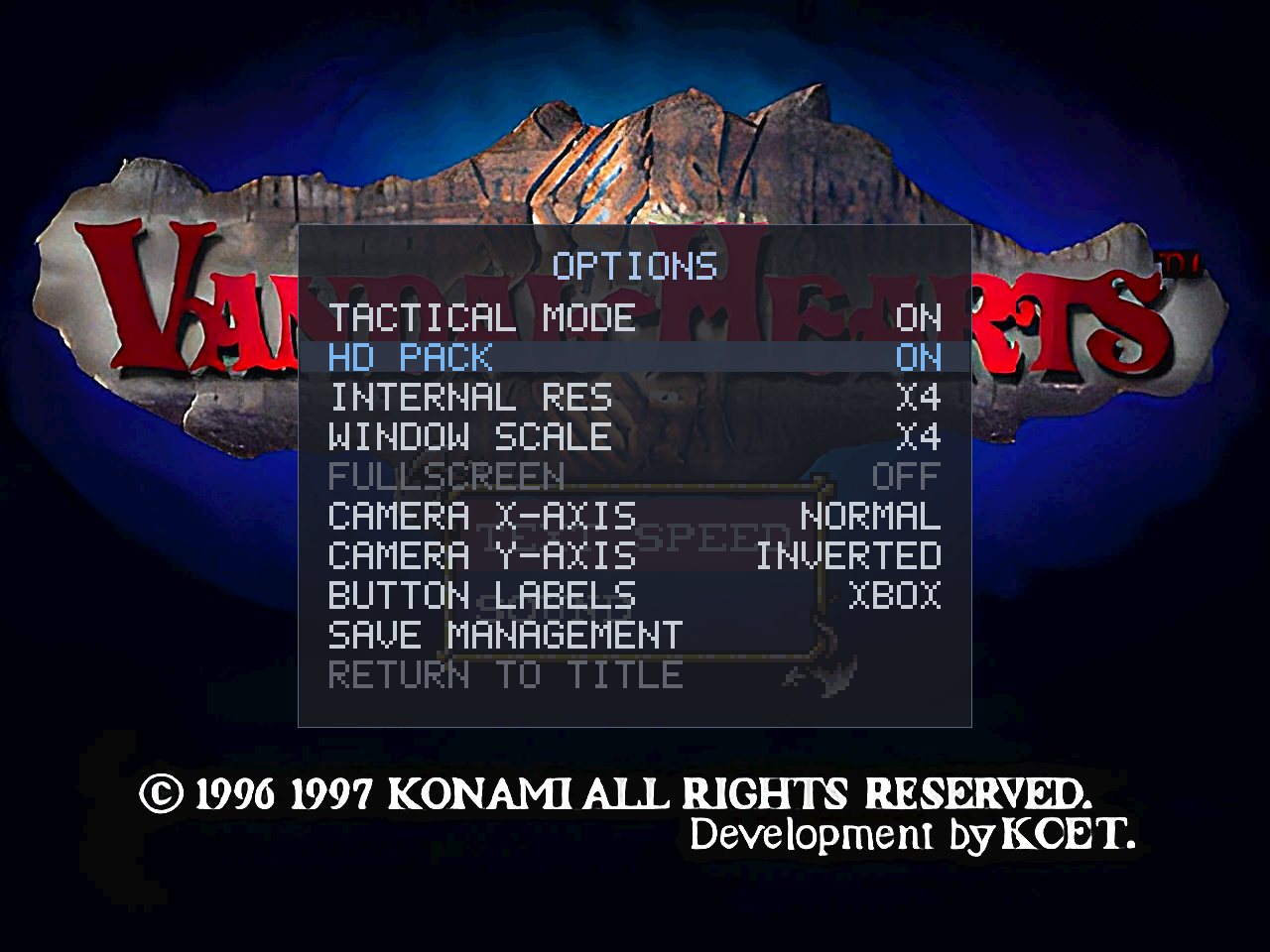
persisted asVH_HDPACK); enabling it raises the internal resolution so the detail is visible. - HD movies — the intro/ending FMVs can be replaced with HD H.264/HEVC re-encodes, presented in
place of the native MDEC video while the game keeps its original frame timing and XA audio in sync (only
the picture is swapped). - Pack tooling (
platform/pc/tools/hdpack/) — build a complete pack offline from your own disc:
background hashing + assembly, movie sector-mapping, a manifest generator, and an image finishing step. - New dependencies, on by default — libwebp (
.webpbackgrounds, ~20 MB vs ~150 MB) and libav /
ffmpeg (.mp4movies). Build without either viaNO_WEBP=1/NO_HDVIDEO=1(Make) or-DVH_WEBP=OFF
/-DVH_HDVIDEO=OFF(CMake); the Windows build links a minimal static libav, so it ships no extra
ffmpeg DLLs.
What it looks like
Enable it live in the options overlay (Select + Start → HD PACK):
Backgrounds — the same weapon shop, native then HD:
Native:
HD pack:
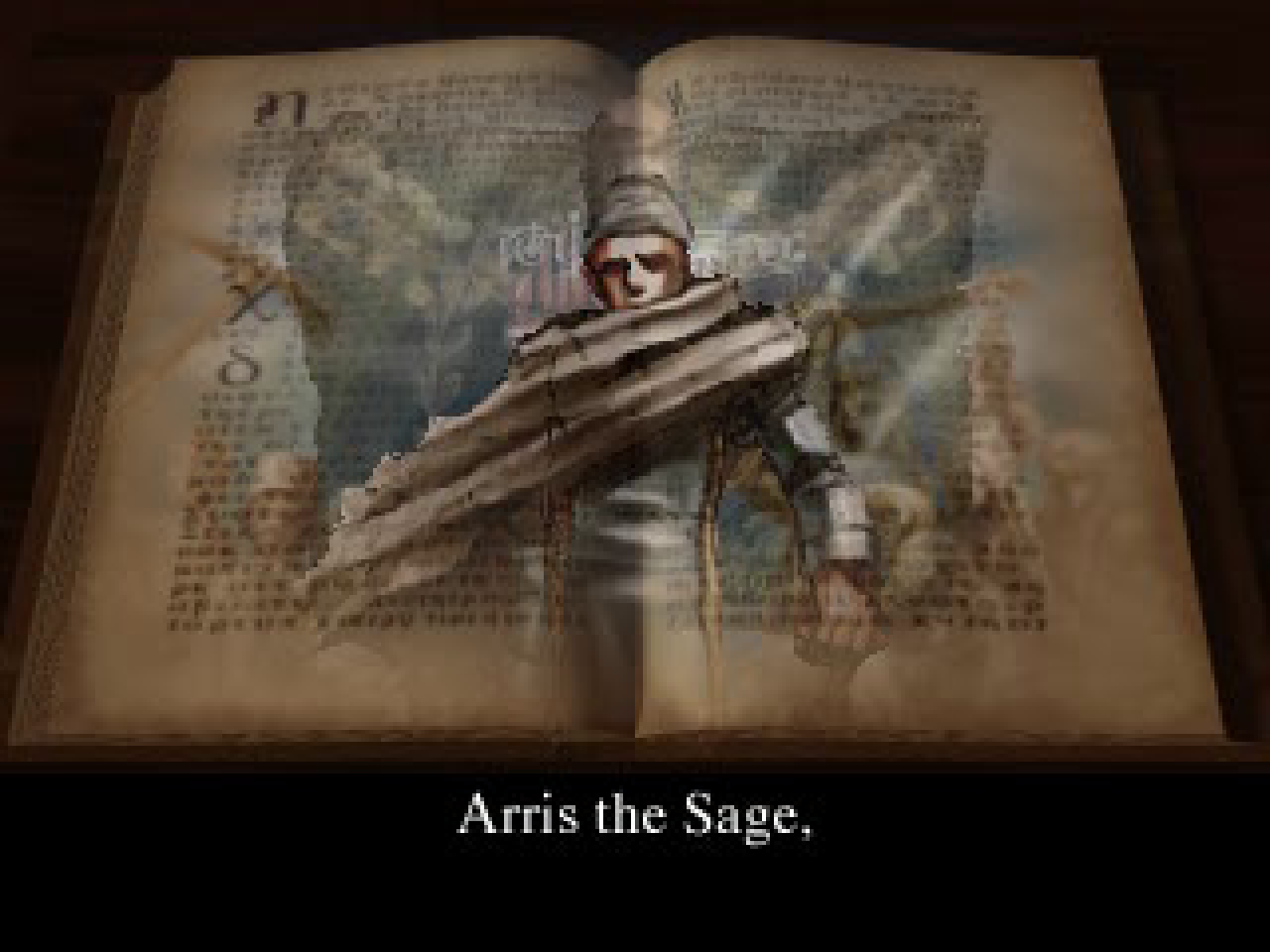
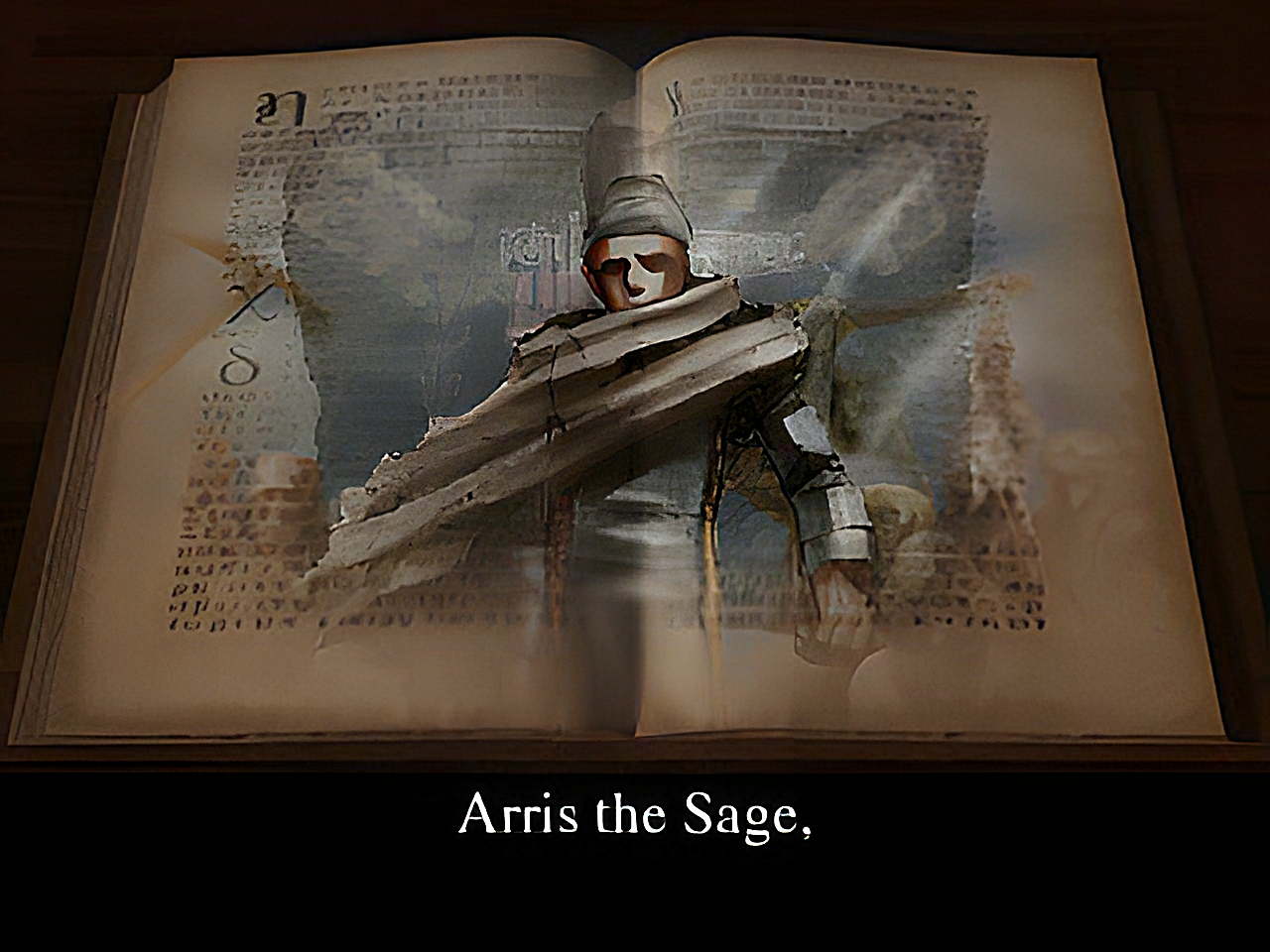
Movies — the intro "Arris the Sage" FMV, native MDEC then HD:
Native (MDEC):
HD pack:
Fixed
- Battle fast-forward now works in every battle. It previously did nothing in a normal map-initiated
battle (the speed gate recognised only loaded-save and dojo/trial battles, not the story-battle state);
it is now tied to the game's own battle-tick dispatch, so R2 works everywhere a battle runs. (This is a
fix to the 1.4 feature and applies with or without an HD pack.) - HD PACK toggle — toggling HD on mid-scene no longer briefly shows the previous scene's HD background;
a background uploaded while HD was off now correctly evicts the stale image. HD takes effect on the next
background load; toggling off is immediate.
Notes
- The source tree commits no copyrighted art. The optional HD pack — upscaled derivative art — is
offered as a separate release download (VandalHearts-v1.6.0-hdpack.zip) that you can equally
build yourself from your own disc; no ownership is claimed and it will be withdrawn on request (see
the release'sNOTICE/DISCLAIMER). Install/build in
docs/hd-pack.md.
Downloads
| Platform | File | How to run |
|---|---|---|
| Windows 10/11 | VandalHearts-v1.6.0-windows-x64.zip |
Unzip; put your disc in a game\ folder next to vandalhearts_pc.exe; run it. |
| Linux (glibc ≥ 2.34) | VandalHearts-v1.6.0-linux-x86_64.AppImage + vandalhearts.ini |
Put both together; put your disc in a game/ folder beside the .AppImage; chmod +x and run. Needs FUSE2. |
Config: edit vandalhearts.ini next to the executable (window scale, audio, etc.).
Note on contents
A release binary embeds a portion of game-derived data (the executable's static
data segment, a small BIOS-derived font, reconstructed tables) so the port can
run — © Konami / © Sony, no ownership claimed. It is a fraction of the game; the
bulk loads from your own disc at runtime. See NOTICE/DISCLAIMER.
Verify downloads against SHA256SUMS.txt.
Optional HD pack
VandalHearts-v1.6.0-hdpack.zip — higher-resolution backgrounds + re-encoded FMV
movies. Optional; the game runs identically without it. Unzip so hdpacks/
sits next to the executable, then enable HD PACK in the Select+Start options
(see docs/hd-pack.md). This is upscaled derivative art (© Konami), provided for
convenience and also buildable from your own disc — see NOTICE / DISCLAIMER.
v1.5.0 — Vandal Hearts PC Port
Vandal Hearts — PC Port v1.5.0
A native PC port of Vandal Hearts (US, SLUS_004.47). You must supply your own
legally-owned disc image (.bin); the download does nothing without it.
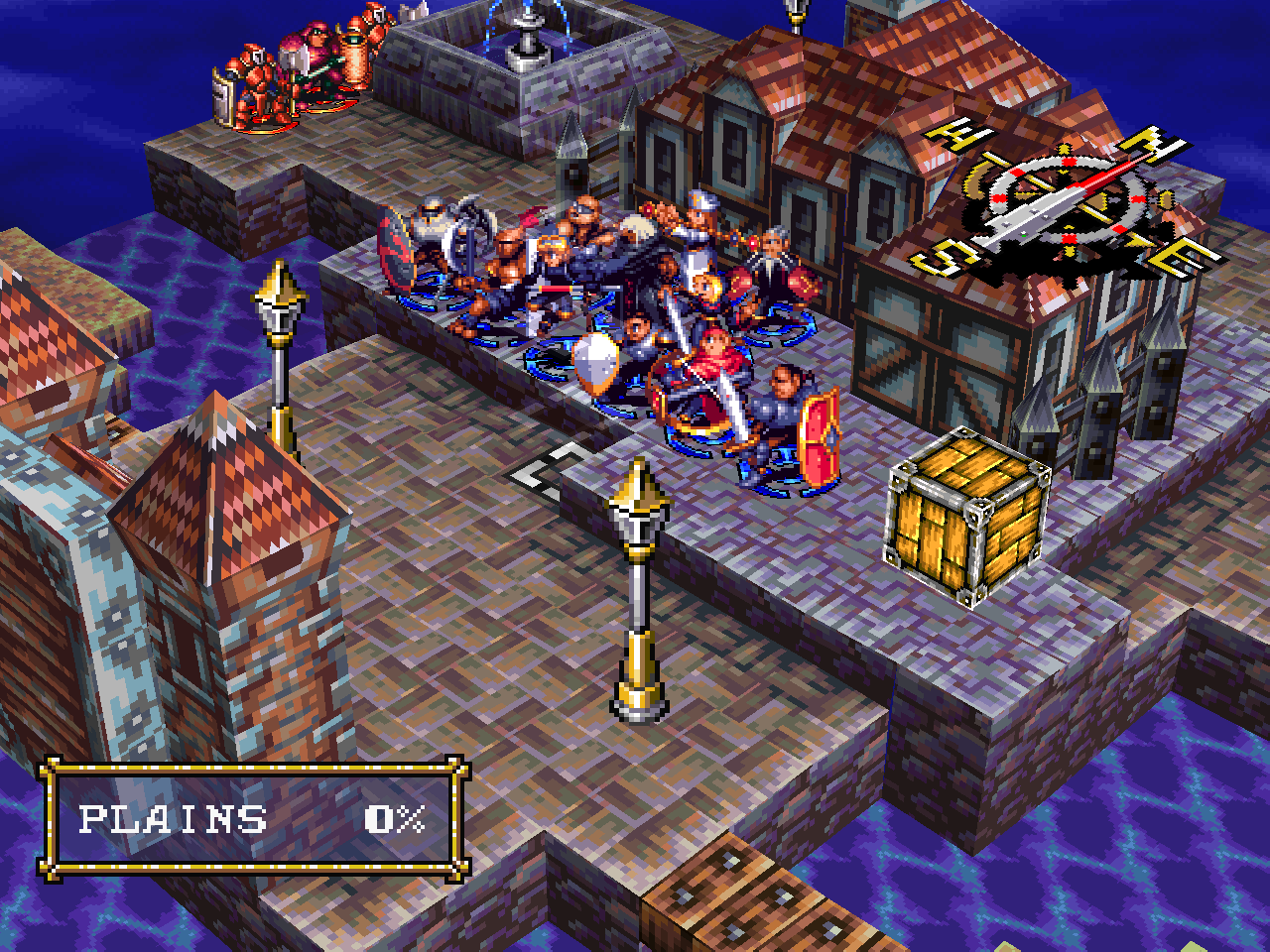
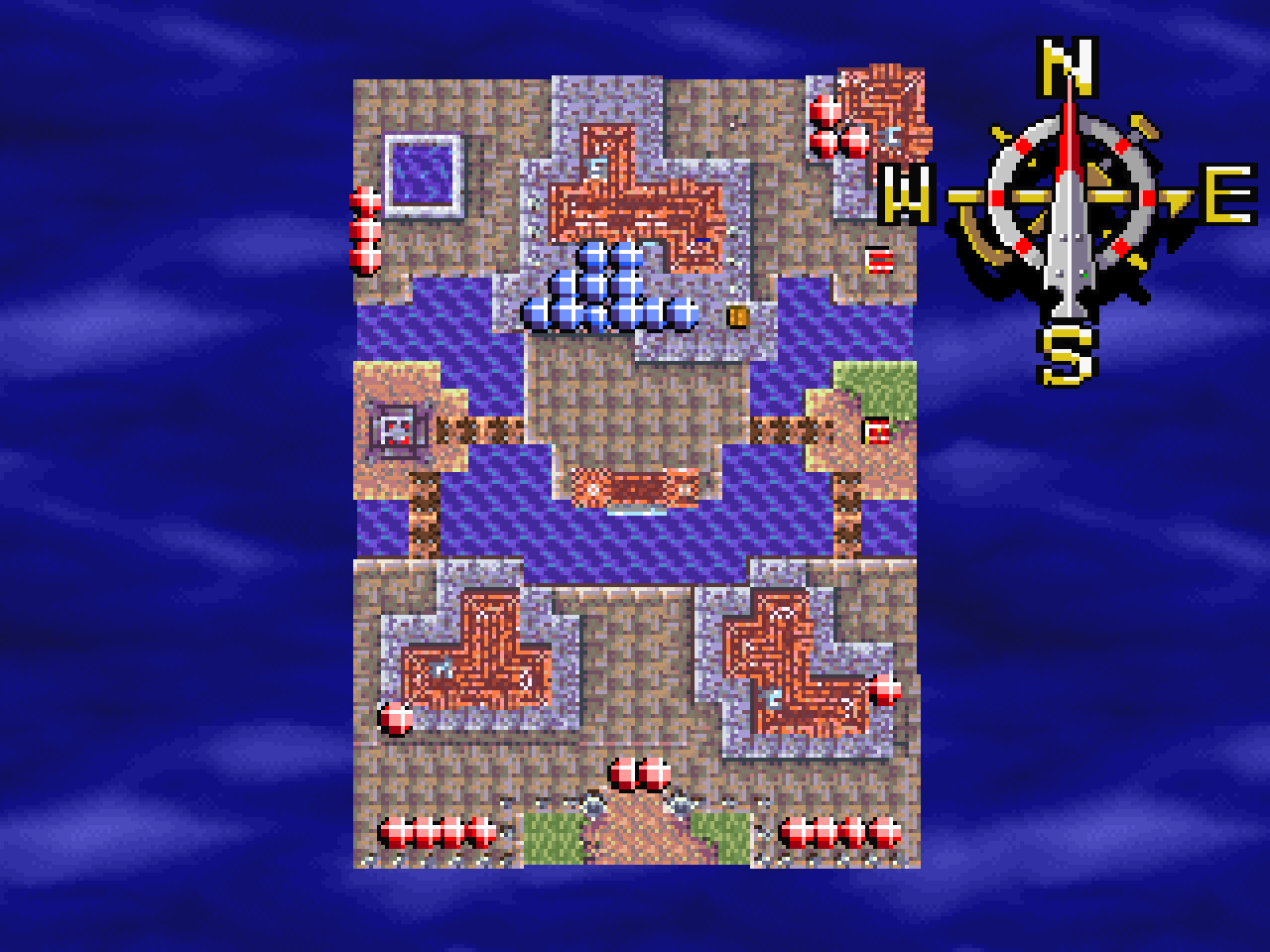
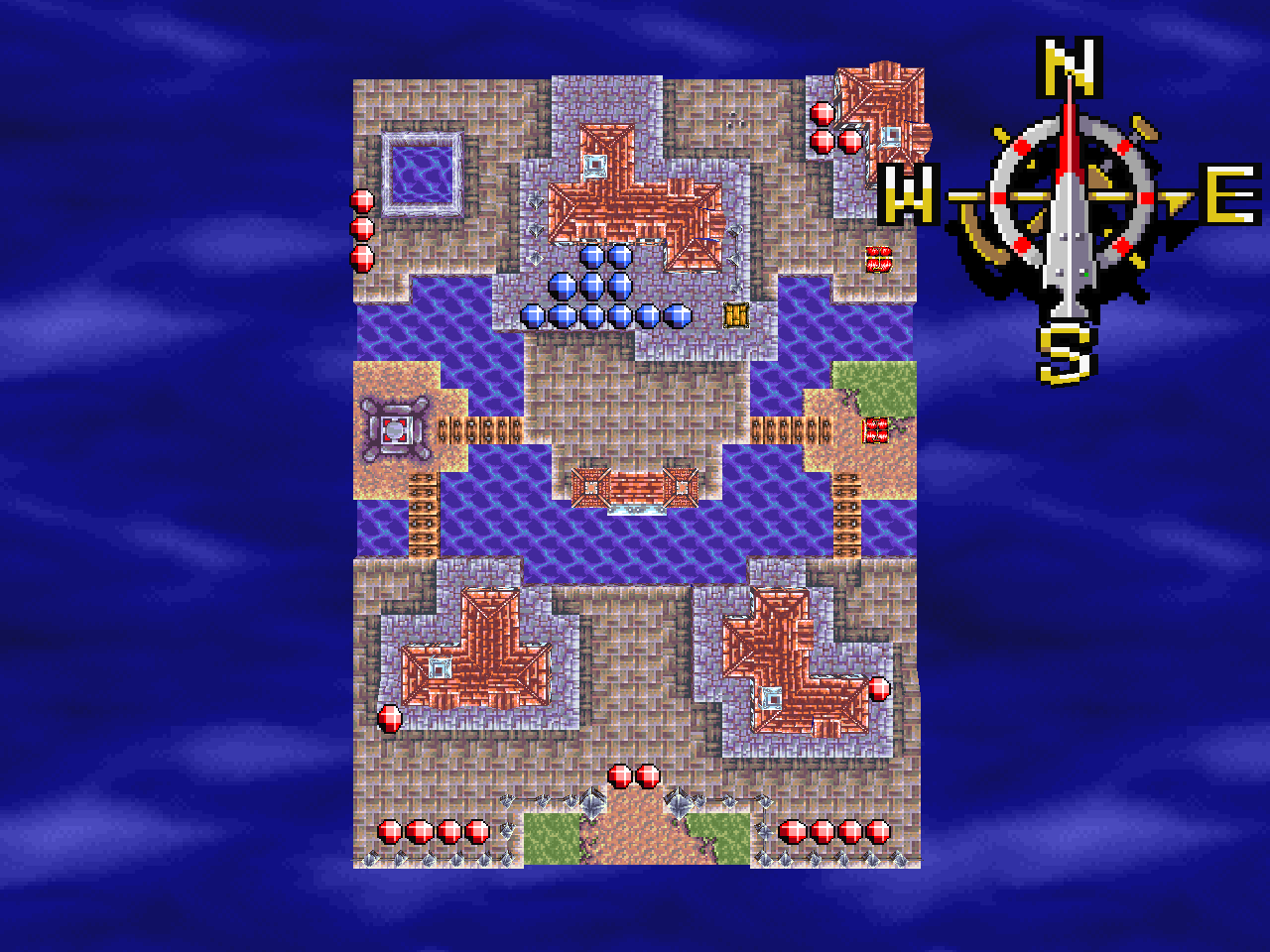
A graphics-fidelity release, kept deliberately conservative — sharpen without reinterpreting. The art,
sprites, videos, camera feel and gameplay are untouched; the same frames are rendered more precisely, and
optionally at a higher internal resolution. Everything here applies to both modes.
Added (both modes)
- Hardware-accurate software renderer — a fixed-point integer rasterizer that evaluates coverage
and texture UVs at the exact GPU pixel positions, with ordered dithering (gated on the GPU dither-
enable bit) and a 5-bit transparency blend. ~99.8–99.99% pixel-exact vs a reference-emulator video-
memory capture. On by default (VH_ACCURATE); a softer legacy renderer remains viaVH_ACCURATE=0. - Internal-resolution supersampling — render the 3D at 1× / 2× / 3× / 4× for crisper terrain and
edges with no re-authored art, set live in the options overlay (INTERNAL RES) and saved to
vandalhearts.ini(VH_INTERNAL_SCALE). Built-in crust-free tile sampling removes the tile-seam grid
while keeping 2D UI/text pixel-aligned. - Multithreaded rasterizer — the higher-resolution pass is split across CPU cores (
VH_RASTER_THREADS,
automatic), so 4× still holds the 30 fps cap and battle fast-forward stays effective on a multicore CPU.
What it looks like
Set the internal resolution live in the options overlay:
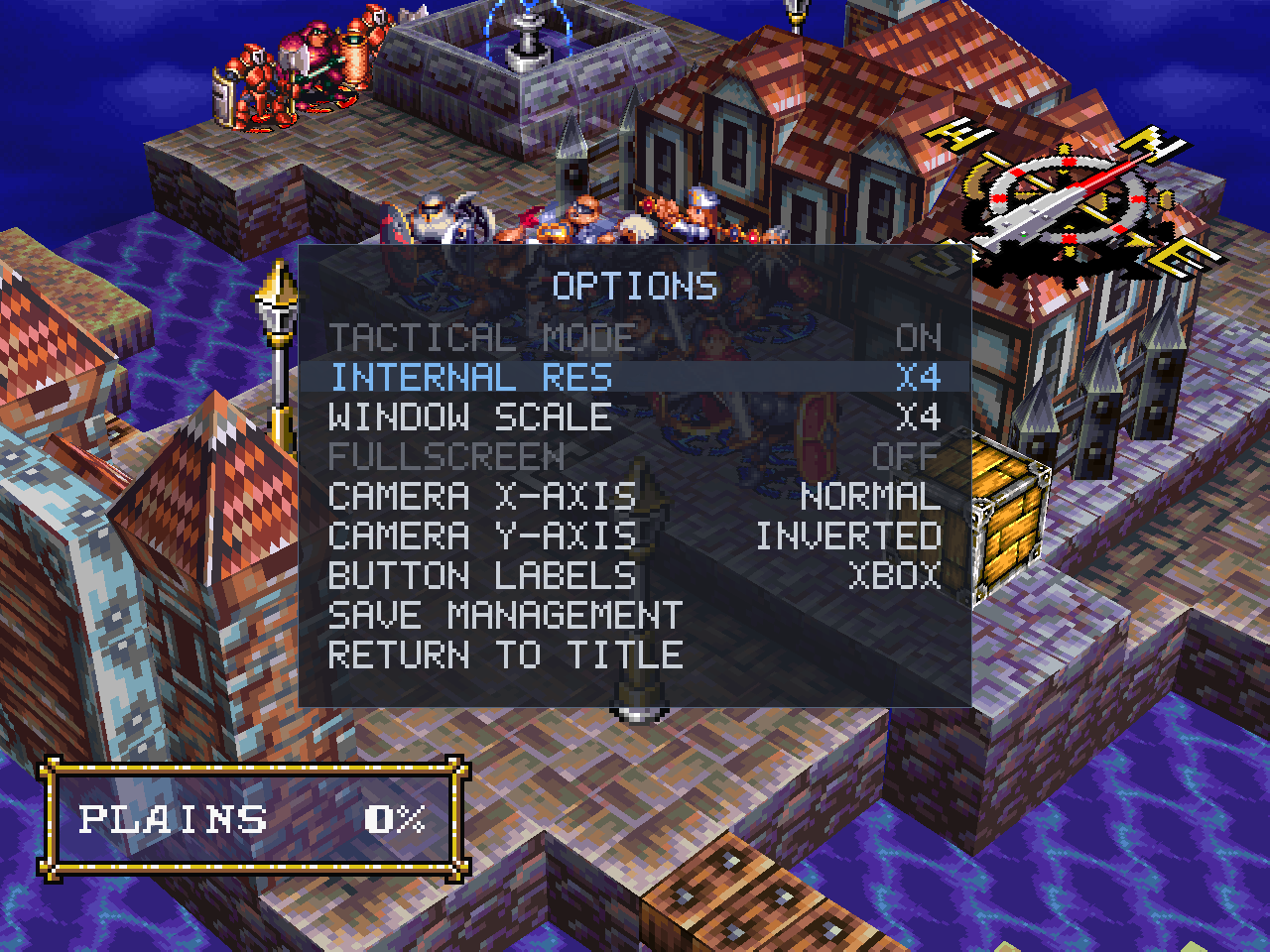
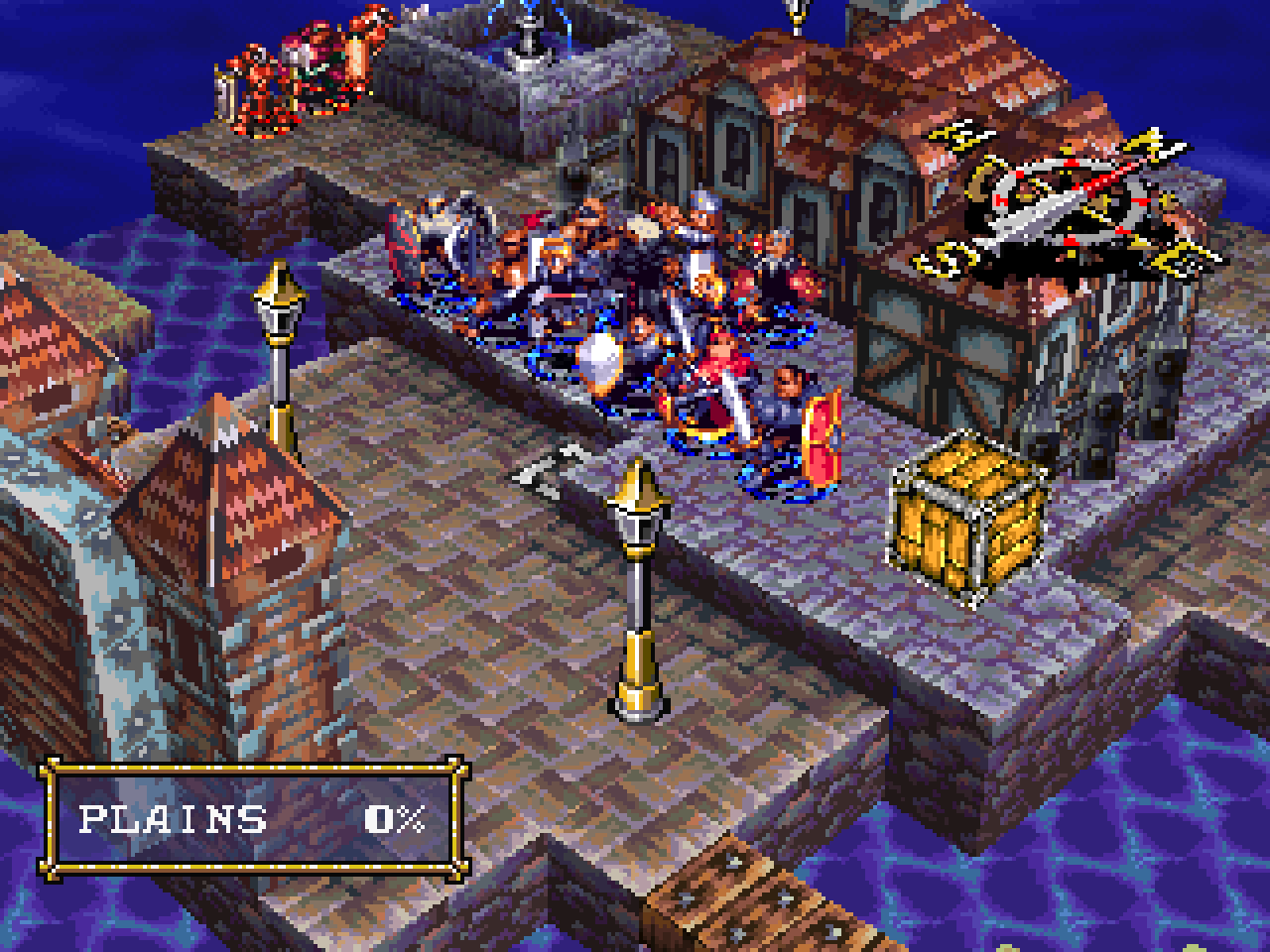
Each pair is native (1×) then the same view at 4× — full-size so the detail isn't downscaled.
Battle field — native (1×):
Battle field — supersampled (4×):
Battle field overhead — native (1×):
Battle field overhead — supersampled (4×):
Fixed (both modes)
- The Chapter 2 casting-ray effect that read denser than hardware at native resolution (flagged in 1.4) is
resolved by the accurate rasterizer.
Notes
- Cost scales ~N² with the factor: 2× is nearly free, 3×/4× are heavier. Normal mode stays byte-for-byte
the original. Configuration: docs/configuration.md.
Downloads
| Platform | File | How to run |
|---|---|---|
| Windows 10/11 | VandalHearts-v1.5.0-windows-x64.zip |
Unzip; put your disc in a game\ folder next to vandalhearts_pc.exe; run it. |
| Linux (glibc ≥ 2.34) | VandalHearts-v1.5.0-linux-x86_64.AppImage + vandalhearts.ini |
Put both together; put your disc in a game/ folder beside the .AppImage; chmod +x and run. Needs FUSE2. |
Config: edit vandalhearts.ini next to the executable (window scale, audio, etc.).
Note on contents
A release binary embeds a portion of game-derived data (the executable's static
data segment, a small BIOS-derived font, reconstructed tables) so the port can
run — © Konami / © Sony, no ownership claimed. It is a fraction of the game; the
bulk loads from your own disc at runtime. See NOTICE/DISCLAIMER.
Verify downloads against SHA256SUMS.txt.
v1.4.0 — Vandal Hearts PC Port
Vandal Hearts — PC Port v1.4.0
A native PC port of Vandal Hearts (US, SLUS_004.47). You must supply your own
legally-owned disc image (.bin); the download does nothing without it.
A quality-of-life release. Everything here is either a convenience that applies to both modes or, for the
one AI change, a Tactical-only improvement. Normal mode stays byte-for-byte the original.
Quality of life (both modes)
- Battle fast-forward — during a battle, tap R2 (or the
.key) to run at 2× speed; L2
(or,) returns to normal, with a smallBATTLE SPEED X2readout while it's active. It only speeds up
battles (menus, world map and cutscenes stay normal) and resets to 1× when the battle ends. It runs
whole game steps closer together, so the AI, RNG and every outcome are identical to normal speed. - Controller-aware overlay labels — the port's own overlay (save management / options) now shows
button prompts that match your controller: Xbox letters (A / B / X / Y) or PlayStation symbols
(□ ○ △ ✕), switchable in the overlay and saved tovandalhearts.ini. The game's own prompts are
untouched. - Finer camera elevation — the battle camera's up/down angle (right stick) gains a fifth,
evenly-spaced stop including a clean 45°, for finding a readable angle on stepped terrain.
Tactical Mode (opt-in)
- Magic-aware enemy AI — enemy spellcasters now weigh magic resistance when picking targets,
preferring magic-weak units and avoiding resistant or buffed ones. Retail's AI ignores this entirely;
the change lets the magic rebalance's resistances and defensive buffs actually matter to the enemy.
Notes
- The Chapter 2 casting-ray effect still reads slightly denser than hardware at native resolution — now
root-caused (see known issues); the fix is a higher-fidelity rasterizer pass
planned for a later release.
Downloads
| Platform | File | How to run |
|---|---|---|
| Windows 10/11 | VandalHearts-v1.4.0-windows-x64.zip |
Unzip; put your disc in a game\ folder next to vandalhearts_pc.exe; run it. |
| Linux (glibc ≥ 2.34) | VandalHearts-v1.4.0-linux-x86_64.AppImage + vandalhearts.ini |
Put both together; put your disc in a game/ folder beside the .AppImage; chmod +x and run. Needs FUSE2. |
Config: edit vandalhearts.ini next to the executable (window scale, audio, etc.).
Note on contents
A release binary embeds a portion of game-derived data (the executable's static
data segment, a small BIOS-derived font, reconstructed tables) so the port can
run — © Konami / © Sony, no ownership claimed. It is a fraction of the game; the
bulk loads from your own disc at runtime. See NOTICE/DISCLAIMER.
Verify downloads against SHA256SUMS.txt.
v1.3.1 — Vandal Hearts PC Port
Vandal Hearts — PC Port v1.3.1
A native PC port of Vandal Hearts (US, SLUS_004.47). You must supply your own
legally-owned disc image (.bin); the download does nothing without it.
The full campaign has now been playtested end to end; this release folds in the resulting balance tuning
and fixes, plus two rendering/stability fixes that apply to both modes. Normal mode remains byte-for-byte
the original.
Fixed (both modes)
- Spell & cutscene effects — certain textured effects (energy rays, dissolve/fade planes, warp
surfaces) were rendering as flat semi-transparent shapes with their texture dropped; they now show
their proper textured appearance. - Fixed a rare crash when the on-screen attack marker (miss / support / poison) appeared over certain
map tiles — most likely on the long, narrow Trials corridor.
Quality of life (both modes)
- Enemy threat overlay — reachable-and-threatened tiles now show in a distinct orange (they
previously shared yellow with spell/attack targeting), so a spell's AoE preview stays readable even
inside a danger zone. Overlay tints were also softened for easier reading over any terrain.
Tactical Mode (opt-in)
Progression
- Level-cap curve retuned to 10 / 15 / 19 / 24 / 28 / 32 — a smoother, steady climb that keeps
the party a step under the cap heading into each chapter's Trials and lands the endgame party right on
the final boss's level. (Validated across a full playthrough.) - Trials of Toroah — fixed the final Trial not awarding attack experience.
Casters & spells
- Monk / Ninja rework — the path now learns a genuine Spread Force and a retuned Thunder
Flash, and keeps its inherited base spells through both promotions (they're no longer shed at
Ninja), so the class stays flexible rather than losing utility. - Mystic Energy reworked into an area-of-effect party buff — a defensive group screen that
raises defense and grants magic resistance to every ally in the field, with a new icy-blue aura and
a per-ally cast effect. Cost tuned so a second back-to-back cast needs an MP refill. - Thunder Ball added to the mage kit — a long-range, small-area attack spell — and Roman Fire
buffed (power 7 → 9) so it's a real pick alongside Phase Shift rather than strictly outclassed. - Perfect Guard — cheaper (12 MP) and now also grants magic resistance, making it a
single-unit "evasion + anti-magic" shield. - Healing Circle / Healing Wave retuned into distinct roles — Circle is a cheap, efficient group
top-up; Wave is the heavy group heal. - Fixed Monk / Ninja maximum MP overshooting its intended value.
Visuals
- Avalanche re-skinned as an ice avalanche in Tactical (an icy boulder), matching the spell's
intended theme.
Changed since 1.3.0
- The two "restored cut weapons" from 1.3.0 have been removed — they turned out to be unique enemy
boss weapons, so they stay boss-exclusive. (Restored item description text is unchanged.)
Downloads
| Platform | File | How to run |
|---|---|---|
| Windows 10/11 | VandalHearts-v1.3.1-windows-x64.zip |
Unzip; put your disc in a game\ folder next to vandalhearts_pc.exe; run it. |
| Linux (glibc ≥ 2.34) | VandalHearts-v1.3.1-linux-x86_64.AppImage + vandalhearts.ini |
Put both together; put your disc in a game/ folder beside the .AppImage; chmod +x and run. Needs FUSE2. |
Config: edit vandalhearts.ini next to the executable (window scale, audio, etc.).
Note on contents
A release binary embeds a portion of game-derived data (the executable's static
data segment, a small BIOS-derived font, reconstructed tables) so the port can
run — © Konami / © Sony, no ownership claimed. It is a fraction of the game; the
bulk loads from your own disc at runtime. See NOTICE/DISCLAIMER.
Verify downloads against SHA256SUMS.txt.