Releases: HalmyLyseas/VandalHearts-PcPort
Release list
v1.6.2 — Vandal Hearts PC Port

Vandal Hearts — PC Port v1.6.2
A native PC port of Vandal Hearts (US, SLUS_004.47). You must supply your own
legally-owned disc image (.bin); the download does nothing without it.
A small maintenance release, prompted by the first user bug report after release. No gameplay
changes; normal mode remains byte-for-byte the retail game.
Fixed
- A damaged disc image no longer hangs the game silently. A
.binthat was truncated
(interrupted copy/download) or carried garbage sectors (bad rip) used to pass the quick boot
check and then freeze the game — typically right after the[HD] pack detectedconsole line,
with no error at all. The port now validates the image three ways: the file size must be a whole
number of raw CD sectors at startup, and every sector read during play is checked for the CD
sync pattern and its own embedded sector address. A damaged image now stops with a clear message
naming the exact broken sector (see
troubleshooting.md) instead of hanging. Intact
images are unaffected — the checks are structural, so any valid dump still works, and their cost
is unmeasurable (a 15-byte compare on data already being read).
What it looks like
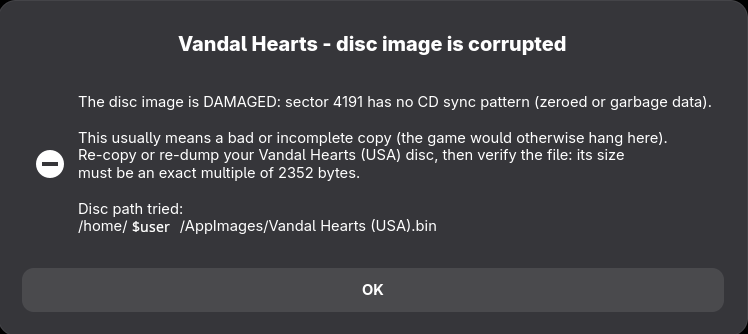
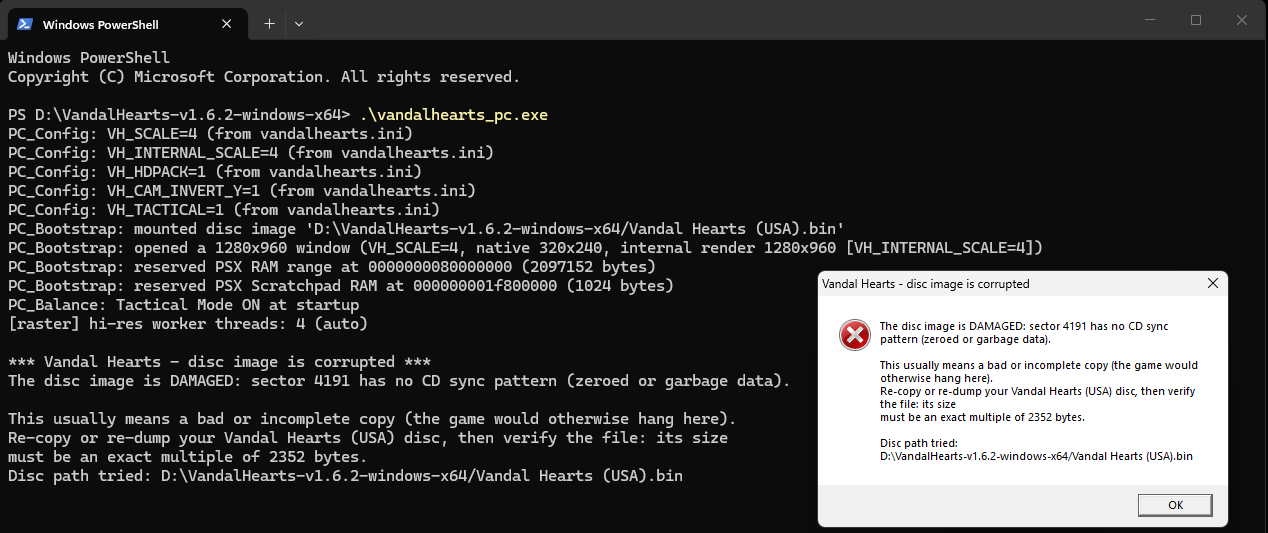
Instead of freezing, a damaged disc image now stops immediately and says exactly what is wrong —
including the sector that failed — on both platforms.
Linux: the message now also appears as a dialog, so a double-clicked AppImage no longer just closes
without explanation.
Windows: the console output and the message box carry the same detail.
Downloads
| Platform | File | How to run |
|---|---|---|
| Windows 10/11 | VandalHearts-v1.6.2-windows-x64.zip |
Unzip; put your disc in a game\ folder next to vandalhearts_pc.exe; run it. |
| Linux (glibc ≥ 2.34) | VandalHearts-v1.6.2-linux-x86_64.AppImage + vandalhearts.ini |
Put both together; put your disc in a game/ folder beside the .AppImage; chmod +x and run. Needs FUSE2. |
| Any | VandalHearts-v1.6.2-Manual.pdf |
The Player Manual: setup, controls, features, troubleshooting. |
| Optional | VandalHearts-v1.6.2-hdpack.zip |
HD backgrounds + movies. Unzip so hdpacks/ sits beside the executable. Unchanged since v1.6.1 — keep yours if you have it. |
Config: edit vandalhearts.ini next to the executable (window scale, audio, etc.).
Note on contents
A release binary embeds a portion of game-derived data (the executable's static
data segment, a small BIOS-derived font, reconstructed tables) so the port can
run — © Konami / © Sony, no ownership claimed. It is a fraction of the game; the
bulk loads from your own disc at runtime. See NOTICE/DISCLAIMER.
Verify downloads against SHA256SUMS.txt.
Optional HD pack
VandalHearts-v1.6.2-hdpack.zip — higher-resolution backgrounds + re-encoded FMV movies.
Optional; the game runs identically without it. The pack is identical to the v1.6.1 one
(same file, same checksum), so if you already have it installed there is nothing to re-download.
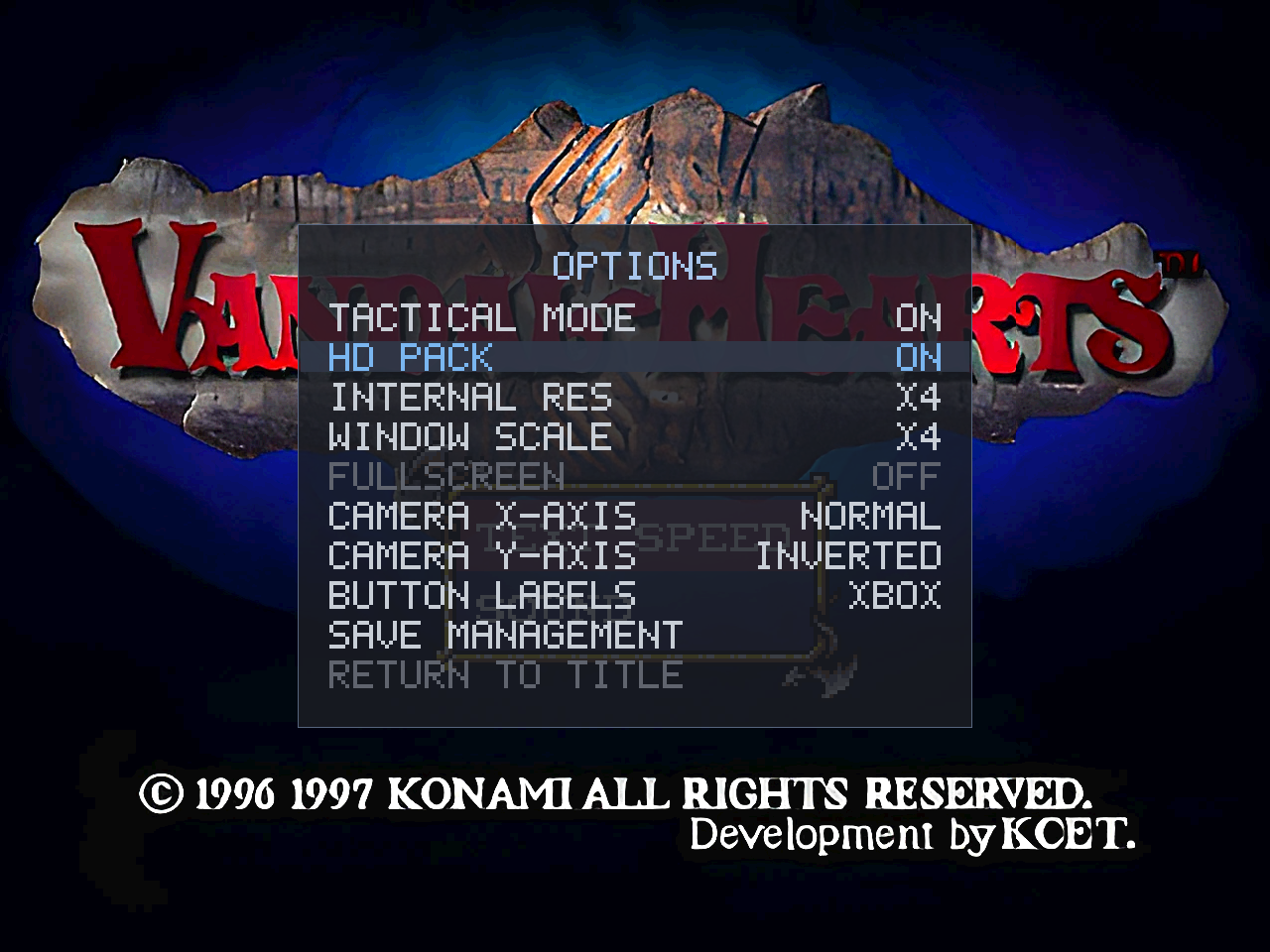
Unzip so hdpacks/ sits next to the executable, then enable HD PACK in the Select+Start options
(see docs/hd-pack.md).
This is upscaled derivative art (© Konami), provided for convenience and also buildable from your
own disc — see NOTICE / DISCLAIMER.
v1.6.1 — Vandal Hearts PC Port
Vandal Hearts — PC Port v1.6.1
A native PC port of Vandal Hearts (US, SLUS_004.47). You must supply your own
legally-owned disc image (.bin); the download does nothing without it.
A maintenance and polish release. No gameplay changes; normal mode remains byte-for-byte the retail
game.
Fixed (both modes)
- Battle fast-forward now holds the full 2× at every graphics setting. A frame-pacing flaw made
battles at highINTERNAL RESsleep away part of each fast-forwarded frame (about 53 of the
targeted 60 ticks/sec at ×4). The pacing now spends the whole frame budget; measured 60/60 with
headroom on a worst-case battle scene. - HD pack scene loads no longer dip the frame rate. HD backgrounds decode on a background
thread; the brief 60→55 fps dip on entering a scene is gone (worst case validated at fullscreen
×4).
Changed
- The HD pack format is now v2 — re-download the pack. The pack manifest now declares the FMVs
too; the game verifies the pack's contents at startup (a missing movie is reported instead of
silently playing the original), and the HD PACK option explains itself when a pack can't be used
(NO PACK/OUTDATED PACK/WRONG GAME). The 1.6.0 pack download is withdrawn; this
release's pack (same art, current manifest) is the supported one. - The Linux AppImage shrank from 65 MB to 14 MB (the movie decoder is now built into the
executable instead of bundling a system multimedia stack — same approach as Windows).
Added
- A Player Manual (PDF) ships with each release: setup on Windows and Linux, controls, every
feature illustrated, and a quick problem table. - Reorganized documentation: the feature guide is now organized by feature with current
screenshots, plus new troubleshooting and
performance pages. - Quality-of-life for diagnostics: the per-second FPS meter is now opt-in (
VH_FPS_LOG, settable
in the ini), joined by frame-budget and display-path meters (VH_FRAME_TIME,
VH_PRESENT_TIME) — the first stops for any performance report. - Developer-facing: an in-repo regression harness (a 7-second headless boot test and a byte-exact
rasterizer golden-image check), a build-system parity guard, warning-clean builds on all
targets, a release checklist, and contributor/issue templates.
Downloads
| Platform | File | How to run |
|---|---|---|
| Windows 10/11 | VandalHearts-v1.6.1-windows-x64.zip |
Unzip; put your disc in a game\ folder next to vandalhearts_pc.exe; run it. |
| Linux (glibc ≥ 2.34) | VandalHearts-v1.6.1-linux-x86_64.AppImage + vandalhearts.ini |
Put both together; put your disc in a game/ folder beside the .AppImage; chmod +x and run. Needs FUSE2. |
| Any | VandalHearts-v1.6.1-Manual.pdf |
The Player Manual: setup, controls, features, troubleshooting. |
Config: edit vandalhearts.ini next to the executable (window scale, audio, etc.).
Note on contents
A release binary embeds a portion of game-derived data (the executable's static
data segment, a small BIOS-derived font, reconstructed tables) so the port can
run — © Konami / © Sony, no ownership claimed. It is a fraction of the game; the
bulk loads from your own disc at runtime. See NOTICE/DISCLAIMER.
Verify downloads against SHA256SUMS.txt.
Optional HD pack
VandalHearts-v1.6.1-hdpack.zip — higher-resolution backgrounds + re-encoded FMV
movies. Optional; the game runs identically without it. Unzip so hdpacks/
sits next to the executable, then enable HD PACK in the Select+Start options
(see docs/hd-pack.md). This is upscaled derivative art (© Konami), provided for
convenience and also buildable from your own disc — see NOTICE / DISCLAIMER.
v1.6.0 — Vandal Hearts PC Port
Vandal Hearts — PC Port v1.6.0
A native PC port of Vandal Hearts (US, SLUS_004.47). You must supply your own
legally-owned disc image (.bin); the download does nothing without it.
An optional HD layer for the two pre-rendered parts of the game — the 320×240 backgrounds and the FMV
movies. Everything here is inert unless you install a pack: the source tree and base build ship no HD
art — a pack is either built from your own disc or downloaded as the optional asset on this release — it
is auto-detected in hdpacks/ beside the executable, and without one the build renders exactly as before.
Hand-drawn pixel art (portraits, sprites, UI, fonts) stays native by design. Applies to both modes; normal
mode is still byte-for-byte the retail game.
Added (both modes)
- HD backgrounds — the pre-rendered backgrounds are replaced with higher-resolution images at render
time (no change to layout, palette or UI). Each is keyed by a content hash of the VRAM upload, so a pack
maps 1:1 with no play-through. Enabled by the new HD PACK options row (auto-detected, defaults on,
persisted asVH_HDPACK); enabling it raises the internal resolution so the detail is visible. - HD movies — the intro/ending FMVs can be replaced with HD H.264/HEVC re-encodes, presented in
place of the native MDEC video while the game keeps its original frame timing and XA audio in sync (only
the picture is swapped). - Pack tooling (
platform/pc/tools/hdpack/) — build a complete pack offline from your own disc:
background hashing + assembly, movie sector-mapping, a manifest generator, and an image finishing step. - New dependencies, on by default — libwebp (
.webpbackgrounds, ~20 MB vs ~150 MB) and libav /
ffmpeg (.mp4movies). Build without either viaNO_WEBP=1/NO_HDVIDEO=1(Make) or-DVH_WEBP=OFF
/-DVH_HDVIDEO=OFF(CMake); the Windows build links a minimal static libav, so it ships no extra
ffmpeg DLLs.
What it looks like
Enable it live in the options overlay (Select + Start → HD PACK):
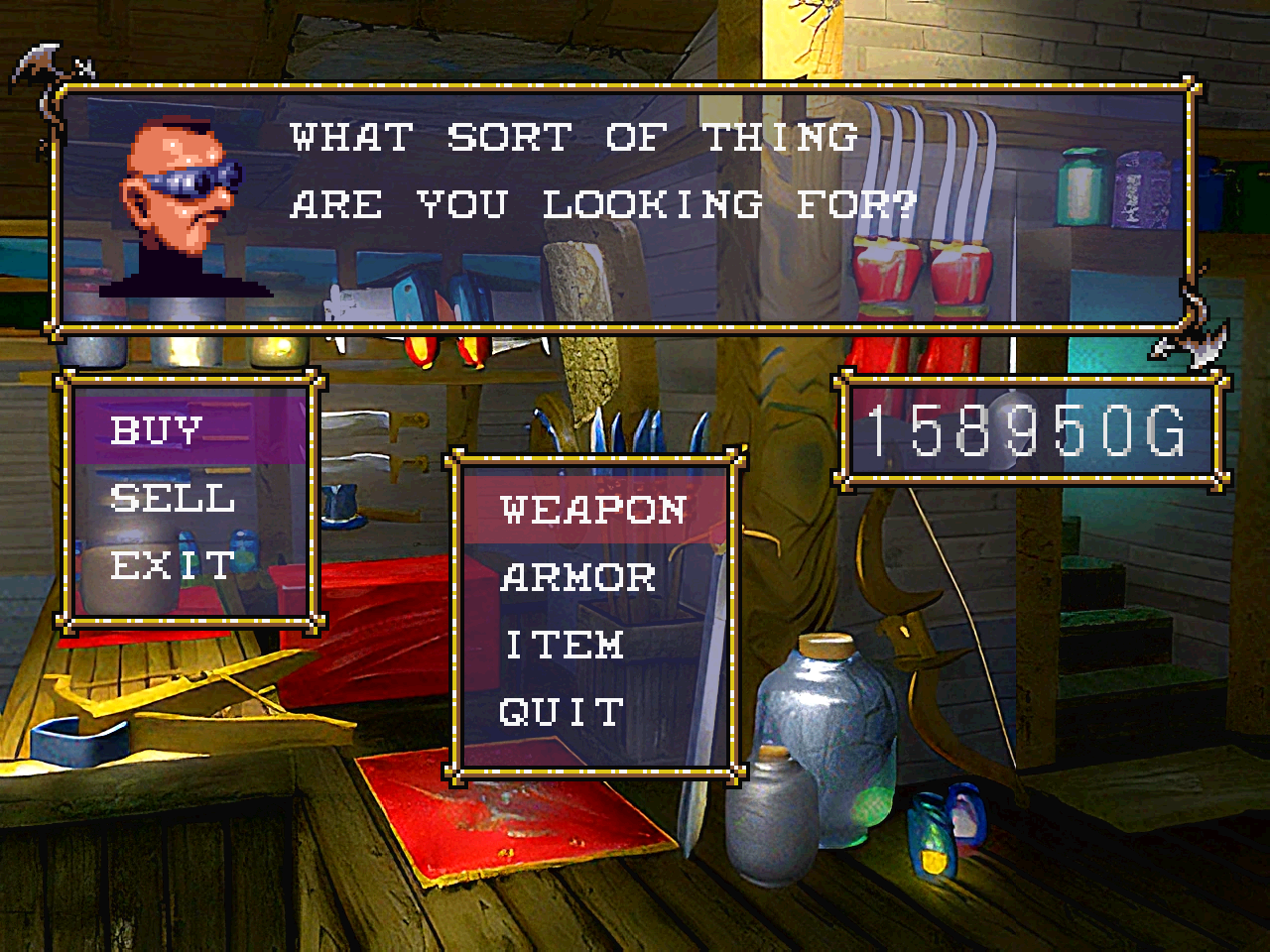
Backgrounds — the same weapon shop, native then HD:
Native:
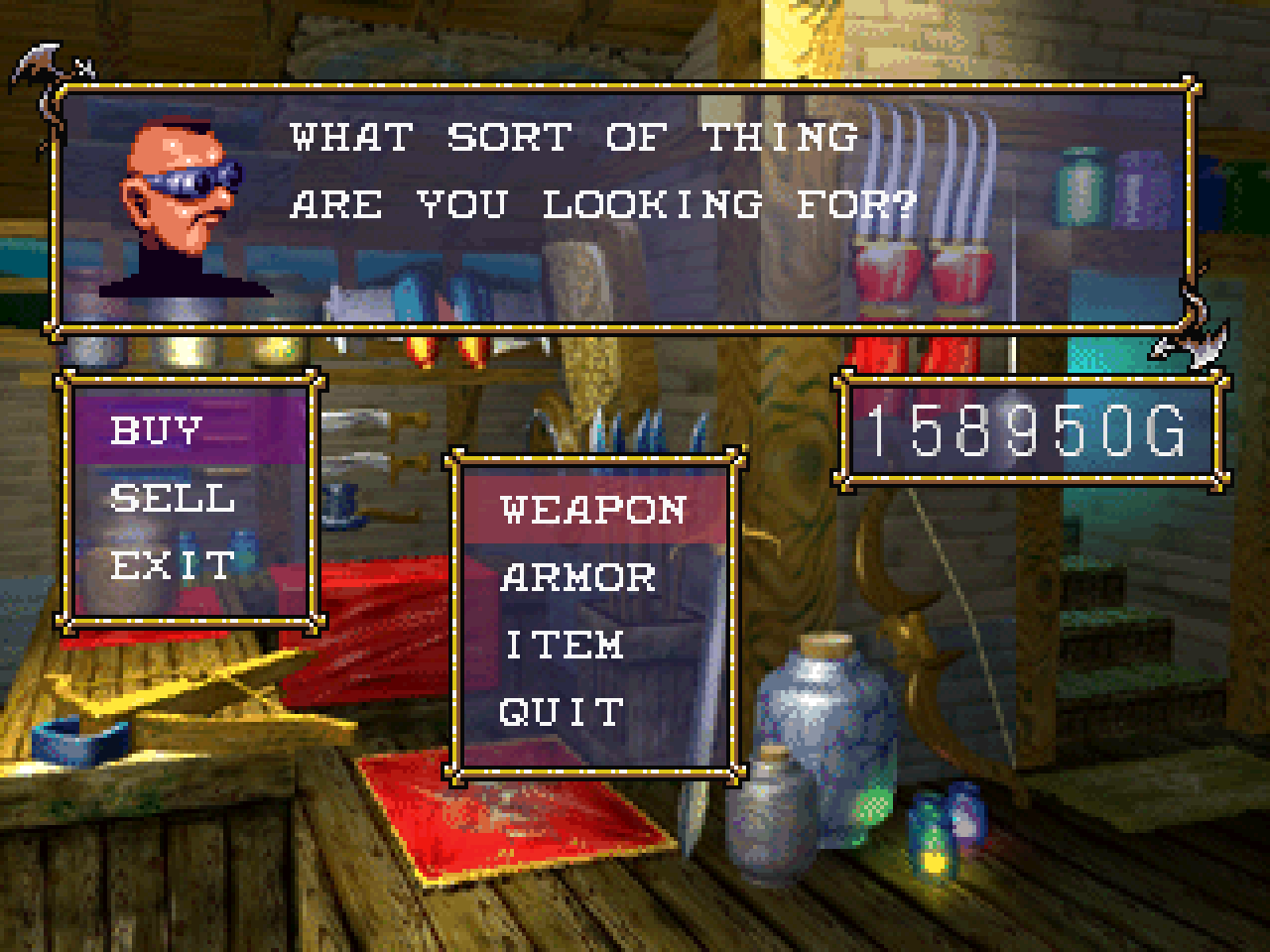
HD pack:
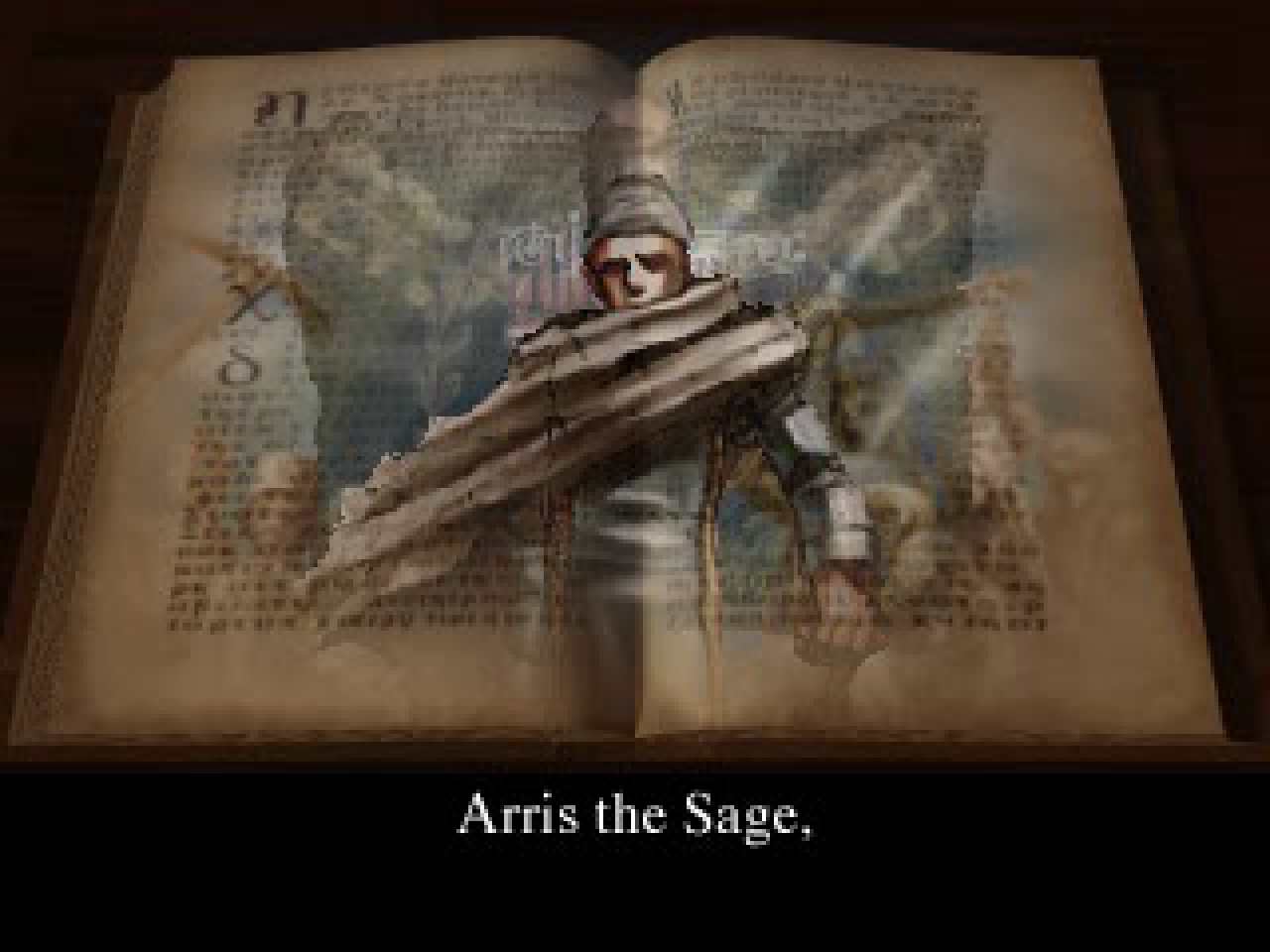
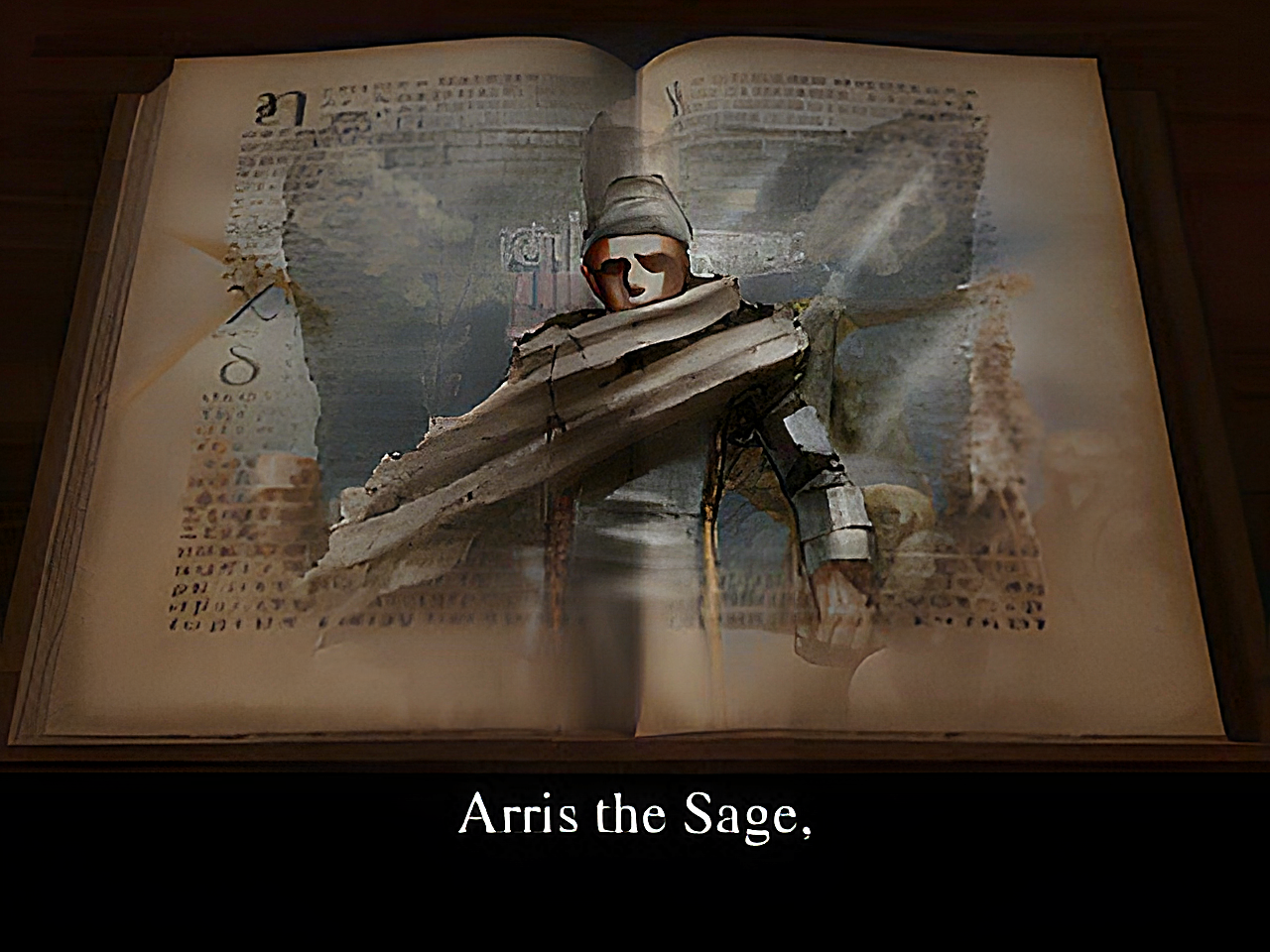
Movies — the intro "Arris the Sage" FMV, native MDEC then HD:
Native (MDEC):
HD pack:
Fixed
- Battle fast-forward now works in every battle. It previously did nothing in a normal map-initiated
battle (the speed gate recognised only loaded-save and dojo/trial battles, not the story-battle state);
it is now tied to the game's own battle-tick dispatch, so R2 works everywhere a battle runs. (This is a
fix to the 1.4 feature and applies with or without an HD pack.) - HD PACK toggle — toggling HD on mid-scene no longer briefly shows the previous scene's HD background;
a background uploaded while HD was off now correctly evicts the stale image. HD takes effect on the next
background load; toggling off is immediate.
Notes
- The source tree commits no copyrighted art. The optional HD pack — upscaled derivative art — is
offered as a separate release download (VandalHearts-v1.6.0-hdpack.zip) that you can equally
build yourself from your own disc; no ownership is claimed and it will be withdrawn on request (see
the release'sNOTICE/DISCLAIMER). Install/build in
docs/hd-pack.md.
Downloads
| Platform | File | How to run |
|---|---|---|
| Windows 10/11 | VandalHearts-v1.6.0-windows-x64.zip |
Unzip; put your disc in a game\ folder next to vandalhearts_pc.exe; run it. |
| Linux (glibc ≥ 2.34) | VandalHearts-v1.6.0-linux-x86_64.AppImage + vandalhearts.ini |
Put both together; put your disc in a game/ folder beside the .AppImage; chmod +x and run. Needs FUSE2. |
Config: edit vandalhearts.ini next to the executable (window scale, audio, etc.).
Note on contents
A release binary embeds a portion of game-derived data (the executable's static
data segment, a small BIOS-derived font, reconstructed tables) so the port can
run — © Konami / © Sony, no ownership claimed. It is a fraction of the game; the
bulk loads from your own disc at runtime. See NOTICE/DISCLAIMER.
Verify downloads against SHA256SUMS.txt.
Optional HD pack
VandalHearts-v1.6.0-hdpack.zip — higher-resolution backgrounds + re-encoded FMV
movies. Optional; the game runs identically without it. Unzip so hdpacks/
sits next to the executable, then enable HD PACK in the Select+Start options
(see docs/hd-pack.md). This is upscaled derivative art (© Konami), provided for
convenience and also buildable from your own disc — see NOTICE / DISCLAIMER.
v1.5.0 — Vandal Hearts PC Port
Vandal Hearts — PC Port v1.5.0
A native PC port of Vandal Hearts (US, SLUS_004.47). You must supply your own
legally-owned disc image (.bin); the download does nothing without it.
A graphics-fidelity release, kept deliberately conservative — sharpen without reinterpreting. The art,
sprites, videos, camera feel and gameplay are untouched; the same frames are rendered more precisely, and
optionally at a higher internal resolution. Everything here applies to both modes.
Added (both modes)
- Hardware-accurate software renderer — a fixed-point integer rasterizer that evaluates coverage
and texture UVs at the exact GPU pixel positions, with ordered dithering (gated on the GPU dither-
enable bit) and a 5-bit transparency blend. ~99.8–99.99% pixel-exact vs a reference-emulator video-
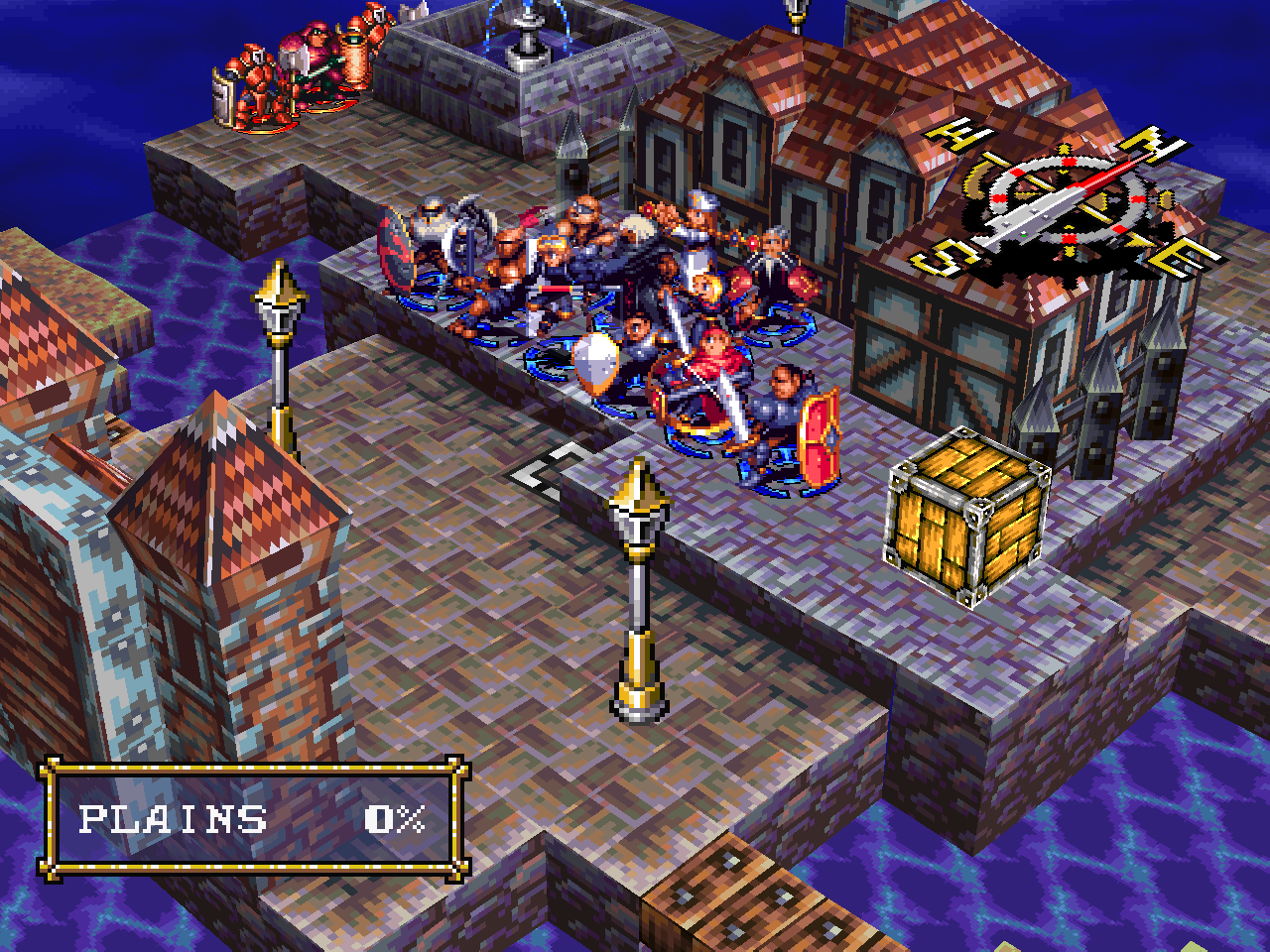
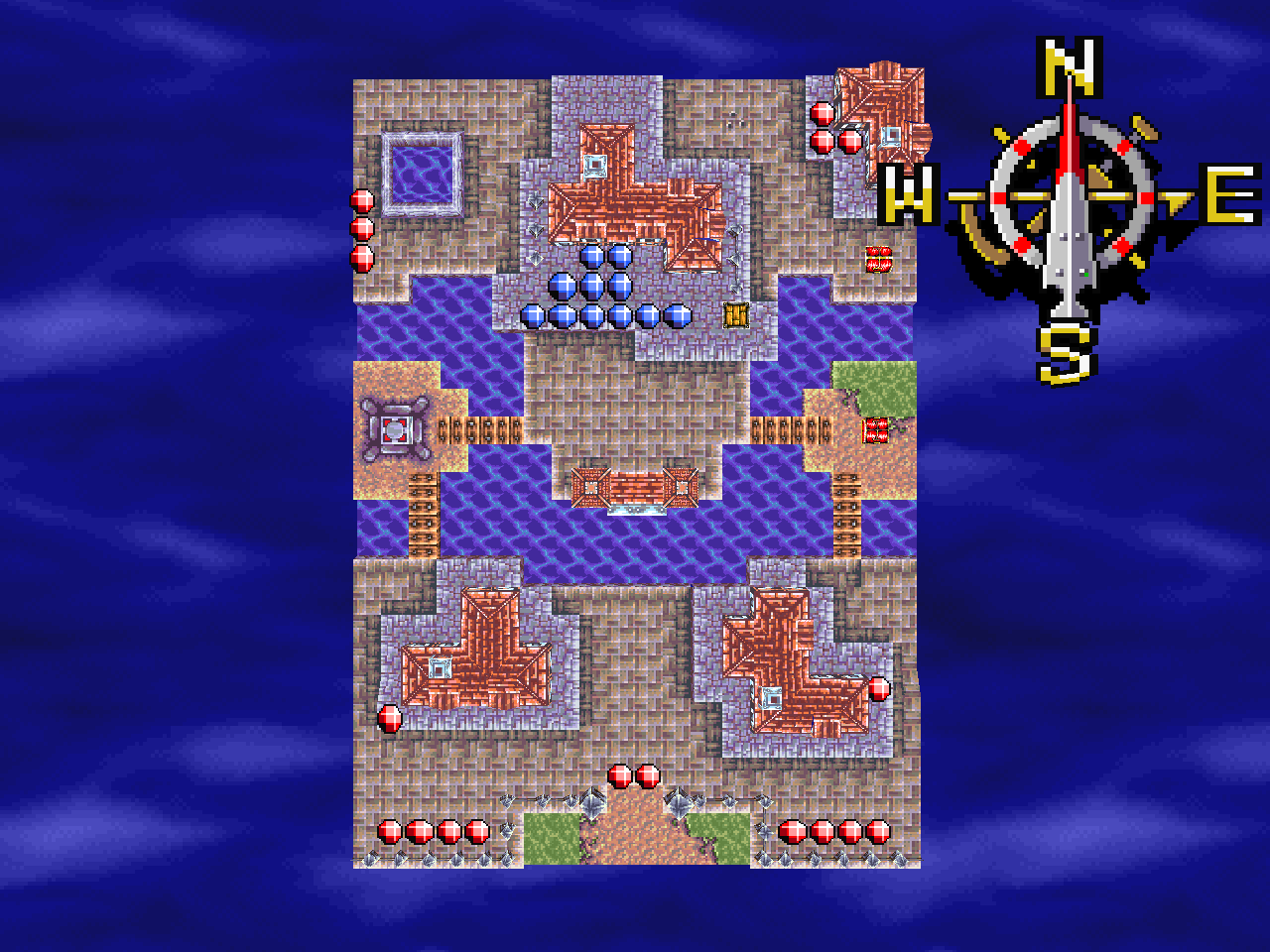
memory capture. On by default (VH_ACCURATE); a softer legacy renderer remains viaVH_ACCURATE=0. - Internal-resolution supersampling — render the 3D at 1× / 2× / 3× / 4× for crisper terrain and
edges with no re-authored art, set live in the options overlay (INTERNAL RES) and saved to
vandalhearts.ini(VH_INTERNAL_SCALE). Built-in crust-free tile sampling removes the tile-seam grid
while keeping 2D UI/text pixel-aligned. - Multithreaded rasterizer — the higher-resolution pass is split across CPU cores (
VH_RASTER_THREADS,
automatic), so 4× still holds the 30 fps cap and battle fast-forward stays effective on a multicore CPU.
What it looks like
Set the internal resolution live in the options overlay:
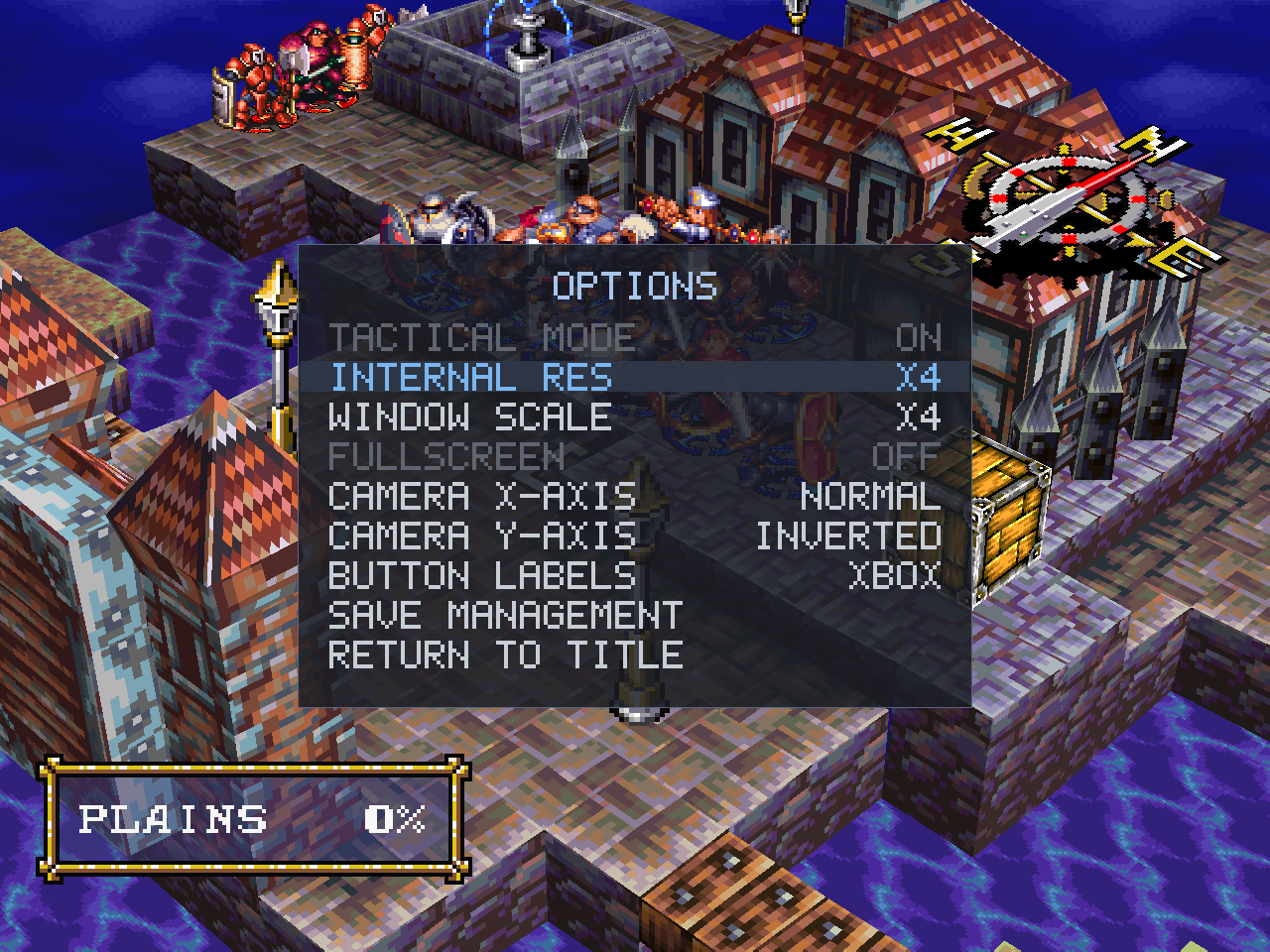
Each pair is native (1×) then the same view at 4× — full-size so the detail isn't downscaled.
Battle field — native (1×):
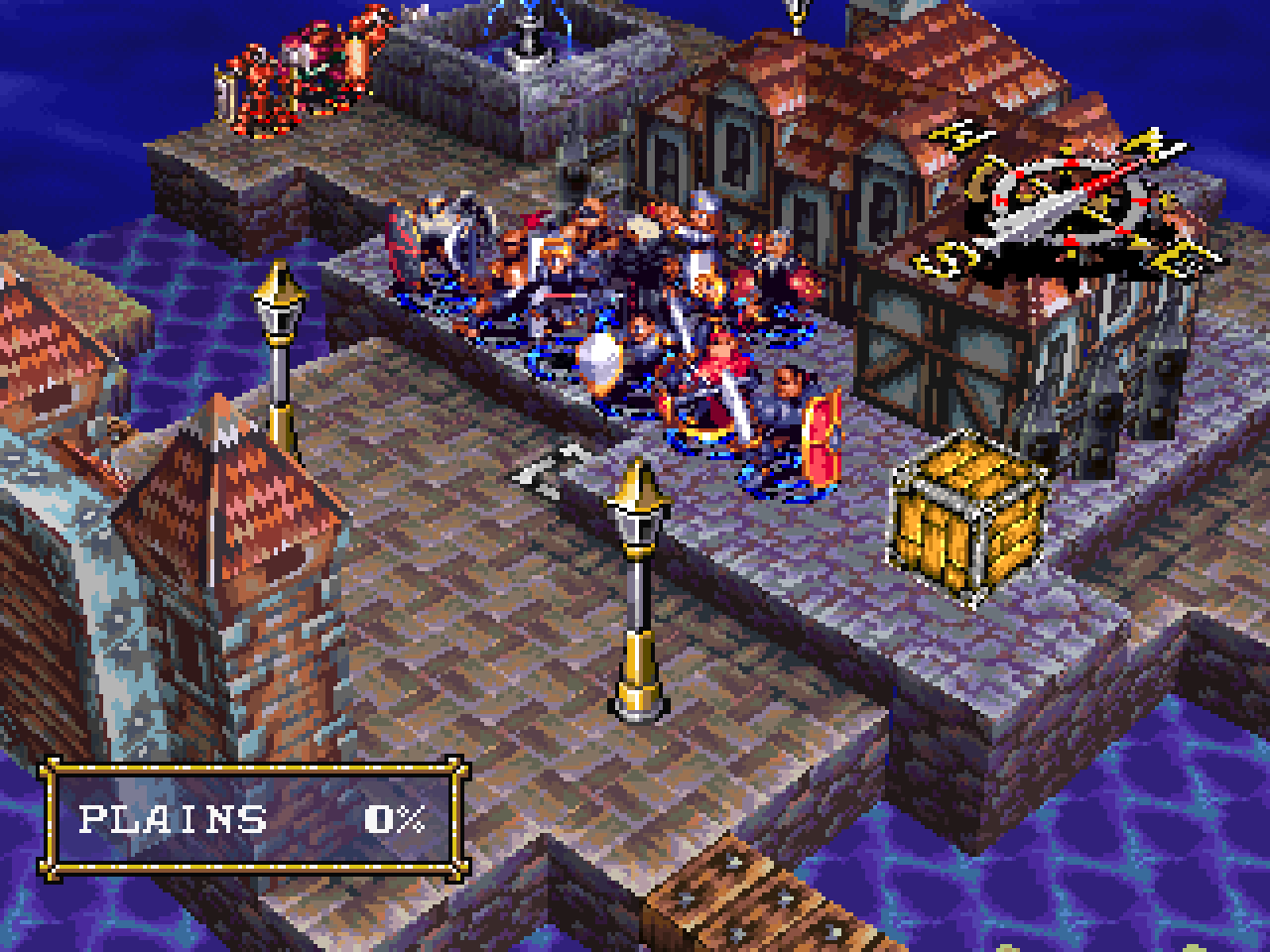
Battle field — supersampled (4×):
Battle field overhead — native (1×):
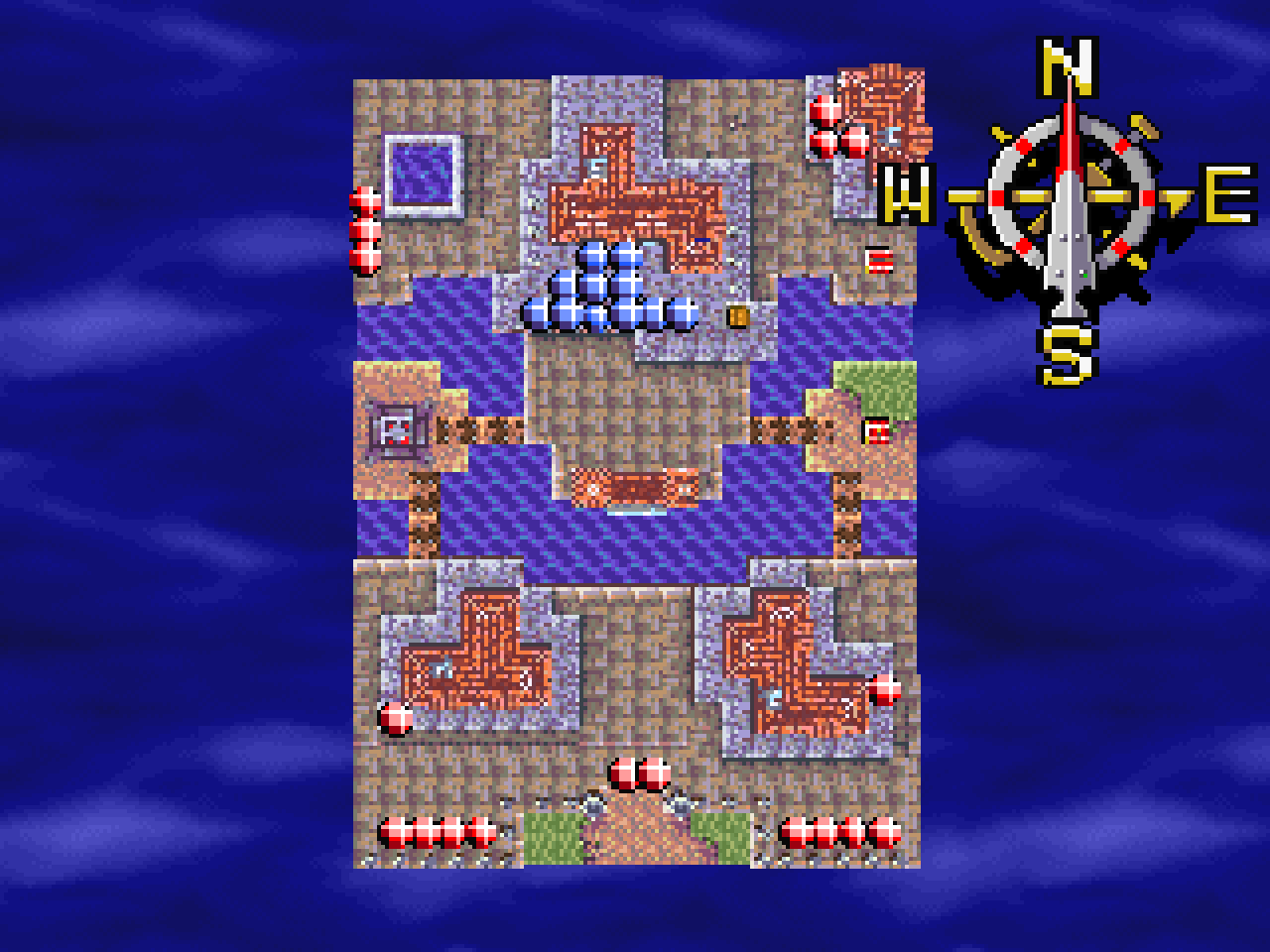
Battle field overhead — supersampled (4×):
Fixed (both modes)
- The Chapter 2 casting-ray effect that read denser than hardware at native resolution (flagged in 1.4) is
resolved by the accurate rasterizer.
Notes
- Cost scales ~N² with the factor: 2× is nearly free, 3×/4× are heavier. Normal mode stays byte-for-byte
the original. Configuration: docs/configuration.md.
Downloads
| Platform | File | How to run |
|---|---|---|
| Windows 10/11 | VandalHearts-v1.5.0-windows-x64.zip |
Unzip; put your disc in a game\ folder next to vandalhearts_pc.exe; run it. |
| Linux (glibc ≥ 2.34) | VandalHearts-v1.5.0-linux-x86_64.AppImage + vandalhearts.ini |
Put both together; put your disc in a game/ folder beside the .AppImage; chmod +x and run. Needs FUSE2. |
Config: edit vandalhearts.ini next to the executable (window scale, audio, etc.).
Note on contents
A release binary embeds a portion of game-derived data (the executable's static
data segment, a small BIOS-derived font, reconstructed tables) so the port can
run — © Konami / © Sony, no ownership claimed. It is a fraction of the game; the
bulk loads from your own disc at runtime. See NOTICE/DISCLAIMER.
Verify downloads against SHA256SUMS.txt.
v1.4.0 — Vandal Hearts PC Port
Vandal Hearts — PC Port v1.4.0
A native PC port of Vandal Hearts (US, SLUS_004.47). You must supply your own
legally-owned disc image (.bin); the download does nothing without it.
A quality-of-life release. Everything here is either a convenience that applies to both modes or, for the
one AI change, a Tactical-only improvement. Normal mode stays byte-for-byte the original.
Quality of life (both modes)
- Battle fast-forward — during a battle, tap R2 (or the
.key) to run at 2× speed; L2
(or,) returns to normal, with a smallBATTLE SPEED X2readout while it's active. It only speeds up
battles (menus, world map and cutscenes stay normal) and resets to 1× when the battle ends. It runs
whole game steps closer together, so the AI, RNG and every outcome are identical to normal speed. - Controller-aware overlay labels — the port's own overlay (save management / options) now shows
button prompts that match your controller: Xbox letters (A / B / X / Y) or PlayStation symbols
(□ ○ △ ✕), switchable in the overlay and saved tovandalhearts.ini. The game's own prompts are
untouched. - Finer camera elevation — the battle camera's up/down angle (right stick) gains a fifth,
evenly-spaced stop including a clean 45°, for finding a readable angle on stepped terrain.
Tactical Mode (opt-in)
- Magic-aware enemy AI — enemy spellcasters now weigh magic resistance when picking targets,
preferring magic-weak units and avoiding resistant or buffed ones. Retail's AI ignores this entirely;
the change lets the magic rebalance's resistances and defensive buffs actually matter to the enemy.
Notes
- The Chapter 2 casting-ray effect still reads slightly denser than hardware at native resolution — now
root-caused (see known issues); the fix is a higher-fidelity rasterizer pass
planned for a later release.
Downloads
| Platform | File | How to run |
|---|---|---|
| Windows 10/11 | VandalHearts-v1.4.0-windows-x64.zip |
Unzip; put your disc in a game\ folder next to vandalhearts_pc.exe; run it. |
| Linux (glibc ≥ 2.34) | VandalHearts-v1.4.0-linux-x86_64.AppImage + vandalhearts.ini |
Put both together; put your disc in a game/ folder beside the .AppImage; chmod +x and run. Needs FUSE2. |
Config: edit vandalhearts.ini next to the executable (window scale, audio, etc.).
Note on contents
A release binary embeds a portion of game-derived data (the executable's static
data segment, a small BIOS-derived font, reconstructed tables) so the port can
run — © Konami / © Sony, no ownership claimed. It is a fraction of the game; the
bulk loads from your own disc at runtime. See NOTICE/DISCLAIMER.
Verify downloads against SHA256SUMS.txt.
v1.3.1 — Vandal Hearts PC Port
Vandal Hearts — PC Port v1.3.1
A native PC port of Vandal Hearts (US, SLUS_004.47). You must supply your own
legally-owned disc image (.bin); the download does nothing without it.
The full campaign has now been playtested end to end; this release folds in the resulting balance tuning
and fixes, plus two rendering/stability fixes that apply to both modes. Normal mode remains byte-for-byte
the original.
Fixed (both modes)
- Spell & cutscene effects — certain textured effects (energy rays, dissolve/fade planes, warp
surfaces) were rendering as flat semi-transparent shapes with their texture dropped; they now show
their proper textured appearance. - Fixed a rare crash when the on-screen attack marker (miss / support / poison) appeared over certain
map tiles — most likely on the long, narrow Trials corridor.
Quality of life (both modes)
- Enemy threat overlay — reachable-and-threatened tiles now show in a distinct orange (they
previously shared yellow with spell/attack targeting), so a spell's AoE preview stays readable even
inside a danger zone. Overlay tints were also softened for easier reading over any terrain.
Tactical Mode (opt-in)
Progression
- Level-cap curve retuned to 10 / 15 / 19 / 24 / 28 / 32 — a smoother, steady climb that keeps
the party a step under the cap heading into each chapter's Trials and lands the endgame party right on
the final boss's level. (Validated across a full playthrough.) - Trials of Toroah — fixed the final Trial not awarding attack experience.
Casters & spells
- Monk / Ninja rework — the path now learns a genuine Spread Force and a retuned Thunder
Flash, and keeps its inherited base spells through both promotions (they're no longer shed at
Ninja), so the class stays flexible rather than losing utility. - Mystic Energy reworked into an area-of-effect party buff — a defensive group screen that
raises defense and grants magic resistance to every ally in the field, with a new icy-blue aura and
a per-ally cast effect. Cost tuned so a second back-to-back cast needs an MP refill. - Thunder Ball added to the mage kit — a long-range, small-area attack spell — and Roman Fire
buffed (power 7 → 9) so it's a real pick alongside Phase Shift rather than strictly outclassed. - Perfect Guard — cheaper (12 MP) and now also grants magic resistance, making it a
single-unit "evasion + anti-magic" shield. - Healing Circle / Healing Wave retuned into distinct roles — Circle is a cheap, efficient group
top-up; Wave is the heavy group heal. - Fixed Monk / Ninja maximum MP overshooting its intended value.
Visuals
- Avalanche re-skinned as an ice avalanche in Tactical (an icy boulder), matching the spell's
intended theme.
Changed since 1.3.0
- The two "restored cut weapons" from 1.3.0 have been removed — they turned out to be unique enemy
boss weapons, so they stay boss-exclusive. (Restored item description text is unchanged.)
Downloads
| Platform | File | How to run |
|---|---|---|
| Windows 10/11 | VandalHearts-v1.3.1-windows-x64.zip |
Unzip; put your disc in a game\ folder next to vandalhearts_pc.exe; run it. |
| Linux (glibc ≥ 2.34) | VandalHearts-v1.3.1-linux-x86_64.AppImage + vandalhearts.ini |
Put both together; put your disc in a game/ folder beside the .AppImage; chmod +x and run. Needs FUSE2. |
Config: edit vandalhearts.ini next to the executable (window scale, audio, etc.).
Note on contents
A release binary embeds a portion of game-derived data (the executable's static
data segment, a small BIOS-derived font, reconstructed tables) so the port can
run — © Konami / © Sony, no ownership claimed. It is a fraction of the game; the
bulk loads from your own disc at runtime. See NOTICE/DISCLAIMER.
Verify downloads against SHA256SUMS.txt.
v1.3.0 — Vandal Hearts PC Port
Vandal Hearts — PC Port v1.3.0
A native PC port of Vandal Hearts (US, SLUS_004.47). You must supply your own
legally-owned disc image (.bin); the download does nothing without it.
Fixed (both modes)
- Fixed a crash that could occur when transferring items to or from the convoy/depot.
- Fixed a crash that could occur during certain cutscenes.
Quality of life (both modes)
- Return to Title — a new options-overlay entry to jump straight back to the title screen from
anywhere, without restarting the app or sitting through the intro. Confirms first (unsaved progress is
lost). - Enemy threat overlay — now consistent at every camera angle (it no longer leaks onto off-field
tiles, nor drops from genuinely-threatened tiles, when you rotate), and its pulse is softer and easier
on the eyes over large danger zones. - Save management — destructive prompts (restore, delete) now show their question in red; the
inspect action is relabeled "Inspect file content" for clarity. - Fixed the Fullscreen option being un-toggleable in the overlay.
New — Tactical Mode (opt-in, in testing)
An optional, fully-isolated rebalance for a more varied tactical experience — a per-chapter level cap
that ends experience-grinding, Trials of Toroah that scale to your chapter and reward gold + XP, class
reworks (Monk/Ninja, Guardsman/Dragoon mobility), a reined-in Vandalier, and restored cut content (item
descriptions, two cut weapons). Off by default; the normal mode stays byte-for-byte the original, and
Tactical saves are kept separate. See the Tactical Mode guide.
⚠️ In testing — later chapters are still being validated in playtest; balance numbers may change in
1.3.x. Normal mode is unaffected.
Downloads
| Platform | File | How to run |
|---|---|---|
| Windows 10/11 | VandalHearts-v1.3.0-windows-x64.zip |
Unzip; put your disc in a game\ folder next to vandalhearts_pc.exe; run it. |
| Linux (glibc ≥ 2.34) | VandalHearts-v1.3.0-linux-x86_64.AppImage + vandalhearts.ini |
Put both together; put your disc in a game/ folder beside the .AppImage; chmod +x and run. Needs FUSE2. |
Config: edit vandalhearts.ini next to the executable (window scale, audio, etc.).
Note on contents
A release binary embeds a portion of game-derived data (the executable's static
data segment, a small BIOS-derived font, reconstructed tables) so the port can
run — © Konami / © Sony, no ownership claimed. It is a fraction of the game; the
bulk loads from your own disc at runtime. See NOTICE/DISCLAIMER.
Verify downloads against SHA256SUMS.txt.
v1.2.0 — Vandal Hearts PC Port
Vandal Hearts — PC Port v1.2.0
The 1.2 quality-of-life update. Everything from 1.0's faithful native port and 1.1's controls, plus
in-game video options and a full save-management suite — all in the same Select+Start overlay,
none of it changing the underlying game or its saves.
You must supply your own legally-owned disc image (
.bin). The download does nothing without it.
✨ What's new in 1.2
The options overlay (Select + Start, works anywhere, no pause) grew from two toggles into a small
menu system.

🖥️ Video options
- Window scale
X1–X8and Fullscreen, applied live and saved tovandalhearts.ini. Scale
and fullscreen are mutually-exclusive display modes — the inactive one greys out, and changing the
scale drops fullscreen so your new size actually shows.
💾 Save management
Vandal Hearts saves to a single 3-slot memory card. Save management lets you keep unlimited
whole-card backups and swap them in — and every backup stays a byte-identical, real-hardware-valid
card, so nothing here diverges the save format or makes a save unloadable elsewhere.

- Square: back up the current card to a new timestamped snapshot.
- Circle: restore a backup over the current card. It overwrites all three slots, so it asks first —
with "back up then restore" as the safe default, so you can't lose your current save by surprise. - Triangle: delete a backup · Cross: back.
- A green (*) marks the backup identical to your current card — tells you where you are at a
glance, and doubles as a duplicate-spotter.
Press Start on a backup to inspect it without restoring — the three save slots, each with
chapter, section, level and playtime:

Backups live in a hidden saves/.archive/ folder next to the game, invisible to the game's own
load/save screens.
Full control reference: docs/controls.md ·
feature details: docs/gameplay-additions.md
Downloads
| Platform | File | How to run |
|---|---|---|
| Windows 10/11 | VandalHearts-v1.2.0-windows-x64.zip |
Unzip; put your disc in a game\ folder next to vandalhearts_pc.exe; run it. |
| Linux (glibc ≥ 2.34) | VandalHearts-v1.2.0-linux-x86_64.AppImage + vandalhearts.ini |
Put both together; put your disc in a game/ folder beside the .AppImage; chmod +x and run. Needs FUSE2. |
Saves & config live next to the executable (the .AppImage / .exe): config in vandalhearts.ini
(now with a [video] section for scale/fullscreen), saves in saves/ — backups under saves/.archive/.
Verify downloads against SHA256SUMS.txt.
Note on contents
A release binary embeds a portion of game-derived data (the executable's static data segment, a small
BIOS-derived font, reconstructed tables) so the port can run — © Konami / © Sony, no ownership claimed.
It is a fraction of the game; the bulk loads from your own disc at runtime. See NOTICE/DISCLAIMER.
Full changelog: v1.1.0...v1.2.0
v1.1.0 — Vandal Hearts PC Port
Vandal Hearts — PC Port v1.1.0
The 1.1 quality-of-life update. Everything from 1.0's faithful native port, plus a set of
optional modern-controller conveniences — none of which change the underlying game or its balance.
The vanilla experience is preserved; the additions just make it nicer to play with a gamepad.
You must supply your own legally-owned disc image (
.bin). The download does nothing without it.
✨ What's new in 1.1
🎥 Twin-stick camera + unit cycling
The battlefield camera moves to the right analog stick (push left/right to rotate, up/down to
raise or lower the angle). That frees the shoulder buttons to cycle through your own units —
L1 = previous, R1 = next — jumping the cursor straight to each one. Cycling skips units that have
already acted and works both directions. (The shoulder buttons and triggers still drive the camera
too, so keyboard players and pads without a right stick keep the original feel.)
🛡️ Enemy threat overlay
Press Square to reveal the combined danger zone of every enemy on the map at once — every tile
any enemy could move to and attack from this turn. Plan positioning in one glance instead of checking
ranges one enemy at a time.
| Before | After (Square) |
|---|---|
 |
 |
It layers below your own previews: select a unit and its blue movement range stays visible, while any
reachable tile that's also under threat turns yellow (reachable and dangerous).

⚙️ In-game options overlay
Press Select + Start together to open a small options overlay anywhere in the game (the same chord
closes it). It works everywhere — battle, world map, even over a movie — and doesn't pause; settings
apply immediately and save on the spot.

1.1 ships two settings: independent invert for each right-stick camera axis. The vertical axis
ships inverted by default (the modern twin-stick convention — push up to tilt the view down); flip
either axis in the overlay if you prefer. More settings (window scale, save management) are coming to
this overlay in future updates.
Full button reference: docs/controls.md ·
feature details: docs/gameplay-additions.md
🔧 Fixes & polish
- Saves now live next to the program (the
.AppImage/.exe), created in asaves/folder
beside it — the same predictable place as the disc andvandalhearts.ini— instead of wherever you
happened to launch from (a double-clicked AppImage used to write saves to$HOME/saves).
↪ Upgrading from 1.0: move your existingsaves/folder next to the executable. - An in-battle Save now re-creates the
saves/folder if it's missing, so saving can't fail with
"Save unsuccessful." just because the folder was moved or deleted while playing. - The in-game overlay writes its settings back to a single, tidy
[camera]section in
vandalhearts.ini(no more duplicated sections).
Downloads
| Platform | File | How to run |
|---|---|---|
| Windows 10/11 | VandalHearts-v1.1.0-windows-x64.zip |
Unzip; put your disc in a game\ folder next to vandalhearts_pc.exe; run it. |
| Linux (glibc ≥ 2.34) | VandalHearts-v1.1.0-linux-x86_64.AppImage + vandalhearts.ini |
Put both together; put your disc in a game/ folder beside the .AppImage; chmod +x and run. Needs FUSE2. |
Saves & config live next to the executable (the .AppImage / .exe): configuration in
vandalhearts.ini, save files in a saves/ folder created there — no matter where you launch from.
Upgrading from 1.0: if your saves were created elsewhere, move your saves/ folder next to the
executable. Verify downloads against SHA256SUMS.txt.
Note on contents
A release binary embeds a portion of game-derived data (the executable's static data segment, a small
BIOS-derived font, reconstructed tables) so the port can run — © Konami / © Sony, no ownership claimed.
It is a fraction of the game; the bulk loads from your own disc at runtime. See NOTICE/DISCLAIMER.
Full changelog: v1.0.0...v1.1.0
v1.0.0 — Vandal Hearts PC Port
Vandal Hearts — PC Port v1.0.0
A native PC port of Vandal Hearts (US, SLUS_004.47). You must supply your own
legally-owned disc image (.bin); the download does nothing without it.
Downloads
| Platform | File | How to run |
|---|---|---|
| Windows 10/11 | VandalHearts-v1.0.0-windows-x64.zip |
Unzip; put your disc in a game\ folder next to vandalhearts_pc.exe; run it. |
| Linux (glibc ≥ 2.34) | VandalHearts-v1.0.0-linux-x86_64.AppImage + vandalhearts.ini |
Put both together; put your disc in a game/ folder beside the .AppImage; chmod +x and run. Needs FUSE2. |
Config: edit vandalhearts.ini next to the executable (window scale, audio, etc.).
Note on contents
A release binary embeds a portion of game-derived data (the executable's static
data segment, a small BIOS-derived font, reconstructed tables) so the port can
run — © Konami / © Sony, no ownership claimed. It is a fraction of the game; the
bulk loads from your own disc at runtime. See NOTICE/DISCLAIMER.
Verify downloads against SHA256SUMS.txt.