Repository navigation
Web UI guide
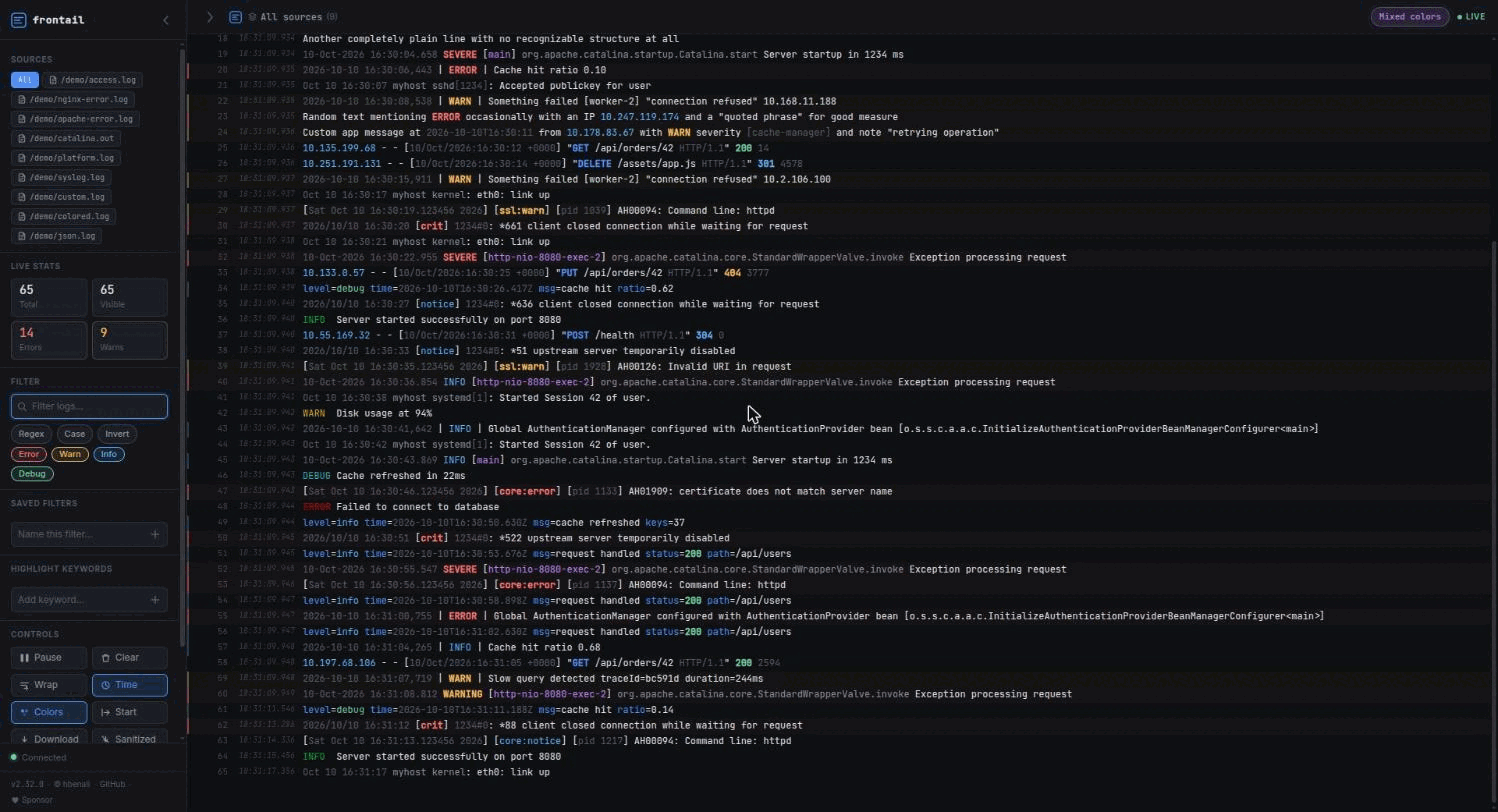
A sidebar (sources, live stats, filter, saved filters, highlights, controls, themes) and the log view. The sidebar collapses; on phones it becomes a full-screen sheet opened with ☰.
| Key | Action |
|---|---|
Ctrl/Cmd + K |
Focus the filter |
Space |
Pause / resume the stream |
Shift + G |
Scroll to bottom |
Esc |
Clear the filter |
-
Text filter, with Regex, Case and Invert toggles and inline match highlighting. The filter is kept in the URL (
?filter=...), so you can share a filtered view. - Level chips (Error / Warn / Info / Debug): hide or show a severity. They combine with the text filter. Lines with no detectable level (most access logs) are never hidden by the chips.
- Saved filters: name the current filter (with its regex/case/invert flags) to reapply it with one click.
- A small dot next to the topbar title shows when a filter is narrowing what you see.
Click a source pill to isolate it; All shows everything. Per source you can Start (load its full history) and Download it.
| Control | What it does |
|---|---|
| Pause / Play | Stop the view; a counter shows skipped lines |
| Clear | Empty the view |
| Wrap | Word wrap |
| Time | Per-line timestamp |
| Colors | Log colorizing on/off |
| Start | Load the selected source from the beginning |
| Download | Full file / container / journal log; Sanitized strips ANSI codes |
| Filtered | Download exactly the lines currently visible (done in the browser) |
Live stats show total, visible, error and warning counts. The favicon shows the unread count while the tab is in the background. If the server is redeployed while a tab is open, a banner asks you to refresh.
Dark, Light and Solarized. Theme, wrap, timestamps, colors, filters, sidebar state and source selection are saved in the browser's localStorage.
--ui-highlight enables keyword highlighting from a preset (default: preset/default.json):
{
  "words": { "err": "color: red;" },
  "lines": { "err": "font-weight: bold;" }
}
Built-in presets: default, npmlog, python. Pass your own with --ui-highlight-preset <path>. You can also add up to five colored keyword highlighters in the sidebar at runtime.