
PadForge 4.1.0
PadForge is a Softpedia Editor's Pick: rated 5/5, Excellent.
"PadForge shines best in its incredibly vast range of supported controller types." (Softpedia's editor review)
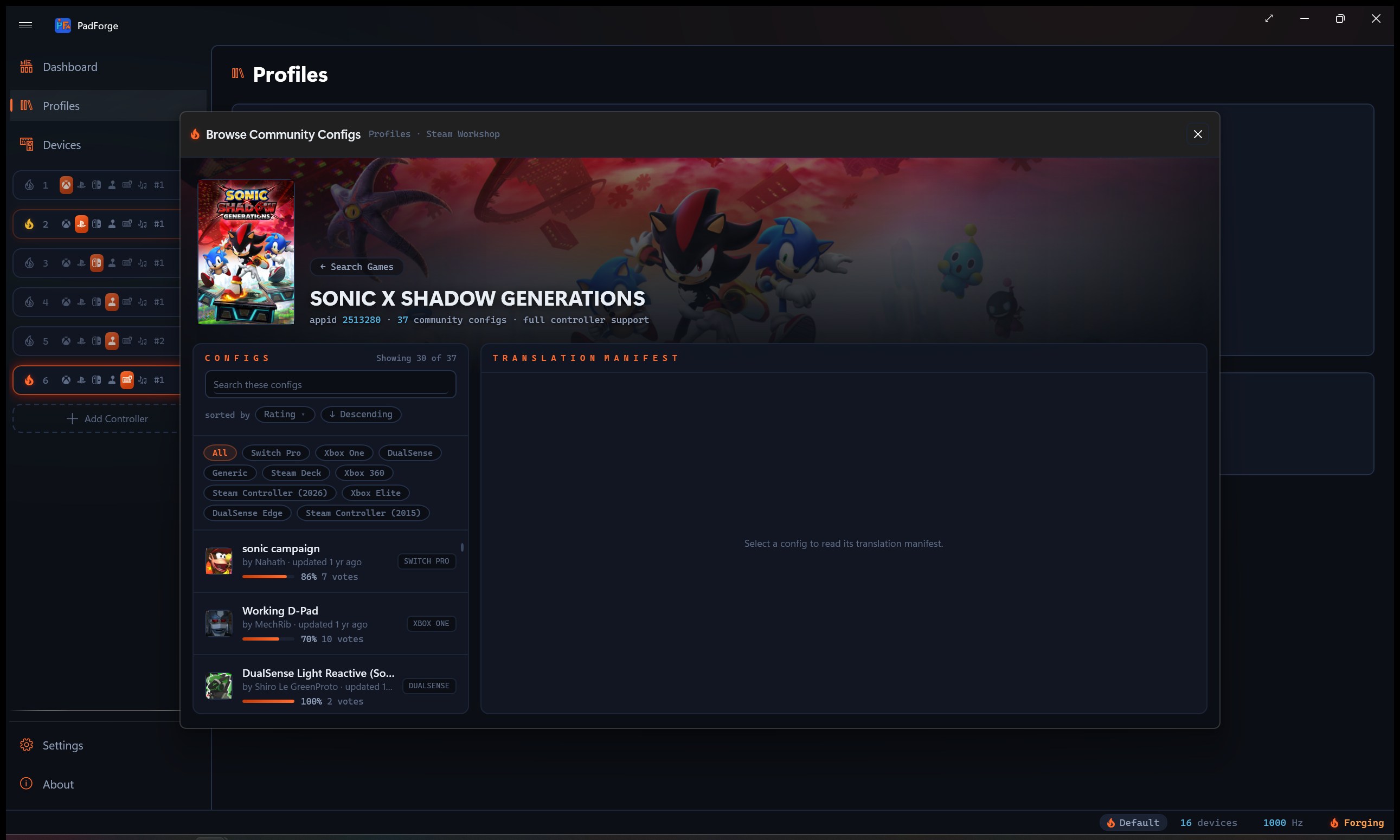
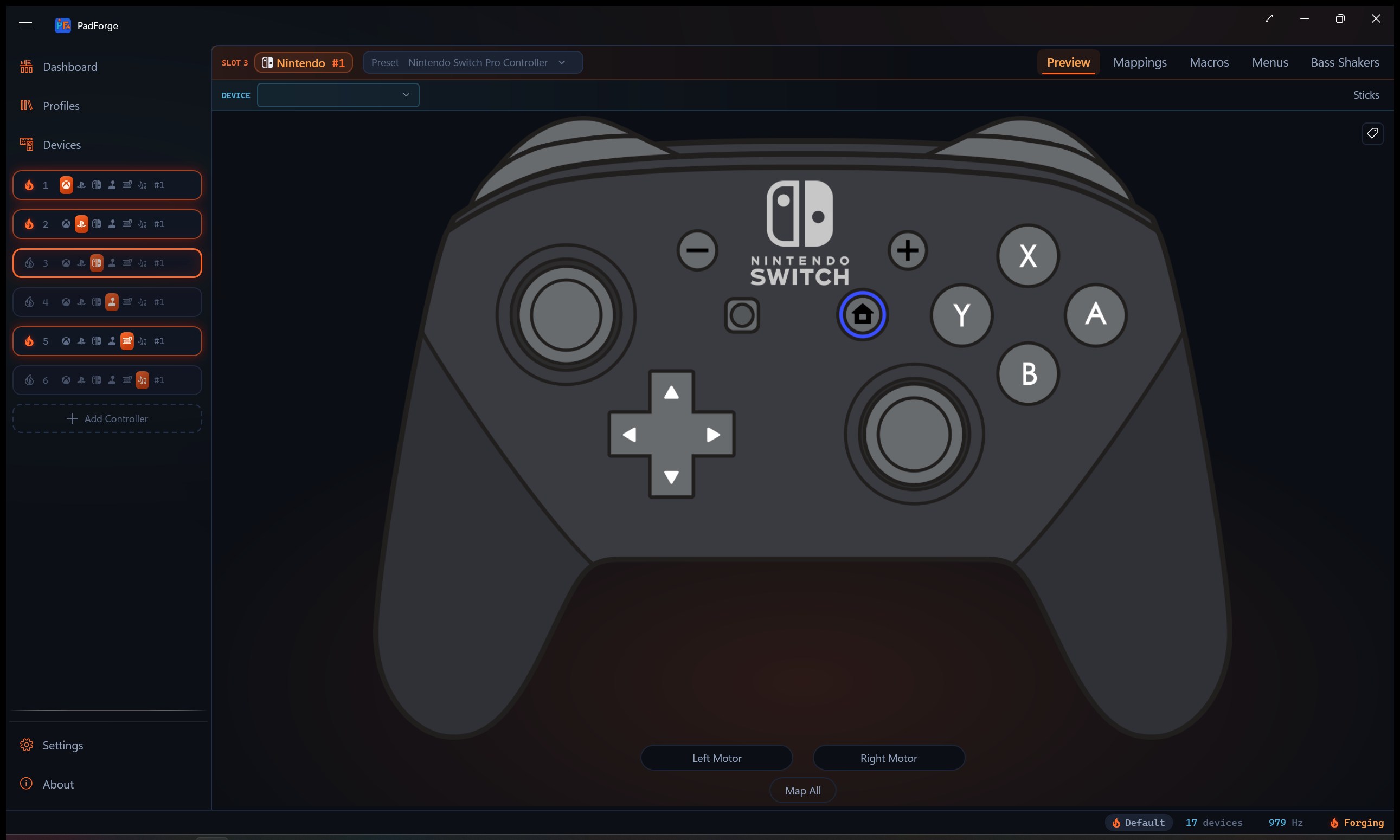
Steam Workshop config import browses the community controller configs on the Steam Workshop and translates the one you pick into a PadForge profile, over an anonymous connection with no Steam account. A Nintendo virtual controller gives games and emulators a real Switch Pro to talk to. Bass Shakers route game rumble to the hardware you sit on. Flick Stick lands beside the gyro. Macros grow to twelve fire modes with axis actions and per-layer scoping, and SOCD cleaning reaches controller buttons on every slot. Docs moved to a new home: padforge.org/docs.
| Steam Workshop import | Nintendo virtual controller |
|---|---|
 |
 |
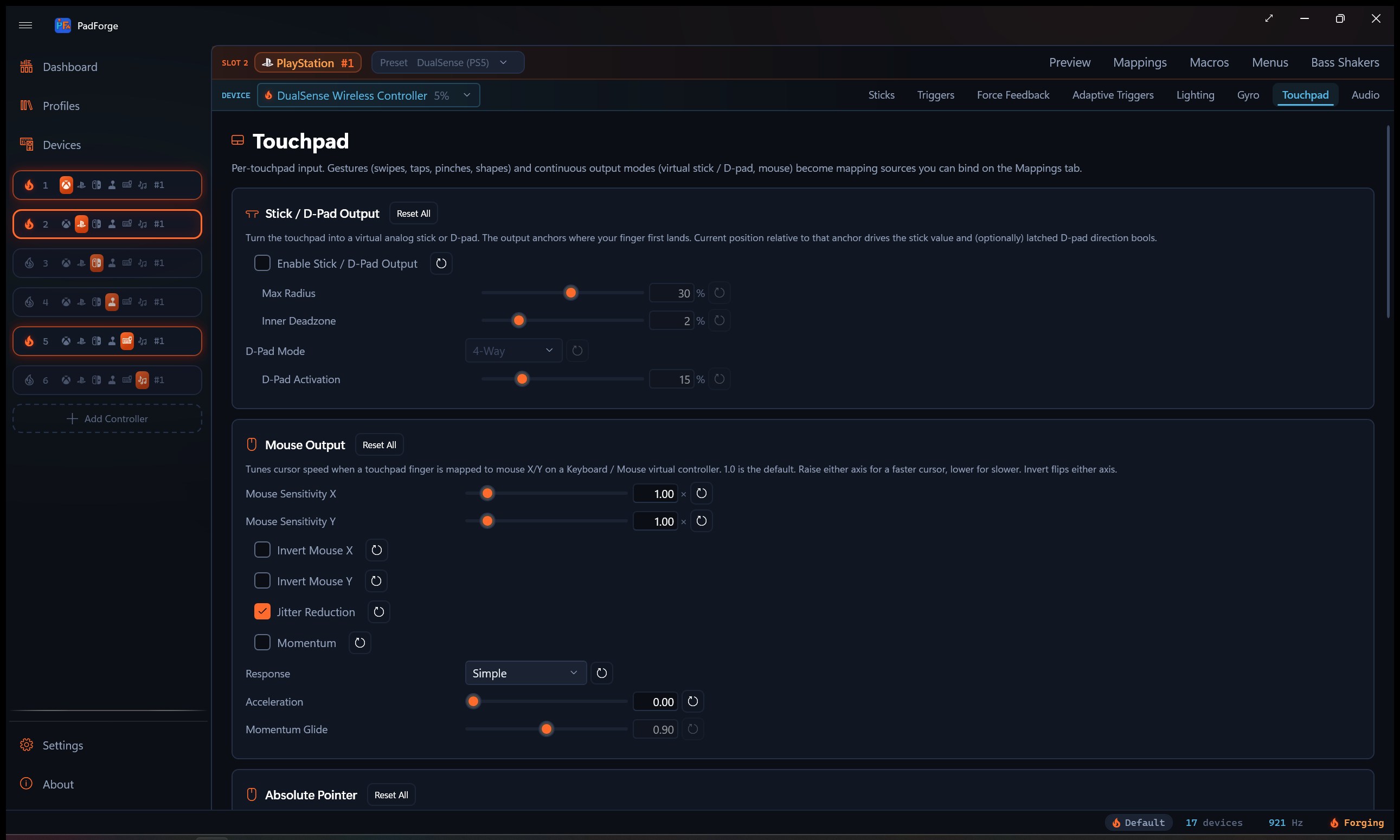
| Mappings, twelve fire modes and SOCD | Touchpad, trackpad feel and pressure |
|---|---|
 |
 |
Steam Workshop config import
Point PadForge at a game and it browses the community controller configs published on the Steam Workshop, then translates the one you pick into a PadForge profile: buttons, sticks, triggers, keyboard and mouse bindings, shift layers, macros, and on-screen radial and grid menus. The connection to Steam is anonymous, so no account and no login. It stays off until you enable community config lookup in Settings, and a per-import report shows what came across clean, what was approximated, and what was skipped. The translator went through twenty-six revisions against a corpus of real Workshop configs, so the coverage runs deep: response curves, gyro modes, activator types, chords, menus, and the odd corners Steam's own configurator can author.
A virtual Switch Pro Controller
The Nintendo slot type creates a virtual Switch Pro Controller through HIDMaestro. Games and emulators that speak Switch see the real thing: sticks, triggers, the full button set, gyro passed through from your physical pad, and the HOME button LED under your control. It sits in the Add Controller popup between PlayStation and Extended.
Bass Shakers
The new Bass Shakers tab routes the game rumble and force feedback a virtual controller receives to any audio output as low-frequency tones, for bass shakers and subwoofers. Four voices (low motor, high motor, left and right trigger) each carry their own frequency from 20 to 120 Hz and gain, with a mono or controller-stereo channel split and a frequency sweep to find where your shaker responds strongest. Game feedback plays through the shaker. Macro and test rumble stay on the controller.
Flick Stick
Flick the stick to its edge and the camera snaps to that direction, then rotates as you sweep the rim, while the gyro handles fine aim. Flick sources ride the right stick, the left stick, or a touchpad, and a rotation offset card corrects games whose camera turns more or less than the flick angle.
Twelve macro fire modes, axis actions, and layer scope
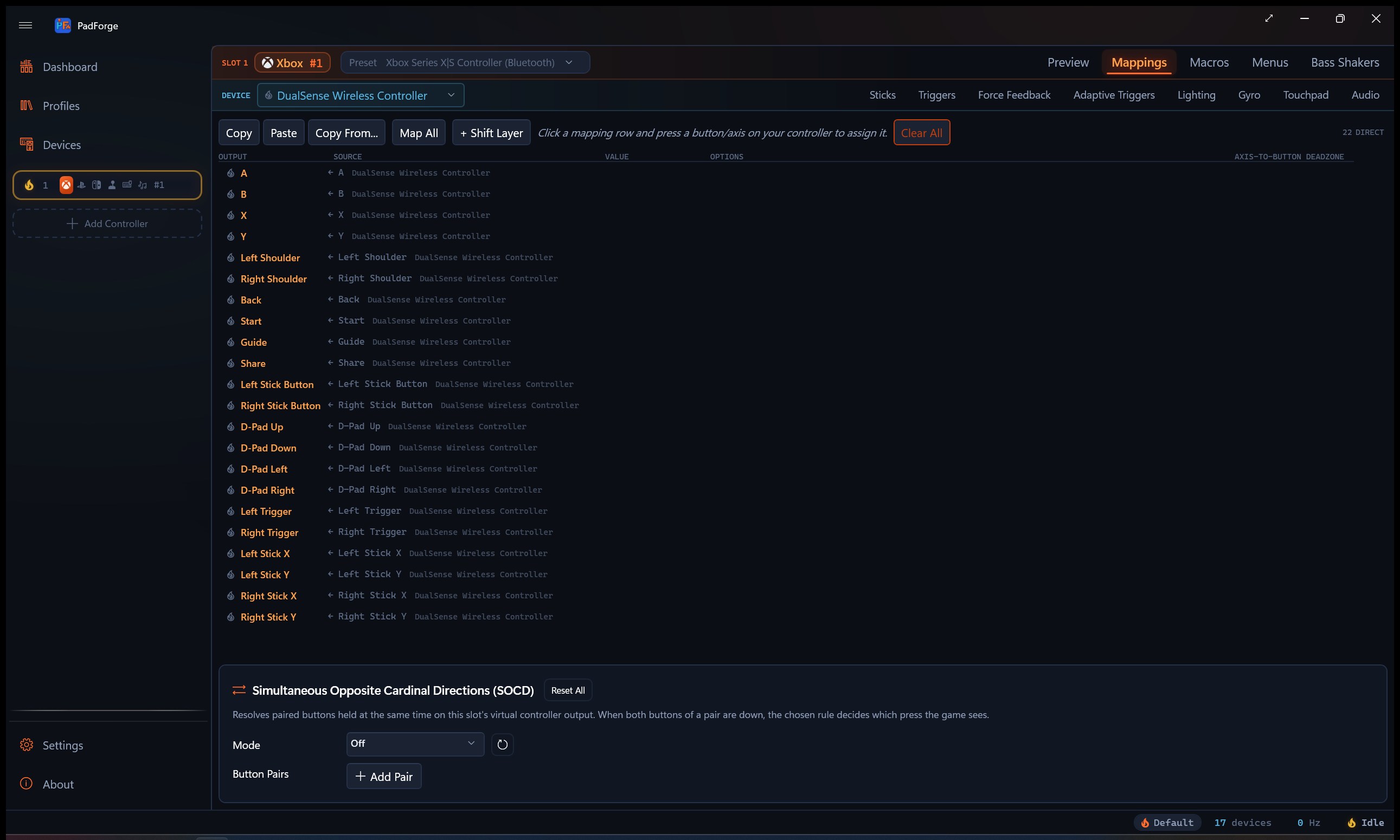
On Single, Double, and Triple Press, On Long Press, On Short Press, Toggle, and Turbo join the original five fire modes, so a tap and a hold on one button can do two different things. New axis actions latch a virtual axis to a value, release it, or scale it from a macro. And a per-macro layer scope limits any macro to the shift layers you choose.
SOCD on controller buttons
The Keyboard & Mouse controller's SOCD cleaning now has a sibling on every slot: define opposing virtual-button pairs and resolve them with last-wins (Snap Tap), first-wins, or neutral, applied to the combined output right before the game sees it.
Touchpads that feel right
A new Pointer Response picker gives touchpad-as-mouse a Trackpad curve that moves the cursor the way a laptop touchpad does, ported from libinput's acceleration profile. Pressure-sensitive pads expose per-finger pressure as mapping sources. Swipe haptics tick the pad as your finger travels. And a recorded Custom button can arm mouse gestures from any input, not just a mouse button.
The smaller cuts
- HOME LED on Switch controllers. Fifteen brightness steps on Switch Pro and right Joy-Con, joining the Xbox Guide LED control, fixed or battery-following.
- Joy-Con pair audio follows the motor. Haptic tones play through the coil the game drives, left motor through the left Joy-Con, right through the right.
- Left Joy-Con aux motion. A paired Joy-Con exposes the left half's gyro and accelerometer as separate mapping sources beside the pair's own.
- Per-source Acceleration, Invert Output, and Fire on Release. New per-row tuning, plus shift activators that fire when released.
- Time-based cursor rates. Keyboard + Mouse cursor and scroll speeds are real rates (1200 px/s at full deflection), the same feel at every polling rate.
- Clear All clears everything. The Mappings tab's Clear All resets sources, options, and tuning in one confirmed step.
- Pressure zones, raw axis sources to 24, and the mapping grid's activation modes round out the mapping surface.
Fixed
- Shift layers whose outputs fired the base mapping instead of the layer's own now fire the layer (#221).
- Workshop imports no longer pin secondary mapping sources to a specific device when the config meant any device (#222).
- A Nacon PS4 Compact Controller no longer freezes PadForge on connect (#235).
- Virtual controllers no longer freeze their output after long sessions (a HIDMaestro worker survived-stop fix, HM 1.3.22) and no longer vanish when a stale inactivity check raced a slot's re-activation.
Documentation
The GitHub wiki retired. Documentation lives at padforge.org/docs: Start walkthroughs, task guides, a page for every feature, device setup, and a Technical Reference down to the wire protocols. Every page was verified against this release's code.
Credits
- The Steam Workshop import rides SteamKit2 (anonymous Steam session), with protobuf-net and ZstdSharp arriving through it.
- The trackpad pointer curve is a C# re-derivation of libinput's touchpad acceleration profile.
- Flick Stick semantics follow the convention JibbSmart established, alongside the JoyShockMapper and GamepadMotionHelpers lineage already in PadForge's gyro stack.
- The virtual Switch Pro profile ships in HIDMaestro 1.3.22.
Install and upgrade
Replace PadForge.exe in your PadForge folder, or download the ZIP below and unzip. Settings carry over.
Compatibility
- Windows 10 1809 (build 17763) or later. Windows 11 recommended.
- MIDI input and the MIDI virtual controller need Windows MIDI Services (Windows 11 24H2 / build 26100 or later).
Full changelog: v4.0.1...v4.1.0