en Mod Prerequisite Reference
Documentation moved: This page is archived. See the up-to-date guide at innovault.wiki.
- Installation and Reference
- IVaultLoader Integration
- Architecture Overview
- VaultType Registry
- Getting Started
Add to your mod project's build.txt:
modReferences = InnoVault@1.9
modReferences declares dependency mods. Format: [InternalName]@[MinVersion]. Multiple entries use commas, e.g. modReferences = CalamityMod@2.0.4.3, InnoVault@1.9.
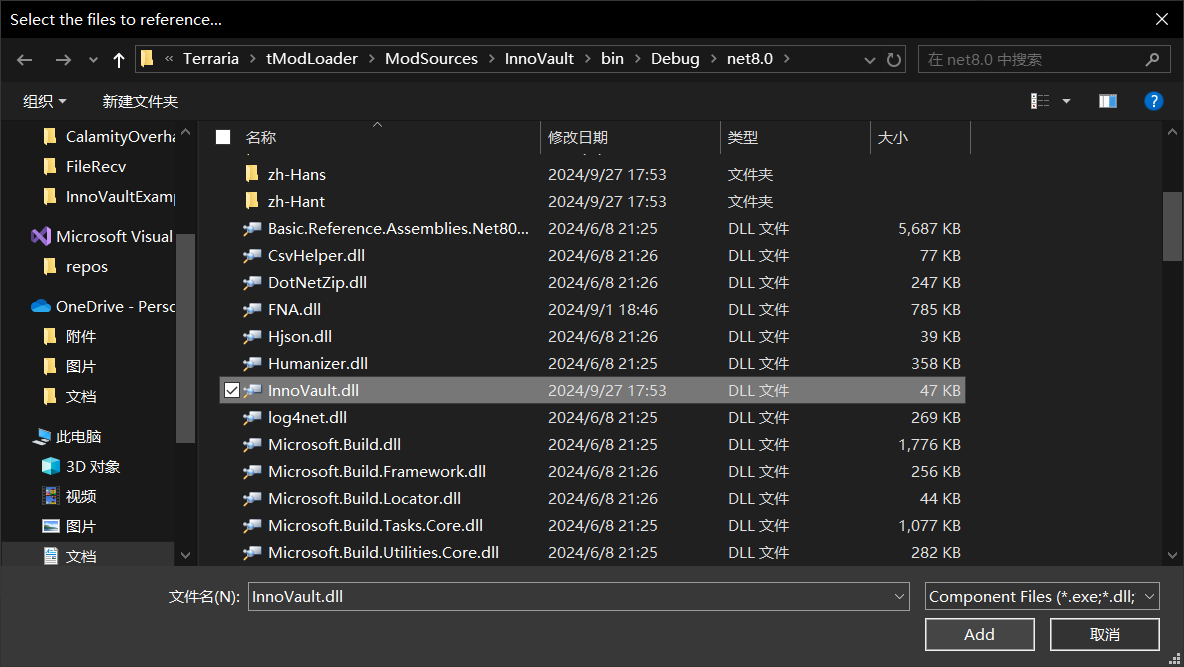
Build from source: Clone and compile; dll is usually at InnoVault/bin/Debug/net8.0 (path varies by environment).
Unpack tmod: Subscribe to InnoVault on the workshop, then unpack with TmodUnpacker.
In VS Solution Explorer, right-click Dependencies:
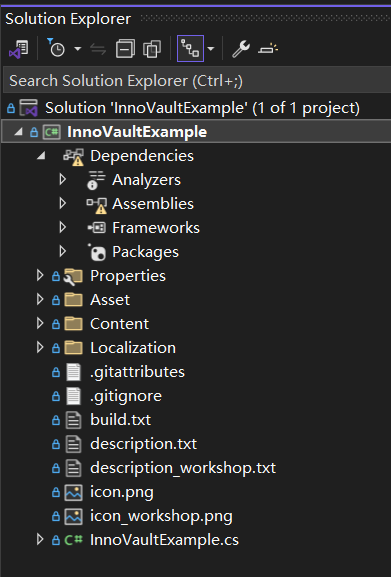
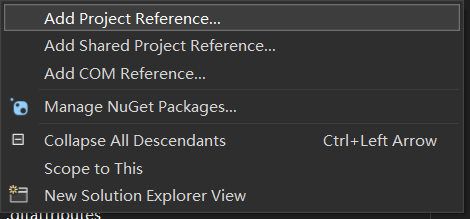
Click Add Project Reference:
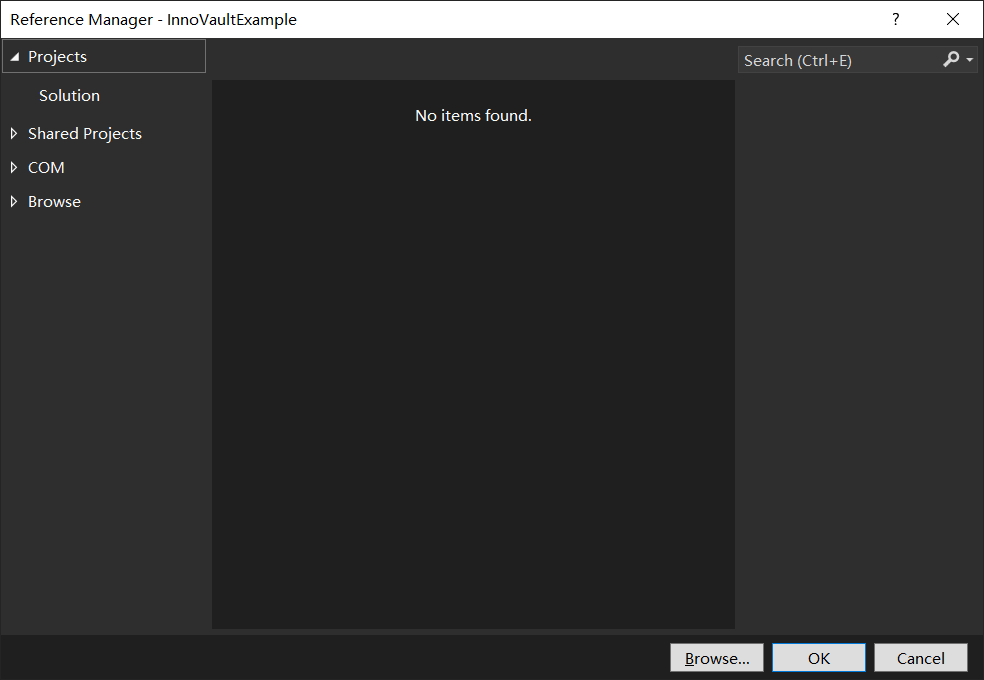
Click Browse.
Browse to the InnoVault.dll directory, select the file, click Add:
After completing the reference, your build.txt should look similar to:
displayName = MyMod
author = YourName
version = 0.1
modReferences = InnoVault@1.9
InnoVault's IVaultLoader runs custom logic at mod load stages:
public class MyLoader : IVaultLoader
{
    // Called before Mod.Load
    public void LoadData() { }

    // Load client resources (at the end of Mod.Load)
    public void LoadAsset() { }

    // Setup data (at the end of Mod.Load)
    public void SetupData() { }

    // Add recipes
    public void AddRecipesData() { }

    // Unload data (at the end of Mod.Unload)
    public void UnLoadData() { }
}Once configured, continue with InnoVault systems:
- VaultLoaden Auto Resource Loading
- PRT Particle System
- TP Tile Entity System
- UI System
- SaveContent Save System
- Override System
- SyncVar Network Sync
- Actor Entity System
- DataModules System
- Narrative System
- Models3D System
| Previous | Home | Next |
|---|---|---|
| Home | Home | Basic VaultLoaden |