Welcome to the main site of our skin disease detection program 🩺
Our achitecture consist of 2 clients 💻 and a server 📁, that is responsible for providing detection results.
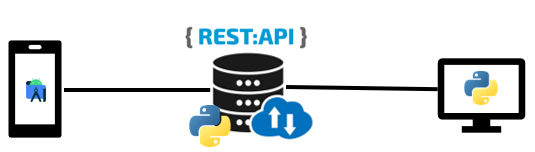
In the following video, you can check our architecture in action. 😉
Demo.mp4
Or in this document. 😉
- Install Anaconda: download and install Anaconda Distribution from here: https://www.anaconda.com/products/distribution.
- Open Anaconda Prompt: navigate to the folder containing the
environment.ymlfile. - Create the virtual environment:
conda env create -f environment.yml. The name of the new environment will beszofttech.
- Open Anaconda Prompt: navigate to the application directory.
- Activate environment:
conda activate szofttech. - Run the application:
python main.py.
ttkbootstrap- GitHub: https://github.com/israel-dryer/ttkbootstrap
- Documentation: https://ttkbootstrap.readthedocs.io/en/latest/