Skip to content

Folders and files

NameName
Last commit message
Last commit date

Latest commit


History

601 Commits


Repository files navigation

Algorithm's - Python

DEV-ENVIRONMENT

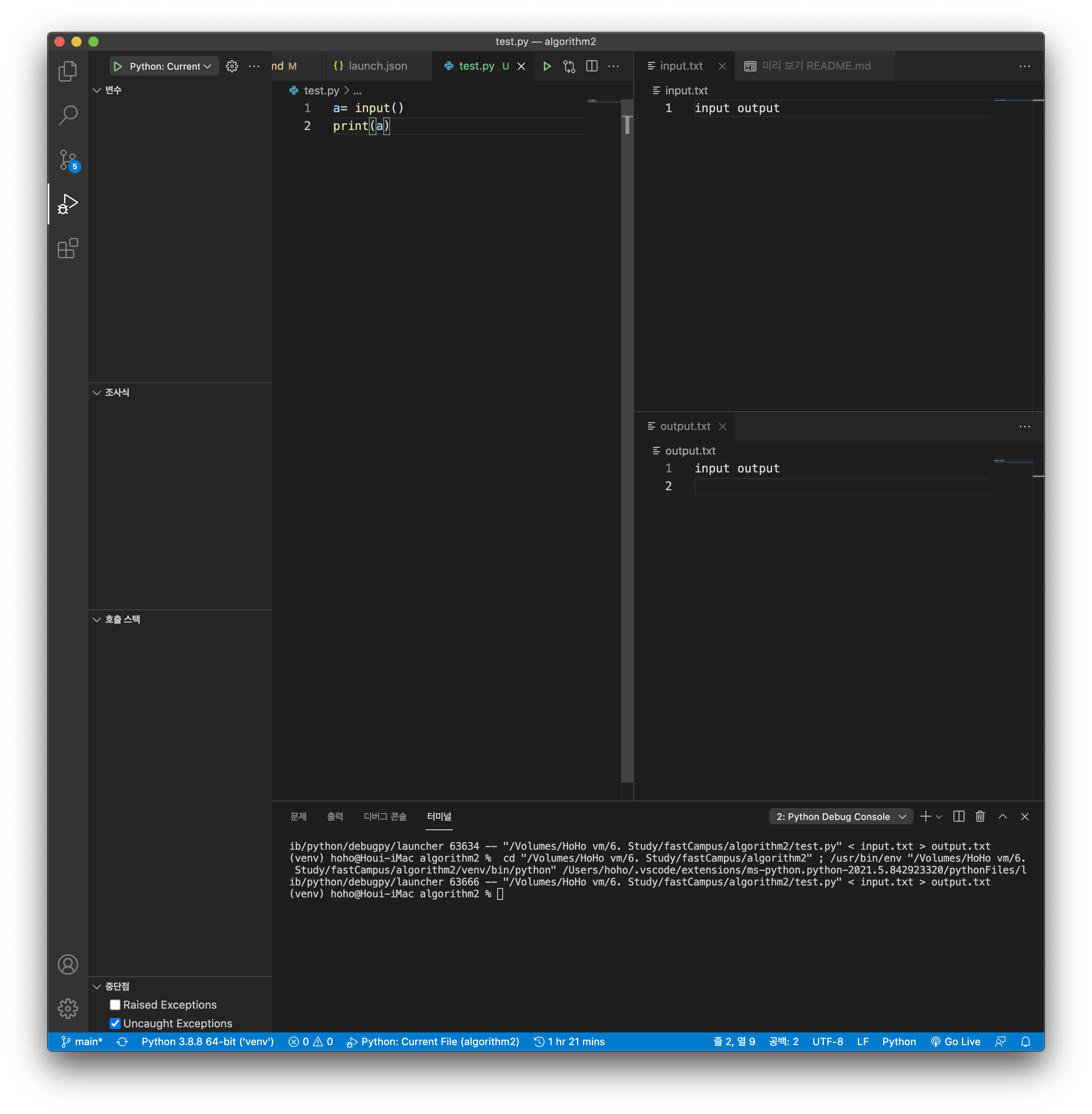
  • VScode input/output setting

    1. Python 플러그인을 추가해줍니다. (디버그 모드를 이용하려면 필요합니다)
      1.1 플러그인을 설치가 완료되면

    2. 실행 및 디버그를 눌러줍니다.

    3. launch.json 파일만들기를 수행 후 args를 추가해주면 됩니다.

        {
          "version": "0.2.0",
          "configurations": [{
            "name": "Python: Current File",
            "type": "python",
            "request": "launch",
            "program": "${file}",
            "console": "integratedTerminal",
            "args": ["<", "input.txt", ">", "output.txt"]
          }]
        }
    4. 완료 (control + f5)
      스크린샷 2021-06-07 오전 1 21 49

  • pyCharm 이용한 가상환경 -> jupyterlab설치

    pip install jupyterlab # 아나콘다 설치 대신 jupyterlab만 이용하기
    jupyter lab # 실행 명령어
    

  • pip 패키지 관리

    • 현재 설치되어있는 패키지 정보를 저장하기
    pip freeze > version.txt # version.txt라는 파일에 버전정보를 기록함
    pip uninstall -r version.txt -y # 모든 패키지를 삭제함
    
    • 컴포넌트 > 라이브러리 > 패키지 > 모듈

알고리즘

About

No description, website, or topics provided.

Resources

Stars

0 stars

Watchers

1 watching

Forks

Releases

Packages

Contributors

Languages