
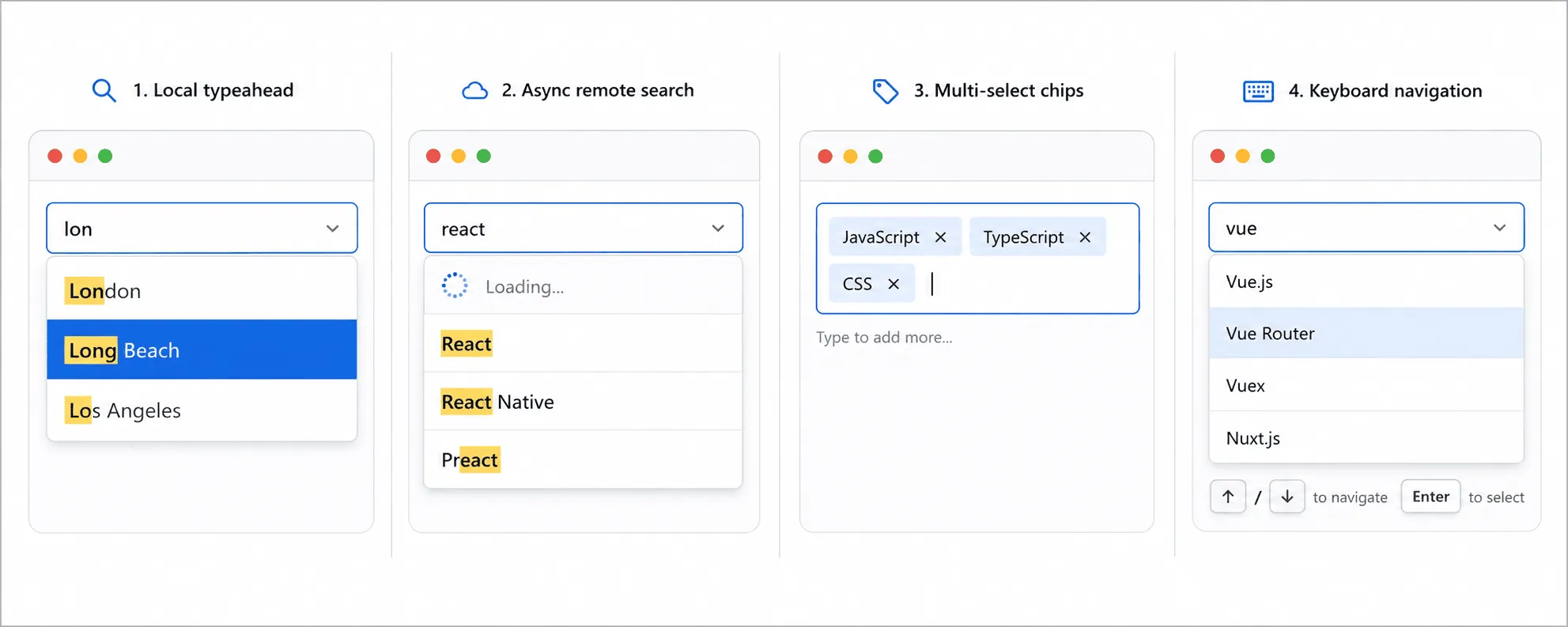
A pure vanilla JavaScript autocomplete combobox for <input type="text"> fields. No dependencies. Initialize with JavaScript and pass a local array or async source function.
- Local array or async function data sources with debounce
- Match highlighting in the suggestion list
- Full keyboard support: Arrow keys, Enter, Escape, Tab, Backspace (remove last chip)
- Single-select and multi-select with removable chips
- Free-text custom values with
allowCustom - ARIA combobox / listbox pattern with
aria-activedescendant - Update suggestions at runtime with
setSource()orsetOption('source', ...) - Programmatic API:
open(),close(),clear(),getValue(),setValue(),destroy() - Pure vanilla JS, zero dependencies, modern ES2015+
Full API reference, live demos, options tables, React notes, and styling guide:
www.html-code-generator.com/javascript/autocomplete-library
npm install hcg-autocompleteimport hcgAutocomplete from "hcg-autocomplete";
import "hcg-autocomplete/hcg-autocomplete.css";
hcgAutocomplete("#city", {
source: ["Amsterdam", "Berlin", "Copenhagen"]
});CommonJS also works: const hcgAutocomplete = require("hcg-autocomplete");
<link rel="stylesheet" href="https://cdn.jsdelivr.net/npm/hcg-autocomplete@1/hcg-autocomplete.css">
<script src="https://cdn.jsdelivr.net/npm/hcg-autocomplete@1/hcg-autocomplete.js"></script><input id="city" type="text" placeholder="Search cities...">const api = hcgAutocomplete("#city", {
source: ["Amsterdam", "Berlin", "Copenhagen", "London", "Paris"],
minChars: 1
});hcgAutocomplete("#country", {
source: [
{ value: "us", label: "United States" },
{ value: "uk", label: "United Kingdom" }
],
onChange: (input, value) => console.log(value)
});hcgAutocomplete("#search", {
minChars: 2,
debounce: 300,
source: (query, done) => {
fetch("/api/search?q=" + encodeURIComponent(query))
.then((response) => response.json())
.then((items) => done(null, items))
.catch((error) => done(error));
}
});const api = hcgAutocomplete("#tags", {
source: ["HTML", "CSS", "JavaScript"]
});
api.setSource(["React", "Vue", "Svelte"]);
api.refresh();hcgAutocomplete("#skills", {
multiple: true,
maxItems: 5,
source: ["HTML", "CSS", "JavaScript", "TypeScript", "React"]
});| Option | Type | Default | Description |
|---|---|---|---|
source |
array | function | [] |
Local items or async (query, done) |
minChars |
number | 1 |
Min characters before suggestions |
debounce |
number | 300 |
Async debounce delay (ms) |
multiple |
boolean | false |
Multi-select chips |
allowCustom |
boolean | false |
Allow Enter to commit free-text values |
clearable |
boolean | true |
Show clear button |
highlight |
boolean | true |
Highlight matches |
maxItems |
number | null | null |
Max chips in multiple mode |
valueKey |
string | 'value' |
Object key for submitted value |
labelKey |
string | 'label' |
Object key for display label |
Instance methods: open(), close(), clear(), getValue(), setValue(value, silent?), setSource(source), getSource(), refresh(), setOption(name, value), enable(), disable(), destroy()
Pass true as the second argument to setValue() to update the field without firing onChange or native input/change events:
ac.setValue('London');
ac.setValue('Paris', true); // silent
Static helpers: hcgAutocomplete.get(element), hcgAutocomplete.destroy(element), hcgAutocomplete.destroyAll(), hcgAutocomplete.version
MIT