Repository navigation

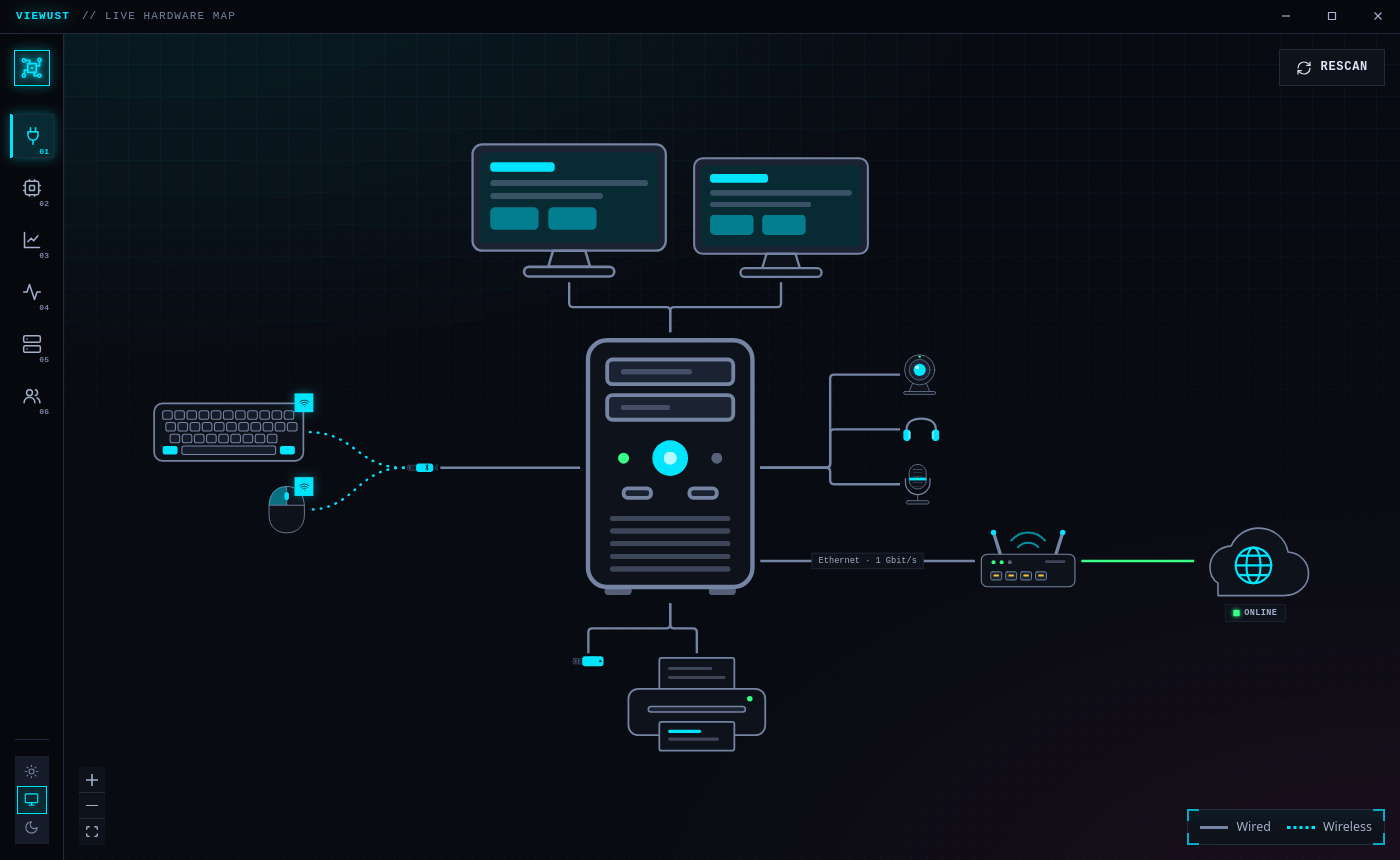
The first release of Viewust: everything plugged into your computer, everything inside it,
and everything it is doing — on one live map.
Highlights
- Live hardware map — your devices and the parts inside the case, drawn to scale and wired
the way they really are. Click anything for its full story. - Health — one verdict across the whole machine: failed services, full disks, overheating,
memory pressure, a pending kernel restart. - The operating system, explained — boot chain (firmware → bootloader → initramfs → kernel →
init), processes, namespaces, control groups, file systems, network, users, security, packages. - Live monitor — CPU, memory, storage, graphics, thermal, power, network and audio, charted
every second — plus an on-demand internet speed test. - Disk usage — every drive as a tree; open it folder by folder to find what takes the space.
- Right-click everywhere — watch a device live, stop a program, restart a service, mount or
unmount a drive, copy anything.
Which file do I download?
| Your system | File |
|---|---|
| Ubuntu, Debian, Mint | viewust_0.1.0_amd64.deb → sudo apt install ./viewust_0.1.0_amd64.deb |
| Fedora, openSUSE | viewust-0.1.0-1.x86_64.rpm |
| Arch | viewust-0.1.0-1-x86_64.pkg.tar.zst → sudo pacman -U … |
| Any other Linux | viewust_0.1.0_amd64.AppImage — make it executable and run it |
| ARM machines (Raspberry Pi 4/5, Asahi) | the matching aarch64 / arm64 files |
Good to know
- Linux only, by design — Viewust reads
/proc,/sysand the system's own tools directly. - It looks, it doesn't touch: everything is read without administrator rights, actions that
change something always ask first, and nothing leaves your computer (the speed test runs
only when you press its button). - Honest about gaps: if your hardware doesn't report something, Viewust says so.