-
Notifications
You must be signed in to change notification settings - Fork 6.9k
[LCM] add: locm docs. #5723
New issue
Have a question about this project? Sign up for a free GitHub account to open an issue and contact its maintainers and the community.
By clicking “Sign up for GitHub”, you agree to our terms of service and privacy statement. We’ll occasionally send you account related emails.
Already on GitHub? Sign in to your account
Merged
+156
−0
Merged
[LCM] add: locm docs. #5723
Changes from all commits
Commits
Show all changes
10 commits
Select commit
Hold shift + click to select a range
60a89af
add: locm docs.
sayakpaul 62f2558
correct path
sayakpaul 6b1b706
Merge branch 'main' into lcm-docs
sayakpaul 4b7ba44
Apply suggestions from code review
sayakpaul 62f0c0a
Apply suggestions from code review
sayakpaul bae1348
Merge branch 'main' into lcm-docs
patrickvonplaten 150eedc
Apply suggestions from code review
sayakpaul e7fa949
up
sayakpaul 9eebfdd
add
patrickvonplaten 1c2c80a
add
patrickvonplaten File filter
Filter by extension
Conversations
Failed to load comments.
Loading
Jump to
Jump to file
Failed to load files.
Loading
Diff view
Diff view
There are no files selected for viewing
This file contains hidden or bidirectional Unicode text that may be interpreted or compiled differently than what appears below. To review, open the file in an editor that reveals hidden Unicode characters.
Learn more about bidirectional Unicode characters
This file contains hidden or bidirectional Unicode text that may be interpreted or compiled differently than what appears below. To review, open the file in an editor that reveals hidden Unicode characters.
Learn more about bidirectional Unicode characters
| Original file line number | Diff line number | Diff line change |
|---|---|---|
| @@ -0,0 +1,154 @@ | ||
| <!--Copyright 2023 The HuggingFace Team. All rights reserved. | ||
|
|
||
| Licensed under the Apache License, Version 2.0 (the "License"); you may not use this file except in compliance with | ||
| the License. You may obtain a copy of the License at | ||
|
|
||
| http://www.apache.org/licenses/LICENSE-2.0 | ||
|
|
||
| Unless required by applicable law or agreed to in writing, software distributed under the License is distributed on | ||
| an "AS IS" BASIS, WITHOUT WARRANTIES OR CONDITIONS OF ANY KIND, either express or implied. See the License for the | ||
| specific language governing permissions and limitations under the License. | ||
| --> | ||
|
|
||
| # Performing inference with LCM | ||
|
|
||
| Latent Consistency Models (LCM) enable quality image generation in typically 2-4 steps making it possible to use diffusion models in almost real-time settings. | ||
|
|
||
| From the [official website](https://latent-consistency-models.github.io/): | ||
|
|
||
| > LCMs can be distilled from any pre-trained Stable Diffusion (SD) in only 4,000 training steps (~32 A100 GPU Hours) for generating high quality 768 x 768 resolution images in 2~4 steps or even one step, significantly accelerating text-to-image generation. We employ LCM to distill the Dreamshaper-V7 version of SD in just 4,000 training iterations. | ||
|
|
||
| For a more technical overview of LCMs, refer to [the paper](https://huggingface.co/papers/2310.04378). | ||
|
|
||
| This guide shows how to perform inference with LCMs for text-to-image and image-to-image generation tasks. It will also cover performing inference with LoRA checkpoints. | ||
|
|
||
| ## Text-to-image | ||
|
|
||
| You'll use the [`StableDiffusionXLPipeline`] here changing the `unet`. The UNet was distilled from the SDXL UNet using the framework introduced in LCM. Another important component is the scheduler: [`LCMScheduler`]. Together with the distilled UNet and the scheduler, LCM enables a fast inference workflow overcoming the slow iterative nature of diffusion models. | ||
|
|
||
| ```python | ||
| from diffusers import DiffusionPipeline, UNet2DConditionModel, LCMScheduler | ||
| import torch | ||
|
|
||
| unet = UNet2DConditionModel.from_pretrained( | ||
| "latent-consistency/lcm-sdxl", | ||
| torch_dtype=torch.float16, | ||
| variant="fp16", | ||
| ) | ||
| pipe = DiffusionPipeline.from_pretrained( | ||
| "stabilityai/stable-diffusion-xl-base-1.0", unet=unet, torch_dtype=torch.float16 | ||
| ).to("cuda") | ||
| pipe.scheduler = LCMScheduler.from_config(pipe.scheduler.config) | ||
|
|
||
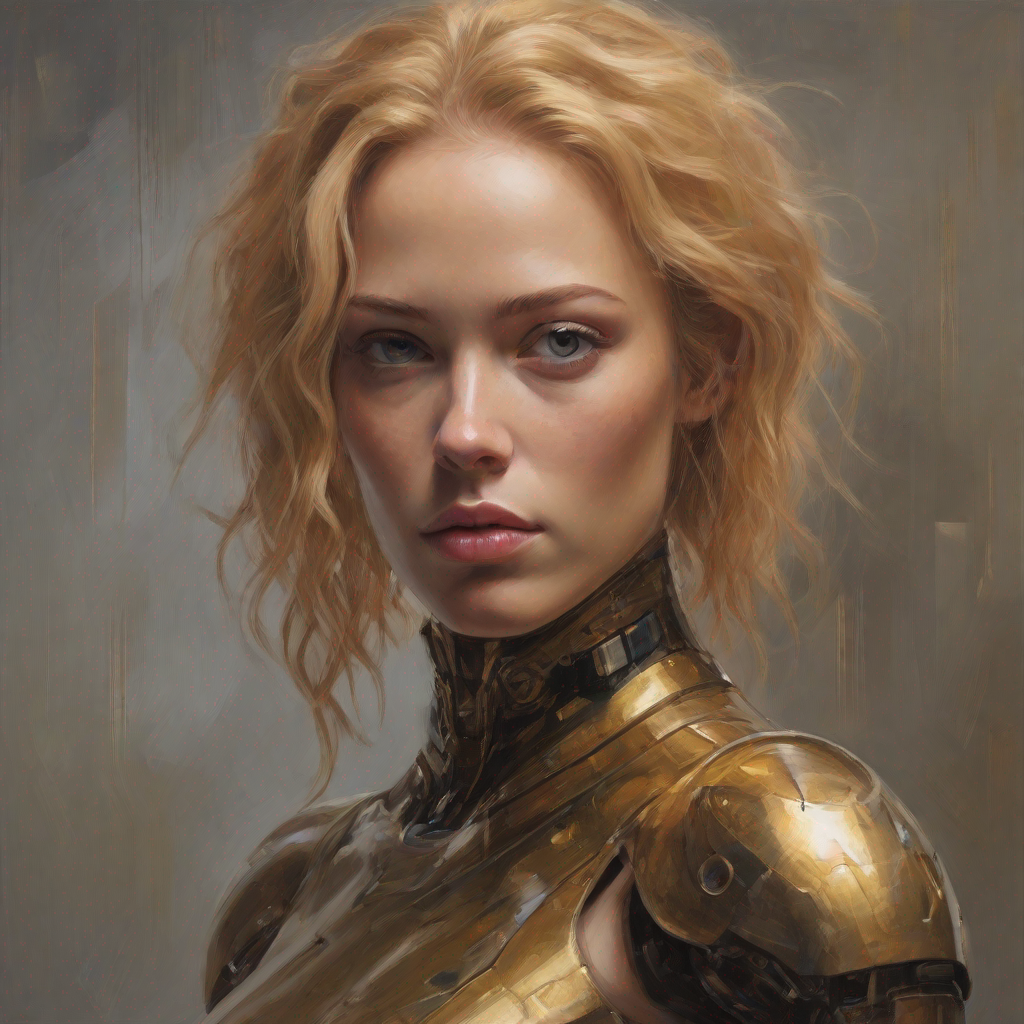
| prompt = "Self-portrait oil painting, a beautiful cyborg with golden hair, 8k" | ||
|
|
||
| generator = torch.manual_seed(0) | ||
| image = pipe( | ||
| prompt=prompt, num_inference_steps=4, generator=generator, guidance_scale=8.0 | ||
| ).images[0] | ||
| ``` | ||
|
|
||
|  | ||
|
|
||
| Notice that we use only 4 steps for generation which is way less than what's typically used for standard SDXL. | ||
|
|
||
| Some details to keep in mind: | ||
|
|
||
| * To perform classifier-free guidance, batch size is usually doubled inside the pipeline. LCM, however, applies guidance using guidance embeddings, so the batch size does not have to be doubled in this case. This leads to a faster inference time, with the drawback that negative prompts don't have any effect on the denoising process. | ||
| * The UNet was trained using the [3., 13.] guidance scale range. So, that is the ideal range for `guidance_scale`. However, disabling `guidance_scale` using a value of 1.0 is also effective in most cases. | ||
|
|
||
| ## Image-to-image | ||
|
|
||
| The findings above apply to image-to-image tasks too. Let's look at how we can perform image-to-image generation with LCMs: | ||
|
|
||
| ```python | ||
| from diffusers import AutoPipelineForImage2Image, UNet2DConditionModel, LCMScheduler | ||
| from diffusers.utils import load_image | ||
| import torch | ||
|
|
||
| unet = UNet2DConditionModel.from_pretrained( | ||
| "latent-consistency/lcm-sdxl", | ||
| torch_dtype=torch.float16, | ||
| variant="fp16", | ||
| ) | ||
| pipe = AutoPipelineForImage2Image.from_pretrained( | ||
| "stabilityai/stable-diffusion-xl-base-1.0", unet=unet, torch_dtype=torch.float16 | ||
| ).to("cuda") | ||
| pipe.scheduler = LCMScheduler.from_config(pipe.scheduler.config) | ||
|
|
||
| prompt = "High altitude snowy mountains" | ||
| image = load_image( | ||
| "https://huggingface.co/datasets/sayakpaul/sample-datasets/resolve/main/snowy_mountains.jpeg" | ||
| ) | ||
|
|
||
| generator = torch.manual_seed(0) | ||
| image = pipe( | ||
| prompt=prompt, | ||
| image=image, | ||
| num_inference_steps=4, | ||
| generator=generator, | ||
| guidance_scale=8.0, | ||
| ).images[0] | ||
| ``` | ||
|  | ||
|
|
||
| ## LoRA | ||
|
|
||
| It is possible to generalize the LCM framework to use with [LoRA](../training/lora.md). It effectively eliminates the need to conduct expensive fine-tuning runs as LoRA training concerns just a few number of parameters compared to full fine-tuning. During inference, the [`LCMScheduler`] comes to the advantage as it enables very few-steps inference without compromising the quality. | ||
|
|
||
| We recommend to disable `guidance_scale` by setting it 0. The model is trained to follow prompts accurately | ||
| even without using guidance scale. You can however, still use guidance scale in which case we recommend | ||
| using values between 1.0 and 2.0. | ||
|
|
||
| ### Text-to-image | ||
|
|
||
| ```python | ||
| from diffusers import DiffusionPipeline, LCMScheduler | ||
| import torch | ||
|
|
||
| model_id = "stabilityai/stable-diffusion-xl-base-1.0" | ||
| lcm_lora_id = "latent-consistency/lcm-lora-sdxl" | ||
|
|
||
| pipe = DiffusionPipeline.from_pretrained(model_id, variant="fp16", torch_dtype=torch.float16).to("cuda") | ||
|
|
||
| pipe.load_lora_weights(lcm_lora_id) | ||
| pipe.scheduler = LCMScheduler.from_config(pipe.scheduler.config) | ||
|
|
||
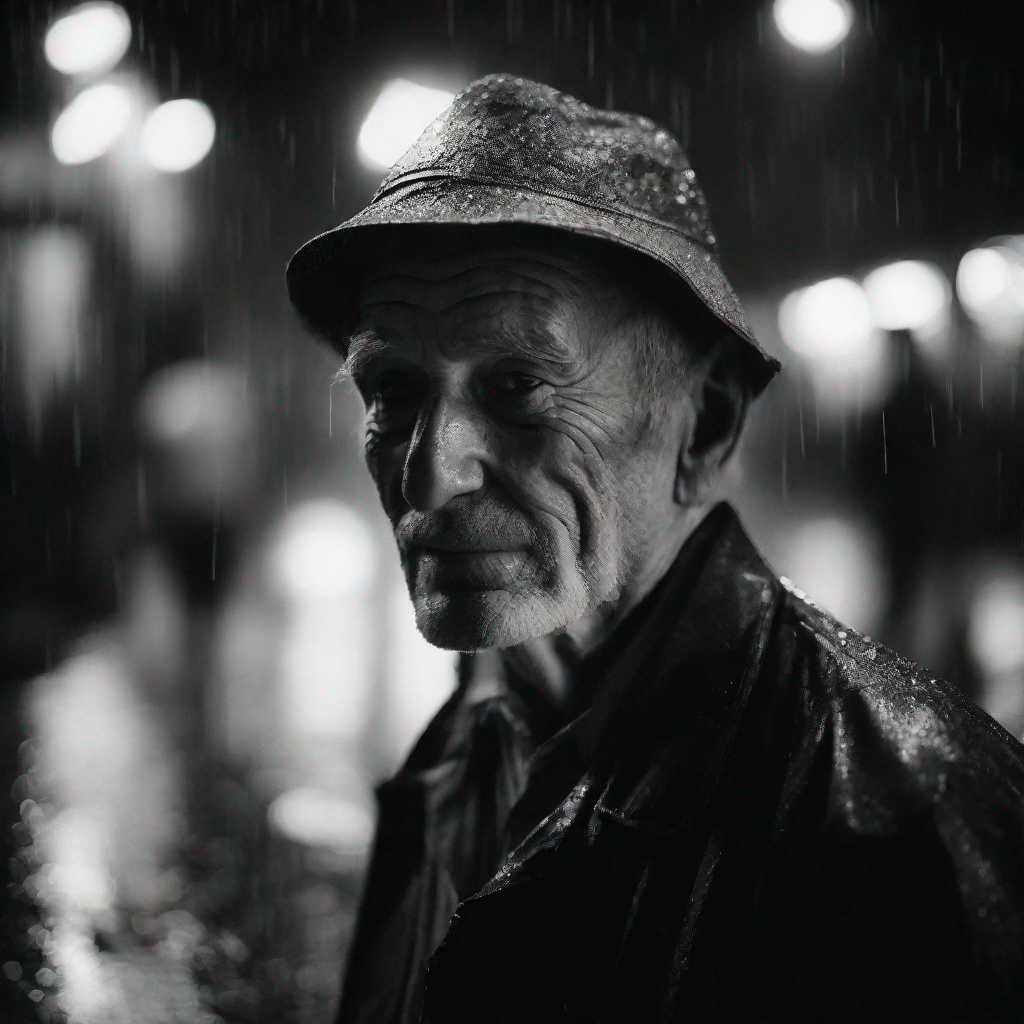
| prompt = "close-up photography of old man standing in the rain at night, in a street lit by lamps, leica 35mm summilux" | ||
| image = pipe( | ||
| prompt=prompt, | ||
| num_inference_steps=4, | ||
| guidance_scale=0, # set guidance scale to 0 to disable it | ||
| ).images[0] | ||
| ``` | ||
|  | ||
|
|
||
| ### Image-to-image | ||
|
|
||
| Extending LCM LoRA to image-to-image is possible: | ||
|
|
||
| ```python | ||
| from diffusers import StableDiffusionXLImg2ImgPipeline, LCMScheduler | ||
| from diffusers.utils import load_image | ||
| import torch | ||
|
|
||
| model_id = "stabilityai/stable-diffusion-xl-base-1.0" | ||
| lcm_lora_id = "latent-consistency/lcm-lora-sdxl" | ||
|
|
||
| pipe = StableDiffusionXLImg2ImgPipeline.from_pretrained(model_id, variant="fp16", torch_dtype=torch.float16).to("cuda") | ||
|
|
||
| pipe.load_lora_weights(lcm_lora_id) | ||
| pipe.scheduler = LCMScheduler.from_config(pipe.scheduler.config) | ||
|
|
||
| prompt = "close-up photography of old man standing in the rain at night, in a street lit by lamps, leica 35mm summilux" | ||
|
|
||
| image = load_image("https://huggingface.co/datasets/huggingface/documentation-images/resolve/main/diffusers/lcm/lora_lcm.png") | ||
|
|
||
| image = pipe( | ||
| prompt=prompt, | ||
| image=image, | ||
| num_inference_steps=4, | ||
| guidance_scale=0, # set guidance scale to 0 to disable it | ||
| ).images[0] | ||
| ``` | ||
|  | ||
Add this suggestion to a batch that can be applied as a single commit.
This suggestion is invalid because no changes were made to the code.
Suggestions cannot be applied while the pull request is closed.
Suggestions cannot be applied while viewing a subset of changes.
Only one suggestion per line can be applied in a batch.
Add this suggestion to a batch that can be applied as a single commit.
Applying suggestions on deleted lines is not supported.
You must change the existing code in this line in order to create a valid suggestion.
Outdated suggestions cannot be applied.
This suggestion has been applied or marked resolved.
Suggestions cannot be applied from pending reviews.
Suggestions cannot be applied on multi-line comments.
Suggestions cannot be applied while the pull request is queued to merge.
Suggestion cannot be applied right now. Please check back later.
Uh oh!
There was an error while loading. Please reload this page.