


Cloud-based Home Assistant integration for LifeSmart devices. The integration discovers your LifeSmart devices through the LifeSmart Open Platform API, creates Home Assistant entities, and receives ongoing updates through the LifeSmart WebSocket service.
There is no direct local communication between Home Assistant and the LifeSmart hub at the moment, so internet access and valid LifeSmart cloud credentials are required.
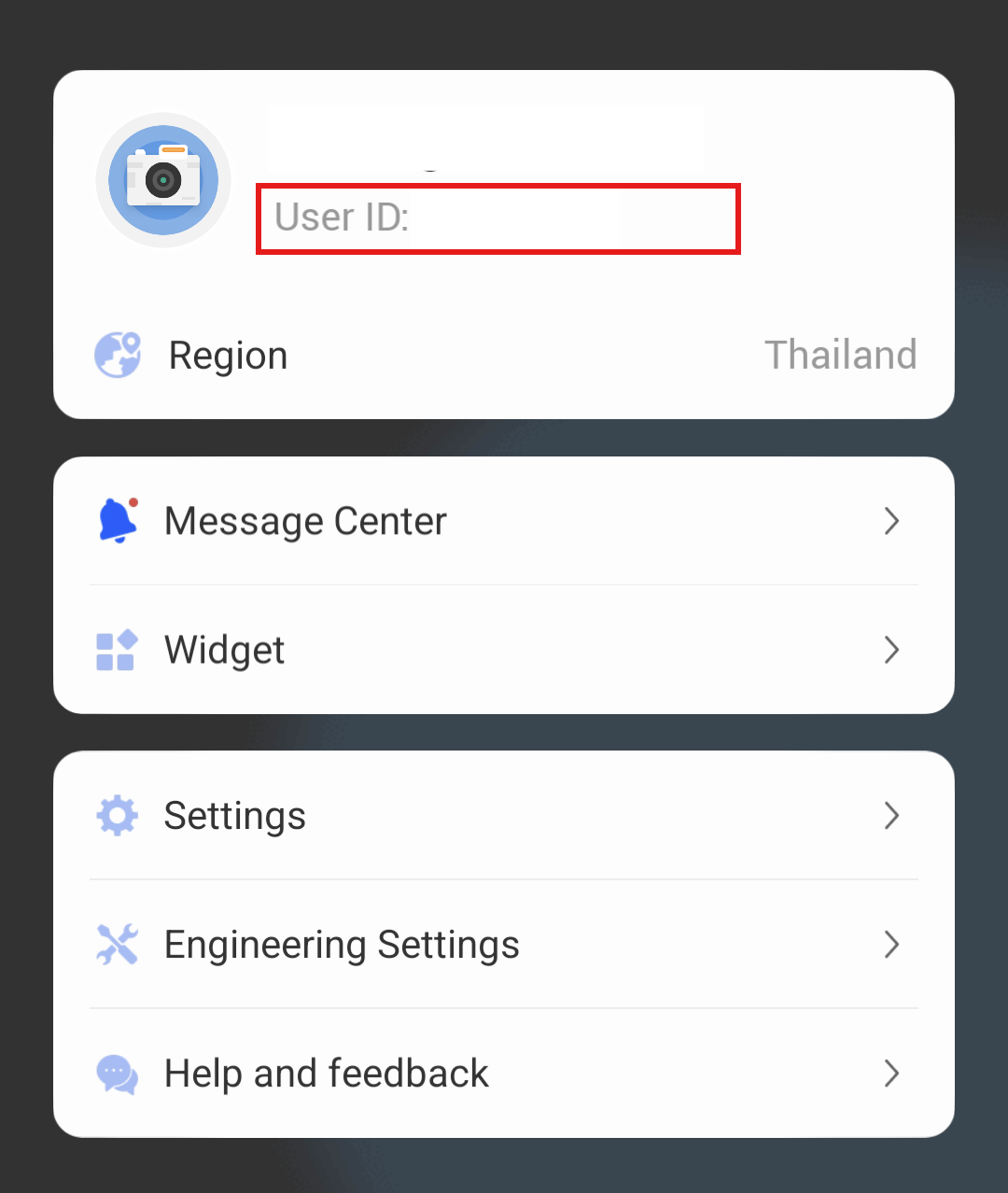
- Confirm your LifeSmart account email/user ID and country/region in the LifeSmart mobile app account/profile screen. See the screenshot below.
- Create an application in the LifeSmart Open Platform to obtain an
app keyandapp token. - Use the same LifeSmart account that you use in the mobile app. You will enter its email/user ID and password during Home Assistant setup.
The LifeSmart Open Platform page may open in Chinese; use the language menu in the top-right corner if needed.
Important: LifeSmart Open Platform applications usually do not return door lock devices by default. Contact LifeSmart and ask them to enable lock device access for your application if you need lock support.

OR
- Open Home Assistant.
- Go to
HACS->Integrations. - Click
Explore & Download Repositories. - Search for
LifeSmart. - Select the LifeSmart integration and click
Download. - Restart Home Assistant when HACS asks you to.
Installing from HACS lets Home Assistant notify you when a new version is available.
Use manual installation only if you cannot use HACS.
- Copy the
custom_components/lifesmartdirectory toconfig/custom_components/in Home Assistant. - Restart Home Assistant.
- Go to
Settings→Devices & Services. - Click
Add Integration. - Search for
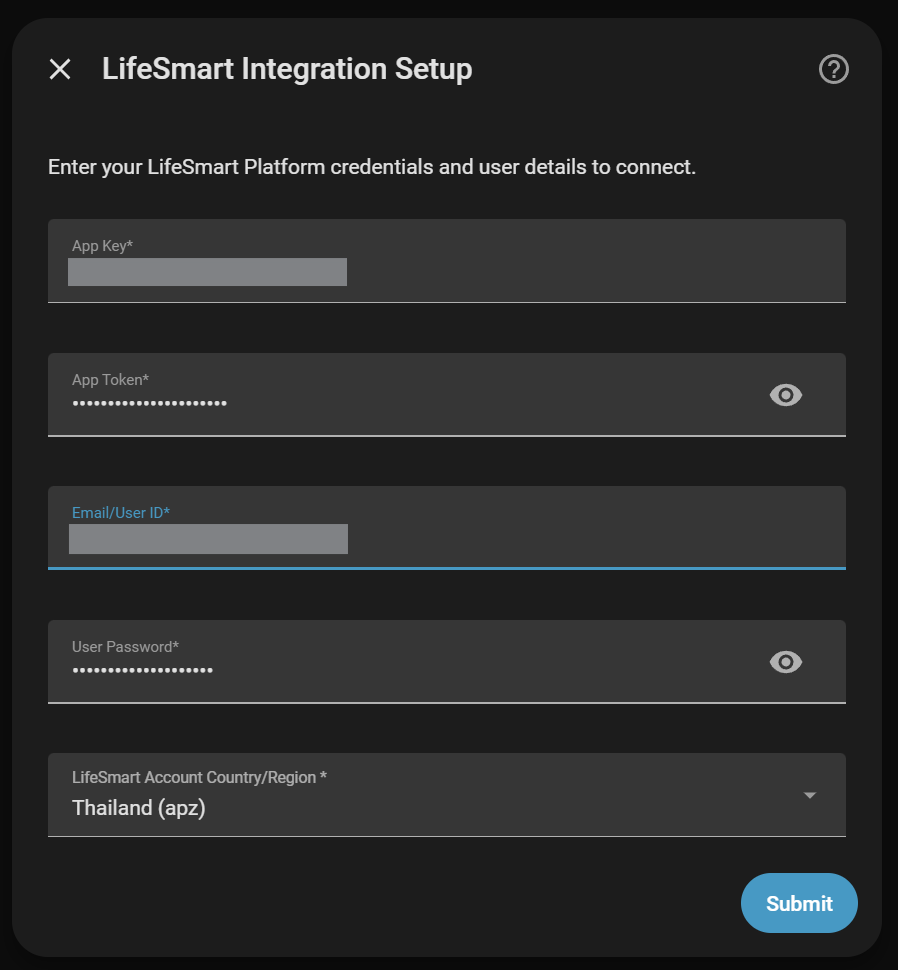
LifeSmartand select it. - Enter your LifeSmart Platform credentials:
- App Key: From your LifeSmart Open Platform application
- App Token: From your LifeSmart Open Platform application
- Email/User ID: Your LifeSmart account email address or user ID (see below)
- User Password: Your LifeSmart account password
- LifeSmart Account Country/Region: Select the country or region shown in the LifeSmart mobile app account/profile screen (see below)
- Click
Submitand wait for device discovery.
The integration will automatically discover and create entities for all your LifeSmart devices and scenes.
Your email/user ID and account country/region are available in the LifeSmart mobile app account/profile area.
Support is based on the attributes returned by the LifeSmart API. Some models create more than one Home Assistant entity.
| Family | Models | Entities / support | Notes |
|---|---|---|---|
| Switches and relay outputs | OD_WE_OT1, SL_MC_ND1, SL_MC_ND2, SL_MC_ND3, SL_OL, SL_OL_3C, SL_OL_DE, SL_OL_UK, SL_OL_UL, SL_OL_W, SL_P_SW, SL_S, SL_SF_IF1, SL_SF_IF2, SL_SF_IF3, SL_SF_RC, SL_SPWM, SL_SW_CP1, SL_SW_CP2, SL_SW_CP3, SL_SW_DM1, SL_SW_FE1, SL_SW_FE2, SL_SW_IF1, SL_SW_IF2, SL_SW_IF3, SL_SW_MJ1, SL_SW_MJ2, SL_SW_MJ3, SL_SW_ND1, SL_SW_ND2, SL_SW_ND3, SL_SW_NS1, SL_SW_NS2, SL_SW_NS3, SL_SW_RC, SL_SW_RC1, SL_SW_RC2, SL_SW_RC3, V_IND_S |
Switch entities for supported L1-L3 / P1-P3 outputs |
SL_SW_MJ1 and SL_SW_MJ2 have been tested with real devices. |
| Lights | SL_OL_W, SL_SW_IF1, SL_SW_IF2, SL_SW_IF3, SL_CT_RGBW, SL_LI_WW |
RGB/RGBW, brightness, and dimmer entities where attributes are reported | Light support depends on the device exposing the expected light attributes. |
| Smart plug | SL_OE_DE, ZG#TS011F |
Switch, energy, and power sensors | Switch entities are created from the reported P1 or O* outputs. ZG#TS011F exposes energy through EE1 when available. |
| Generic controllers | SL_P, SL_JEMA |
P2-P4 switch outputs, P5-P7 binary inputs, P1 diagnostic configuration sensor |
P1 is disabled by default because it exposes configuration bits. SL_JEMA also supports independent HA switch outputs P8-P10. |
| Covers and garage doors | SL_DOOYA, SL_DOOYA_V2, SL_DOOYA_V3, SL_DOOYA_V4, SL_SW_WIN, SL_CN_IF, SL_CN_FE, SL_P_V2, SL_ETDOOR |
Cover entities | Position support is available on DOOYA variants. Other controllers generally support open/close/stop. See CURTAIN_SUPPORT.md. |
| Door locks | SL_LK_LS, SL_LK_GTM, SL_LK_AG, SL_LK_SG, SL_LK_YL, SL_LK_TY, SL_LK_DJ |
Battery sensor, lock/alarm binary sensors, doorbell where reported, operation/history details where reported | SL_LK_LS has been tested with real devices. Supported attributes vary by lock model. |
| Motion and presence sensors | SL_SC_MHW, SL_SC_BM, SL_SC_CM, SL_P_RM, SL_DF_MM |
Motion binary sensors; battery/temperature where reported | SL_SC_CM and SL_P_RM use model-specific attribute keys. |
| Door, guard, and vibration sensors | SL_SC_G, SL_SC_BG, SL_DF_GG |
Door/opening, button/occupancy, vibration/tamper, battery, temperature where reported | SL_SC_BG supports G, V, B, and AXS. |
| Safety sensors | SL_P_A, SL_SC_WA, SL_SC_CH, SL_SC_CP, SL_DF_SR, SL_ALM |
Smoke, water leak, gas, siren/alarm binary sensors; battery/sensor values where reported | Gas/noise/alarm devices expose both measurement and alarm attributes when available. |
| Smart cameras | LSI_CAM_GOS1, LSI_CAM_EZ1, LSI_CAM_EZ2, SL_CAM |
Motion binary sensor, battery sensor, and camera status bit binary sensors where reported | CFST is exposed as external power, rotary PTZ, and rotating binary sensors. The LifeSmart docs list camera attributes only; no cloud stream/snapshot endpoint is documented for a Home Assistant camera entity. |
| Environmental sensors | SL_SC_THL, SL_SC_BE, SL_SC_CQ, SL_SC_CA, SL_SC_CN |
Temperature, humidity, illuminance, battery, CO2, TVOC, noise, USB/voltage where reported | Attribute coverage follows the LifeSmart device attribute list. |
| Electricity meters | ELIQ_EM, V_DLT_645_P, V_DLT645_P |
Power and/or energy sensors | DLT values are decoded from LifeSmart float values when needed. |
| 485 controller | V_485_P |
Relay outputs plus Modbus-style sensors for power, energy, voltage, current, frequency, temperature, humidity, PM, gas, CO2, TVOC, sound, and smoke keys | Supports documented base keys and numbered variants such as EE1, EP2, PM10. |
| Air purifier | OD_MFRESH_M8088 |
Switch plus mode, temperature, humidity, PM2.5, filter life, and UV sensors | Mode sensor is an enum. |
| Nature series | SL_NATURE |
Switch-board variants create P1-P3 switches; thermostat variants create a climate entity; P4 temperature is exposed when reported |
Variant is detected from the reported attributes. |
| Native A/C panels | V_AIR_P, V_SZJSXR_P, V_T8600_P, SL_CP_DN |
Climate entities | These use LifeSmart native EpSet control, not SPOT IR profiles. |
| SPOT and IR remotes | SL_SPOT, MSL_IRCTL, OD_WE_IRCTL, SL_P_IR, SL_P_IR_V2 |
Infrared emitter entities for Home Assistant IR device integrations; existing remote entities for IR command storage/sending; optional A/C climate entities; light entities only on SPOT models with light attributes | Requires Home Assistant 2026.6 or newer. SL_P_IR and SL_P_IR_V2 do not create light entities. SL_P_IR_V2 exposes pairing-button P2 as a binary sensor when reported. |
Scenes configured in the LifeSmart app are discovered automatically for each included hub and exposed as native Home Assistant scene entities. Activate one from a dashboard, script, or automation with scene.turn_on:
action: scene.turn_on
target:
  entity_id: scene.movie_night
LifeSmart remains responsible for executing the scene actions. Scene changes made in the LifeSmart app appear after reloading the LifeSmart integration. The legacy lifesmart.scene_set action remains available for automations that use raw hub and scene IDs.
Why can't I see my door lock?
LifeSmart door lock devices require additional LifeSmart Open Platform permissions before they are returned by the API. If your other LifeSmart devices appear but your door lock is missing, contact the LifeSmart team and ask them to enable the DoorLock / DoorLockCtl permissions for your Open Platform application.
You can email service@ilifesmart.com with your Open Platform application details. After LifeSmart approves the request, your app permission list on the ilifesmart website should include the additional lock permissions, and the integration should be able to discover your lock devices after setup or reload.

If the lock still does not appear after LifeSmart grants the permissions, collect a debug log so the issue can be checked.
How do I collect debug logs for LifeSmart?
- Go to
Settings->Devices & services->Integrations. - Find the LifeSmart integration.
- Click the three-dot menu for the integration.
- Select
Enable debug logging. - Reproduce the issue, or reload the LifeSmart integration if the issue happens during setup or reload.
- Go back to the same three-dot menu.
- Select
Disable debug logging.
The integration features a clean, user-friendly configuration interface with clear field labels and helpful descriptions:
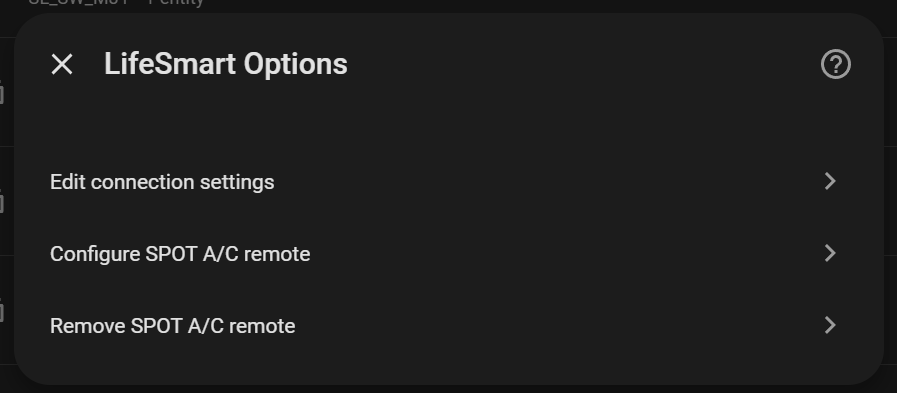
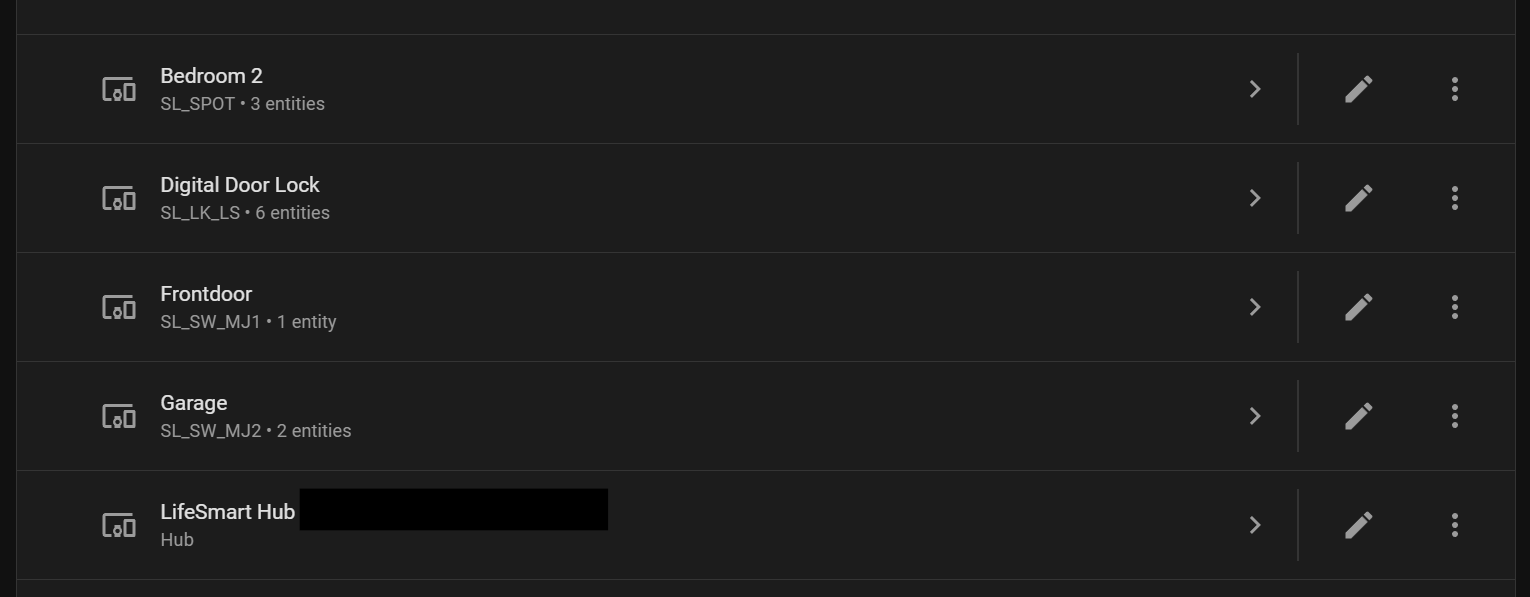
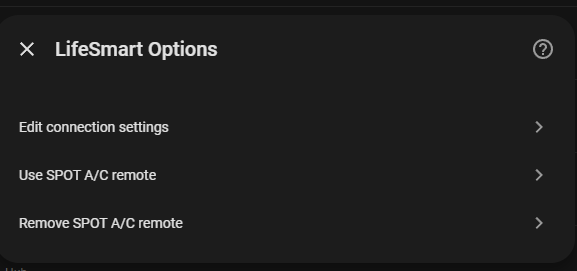
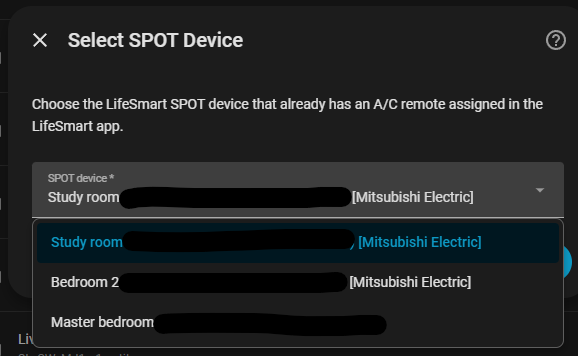
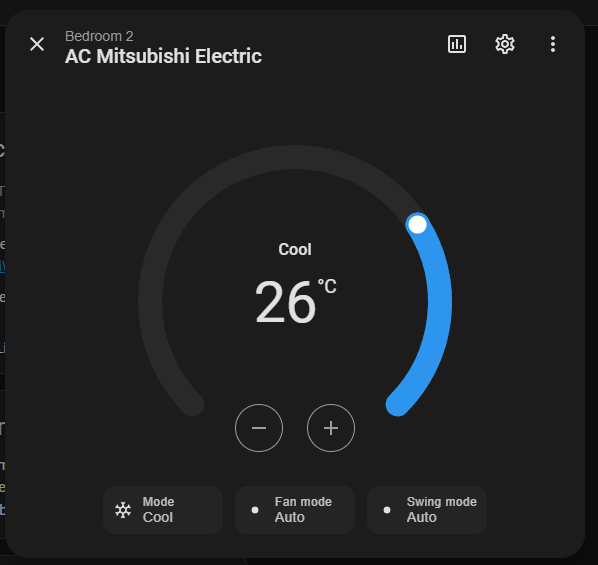
Easy step-by-step A/C remote configuration:
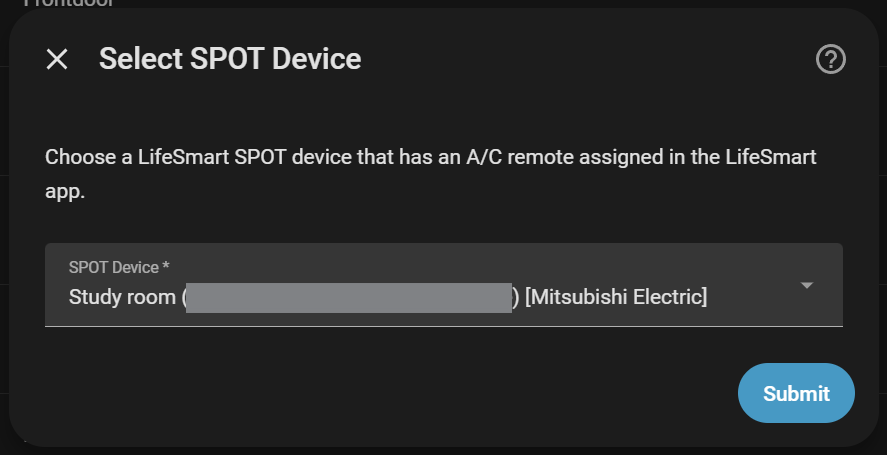
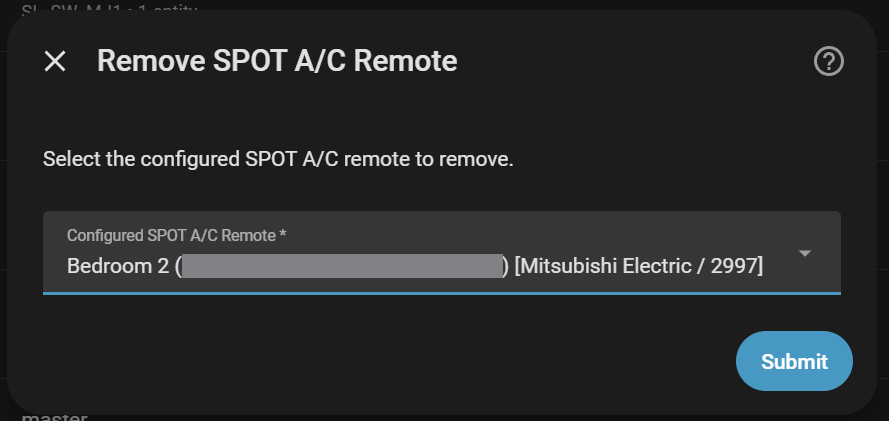
- Uses LifeSmart cloud IR profiles for reliable A/C control
- Restores last Home Assistant state after reloads
- Supports power on/off, mode selection, temperature, and fan speed
- Does not show current room temperature (SPOT devices lack built-in sensors)
For detailed SPOT device information, see SPOT_SUPPORT.md..
Native LifeSmart A/C control panels are discovered automatically as climate entities.
| Model | Remark |
|---|---|
| V_AIR_P | Central air board |
| V_SZJSXR_P | Uses the V_AIR_P attribute specification |
| V_T8600_P | Uses the V_AIR_P attribute specification |
| SL_CP_DN | Thermostat |
Supported controls:
- Power on/off
- HVAC mode: Auto, Fan, Cool, Heat, Dry
- Target temperature
- Current temperature
- Fan speed: Low, Medium, High
These devices use the LifeSmart EpSet API directly, rather than SPOT IR profiles.
This project combines and builds on work from:
- https://github.com/skyzhishui/custom_components by @skyzhishui
- https://github.com/Blankdlh/hass-lifesmart by @Blankdlh
- https://github.com/likso/hass-lifesmart by @likso
This project is licensed under the MIT License - see the LICENSE file for details.
