Releases: iamjrmh/FullVolumeTheGame
Release list
FullVolume / FullVolumeCharter v0.9.4 beta


FullVolume v0.9.4 beta
The karaoke game that plays your own music library. It keeps itself up to date.
🆕 New in 0.9.4
A hotfix, with one thing added.
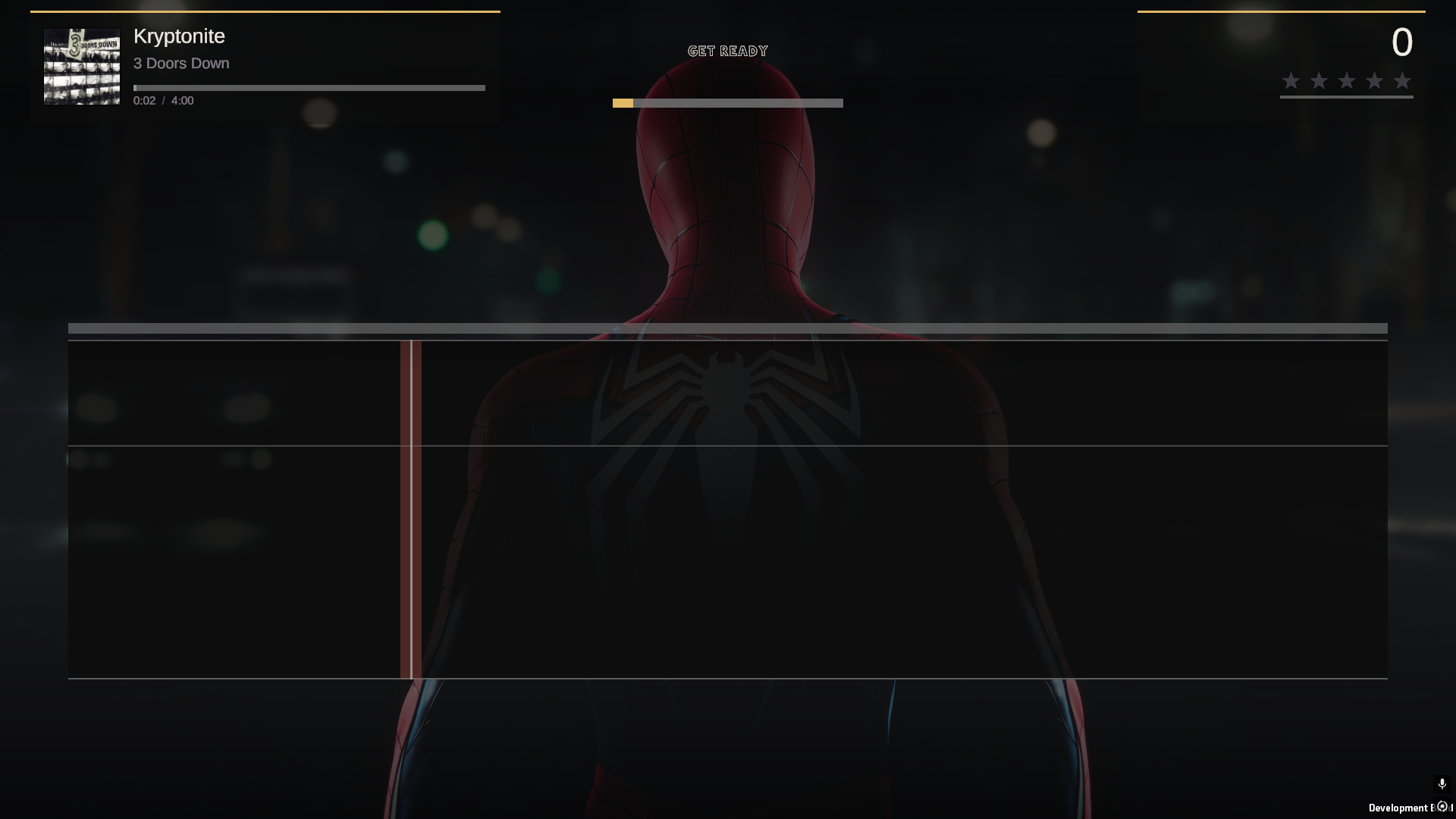
Your own backdrop, without losing the song's. Putting one of your own pictures or loops
behind gameplay used to mean you saw it and nothing else, even on a song that shipped
artwork of its own. Now the two get along: yours plays behind every song that has none, and
a song that brought a dedicated backdrop shows that instead. The song's own art wins, every
time, and yours is what fills in the rest of the night.
Songs packed in a .sng no longer black out the stage. With the backdrop set to SONG, a
chart living inside a .sng archive - which is most of them - could bring the karaoke
screen up black: no picture, no track, no words. The game was failing to read the chart's
own artwork and taking the whole screen down with it. It reads it now, and a picture that
will not load can no longer take the song with it either.
FullVolumeCharter: the export screen is fixed. A + pitch break pushed every line after
it onto the wrong notes, so a chart came out with its words running across the line endings,
and on a short last line the export screen went black instead of drawing at all. Both are
gone. If you have charted a song with any pitch breaks in it, open it and export it
again - the file already on your drive carries the mistake, and re-exporting is the whole
of the fix.
FullVolumeCharter keeps itself up to date. The same as the game does: it notices when
there is a newer one, shows you what changed, and installs it over itself in one click. The
version in the corner of its start screen checks on demand if you would rather ask.
🎚️ FullVolumeCharter ships with this
The game plays the vocal part already inside a Clone Hero or Rock Band chart. That is tens
of thousands of songs, and it is not the one you wanted at half past eleven on a Friday.
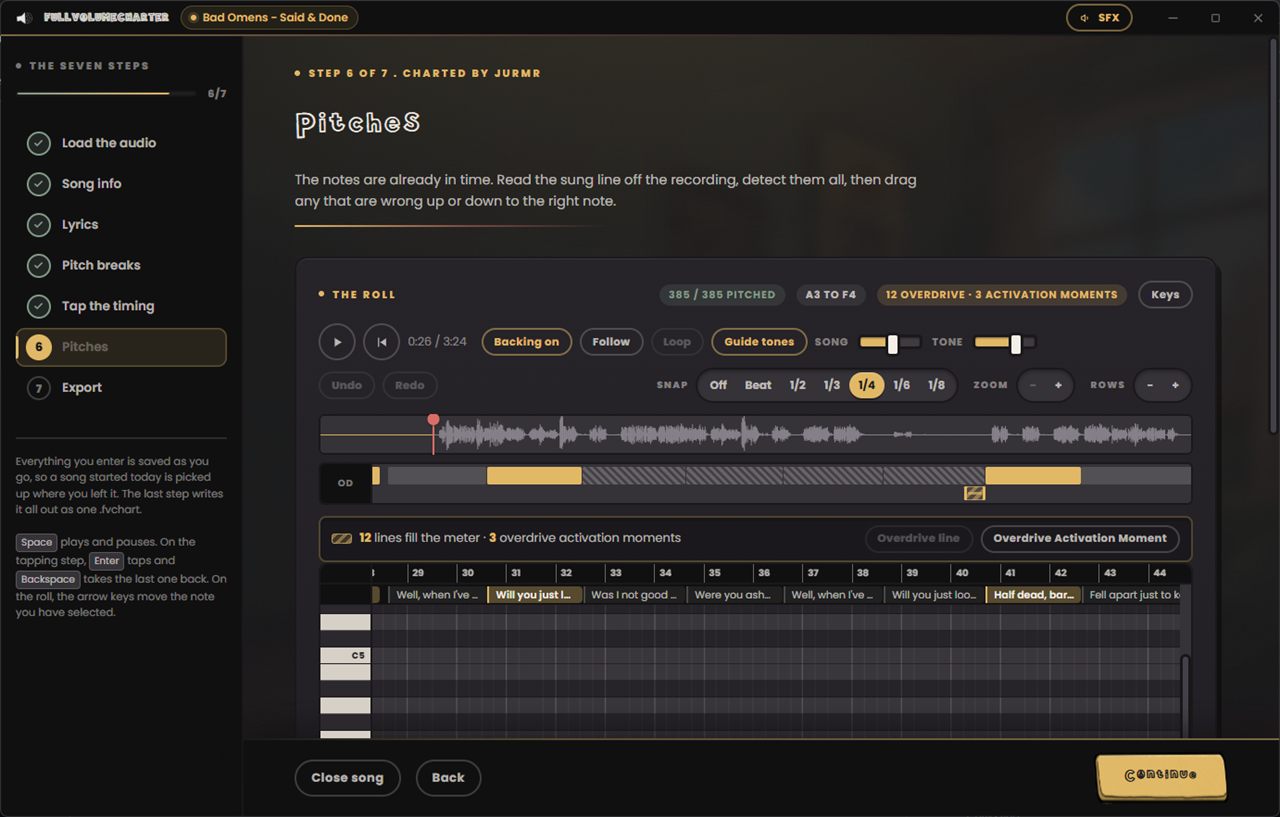
FullVolumeCharter is how that one gets a part to sing.
Audio in, .fvchart out. Seven steps, and it hands back one file carrying the words, the
timing, the pitches, the album art and the audio. Drop it in a folder the game is watching
and it is on the list, exactly like everything else.
- Load a song, one file or a vocal and a backing separately, and it picks up the cover
art and a timed.lrcsitting beside it without being asked - It works out the tempo from the audio, with halve, double and tap tempo if it is wrong
- Paste the lyrics and they are split into the syllables actually sung, in the language
you picked. Correct one and it has learned that word - Tap the timing at 50, 65 or 80 per cent speed, and the song stays in its own key at
every one of them, so a fast line is still singable while you tap it - The pitches are read off the recording a whole phrase at a time, and you drag whatever
it got wrong. It leaves a note it cannot hear alone rather than guessing at it - Mark your overdrive phrases on a strip above the roll, and pick the exact moments in
the rests where it can be let out - Optionally pull the vocals out of a finished mix on the graphics card, in about three
seconds for a three minute song, using UVR's karaoke model
Everything is saved as you type it, so a song started tonight is picked up tomorrow exactly
where you stopped. It keeps itself current the same way the game does, so this is the last
time you go and fetch it.
Download FullVolumeCharter → · Read the whole thing →
🎤 What this is
A spiritual successor to Xbox 360 LIPS, built for PC. Every other karaoke game wants to sell you the music. FullVolume hasn't got any to sell: it reads the songs already sitting on your drive and turns them into a proper karaoke night. Lyrics, pitch, scoring, stars, the lot.
There is no account, no launcher, no storefront, no song packs and no subscription. One installer, everything in it, nothing phoning home.
🎵 It plays the library you already have
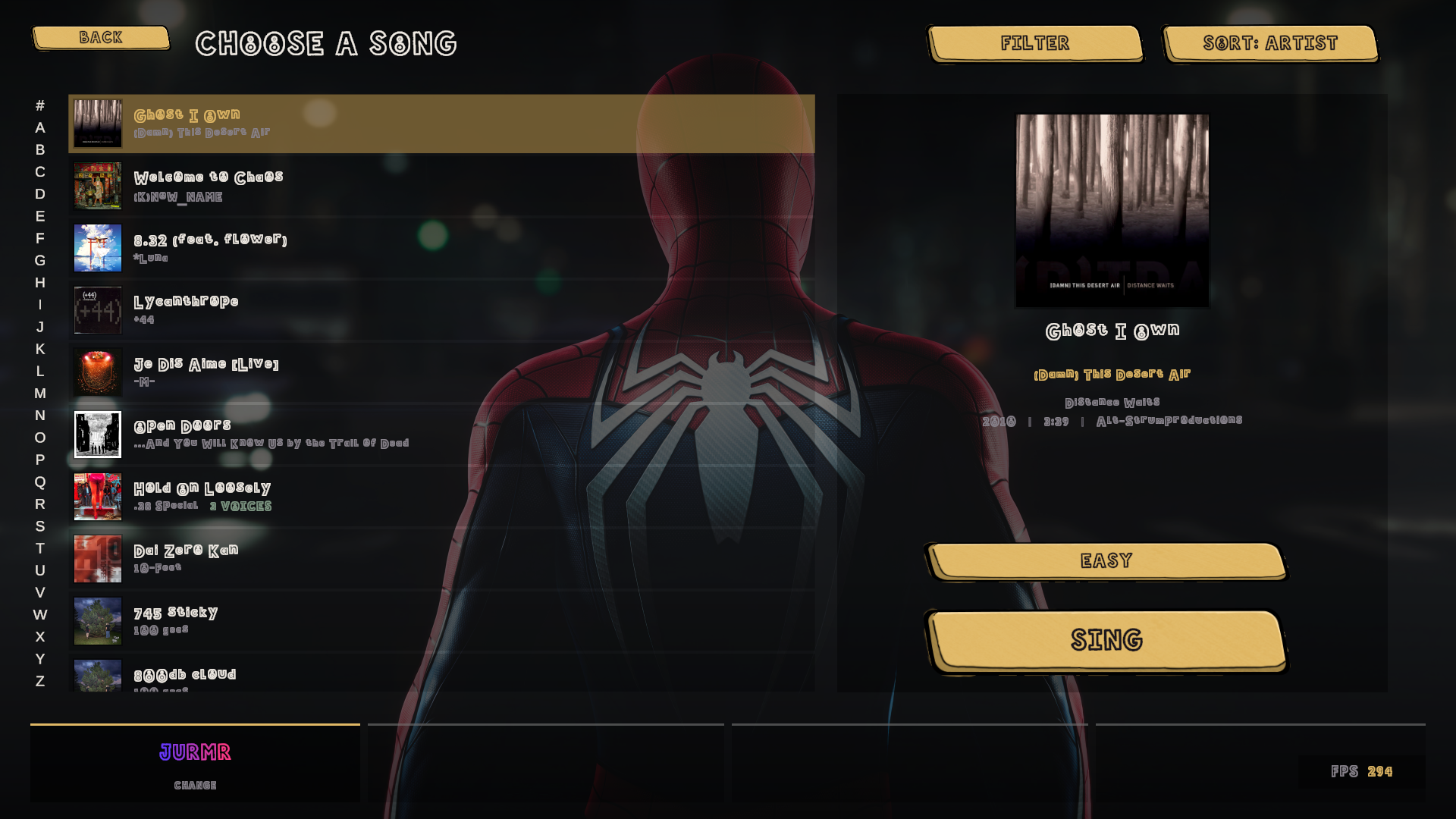
Point it at your song folders in Settings → Library → Add Folder and it takes it from there. It reads:
- Clone Hero song folders, exactly as they sit on your drive
.sngarchives, straight out of the file- Rock Band
_rb3conpackages, no unpacking first - including the encrypted audio nearly every custom ships with - UltraStar
.txtcharts, cover, duet parts and all .fvchartfiles, written by FullVolumeCharter
It scans once, tells you how it's getting on, then remembers, so you never wait on it again. Album art and your best score sit on every row, and you can search or sort by title, artist, album or year. Songs with no vocal part are left out on purpose, so you never pick a track and find there's nothing to sing.
Queue songs up while somebody else is still singing and the night runs itself instead of stopping dead between every track.
🎧 It actually hears you
Land the note and it knows. Nail it dead centre and it really knows. Sing the whole thing an octave down if that's where your voice lives, and it still counts.
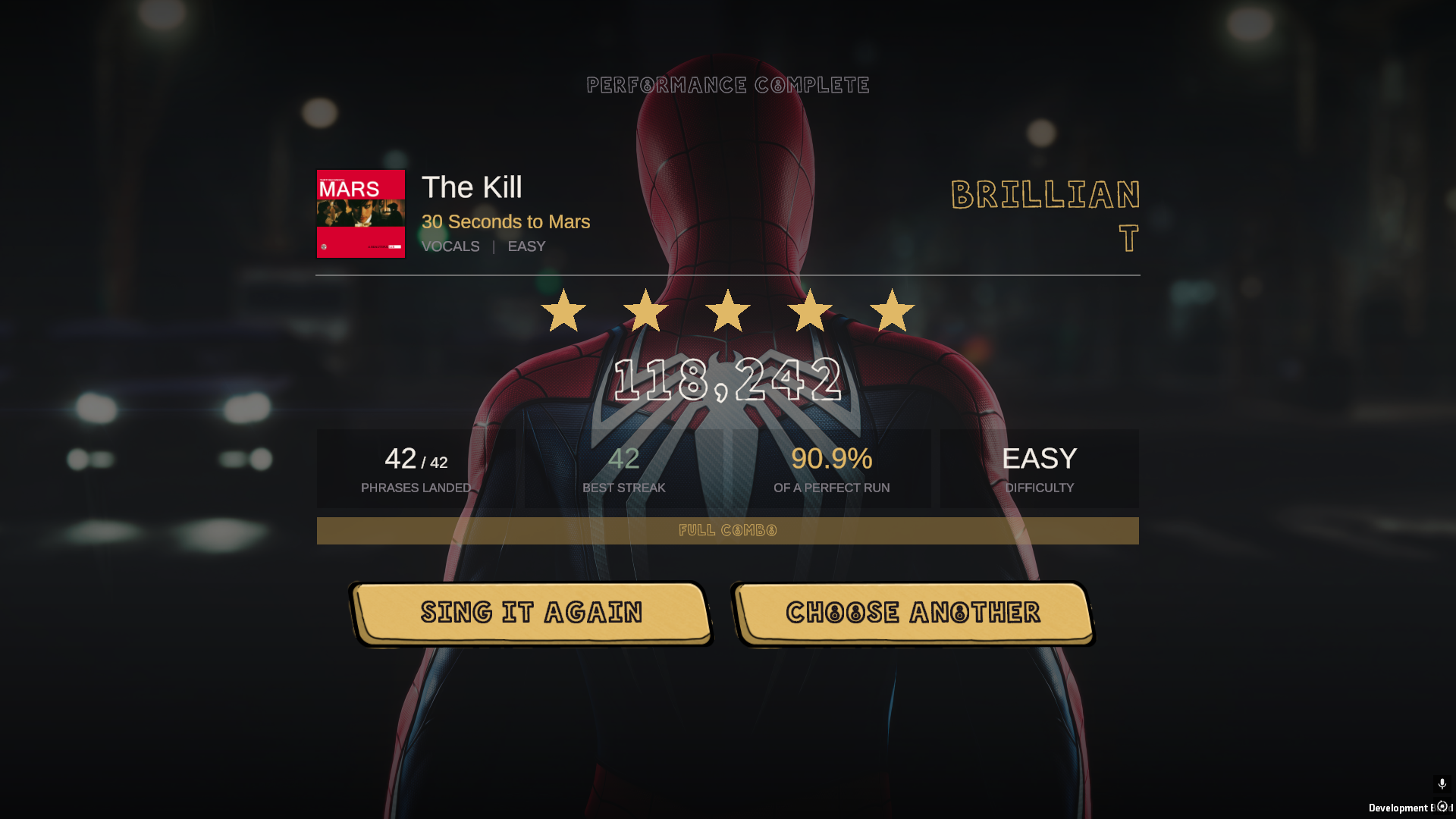
Every PC has a different audio delay, so Settings → Calibration measures yours in one button press. If you'd rather do it by hand, tap along for a few bars and let it work you out. Either way, everything lines up.
🌐 Sing together, with voices
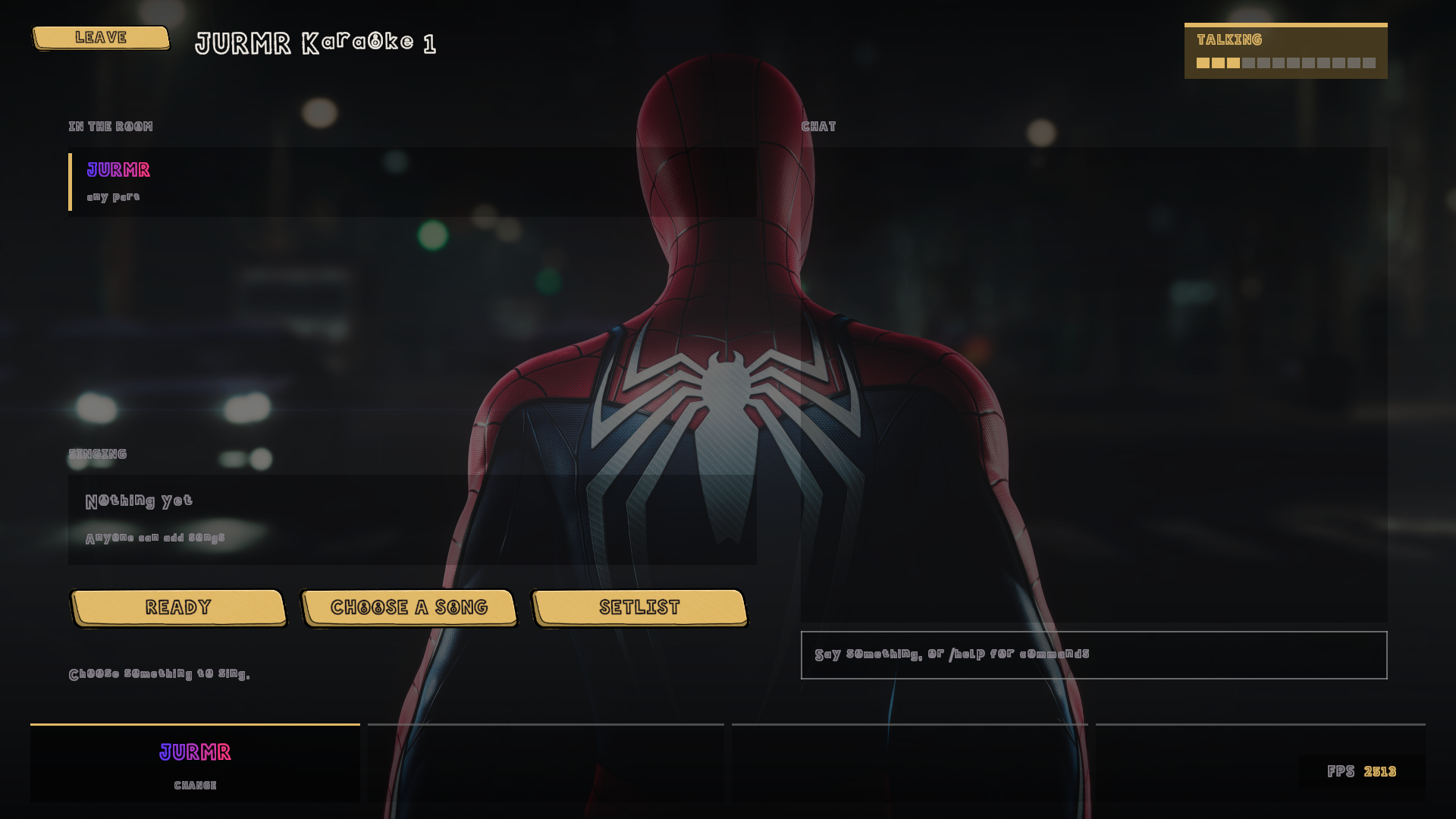
Host a room from inside the game, send it round, and sing together from wherever you all are.
- Public rooms are listed in the game and joinable in one click, or put a code on one and keep it to yourselves
- Say how many singers it takes and it holds the door at that
- Anyone can queue a song, and it says up front who hasn't got it
- Voice chat is part of the game. Open mics in the lobby, push to talk once a song starts so nobody's singing comes back at you over the music
- If somebody hasn't got the queued track they can pull it down from inside the lobby, and if it is on neither Chorus nor Rhythmverse the person who has it sends it straight over in game
- Everyone stays in time wherever they are, with everybody's score on screen at once
🖼️ Make it your room
Every last bit of the game is hand drawn. If you don't fancy the room, drop a picture or a video into Documents\Full Volume\Custom\Backgrounds and it turns up in the backdrop carousel. The menus and the stage each get their own pick.
What you pick answers for the songs that did not bring anything of their own. A song that ships a dedicated backdrop shows that instead, and album art does not count as one, so a chart carrying nothing but a cover still gets your picture.
More screens
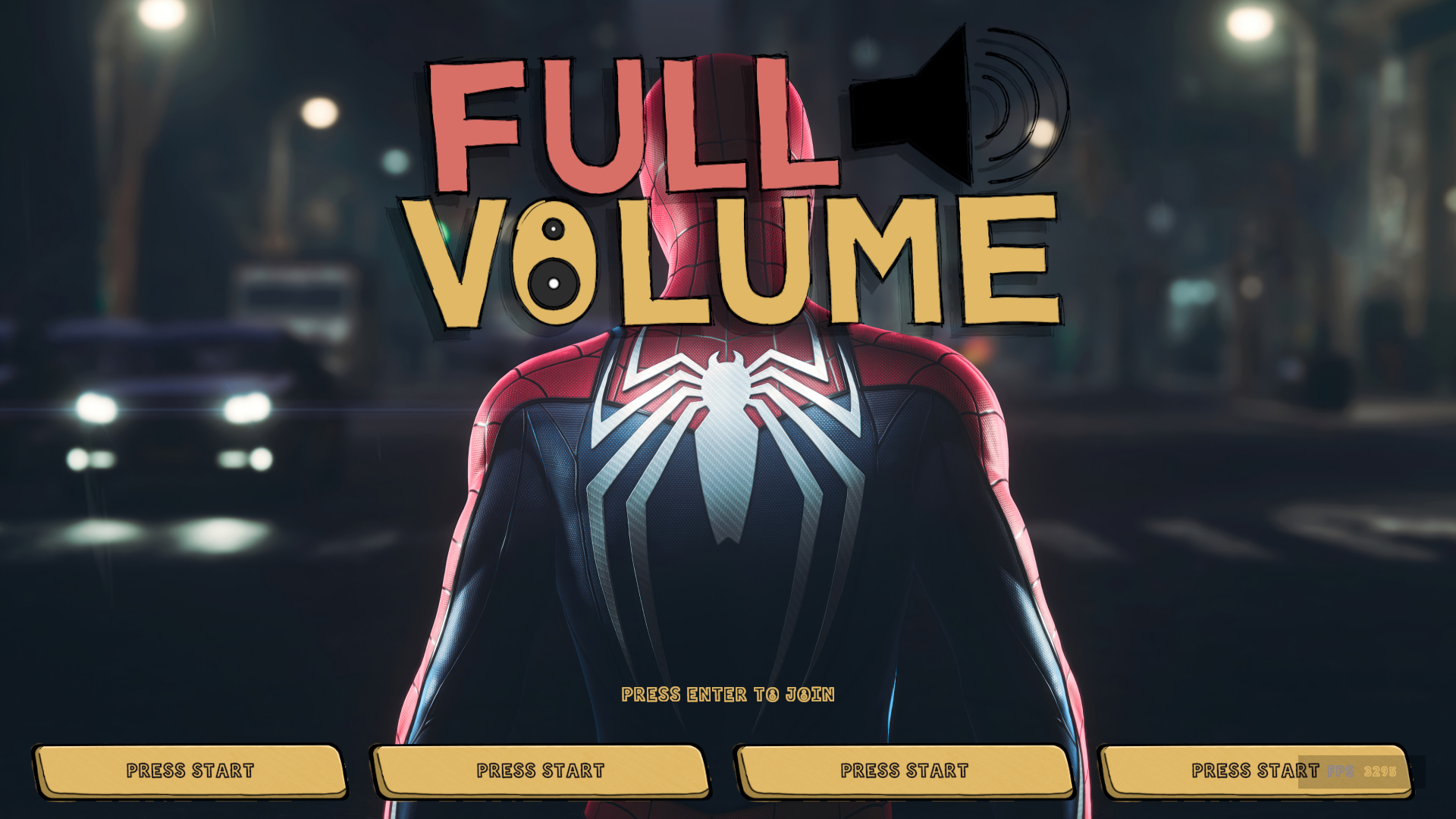 Press start.
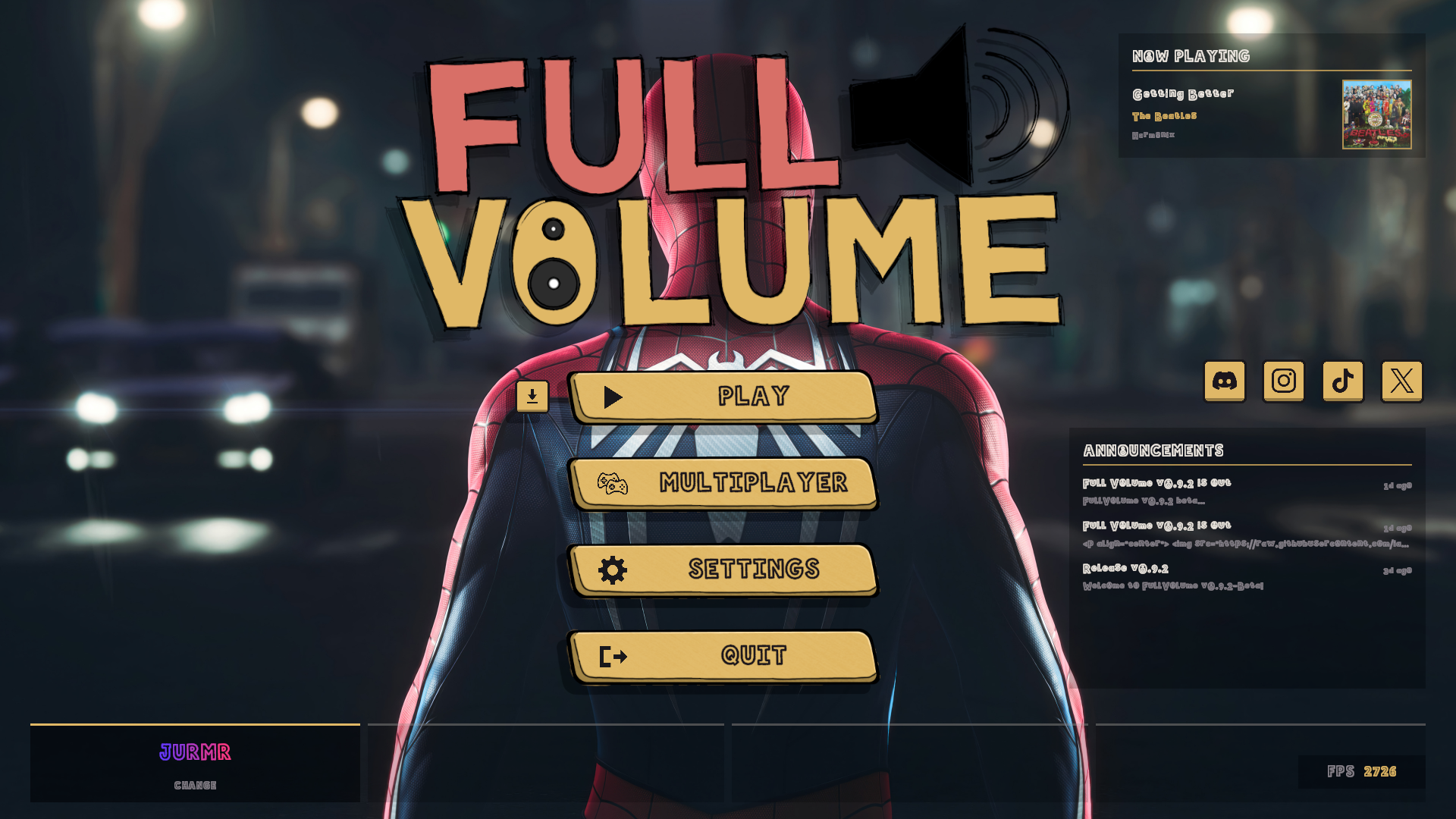 Play, Multiplayer, Settings, Quit.
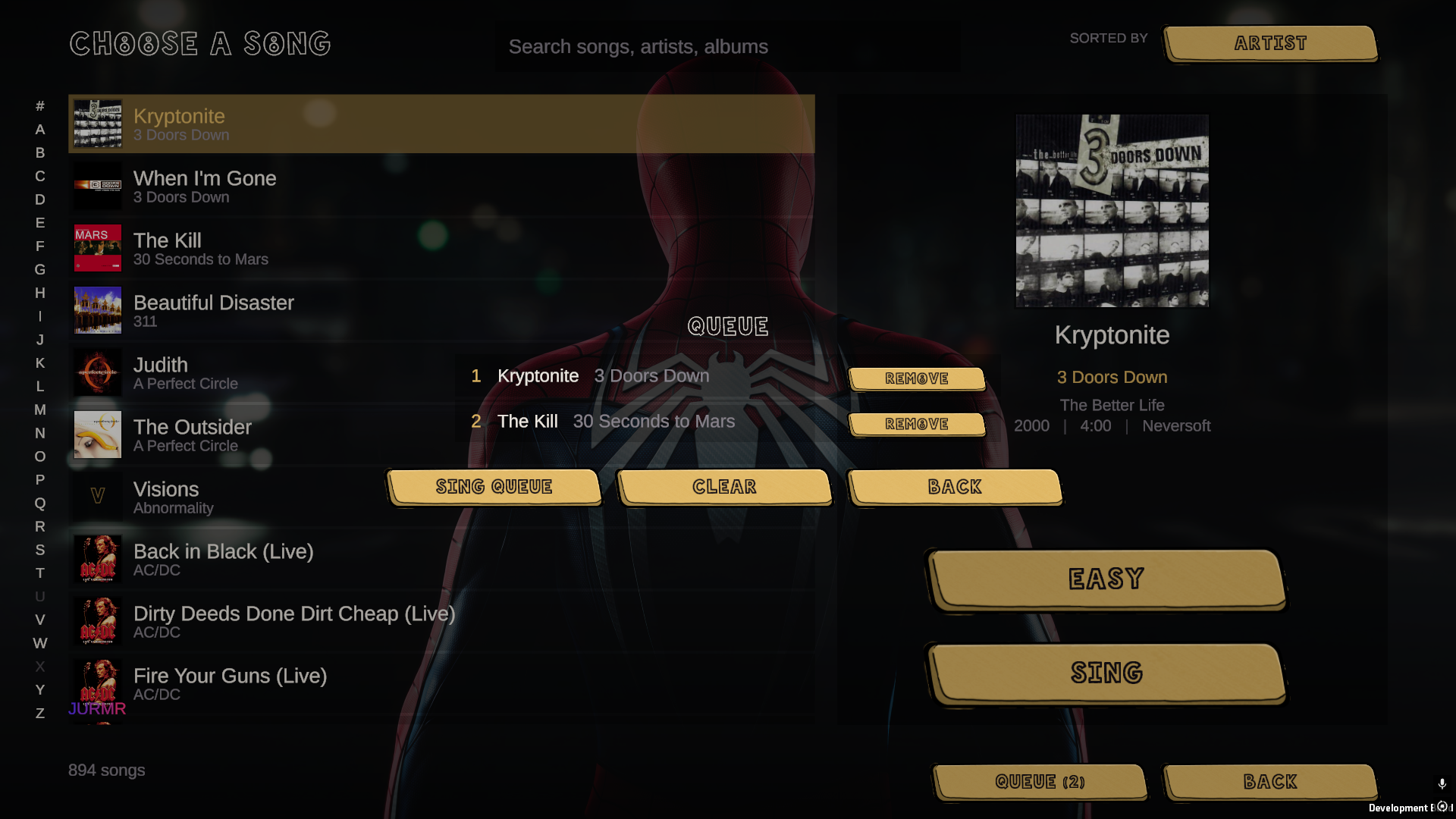 Queue up a set list before anyone argues.
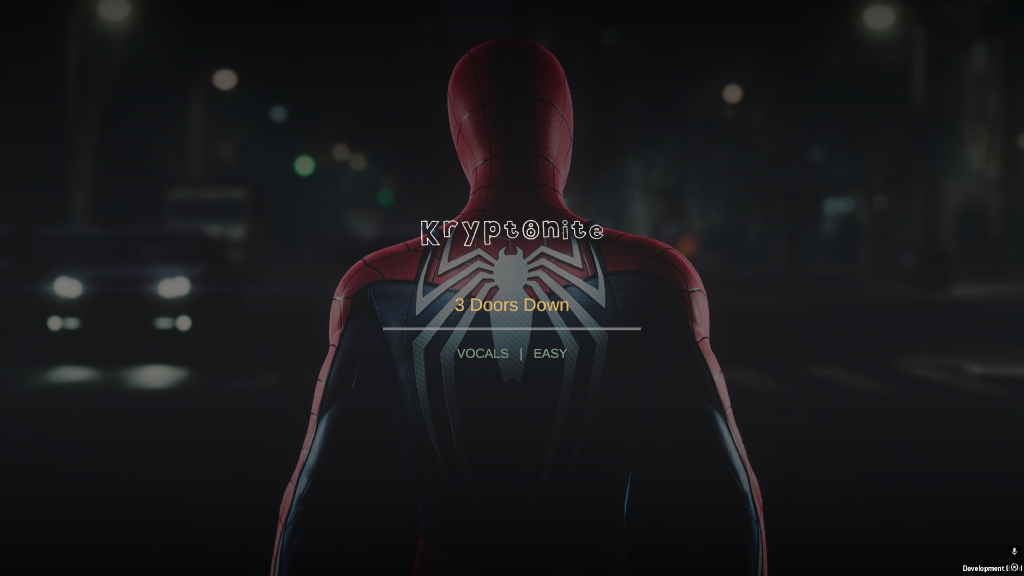 The intro card, while the chart loads.
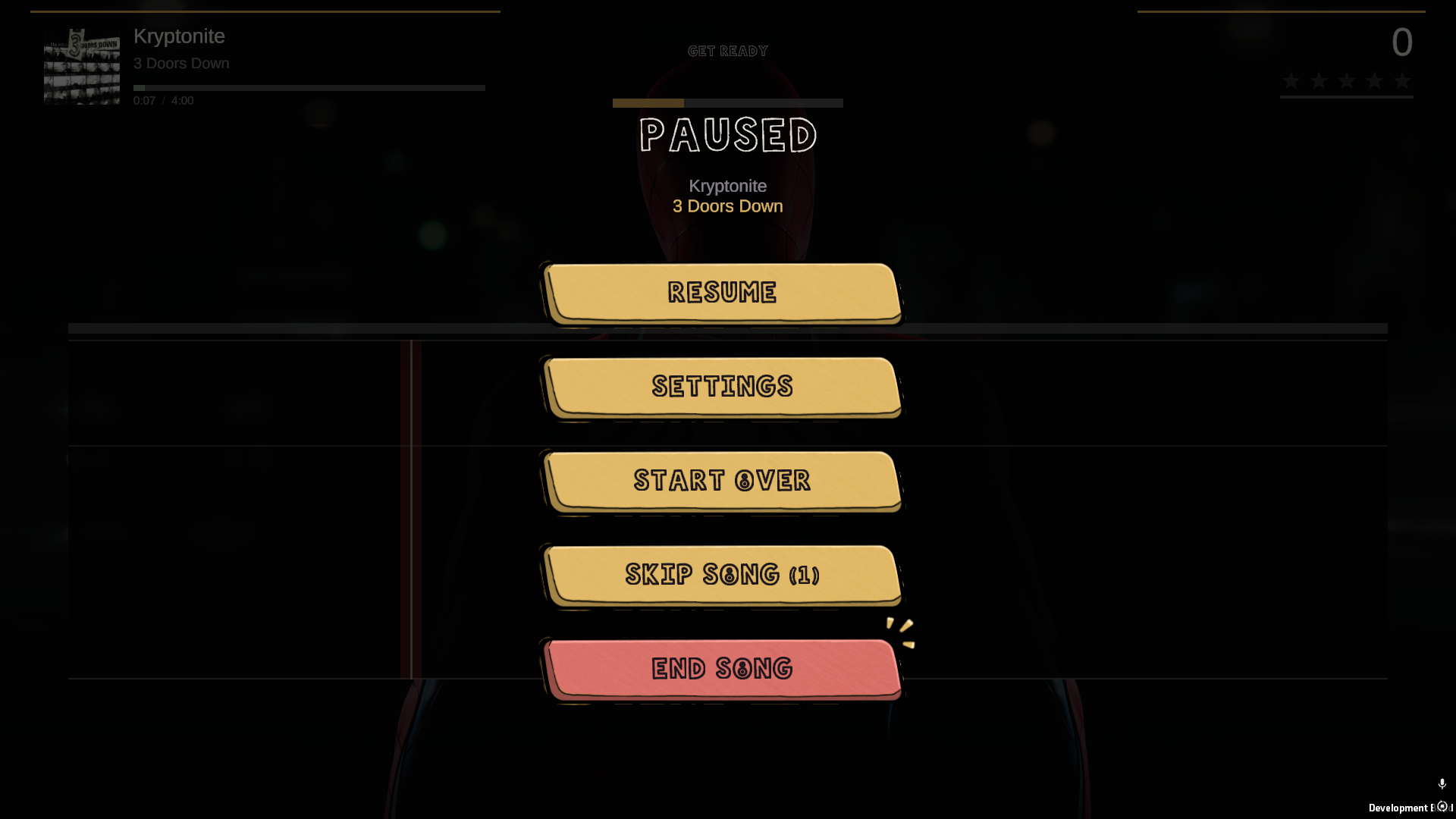 Pause, with the settings you can change mid-song.
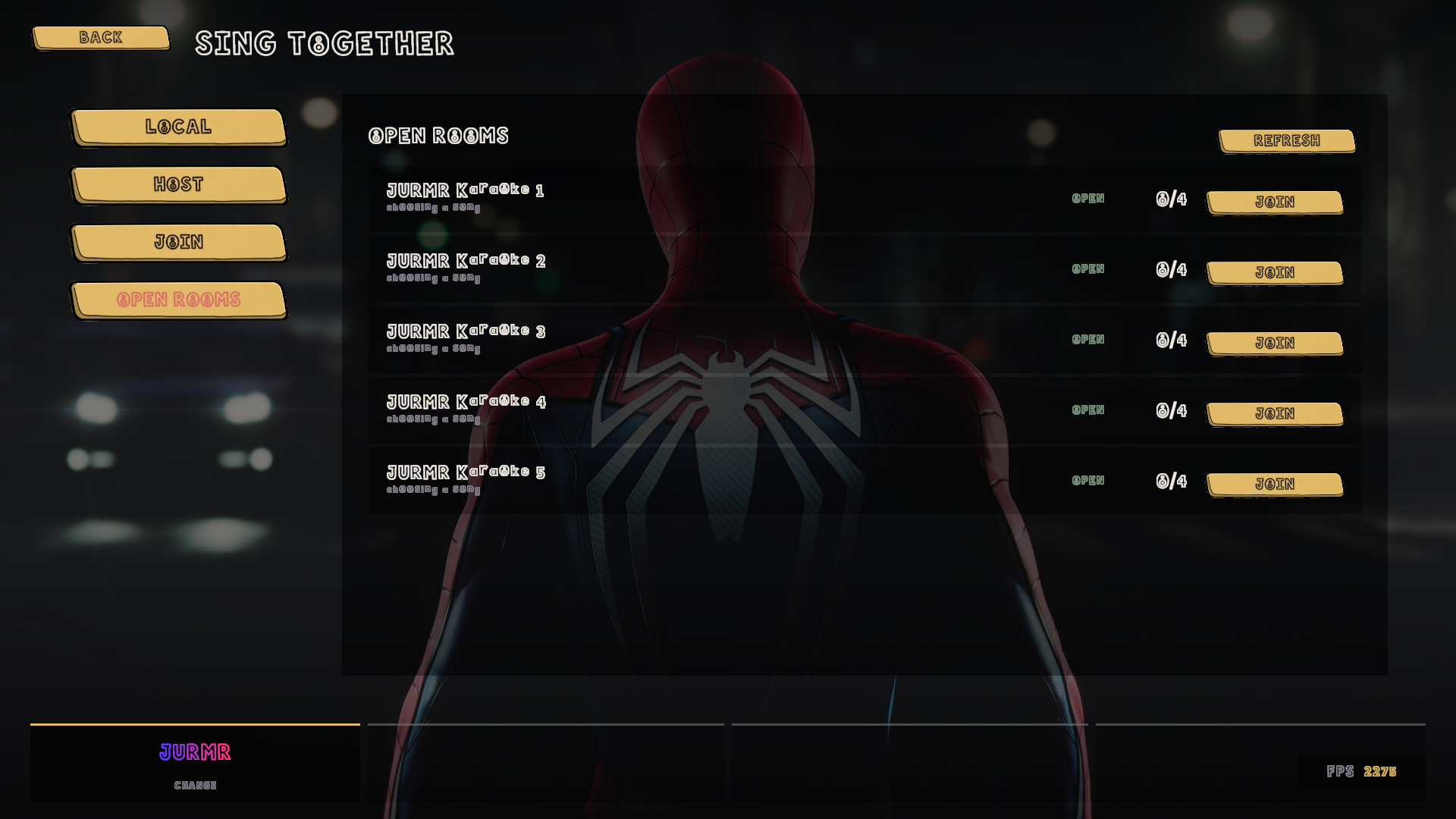 Public rooms, listed and joinable.
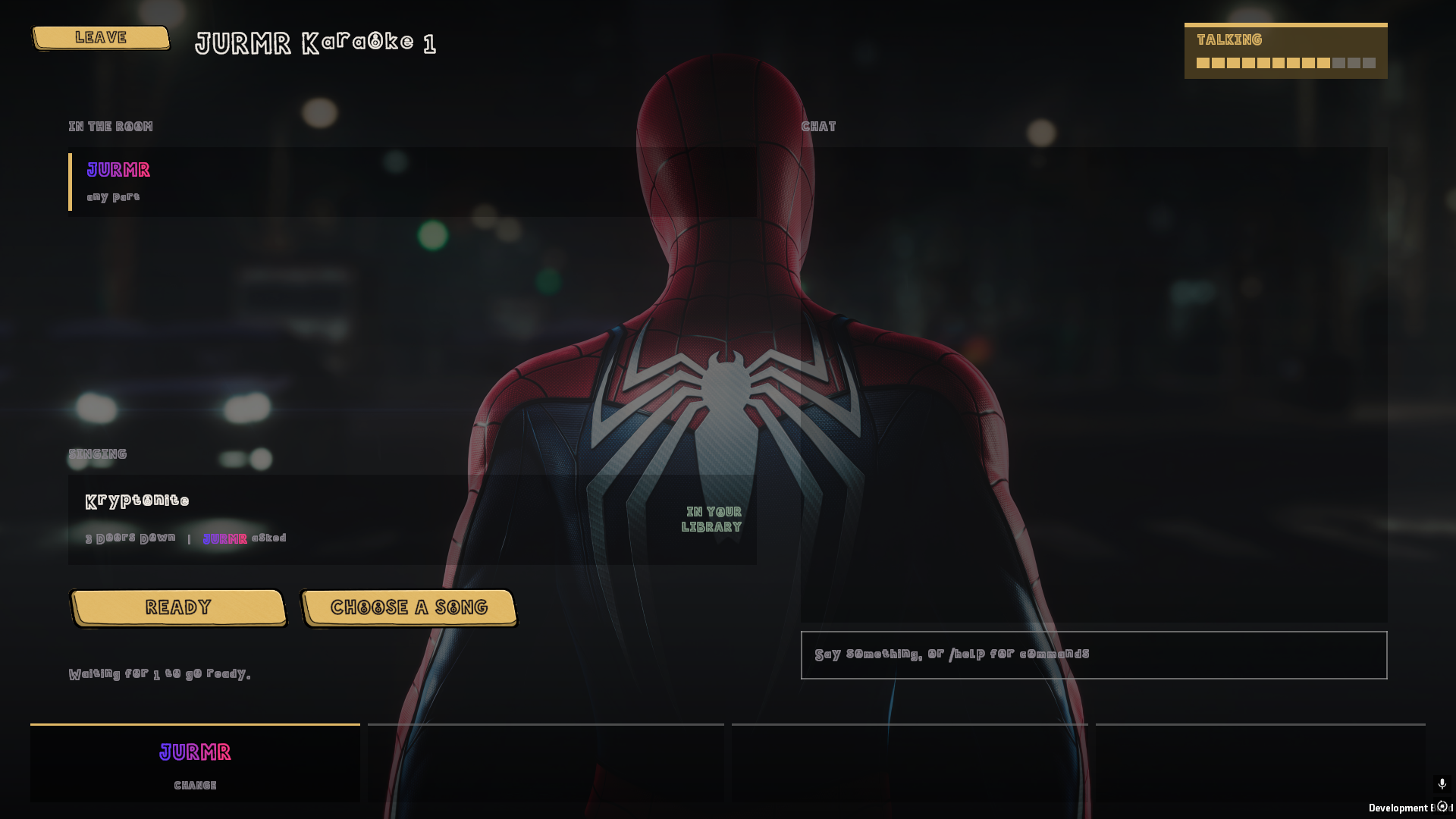 It checks everyone actually has the song.
📥 Download
| Installer | File | Notes |
|---|---|---|
| The game | `FullVol... |
FullVolume v0.9.3 beta
FullVolume v0.9.3 beta
The karaoke game that plays your own music library. It keeps itself up to date.
🆕 New in 0.9.3
The needle stopped lying about you. The single biggest complaint about 0.9.2 was the
line plunging to the floor mid-word while you were holding the note perfectly well. That
was the game hearing your voice an octave below where you were actually singing and
believing it. It now works out which octave you live in and stays there, so a held note
stays held. Sing a song cleanly and the needle never drops. That is the bar it is now
measured against, and it meets it.
A full combo is five stars. Always. If you land every phrase in a song, you get five
stars, and no combination of difficulty, song length or luck can take that away from you.
The whole scoring model was rebuilt around it: a phrase you land pays in full, a phrase
you drop pays for the part you actually sang, and the multiplier steps up one notch per
landed line to a ceiling of 6x. Grades work properly now too. GREAT, GOOD and OK were
literally unreachable before this, so every line you landed said PERFECT whether it was or
not.
Overdrive. The gold phrases on the track were never worth anything. Now they are. Land
four of them and the meter fills, then let it out in a gap between lines by simply making
a noise, and your multiplier doubles for the next eight bars. It is Rock Band's rule, sung
rather than pressed, and roughly four out of five charts in a normal library already have
the phrases marked.
It plays UltraStar songs. Drop an UltraStar .txt folder in with everything else and
it is just another song on the list, with the cover, the year, the length and the duet
parts. Their .m4a audio plays too, which Unity flatly cannot do on Windows, so the game
decodes it through Windows itself.
It plays .fvchart files, which means it plays anything. See below.
Your profile, your look. Open your profile and there is a HOW IT LOOKS panel: eight
color choices for your notes and your lyrics, including one you type the hex codes into
yourself, your name editable directly and colored letter by letter, and your own note
speed. Everything is per singer, so four people at one machine each get their own.
HEAR MYSELF. A fold-back toggle in Settings → Audio and in the pause menu, for
singing into a real microphone through a PA where you cannot hear yourself over the room.
It plays the microphone back at you in about 39 ms, which is close enough to be no delay
at all. Off by default, because on a laptop with its own speakers it is a feedback loop.
Long lines stay out of the way. A lyric long enough to wrap used to climb straight
through the song plate and the scoreboard. The band has a hard ceiling now and the words
shrink to fit inside it.
Easier to read, all over. The lyric syllables under the notes are set in Poppins, the
buttons no longer have their wording sitting off centre, and the display face is weighted
so it stops turning to lace at small sizes.
🎚️ FullVolumeCharter ships with this
The game plays the vocal part already inside a Clone Hero or Rock Band chart. That is tens
of thousands of songs, and it is not the one you wanted at half past eleven on a Friday.
FullVolumeCharter is how that one gets a part to sing.
Audio in, .fvchart out. Seven steps, and it hands back one file carrying the words, the
timing, the pitches, the album art and the audio. Drop it in a folder the game is watching
and it is on the list, exactly like everything else.
- Load a song, one file or a vocal and a backing separately, and it picks up the cover
art and a timed.lrcsitting beside it without being asked - It works out the tempo from the audio, with halve, double and tap tempo if it is wrong
- Paste the lyrics and they are split into the syllables actually sung, in the language
you picked. Correct one and it has learned that word - Tap the timing at 50, 65 or 80 per cent speed, and the song stays in its own key at
every one of them, so a fast line is still singable while you tap it - The pitches are read off the recording a whole phrase at a time, and you drag whatever
it got wrong. It leaves a note it cannot hear alone rather than guessing at it - Mark your overdrive phrases on a strip above the roll, and pick the exact moments in
the rests where it can be let out - Optionally pull the vocals out of a finished mix on the graphics card, in about three
seconds for a three minute song, using UVR's karaoke model
Everything is saved as you type it, so a song started tonight is picked up tomorrow exactly
where you stopped.
Download FullVolumeCharter → · Read the whole thing →
🎤 What this is
A spiritual successor to Xbox 360 LIPS, built for PC. Every other karaoke game wants to sell you the music. FullVolume hasn't got any to sell: it reads the songs already sitting on your drive and turns them into a proper karaoke night. Lyrics, pitch, scoring, stars, the lot.
There is no account, no launcher, no storefront, no song packs and no subscription. One installer, everything in it, nothing phoning home.
🎵 It plays the library you already have
Point it at your song folders in Settings → Library → Add Folder and it takes it from there. It reads:
- Clone Hero song folders, exactly as they sit on your drive
.sngarchives, straight out of the file- Rock Band
_rb3conpackages, no unpacking first - including the encrypted audio nearly every custom ships with - UltraStar
.txtcharts, cover, duet parts and all .fvchartfiles, written by FullVolumeCharter
It scans once, tells you how it's getting on, then remembers, so you never wait on it again. Album art and your best score sit on every row, and you can search or sort by title, artist, album or year. Songs with no vocal part are left out on purpose, so you never pick a track and find there's nothing to sing.
Queue songs up while somebody else is still singing and the night runs itself instead of stopping dead between every track.
🎧 It actually hears you
Land the note and it knows. Nail it dead centre and it really knows. Sing the whole thing an octave down if that's where your voice lives, and it still counts.
Every PC has a different audio delay, so Settings → Calibration measures yours in one button press. If you'd rather do it by hand, tap along for a few bars and let it work you out. Either way, everything lines up.
🌐 Sing together, with voices
Host a room from inside the game, send it round, and sing together from wherever you all are.
- Public rooms are listed in the game and joinable in one click, or put a code on one and keep it to yourselves
- Say how many singers it takes and it holds the door at that
- Anyone can queue a song, and it says up front who hasn't got it
- Voice chat is part of the game. Open mics in the lobby, push to talk once a song starts so nobody's singing comes back at you over the music
- If somebody hasn't got the queued track they can pull it down from inside the lobby, and if it is on neither Chorus nor Rhythmverse the person who has it sends it straight over in game
- Everyone stays in time wherever they are, with everybody's score on screen at once
🖼️ Make it your room
Every last bit of the game is hand drawn. If you don't fancy the room, drop a picture or a video into Documents\Full Volume\Custom\Backgrounds and it turns up in the backdrop carousel. The menus and the stage each get their own pick.
More screens
Press start.
Play, Multiplayer, Settings, Quit.
FullVolume v0.9.2 beta
FullVolume v0.9.2 beta
The karaoke game that plays your own music library. It keeps itself up to date.
🆕 New in 0.9.2
The vocal track finally sings. The line you follow used to snap between octaves
mid-phrase and break into disconnected dashes wherever the pitch changed. It glides now,
and notes at different pitches are joined by one continuous bar instead of a row of
stray marks, so a rising line looks like a rising line. It is a lot closer to what your
voice is actually doing.
Lyrics read like words again. Syllable splits no longer leave a trailing hyphen
hanging on the track lane, while genuinely hyphenated words keep theirs. What is on the
lane now matches what is at the top of the screen.
Search does what you typed. Type a band name and that band is the first thing on the
list, not buried under three covers and a live bootleg. Pressing Enter to finish a search
no longer launches whatever song happened to be at the top either. Enter opens your
profile menu, and nothing else.
Picking a song stopped being a chore. Both the song browser and the downloader got
proper sorting, genre filtering included, and the browser as a whole has had a serious
pass. Previews play and loop the right song with every audio track in it, rather than
whichever one it felt like.
Download a whole set at once. Select as many songs as you want in the downloader and
take them all in one go instead of clicking through them one at a time.
Nobody sits out a song they haven't got. If somebody in your lobby is missing the
queued track, they can pull it down from inside the lobby. It checks Chorus and
Rhythmverse first, and if it is on neither, the person who has it sends it straight over
in game. Either way the room sings.
It sounds like a game now. A full sweep of audio and sound effects across the whole
front end, plus background music in the menus pulled from your own library. It is your
songs playing while you decide which of your songs to sing.
Discord, properly. There is a FullVolume Discord with a bot in it: announcements land
in the server and in the game, and your rich presence shows what you are singing, cover
art and all. Instagram and TikTok links sit alongside it in the menu.
Profiles behave like profiles. Logged in, "Guest" and "New Singer" are replaced by
Drop Out, and opening the profile menu brings up every per-profile setting rather
than half of them.
Faster, smoother, tidier. A broad performance and loading-time pass across the game,
a display picker in Settings → Graphics for anyone on more than one monitor, an FPS
overlay, a splash screen that fades its video out instead of cutting between two
different shades of dark, and a singing head with rather more life in it.
🎤 What this is
A spiritual successor to Xbox 360 LIPS, built for PC. Every other karaoke game wants to sell you the music. FullVolume hasn't got any to sell: it reads the songs already sitting on your drive and turns them into a proper karaoke night. Lyrics, pitch, scoring, stars, the lot.
There is no account, no launcher, no storefront, no song packs and no subscription. One installer, everything in it, nothing phoning home.
🎵 It plays the library you already have
Point it at your song folders in Settings → Library → Add Folder and it takes it from there. It reads:
- Clone Hero song folders, exactly as they sit on your drive
.sngarchives, straight out of the file- Rock Band
_rb3conpackages, no unpacking first - including the encrypted audio nearly every custom ships with
It scans once, tells you how it's getting on, then remembers, so you never wait on it again. Album art and your best score sit on every row, and you can search or sort by title, artist, album or year. Songs with no vocal part are left out on purpose, so you never pick a track and find there's nothing to sing.
Queue songs up while somebody else is still singing and the night runs itself instead of stopping dead between every track.
🎧 It actually hears you
Land the note and it knows. Nail it dead centre and it really knows. Sing the whole thing an octave down if that's where your voice lives, and it still counts.
Every PC has a different audio delay, so Settings → Calibration measures yours in one button press. If you'd rather do it by hand, tap along for a few bars and let it work you out. Either way, everything lines up.
🌐 Sing together, with voices
Host a room from inside the game, send it round, and sing together from wherever you all are.
- Public rooms are listed in the game and joinable in one click, or put a code on one and keep it to yourselves
- Say how many singers it takes and it holds the door at that
- Anyone can queue a song, and it says up front who hasn't got it
- Voice chat is part of the game. Open mics in the lobby, push to talk once a song starts so nobody's singing comes back at you over the music
- Everyone stays in time wherever they are, with everybody's score on screen at once
🖼️ Make it your room
Every last bit of the game is hand drawn. If you don't fancy the room, drop a picture or a video into Documents\Full Volume\Custom\Backgrounds and it turns up in the backdrop carousel. The menus and the stage each get their own pick.
More screens
Press start.
Play, Multiplayer, Settings, Quit.
Queue up a set list before anyone argues.
The intro card, while the chart loads.
Pause, with the settings you can change mid-song.
Public rooms, listed and joinable.
It checks everyone actually has the song.
📥 Download
| Installer | File | Notes |
|---|---|---|
| Setup | FullVolumeSetup.exe |
106.55 MB to download, about 210 MB once installed. Everything is in it, including the Visual C++ runtime, which is only run if your machine is missing it. |
Already on 0.9.1? You do not need this. The game offers you 0.9.2 itself the next time you start it, and installs it over itself in one click. The installer is here for anyone still on 0.9.0, or for a clean install on a new machine.
It installs per user, so there is no UAC prompt and no admin rights needed. Hand it to four friends and that's four installs and zero arguments with IT. It lands in %USERPROFILE%\Program Files\Full Volume.
Windows 10 or 11, 64-bit, a dual core from the last ten years, 4 GB RAM, something that does DirectX 11, 250 MB of space, and a microphone. Any microphone. A quad core, 8 GB, DirectX 12 or Vulkan and a headset or USB mic is the comfortable version. You bring the songs - a Clone Hero or Rock Band library is all it asks for.
Uninstall it whenever you like. Your profiles, scores, backdrops and song folders live in Documents\Full Volume, and the uninstaller deliberately never touches them.
🐛 It's a beta
The game is complete and playable end to end: menu, profiles, library, singing, scoring, results and online rooms all work. What it hasn't had yet is your machine, your microphone and your song library, which is exactly what this build is for.
If something breaks, open an issue and say what you were doing, what happened, and what you're running it on. If it crashed, attach the log from:
%USERPROFILE%\AppData\LocalLow\JURMR\Full Volume\Player.log
FullVolume v0.9.1 beta
Full Volume v0.9.1 beta
The karaoke game that plays your own music library. From this build on, it updates itself.
🆕 New in 0.9.1
The game keeps itself up to date. It asks once when it starts whether there is a
newer build, and if there is, it says so on the title screen. Say yes and it downloads
the new version, closes, installs over itself and starts again. Nothing to find, nothing
to download by hand, no launcher sitting in your tray the rest of the time.
Your profiles, scores, backdrops and song folders are left exactly where they are, and
the whole thing is off in one click if you would rather do it yourself: Settings →
General → Check For Updates. There is a Check Now button under Settings → About
for when you cannot wait.
This is the one time you have to download it yourself. Version 0.9.0 has no idea any
of this exists, so it cannot fetch 0.9.1 for you. Grab the installer below and that is
the last time you will need to.
The splash screen also reads its version number off the build now, so what it says on
the way in is always what you are actually running.
🎤 What this is
A spiritual successor to Xbox 360 LIPS, built for PC. Every other karaoke game wants to sell you the music. Full Volume hasn't got any to sell: it reads the songs already sitting on your drive and turns them into a proper karaoke night. Lyrics, pitch, scoring, stars, the lot.
There is no account, no launcher, no storefront, no song packs and no subscription. One installer, everything in it, nothing phoning home.
🎵 It plays the library you already have
Point it at your song folders in Settings → Library → Add Folder and it takes it from there. It reads:
- Clone Hero song folders, exactly as they sit on your drive
.sngarchives, straight out of the file- Rock Band
_rb3conpackages, no unpacking first - including the encrypted audio nearly every custom ships with
It scans once, tells you how it's getting on, then remembers, so you never wait on it again. Album art and your best score sit on every row, and you can search or sort by title, artist, album or year. Songs with no vocal part are left out on purpose, so you never pick a track and find there's nothing to sing.
Queue songs up while somebody else is still singing and the night runs itself instead of stopping dead between every track.
🎧 It actually hears you
Land the note and it knows. Nail it dead centre and it really knows. Sing the whole thing an octave down if that's where your voice lives, and it still counts.
Every PC has a different audio delay, so Settings → Calibration measures yours in one button press. If you'd rather do it by hand, tap along for a few bars and let it work you out. Either way, everything lines up.
🌐 Sing together, with voices
Host a room from inside the game, send it round, and sing together from wherever you all are.
- Public rooms are listed in the game and joinable in one click, or put a code on one and keep it to yourselves
- Say how many singers it takes and it holds the door at that
- Anyone can queue a song, and it says up front who hasn't got it
- Voice chat is part of the game. Open mics in the lobby, push to talk once a song starts so nobody's singing comes back at you over the music
- Everyone stays in time wherever they are, with everybody's score on screen at once
🖼️ Make it your room
Every last bit of the game is hand drawn. If you don't fancy the room, drop a picture or a video into Documents\Full Volume\Custom\Backgrounds and it turns up in the backdrop carousel. The menus and the stage each get their own pick.
More screens
Press start.
Play, Multiplayer, Settings, Quit.
Queue up a set list before anyone argues.
The intro card, while the chart loads.
Pause, with the settings you can change mid-song.
Public rooms, listed and joinable.
It checks everyone actually has the song.
📥 Download
| Installer | File | Notes |
|---|---|---|
| Setup | FullVolumeSetup.exe |
127 MB to download, about 240 MB once installed. Everything is in it, including the Visual C++ runtime, which is only run if your machine is missing it. |
Still on 0.9.0? This is the last installer you will have to go and find. Once 0.9.1 is on, it offers you the next one itself.
Grabbed this before 8 September? Rock Band packages whose audio is encrypted - which is nearly all of them - used to load with their charts and cover art intact and then play nothing. They play now.
It installs per user, so there is no UAC prompt and no admin rights needed. Hand it to four friends and that's four installs and zero arguments with IT. It lands in %USERPROFILE%\Program Files\Full Volume.
Windows 10 or 11, 64-bit, a dual core from the last ten years, 4 GB RAM, something that does DirectX 11, 250 MB of space, and a microphone. Any microphone. A quad core, 8 GB, DirectX 12 or Vulkan and a headset or USB mic is the comfortable version. You bring the songs - a Clone Hero or Rock Band library is all it asks for.
Uninstall it whenever you like. Your profiles, scores, backdrops and song folders live in Documents\Full Volume, and the uninstaller deliberately never touches them.
🐛 It's a beta
The game is complete and playable end to end: menu, profiles, library, singing, scoring, results and online rooms all work. What it hasn't had yet is your machine, your microphone and your song library, which is exactly what this build is for.
If something breaks, open an issue and say what you were doing, what happened, and what you're running it on. If it crashed, attach the log from:
%USERPROFILE%\AppData\LocalLow\JURMR\Full Volume\Player.log

Sing badly, loudly. The only rule.
fullvolumethegame.xyz · made by JURMR and one very patient microphone
FullVolume v0.9.0 beta
Full Volume v0.9.0 beta
The karaoke game that plays your own music library. This is the first public build.
🎤 What this is
A spiritual successor to Xbox 360 LIPS, built for PC. Every other karaoke game wants to sell you the music. Full Volume hasn't got any to sell: it reads the songs already sitting on your drive and turns them into a proper karaoke night. Lyrics, pitch, scoring, stars, the lot.
There is no account, no launcher, no storefront, no song packs and no subscription. One installer, everything in it, nothing phoning home.
🎵 It plays the library you already have
Point it at your song folders in Settings → Library → Add Folder and it takes it from there. It reads:
- Clone Hero song folders, exactly as they sit on your drive
.sngarchives, straight out of the file- Rock Band
_rb3conpackages, no unpacking first - including the encrypted audio nearly every custom ships with
It scans once, tells you how it's getting on, then remembers, so you never wait on it again. Album art and your best score sit on every row, and you can search or sort by title, artist, album or year. Songs with no vocal part are left out on purpose, so you never pick a track and find there's nothing to sing.
Queue songs up while somebody else is still singing and the night runs itself instead of stopping dead between every track.
🎧 It actually hears you
Land the note and it knows. Nail it dead centre and it really knows. Sing the whole thing an octave down if that's where your voice lives, and it still counts.
Every PC has a different audio delay, so Settings → Calibration measures yours in one button press. If you'd rather do it by hand, tap along for a few bars and let it work you out. Either way, everything lines up.
🌐 Sing together, with voices
Host a room from inside the game, send it round, and sing together from wherever you all are.
- Public rooms are listed in the game and joinable in one click, or put a code on one and keep it to yourselves
- Say how many singers it takes and it holds the door at that
- Anyone can queue a song, and it says up front who hasn't got it
- Voice chat is part of the game. Open mics in the lobby, push to talk once a song starts so nobody's singing comes back at you over the music
- Everyone stays in time wherever they are, with everybody's score on screen at once
🖼️ Make it your room
Every last bit of the game is hand drawn. If you don't fancy the room, drop a picture or a video into Documents\Full Volume\Custom\Backgrounds and it turns up in the backdrop carousel. The menus and the stage each get their own pick.
More screens
Press start.
Play, Multiplayer, Settings, Quit.
Queue up a set list before anyone argues.
The intro card, while the chart loads.
Pause, with the settings you can change mid-song.
Public rooms, listed and joinable.
It checks everyone actually has the song.
📥 Download
| Installer | File | Notes |
|---|---|---|
| Setup | FullVolumeSetup.exe |
141 MB to download, about 240 MB once installed. Everything is in it, including the Visual C++ runtime, which is only run if your machine is missing it. |
Grabbed this before 8 September? Download it again. Rock Band packages whose audio is encrypted - which is nearly all of them - used to load with their charts and cover art intact and then play nothing. They play now.
It installs per user, so there is no UAC prompt and no admin rights needed. Hand it to four friends and that's four installs and zero arguments with IT. It lands in %USERPROFILE%\Program Files\Full Volume.
Windows 10 or 11, 64-bit, a dual core from the last ten years, 4 GB RAM, something that does DirectX 11, 250 MB of space, and a microphone. Any microphone. A quad core, 8 GB, DirectX 12 or Vulkan and a headset or USB mic is the comfortable version. You bring the songs - a Clone Hero or Rock Band library is all it asks for.
Uninstall it whenever you like. Your profiles, scores, backdrops and song folders live in Documents\Full Volume, and the uninstaller deliberately never touches them.
🐛 It's a beta
The game is complete and playable end to end: menu, profiles, library, singing, scoring, results and online rooms all work. What it hasn't had yet is your machine, your microphone and your song library, which is exactly what this build is for.
If something breaks, open an issue and say what you were doing, what happened, and what you're running it on. If it crashed, attach the log from:
%USERPROFILE%\AppData\LocalLow\JURMR\Full Volume\Player.log
Sing badly, loudly. The only rule.
fullvolumethegame.xyz · made by JURMR