Repository navigation
Session Management
Session management is an optional, opt-in feature that automatically quits Elite Dangerous when a condition you configure is met — for example, when your ship-launched fighter is destroyed, when fuel runs critically low, or when your hull drops past a threshold. It can terminate the game on the local machine or, for a remote monitoring setup, on another machine over SSH.
It is off by default. Nothing happens unless you deliberately enable it.
Session management is hard-gated to Solo play. It will never quit the game while you are in Open or Private Group — and that is by design.
Force-quitting the game to escape a situation is combat-logging, which is against Frontier's rules in any shared play mode. Restricting the feature to Solo keeps it to single-player sessions, where quitting affects no one but you.
The gate is enforced at the moment of termination, not just where triggers are evaluated, so it also applies to a manual activation. Your game mode is read from the LoadGame event; if EDLD has not yet seen a LoadGame (mode unknown), termination is refused.
There are two ways to turn it on.
Config file. Add a [SessionMgmt] section with the master switch and the triggers you want. See the Configuration reference for the full key list.
[SessionMgmt]
Enabled              = true
QuitOnLowFuel        = true
QuitOnLowFuelPercent = 15
QuitOnSLFDead        = true
Options. Open Options and select the Session Mgmt tab, in either the terminal dashboard or the desktop window. Set the master enable and triggers there, then Apply & Save — the same staged save used by every other preference. Changes are written to your active profile (or globally if no profile is loaded) and take effect live.
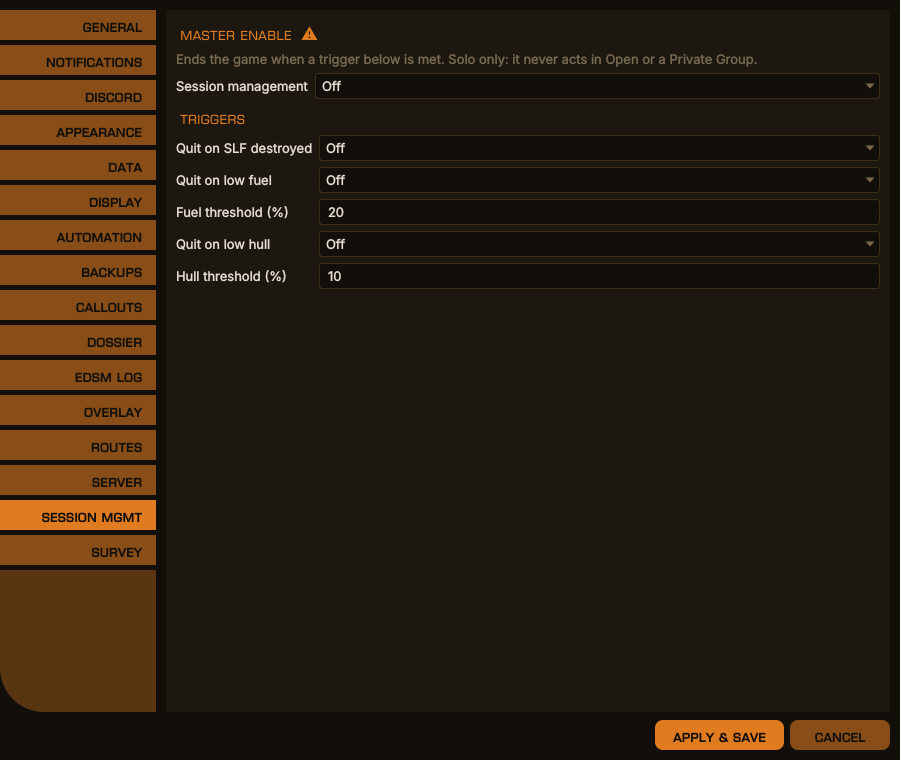
Options → Session Mgmt, desktop window
The same in the terminal dashboard
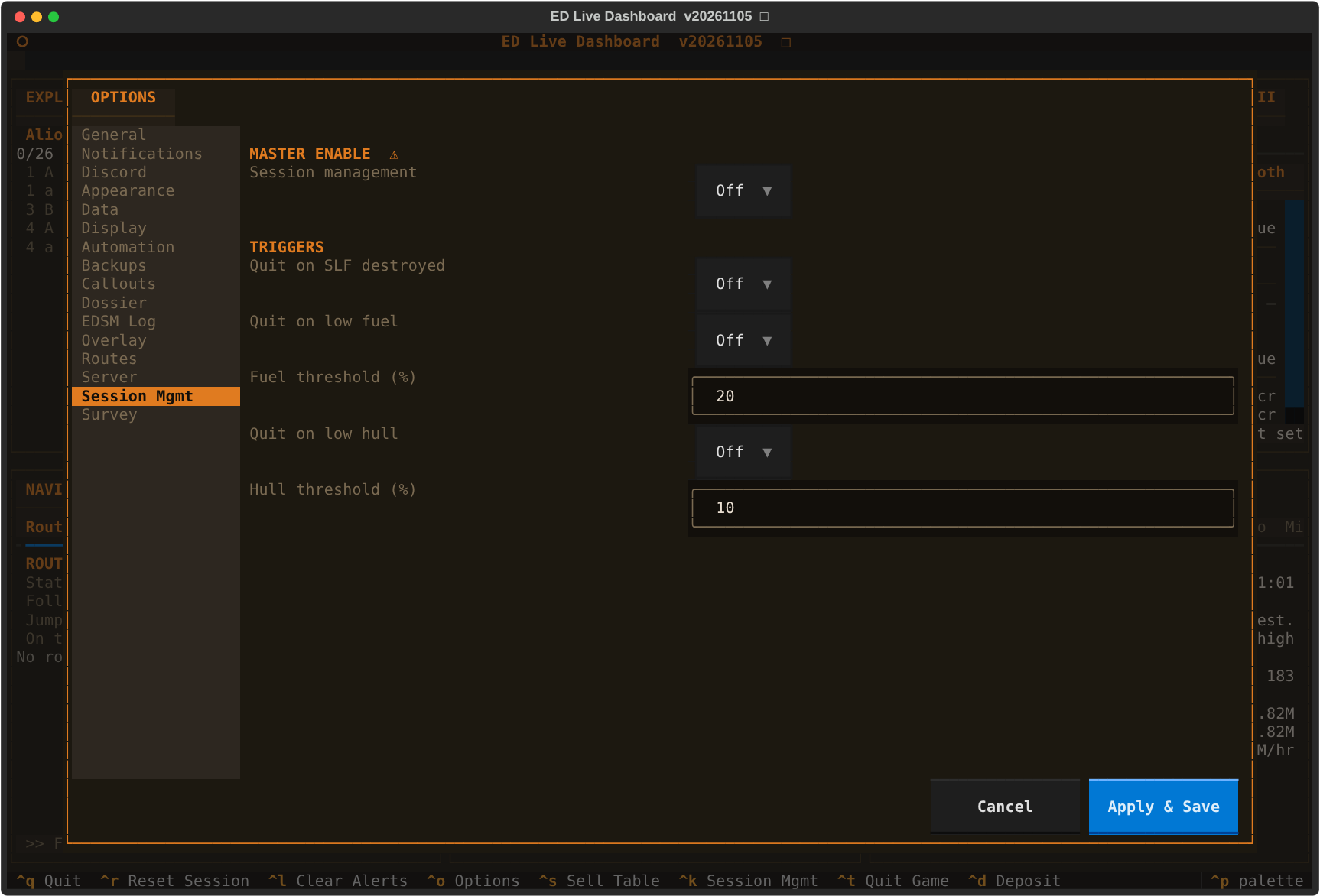
The master switch (Enabled) is the gate for everything: with it off, no trigger fires regardless of the other settings.
| Trigger | Fires when |
|---|---|
QuitOnSLFDead |
Your ship-launched fighter is destroyed in a fight — you or the fighter attacked, hull or shields hit, interdicted, or the game reporting danger, within the last minute. A fighter lost out of range with nothing hostile about does not quit. Nor does one left behind by a jump: jumping out of a fight with the fighter still out is an escape, as long as the jump completes; if it has not reached supercruise or hyperspace 30 seconds later and the fight is still on, it quits |
QuitOnLowFuel |
Main-tank fuel falls to or below QuitOnLowFuelPercent. If QuitOnLowFuelMinutes is non-zero, estimated burn-time remaining must also be at or below that many minutes — a more conservative combined condition |
QuitOnLowHull |
Hull falls to or below QuitOnLowHullThreshold — your ship's, or your SRV's while you are driving one; never a fighter's. The reason EDLD logs names which: "hull" or "SRV hull" |
QuitOnNoKillsMinutes |
No NPC kill for this many minutes while in a Resource Extraction Site (any tier). Quits only inside a RES — AFK kill-farming happens nowhere else |
Fuel quits are suppressed while in supercruise and for QuitFuelSCGraceSeconds (default 60) after exiting it — you cannot refuel in supercruise, so you are given the chance to drop and scoop normally first.
You can arm or disarm session management on the fly without editing config:
- Ctrl+K toggles it for the current run. This is a runtime override on top of the config master switch — useful for temporarily disabling termination without changing your saved settings. In the desktop window it is also on the Session menu, alongside Ctrl+T to end the session immediately.
- The header shows a small status indicator: ✕ when armed (master enabled and the runtime toggle on), □ when idle. If either the config master switch is off or you have toggled it off with Ctrl+K, it reads idle. The desktop window shows the same indicator in its title bar.
- Session management needs psutil in order to find and stop the game process. Prebuilt binaries bundle it. Running from source without it, EDLD still starts and everything else works, but this feature reports that psutil is missing rather than acting. Install it with your distro package manager (
python-psutil/python3-psutil), not pip.
The runtime toggle resets to armed on the next start; the config master switch is the persistent setting.
Press Ctrl+T (shown as "Quit Game" in the footer) to terminate the session on demand. A confirmation prompt appears first — press y or click Yes to go ahead, or n / Escape to cancel — so a stray keypress can't quit your game by accident. The Solo-only gate still applies: a manual termination requested outside Solo is refused.
Every activation, automatic or manual, emits a Discord notification (if Discord is configured) recording the reason, and posts a line to the dashboard Alerts block.
For a split setup — a monitor instance watching journals from another machine (see Remote Access) — session management can terminate the game over SSH instead of locally:
[REMOTE.SessionMgmt]
RemoteKillHost = "gaming-rig.example.net"
RemoteKillUser = "cmdr"
With RemoteKillHost blank (the default), termination happens on the local machine. SSH key-based auth to the target host must already be working for the monitor's user.
Note that the master switch and triggers resolve through the normal profile → global → default order, so a remote monitor profile inherits whatever global [SessionMgmt] policy you have set unless you override it. If you want a profile configured for remote killing but not active, set Enabled = false under that profile.
QuitOnNoKillsMinutes quits the session when no NPC kill has occurred for the configured number of minutes while you are dropped in a Resource Extraction Site — any tier (Low, High, Hazardous, or unspecified). The RES requirement is deliberate: AFK kill-farming only happens inside a RES, so the timeout never fires during ordinary idle time elsewhere.
It is evaluated by the combat plugin, which owns kill timing, and delegated to the terminator described above — so it inherits the Solo-only hard gate and the master Enabled switch. Leave it at 0 (the default) to disable.