Repository navigation
Workflow Graph
Every definition (C#, JSON or YAML) is drawn as a flowchart on its definition page, and every instance on its Graph tab.
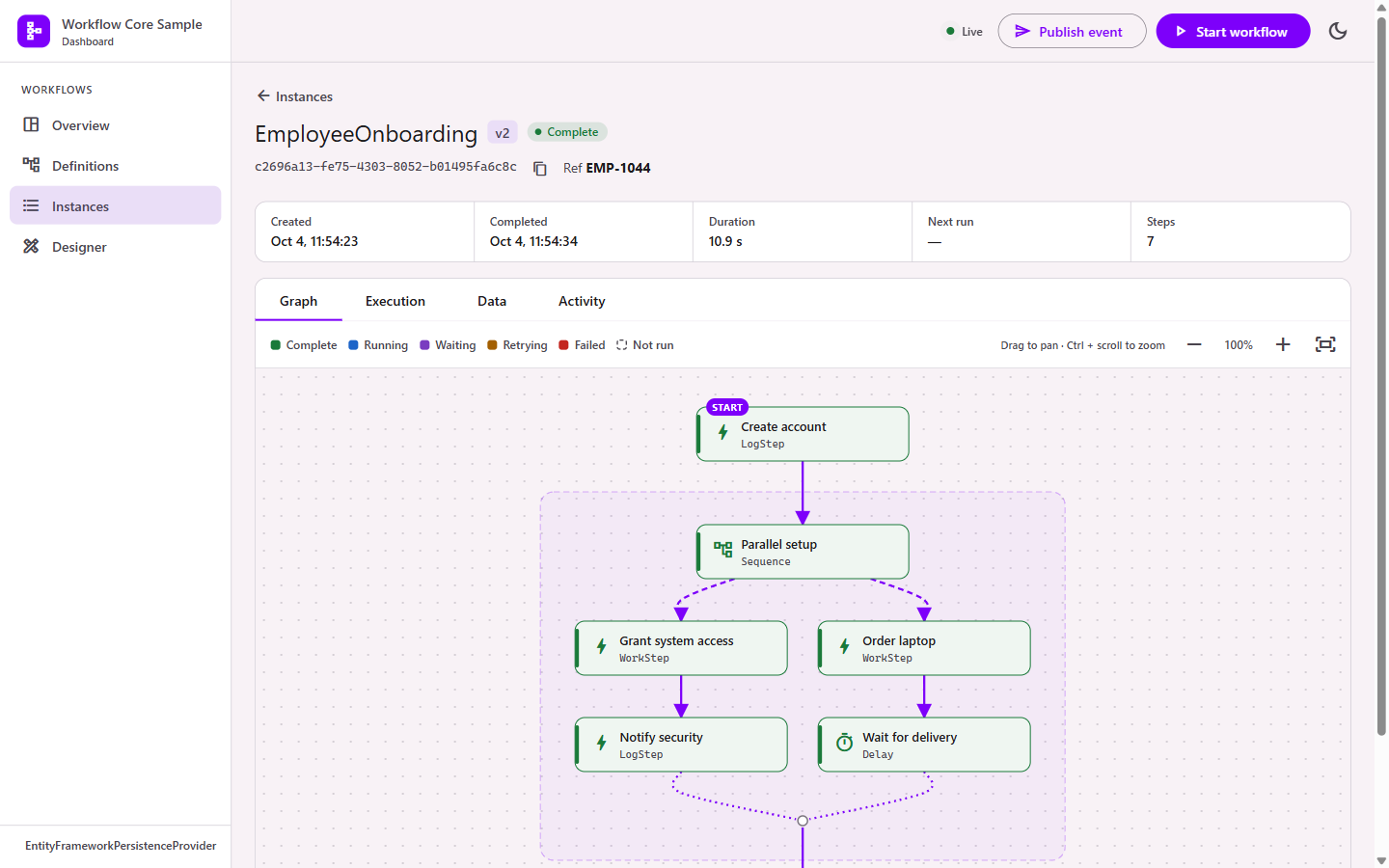
The graph is laid out top to bottom with dagre.
| Shape | Meaning |
|---|---|
| Card with START badge | The step the workflow begins with |
| Box around steps | A container step (If, While, For each, Parallel, Saga…) and its branches; the container's own card is at the top |
| Solid arrow | The next step |
| Dashed arrow into a box | Into a branch |
| Dotted line to a small circle | A branch ending; the circle is where the container continues |
| Red dashed arrow | Compensation step |
| Labelled arrow | An outcome with a label |
Step names come from .Name("...") in C#, or Name in JSON/YAML. Unnamed steps show their DSL ID or type name, so naming steps makes graphs easier to read.
| Color | State of the step's latest execution |
|---|---|
| Green | Complete |
| Blue | Running |
| Purple | Waiting for an event |
| Teal | Sleeping (delay or retry wait) |
| Amber | Retrying after an error |
| Red | Failed |
| Dimmed, dashed | Not run |
Highlighted arrows are the paths the instance actually took, read from each execution pointer's predecessor. A ×N badge shows a step that ran several times, for example inside a For each or While.
Click a step to see its executions (status, start time, duration, retries, event) and its definition. Waiting steps have a Publish event button.
Drag to pan, Ctrl + scroll to zoom, or use the zoom buttons. Fit shows the whole workflow. Live updates keep your position.