

This is a fork of the original great Flower project that with the following changes:
- Frontend stack with React & MUI (on going..)
- Auto refresh - in tasks view
- Flow graph - in task view
- Docker - move from Alpine to Debian (vulnerabilities elimination & better compatibility)
- UV - package and project manager
- Ruff support - linting & formatting
- pre-commit
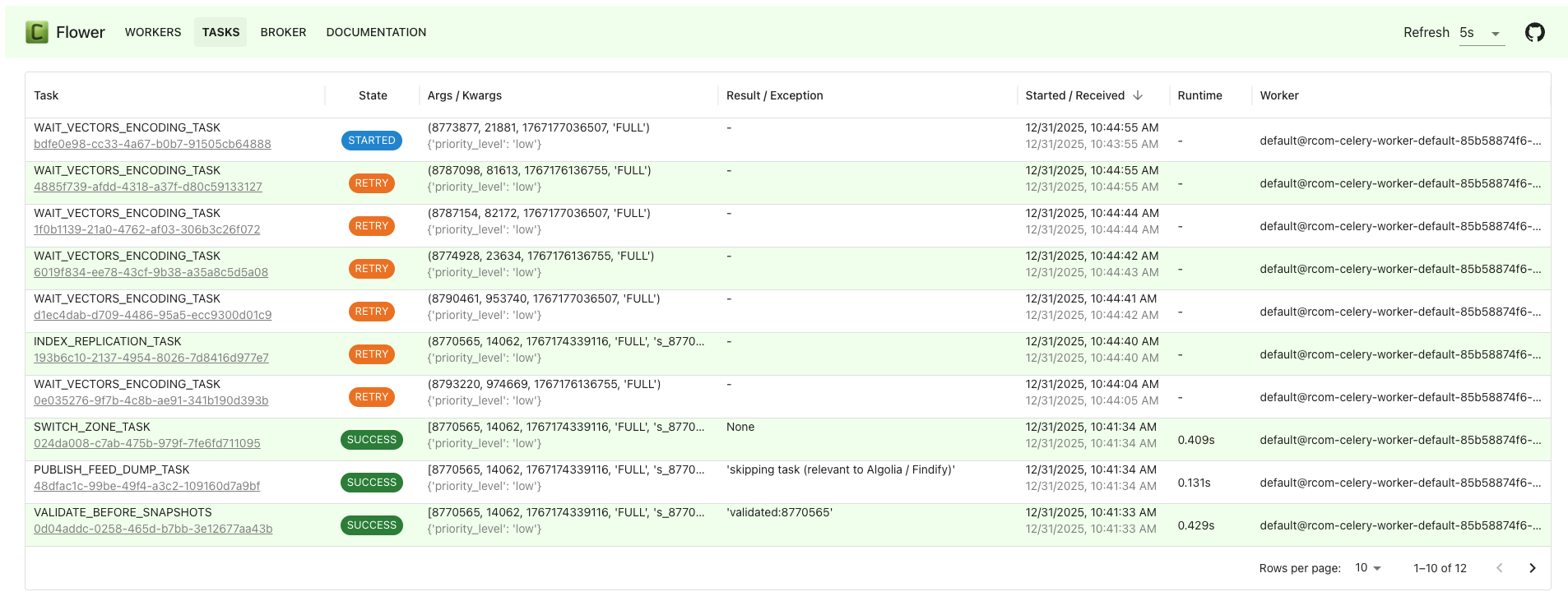
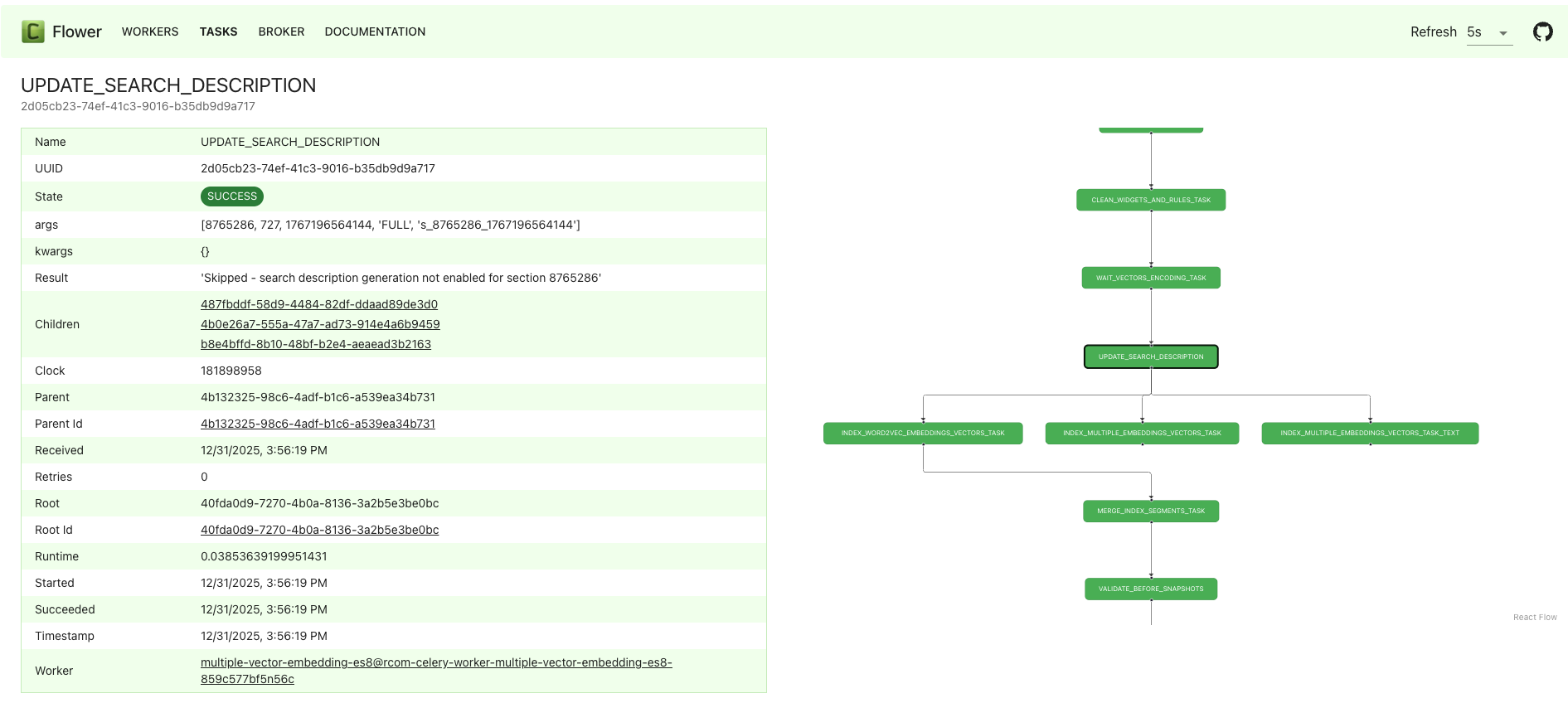
Installing flower with pip <http://www.pip-installer.org/>_ is simple ::
pip install flower
The development version can be installed from Github ::
pip install https://github.com/mher/flower/zipball/master#egg=flower
To run Flower, you need to provide the broker URL ::
celery --broker=amqp://guest:guest@localhost:5672// flower
Or use the configuration of celery application <https://docs.celeryq.dev/en/stable/userguide/application.html>_ ::
celery -A tasks.app flower
By default, flower runs on port 5555, which can be modified with the port option ::
celery -A tasks.app flower --port=5001
You can also run Flower using the docker image ::
docker run -v examples:/data -p 5555:5555 itayb/flower celery --app=tasks.app flower
In this example, Flower is using the tasks.app defined in the examples/tasks.py <https://github.com/mher/flower/blob/master/examples/tasks.py>_ file
Documentation is available at Read the Docs
If you're working on the bundled frontend in this repository, you can rebuild it and reinstall the updated wheel with a single command::
bash scripts/update_frontend.sh --install
Or just build the wheel (without installing it into your local virtualenv)::
bash scripts/update_frontend.sh
pre-commit install --install-hooks -t pre-commit -t commit-msg
Flower is licensed under BSD 3-Clause License. See the License file for the full license text.