Releases: ithealthtech/PreloadedAVRemover
Release list
OEM Endpoint Cleanup 2.2.1

OEM Endpoint Cleanup 2.2.1
This is the stable production release. It is not a prerelease.
Highlights
- Friendly application names replace confusing package and service identifiers in the main grid.
- Color-coded categories distinguish antivirus/security, OEM control panels, hardware/recovery tools, trialware, consumer apps, promotional bloatware, OEM support/update tools, and background components.
- IT Health Tech branding is applied to the app, taskbar, setup launcher, MSI, and copyright footer.
- Responsive layout reduces crowding while retaining technical identifiers in tooltips and audit reports.
- Setup supports Everyone, Just me, and Portable installation modes.
Safety
- Dry-run remains the default.
- Endpoint protection requires explicit authorization and confirmation.
- Drivers, firmware dependencies, hotkeys, RMM, VPN, backup, BitLocker, and other protected software remain safeguarded.
- Uninstall commands are validated and executed without a command shell.
Verification
- 79/79 automated tests passed.
- Release build and full MSI/setup/portable packaging completed with zero warnings and zero errors.
- Application and setup UI self-tests passed.
- SHA-256 manifest independently revalidated.
- Microsoft Defender found no threats in the published artifacts.
- GitHub Actions passed on both the release PR and merged main commit.
Download the Recommended setup launcher for the guided Everyone / Just me / Portable installation experience. Use SHA256SUMS.txt to verify downloaded files.
OEM Endpoint Cleanup 2.2.1 Release Candidate 2
OEM Endpoint Cleanup 2.2.1 Release Candidate 2
RC2 adds the new branded installer experience and fixes the AppX uninstall path reported during RC testing.
Highlights
- IT Health Tech branded setup launcher
- Install for everyone, install just for me, or use a portable copy
- Dual-scope Windows Installer package
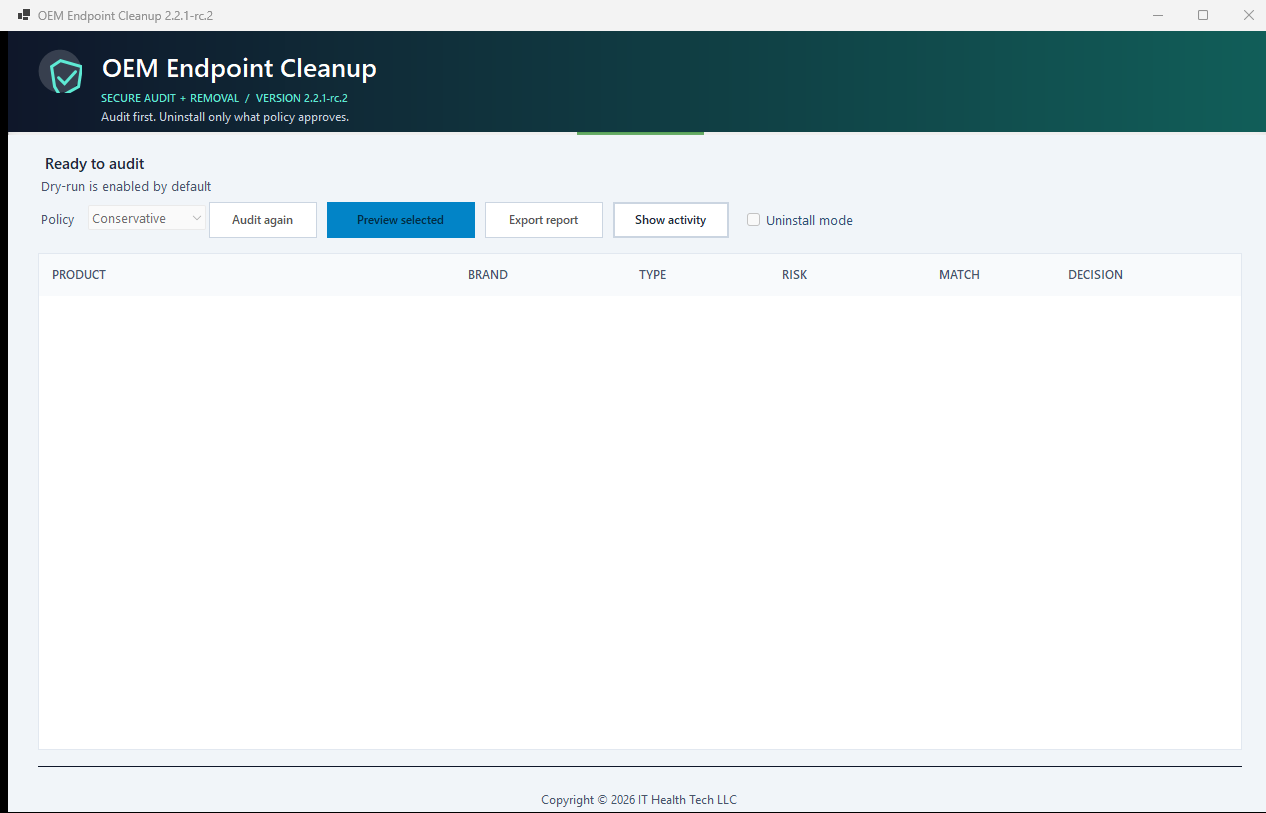
- Cleaner audit-first UI with an optional activity panel
- Clear Preview selected and Uninstall selected actions
- Correct AppX package argument binding through a fixed PowerShell script block
- All-users AppX removal without forwarding invalid SID structures
- Bounded stdout/stderr capture for actionable uninstall failure reports
- SHA-256 validation for installer payloads and safe portable extraction
Verification
- 65/65 tests passed
- Main-branch GitHub Actions workflow passed
- Release build and UI self-test passed
- WiX MSI, setup launcher, and portable packaging completed with zero warnings and zero errors
- Microsoft Defender found no threats in the uploaded artifacts
- Checksums are included in
SHA256SUMS.txt
Download guidance
OEM-Endpoint-Cleanup-Setup-2.2.1-rc.2-win-x64.exe— recommended interactive launcherOEM-Endpoint-Cleanup-2.2.1-rc.2-win-x64.msi— MSI deploymentOEM-Endpoint-Cleanup-2.2.1-rc.2-portable-win-x64.zip— portable package
Release-candidate warning: the MSI and setup executable are not Authenticode-signed yet and may trigger Microsoft Defender SmartScreen. Validate this RC in a test ring before production deployment.
OEM Endpoint Cleanup 2.2.1 Release Candidate 1
OEM Endpoint Cleanup 2.2.1 Release Candidate 1
This prerelease is intended for validation before the final v2.2.1 release. Dry-run remains enabled by default.
Changes since v2.2.0
- Displays
Copyright © 2026 IT Health Tech LLCin the main application footer. - Embeds IT Health Tech LLC company and copyright information in Windows executable metadata.
- Adds the repository and distribution
NOTICEfile. - Fixes the hidden UI layout self-test so it no longer produces a false startup-error dialog.
- Makes self-test failures return a nonzero exit code without requiring interactive dismissal.
- Centralizes the displayed application version from assembly metadata.
- Updates GitHub Actions to Node 24 releases pinned to immutable commit SHAs.
Verification
- Release build completed with zero warnings and zero errors.
- 58 tests passed; none failed or were skipped.
- Formatting, UI layout self-test, and self-contained portable publish passed locally and in GitHub Actions.
- NuGet restore-time vulnerability audit completed with warnings treated as errors.
- Microsoft Defender found no threats in the executable or release ZIP.
- ZIP SHA-256:
7d0bb0a93cbadb171e8e344a5836f6f2a703084dd49efa1850d7891d20110e78.
Important
This is a release candidate. Validate it in dry-run mode on representative OEM hardware before enabling removal. The executable is not Authenticode-signed; verify the provided SHA-256 checksum before use.
Copyright © 2026 IT Health Tech LLC. Licensed under GPL-3.0-only.
OEM Endpoint Cleanup 2.2.0
OEM Endpoint Cleanup 2.2.0
This release turns PreloadedAVRemover into an audit-first OEM antivirus and bloatware cleanup utility for MSP onboarding and controlled endpoint deployment.
Highlights
- Catalog-driven inventory across 63 entries covering major PC manufacturers, bundled security trials, support utilities, telemetry, promotional apps, AppX packages, services, tasks, and registry artifacts.
- Conservative, Balanced, and Aggressive policy profiles with dry-run enabled by default.
- Confidence scoring and evidence for catalog matches; ambiguous or low-confidence matches fail closed.
- Independent safeguards for Microsoft Defender, active endpoint protection, RMM agents, VPNs, backup tools, firmware, drivers, hotkeys, recovery, and warranty-critical software.
- Strict MSI, EXE, AppX/MSIX, and winget command validation with no shell execution of registry uninstall strings.
- Process timeouts, exit-code capture, reboot reporting, before/after inventory, and hash-chained JSONL audit logs.
- MSP-ready JSON and HTML reports plus a responsive WinForms interface.
Validation
- 57 tests passed with 0 failures.
- Release build and WinForms layout self-test passed.
- Direct and transitive NuGet vulnerability audits reported no known vulnerable packages.
- Windows x64 self-contained single-file publish passed.
- Microsoft Defender found no threats in the release executable.
Important
- The executable is not code-signed and may trigger Microsoft SmartScreen. Verify the published SHA-256 checksum before running it.
- Vendor uninstallers vary and may require passwords, vendor cleanup tools, or manual intervention.
- Uninstallation is not transactional; review the generated rollback guidance and test against representative hardware before broad deployment.
- Endpoint protection removal remains disabled unless separately authorized and policy-approved.
Preloaded AV Remover 1.2.0
Initial public release. Detects common OEM-bundled antivirus products, uses registered silent removal where available, falls back to vendor uninstall prompts when necessary, and verifies what remains. Microsoft Defender is never targeted.