Screenshots and UI Tour
Codex Assist keeps its Home Assistant UI intentionally small: pick a model, tune the system prompt if needed, and manage actual device safety through Home Assistant's Assist exposed-entity settings.
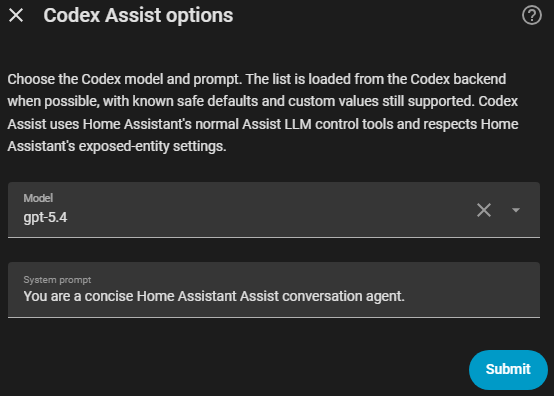
The options flow loads Codex model choices from the Codex backend when possible, falls back to known model slugs when discovery is unavailable, and still allows a custom model value for newly released or account-specific models.
The integration does not expose a separate safety-mode dropdown. Codex Assist always routes control through Home Assistant's normal Assist LLM tools, so the practical safety boundary is the set of entities you expose to Assist.
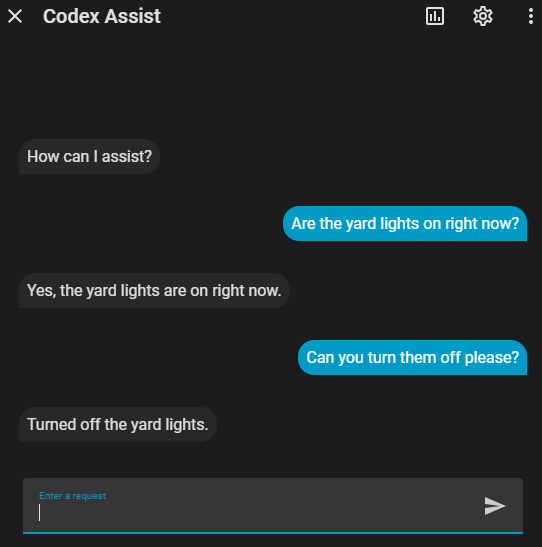
This shows Codex Assist using Home Assistant's Assist pipeline to answer an exposed-entity state question, then perform a simple follow-up action. Device access still comes from Home Assistant's Assist exposed entities, not a raw unrestricted service bridge.
Before sharing screenshots, remove or crop private URLs, account details, tokens, device codes, and private entity or dashboard names.