HTML Injection Detection
This document draws inspiration from a detailed post by s1r1us on their blog, where they outline a robust workflow for identifying client-side prototype pollution vulnerabilities that could lead to XSS attacks at scale (read the blog here).
Since HTML Injection is not our main focus of this paper, but is necessary to achieve the real attack (plus, get accepted by the bug bounty program). Besides, the website that has html injection vulnerability should also be our top priority on finding the first batch of DOM clobbering gadgets.
We proposed pipeline should follow: Ad-hoc strategy + hand-on tools (CodeQL+Instrument Browser) + manually review
The primary causes of HTML Injection typically fall into two categories:
- Pasting HTML-type content into an HTML element without proper sanitization;
- Render user input to DOM without proper sanitization;
- Rendering markup languages without proper sanitization.
Besides direct typing, pasting is a noteworthy input channel. Clipboard content can include complex types like text/html, which introduces risks if an HTML element is configured to accept rich-format inputs (e.g., elements with the contenteditable attribute). If such content is pasted, it is directly rendered into the DOM by the browser, potentially leading to DOM XSS if events like onchange are not properly managed. This becomes particularly severe if the pasted content is persistent, as it can cause long-term vulnerabilities.
Browsers generally sanitize clipboard content [1]. During a paste event, the most common method to retrieve clipboard data is through the Async Clipboard API, which aggressively sanitizes HTML elements, such as removing <style> tags or the onerror attribute from <img> tags. Alternatively, the DataTransfer API provides minimal sanitization, preserving potentially hazardous attributes like onerror on an <img> tag. Without adequate sanitization by the application, this could lead to DOM XSS.
Importantly, the id and name attributes are not sanitized by browsers, allowing for the possibility of DOM Clobbering payloads. If a web application fails to further sanitize and saves this content, it opens up opportunities for exploiting these vulnerabilities.
[1] https://chromium.googlesource.com/chromium/src/+/main/third_party/blink/renderer/core/clipboard/README.md#:~:text=Sanitization
[2] https://research.securitum.com/the-curious-case-of-copy-paste/
To generate the rich-format input to the clipboard, we can copy the rendered html element from a webpage:
And then, we can paste the content to a contenteditable HTML element like:
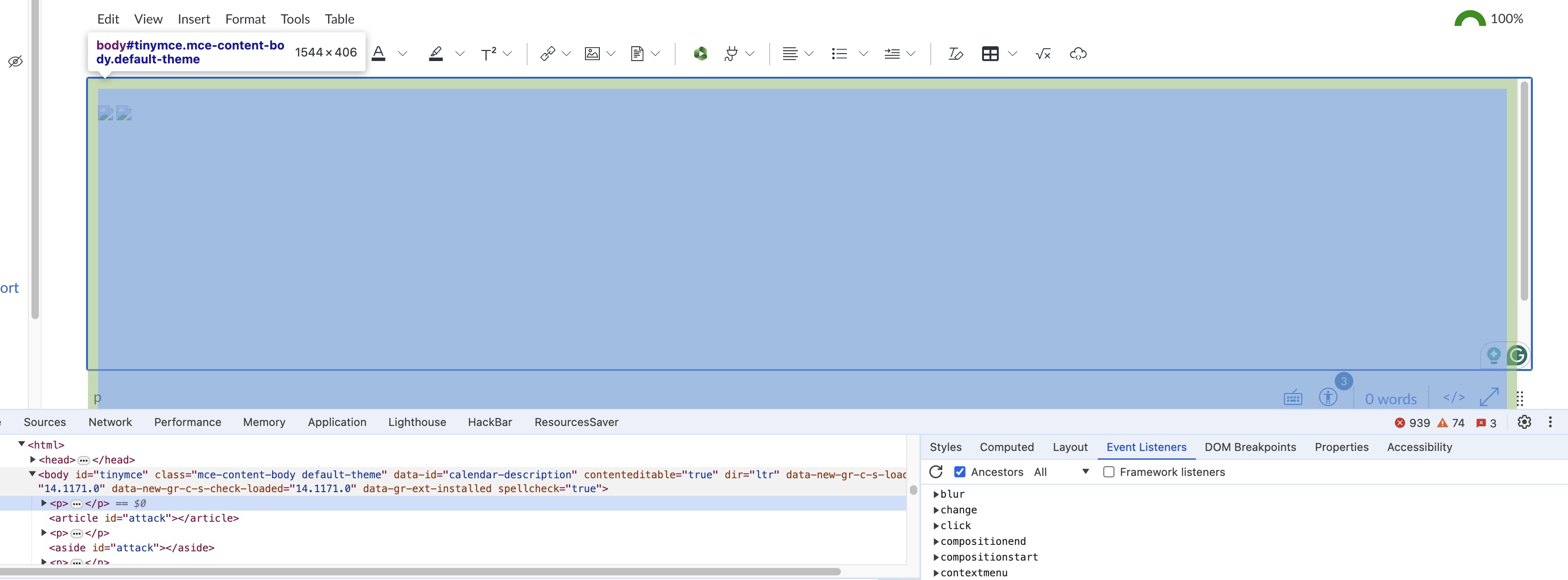
Editable HTML Elements
Developers can make document regions editable by setting the contenteditable attribute [3]. This attribute accepts three values: true, false, and plaintext-only. However, the <textarea> and <input> tags can only accept plain text, regardless of the contenteditable setting. The contenteditable attribute is also inherited if the default value is not specified.
Another approach to making an HTML document editable is by setting the document’s designMode property to on. When designMode is enabled, all elements within the document become editable.
Thus, an editing element (host) is either an HTML element with its contenteditable attribute set to true, or a child HTML element of a document with designMode enabled.
Another scenario is the markdown engine falsely whitelist the name or id attributes for the rendered html. For example, the jupyter allow user add id attribute for html tags for reference [2]. In this case, we input the raw text of html and markdown engine will try to render it to the DOM nodes.
[2] https://sebastianraschka.com/Articles/2014_ipython_internal_links.html
There are also other cases (e.g. Chatbox) where the user input has been set to .innerHTML without proper sanitization in general.
For exmaple, in the following case: https://bot9.ai/;
One way to detect this kind of html injection is that we send text with html elements (e.g. <h1> TAINT-#09123123 </h1>) to all the inputs and hook all the sinks (e.g. document.write) to see whether the string will be reflected.
In their approach, they developed a crawler, enhanced with an extension, that automatically appends query parameters to URLs to check for prototype pollution. This method proves effective since client-side prototype pollution often originates from URL parameters—a vulnerability typically found in the parser library, making it straightforward to test.
For detecting HTML injection vulnerabilities, we similarly assess the input of user-editable elements, such as textareas. However, some editable elements, like comments, are protected by multiple click actions, posing challenges for automated crawler testing.
Source code analysis can focus solely on scanning for patterns of vulnerable code, disregarding the functionality of the webpage.
However, tools like CodeQL might struggle to trace end-to-end data flow—for example, from .value or .textContent of a user-controlled input element to the .innerHTML of another element. This difficulty arises primarily because: 1/ the HTML element containing user input might be encapsulated within another object with a custom method for retrieving the value, such as CodeMirror; and 2/ the data flow from source to sink involves complex parsing and rendering logic.
Therefore, for better utilizing the CodeQL, we need to summary a few of more easy captured code patterns:
- Intermediate sink for html rendering?
- Intermediate source?
The code patterns (for libraries, like template engines and parsers) need to be summarized.
In the step, we try to expand the result from existing findings. If we found a list of vulnerable library that render the user-provided markups falsely, can we find a list of application that depends on these library?
- Keyword Search
- Global variable probing e.g.
window.$J - URL
- Websites that are listed in the bug bounty programs.
We scanned all the private and public programs in HackerOne, Bugcrowd, and Intigriti using the selenium bot.
- Top 5K Trenco Websites
- Related Works
- HTML Injection
- DOM Clobbering
- Evaluation
- Discussion
- Others