Noter turns lecture audio into detailed summary sheets.
- Transcribe lectures: Whether it's a live recording or prerecorded, Noter can transcribe it into a .txt file.
- Summarize lectures: Noter uses GPT-4o to create (.md) files with summaries, definitions, and step-by-step examples covered in a lecture. Summary sheets can be created from all modern video or audio formats or a transcript (.txt) file.
- Playback lectures: Relisten to lectures with the (.mp3) files automatically sorted by class code and date.
First setup repo:
MacOS users with M1 chip or newer follow here
Other operating systems are not currently supported!
Then use repo example:
Learn how to summarize from transcript here
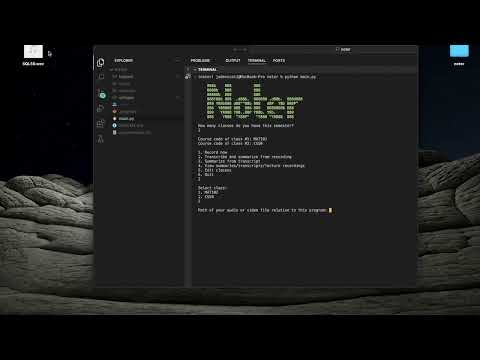
Press on the thumbnail to watch!
Git- Python 3.10 (
minicondarecommended) ffmpeg
If you don't already have these installed here's how you can do so!
-
Install
Homebrew/bin/bash -c "$(curl -fsSL https://raw.githubusercontent.com/Homebrew/install/HEAD/install.sh)" -
Install
Gitbrew install git
-
Install
miniconda(strongly recommended to avoid python version conflicts)Download
minicondamkdir -p ~/miniconda3 curl https://repo.anaconda.com/miniconda/Miniconda3-latest-MacOSX-arm64.sh -o ~/miniconda3/miniconda.sh bash ~/miniconda3/miniconda.sh -b -u -p ~/miniconda3 rm -rf ~/miniconda3/miniconda.sh
Initialize
miniconda~/miniconda3/bin/conda init zsh -
Install
ffmpegbrew install ffmpeg
-
Clone the Repository:
Clone in the directory you want this project in!
git clone https://github.com/jadenScali/noter.git
Move into this project
cd noter -
Create and activate a conda Environment (Optional) (Recommended):
Python 3.10 is required for this project. You may install it manually but it may cause python versioning conflicts. We strongly recommend you use
miniconda.conda create -n noter python=3.10 conda activate noter
-
Create Whisper (speech to text) model locally:
Install requirements and make model
pip install -r requirements.txt
git clone https://github.com/ggerganov/whisper.cpp.git
cd whisper.cpp
make medium.en
Install coreML support for faster runtimes on M-series chips
To ensure
coremltoolsoperates correctly, please confirm that Xcode is installed and executexcode-select --installto install the command-line tools../models/generate-coreml-model.sh medium.en make clean WHISPER_COREML=1 make -j
Cleanup folders
cd ..
mkdir -p whisper/models
mv whisper.cpp/main whisper/
mv whisper.cpp/models/coreml-encoder-medium.en.mlpackage whisper/models
mv whisper.cpp/models/ggml-medium.en-encoder.mlmodelc whisper/models
mv whisper.cpp/models/ggml-medium.en.bin whisper/models
rm -rf whisper.cpp
NOTE: The first time the speech-to-text model is ran it will be slow because it's optimising for your hardware
-
Setup AI features using OpenAI
Create an openAI account and follow these instructions to generate an API key
Create a
.envfile in the root of the project directory:touch .env
Open the
.envfile in a text editor and add your OpenAI API key:OPENAI_API_KEY="your_openai_api_key_here"
-
Start program (make sure your conda environment is active if you used conda)
python main.py
-
Follow the instructions and create your classes
-
Select
3(summarise from transcript) -
Use the
samples/cs50_SQL_transcript.txtto summarise the sample transcript -
Fill out the remaining fields
-
Note for
Lecture #you can use decimal numbers especially if you want to create multiple summaries for the same transcript -
After the summary sheet is created you can check it under the
summariesfolder at the pathnotes/COURSE_CODE/summaries -
To properly view the .md file use a Markdown viewer in or out of your IDE. If you're using vsCode there are good extensions you should use to properly display the Latex math symbols