Repository navigation
Releases: jems19s/appshot-studio
Release list
appshot 1.4.1

Fix
Package.swiftnow declares theappshotexecutable product. Swift built the command anyway, but tools that read the manifest — the Swift Package Index, and installers such as Mint — saw a package with no products. Nothing changes for Homebrew installs.
Full list of changes: CHANGELOG.md
appshot 1.4.0
New
-
iPhone Duo.
appshot devices addmakes a device pack from frame images you downloaded yourself and measures the screen cutout, just likedevices fetch. fastlane's frame collection has no iPhone Duo yet, and Apple's Duo bezels can't be passed on, so download them from Apple Design Resources and run:appshot devices add iphone-duo "star-white=iPhone Duo - Star White - Inner Open Landscape.png" \ "night-sky=iPhone Duo - Night Sky - Inner Open Landscape.png" appshot init --name myapp --device iphone-duo --screenshots ./duo-captures
The output comes out at 2853×2007, the size App Store Connect takes for the Duo's inner screen. The README's iPhone Duo section lists the bezel for each Duo size; the coding-agent skill knows the steps too.
Changes
initdefaults the output size to the device's own screen size, which is the size App Store Connect asks for. The 11-inch iPad Pro now gets 1668×2388 instead of the 13-inch size; the 6.9-inch iPhone stays 1320×2868, and any device works without--size.initsizes the device to fit the canvas, so it no longer runs off the bottom of landscape screens such as the Duo's. iPhone layouts are unchanged.
fastlane deliver can't upload Duo screenshots yet (App Store Connect takes them through its new asset library), so upload them in App Store Connect.
Full list of changes: CHANGELOG.md
appshot 1.3.0
New
-
A skill for AI coding agents. Claude Code, Cursor, Codex and other agents that read Agent Skills can now make your App Store screenshots with appshot:
npx skills add jems19s/appshot-studio
Then ask your agent for App Store screenshots. The skill walks it through finding the raw screenshots (including fastlane snapshot output), setting up the app without the wizard, writing and translating captions, styling from your app's own colors, rendering, checking every image, and handing off to fastlane deliver without mixing raw and framed files. It lives in
skills/appshot/if you'd rather copy it by hand.
Fixes
init --coloranddevices fetch --colorsaccept color names the waydevices listprints them ("Deep Blue"), as well asdeep-blue.- With output piped, as in CI logs and coding agents, progress now shows up as it happens and in order with errors, instead of all at once when the command ends.
Full list of changes: CHANGELOG.md
appshot 1.2.2
Fixes
devices fetchfrom source takes seconds, not minutes. Run from a clone withswift run(also the way CI runs it), fetching a device spent 2–8 minutes compressing the screen mask. It now takes about 2 seconds. Frames are read and masks written with macOS's own ImageIO instead of the swift-png package, which is no longer a dependency.
Nothing changes in what you get: screen masks are pixel-identical (checked on iPhone, iPad, MacBook and Pixel frames) and 10–18% smaller, and screenshots render exactly as before. The Homebrew build was already fast and gets a bit faster.
Full list of changes: CHANGELOG.md
appshot 1.2.1
Fixes
devices fetch,devices listand the wizard's device step failed with "HTTP 403" or took minutes on shared networks such as GitHub Actions runners. They read the frame list from GitHub's API, which allows 60 requests an hour per network address without a login. The list now comes from thefiles.jsonthat fastlane publishes next to the frames (the file fastlane's frameit uses), which has no such limit.
Full list of changes: CHANGELOG.md
appshot 1.2.0
New
-
Set up an app without the wizard.
appshot init --name myapp --device "iPhone 17 Pro Max" --screenshots ./screenstakes every answer from options, so scripts, CI jobs and coding agents can create an app in one command. The device frames download when they aren't installed yet. Optional:--color,--size WIDTHxHEIGHT, repeatable--localeand--caption(one per screenshot, in file name order), and--overwrite. Without options,initis the same interactive wizard as before.appshot init --name myapp --device "iPhone 17 Pro Max" --screenshots ./screens \ --locale en-US --locale de-DE \ --caption 'Every plant,\n*happily watered*' --caption 'Care plans *that stick*' appshot render
Fixes
- The wizard asked the same question forever when its input ran out, for example in a script that didn't answer every question. It now stops with an error that names the question.
- With output piped, menu options appeared after the prompt that asks for them, so a piped run saw "Enter a number" with no list.
- README: the quick start begins with
brew install; running from a clone moved below it.
Full list of changes: CHANGELOG.md
appshot 1.1.0
New
-
Caption auto-fit. Add
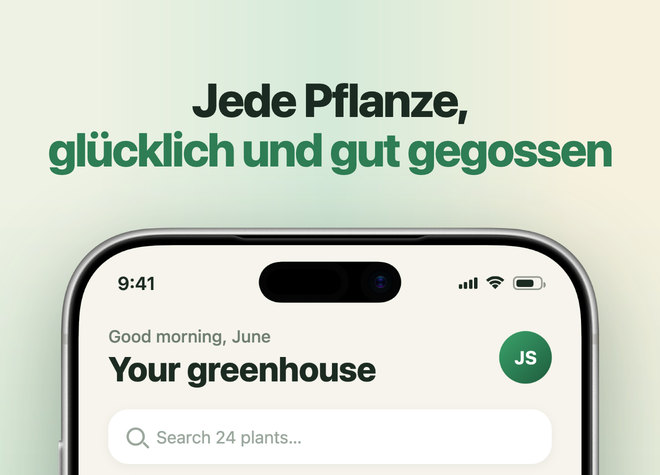
"captionFit": "shrink"to your app'sthemeand a caption that would run into the device shrinks — title and subtitle together — until it clears it, checked per locale and per slot, tilted devices included. It never goes belowcaptionMinScale(default 70%); if a caption still collides there,renderprints which app, locale and slot. Off by default, so existing configs render exactly as before.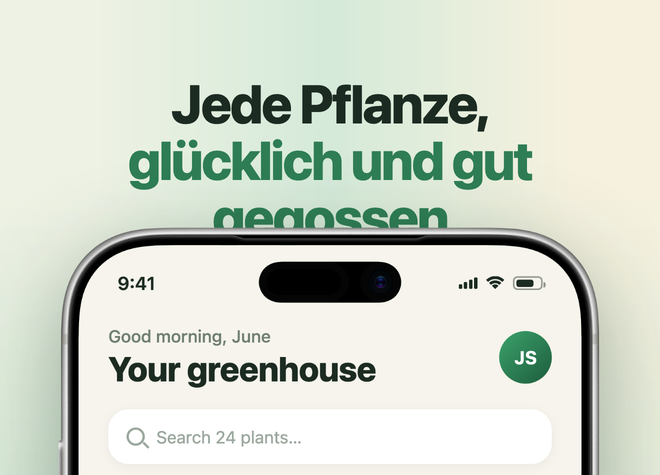
-
appshot renderwithout--apprenders the only app inapps/; with several, it lists them. -
No Xcode needed for Homebrew.
brew install jems19s/tap/appshot(orbrew upgrade appshot) now installs the prebuilt universal binary attached below.
Fixes
devices fetch "iPhone 17 Pro"no longer pulls in iPhone 17 Pro Max frames as extra colors, and"iPhone 17"no longer pulls in the Pro models. Names match whole words, so "iPhone 16" never matches "iPhone 16e"; unknown or ambiguous names list the candidate models.- A failed fetch no longer leaves a half-written pack in
devices/. appshot renderright afterappshot initin a new folder no longer looks for ademoapp.- The wizard's gradient angle accepts 0 and negative values, and its number prompts say why an answer was rejected.
- README: macOS-only requirements and the correct clone URL.
Upgrading
Studios created with 1.0 keep their older templates/caption-top.html and caption-bottom.html, which don't support auto-fit (render warns if you turn it on). Replace them with the files from this release's templates/ folder.
Full list of changes: CHANGELOG.md
appshot 1.0.0
First public release.
appshot init— interactive wizard (arrow-key selects, esc goes back) that scaffolds an app: device fetch + auto-measure, screenshots → slots, locales, captions, themeappshot render— config-driven rendering: real screenshots in real bezels, localized captions (title + optional subtitle), mesh/linear/solid/image backgrounds, per-slot device size/position/tilt, crop at any edgeappshot devices— fetch any of ~280 Apple frames from fastlane/frameit-frames, screen cutout measured automatically- Two templates:
caption-top,caption-bottom - Renders via headless Chrome; macOS + Linux
Install: brew install jems19s/tap/appshot, the attached universal macOS binary, or swift build -c release from a clone.