



Build LLM and computer-vision apps on Apple's Core AI framework (macOS / iOS 27 beta) in a few lines of Swift.
Community package — not affiliated with Apple. Requires macOS 27 beta / iOS 27 beta (real device; the CoreAI framework is not in the iOS Simulator SDK).
The models are converted, not vendored, so the question that matters before you depend on this is what was checked, by whom, and can you check it again. All 59 catalog entries:
- Pinned to an immutable Hugging Face revision, so a resolved model is the exact bytes
that were gated — never "whatever is on
maintoday." CI re-checks every pin (scripts/pin-catalog.py --check, run by the nightly gate above). - Gated against the original model before enrollment — the export is stepped against the
fp32/fp16 reference implementation on fixed inputs (token-exact for LLMs,
cos ≥ 0.999otherwise), then re-gated after compression, then run on real hardware. The gate that produced each row and its proof strength are on that model's card. - Shipped with the recipe that produced them.
models/<model>/recipe.tomlin the model zoo records the exact script and flags;zoo_convert.py run <name>rebuilds the bundle from the same checkpoint.
These gates are run by the maintainer — so don't take them on faith, re-run them. Checking a published bundle against the model it claims to come from is one command, no GPU and no device needed:
python3 conversion/zoo_verify.py mlboydaisuke/Gemma-4-12B-CoreAI   # one repo
python3 conversion/zoo_verify.py --all                             # the whole catalog, minutes
It compares tokenizer, chat template, context length and declared precision against the
source model each bundle names in its own metadata.json.
That checks a bundle is described correctly, not that it still computes correctly — the
numerical check is conversion/coreai_gate.py, which rebuilds the reference model in fp32 and
compares a greedy decode token for token. It runs outside the maintainer's tree (point it at
your own llm-runner and overlay interpreter) and writes a transcript: pinned revision, exact
input_ids, both sides' tokens, verdict. Re-running the engine side against a published
transcript needs only the bundle and llm-runner — no oracle, no fp32 download.
If you are shipping something you have to support, re-running the recipe yourself is cheap and leaves you owning the artifact.
Two layers, one package. Task ops when you want the result in one line — like a Vision framework request, the model is resolved (and cached) behind the op:
import CoreAIOps

let text  = try await CoreAI.transcribe(voiceMemoURL)   // speech → text (Apple's, 0 bytes)
let tldr  = try await CoreAI.summarize(text)            // also: extract / translate / redact …
let boxes = try await CoreAI.detect(in: photo)          // [Detection] — RF-DETR, no NMS
let reply = try await CoreAI.speak(tldr)                // text → speech (PCM + sample rate)
Twenty ops, one shape — the Cookbook maps every "I want to …" to
its snippet. Adding the one CoreAIOps product is enough: it re-exports the model
layer, so the import above also covers everything below. First-use downloads are
observable process-wide (CoreAI.onDownload { … }) and prefetchable behind a loading
UI (try await CoreAI.prepare(.transcribe, .caption)) — and answerable before you offer
the feature at all:
switch await CoreAI.capability(.transcribeMeeting) {
case .ready:                     showButton()          // nothing to fetch
case .needsDownload(let bytes):  showPrompt(bytes)     // "Meeting notes needs 238 MB"
case .needsSystemAssets:         showFirstRunNotice()  // the OS's bytes, not the app's
case .insufficientStorage, .unsupportedDevice: hideFeature()
}
swift run coreai-doctor path/to/YourApp totals it for a whole app before you ship.
Model-level APIs when you want control — pick the model, stream, attach tools:
import CoreAIKit

let chat = try await ChatSession(model: .qwen3_0_6B)
for try await event in chat.streamResponse(to: "Hello!") {
    if case .response(let delta) = event { print(delta, terminator: "") }
}
The two layers are the same package, so starting with an op and dropping down to
ChatSession or a FoundationModels provider later is a refactor, not a rewrite. Models
download automatically from the Hugging Face Hub on first use — no Python required.
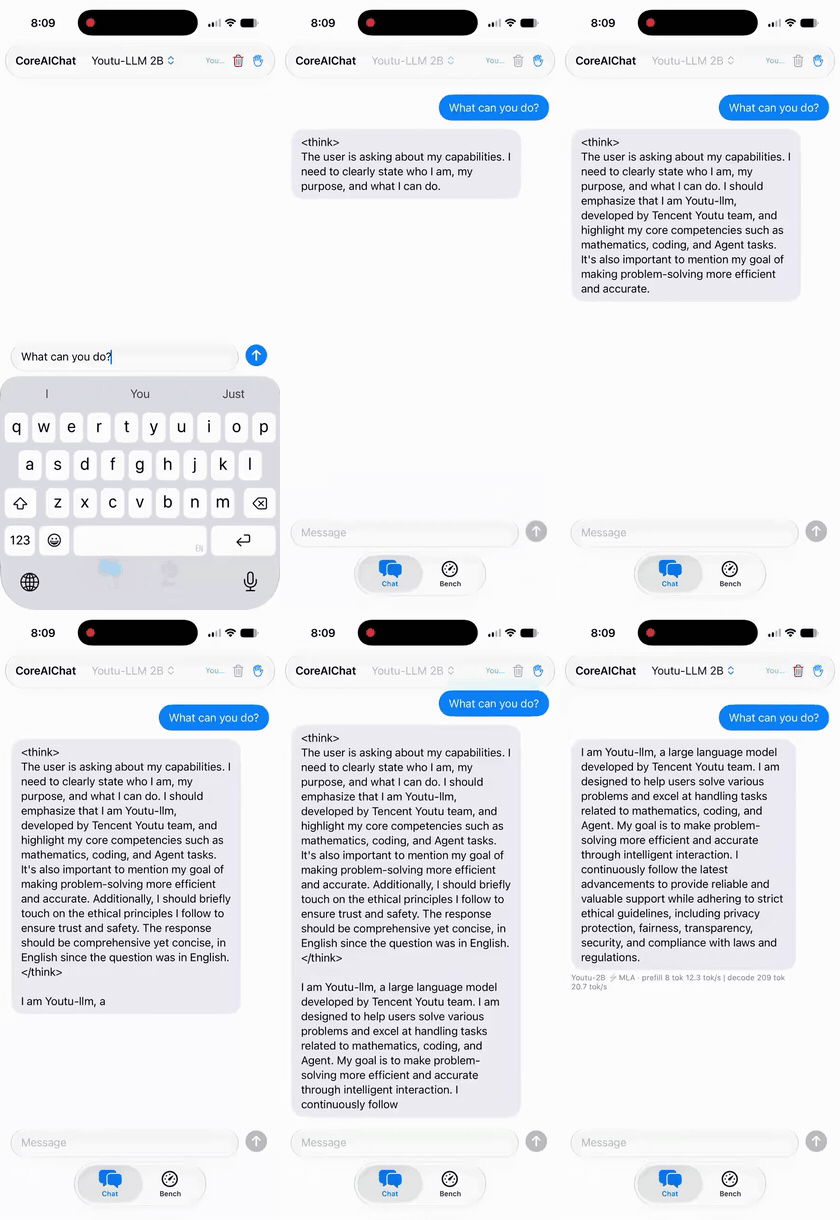
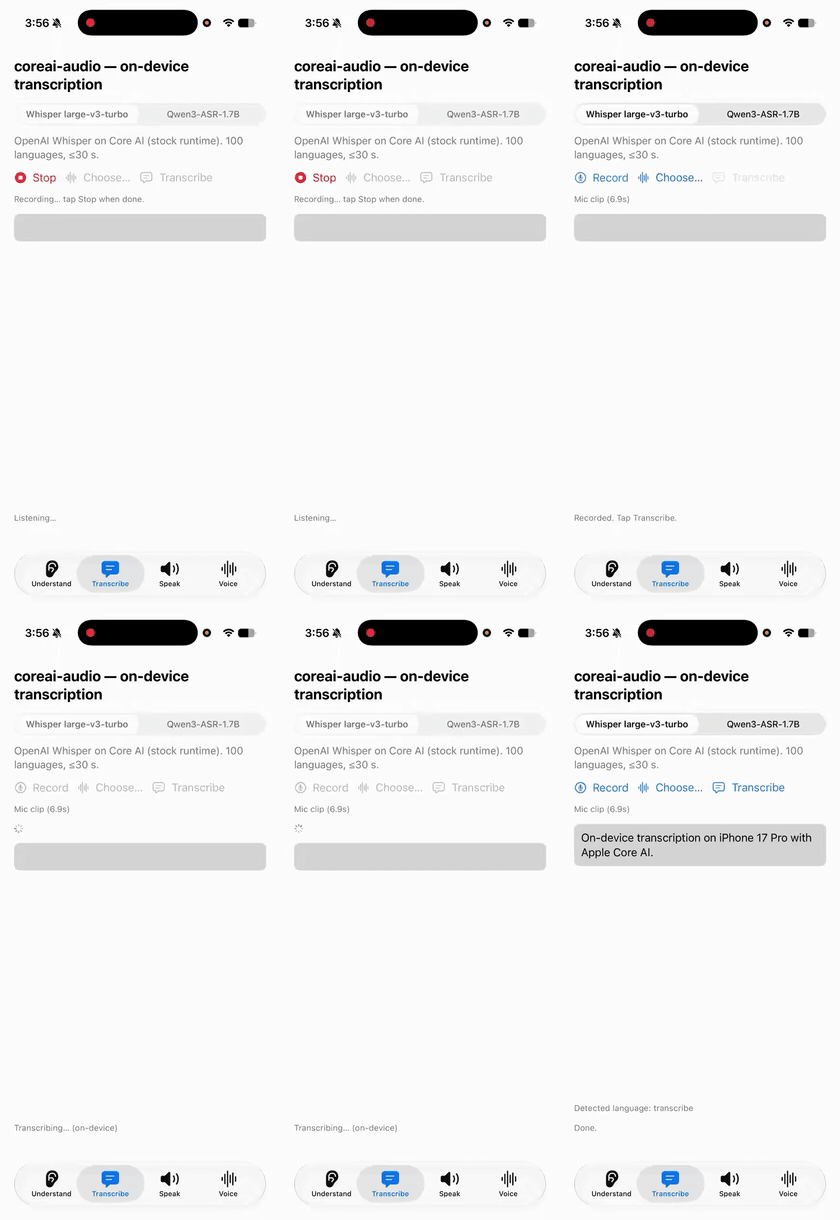
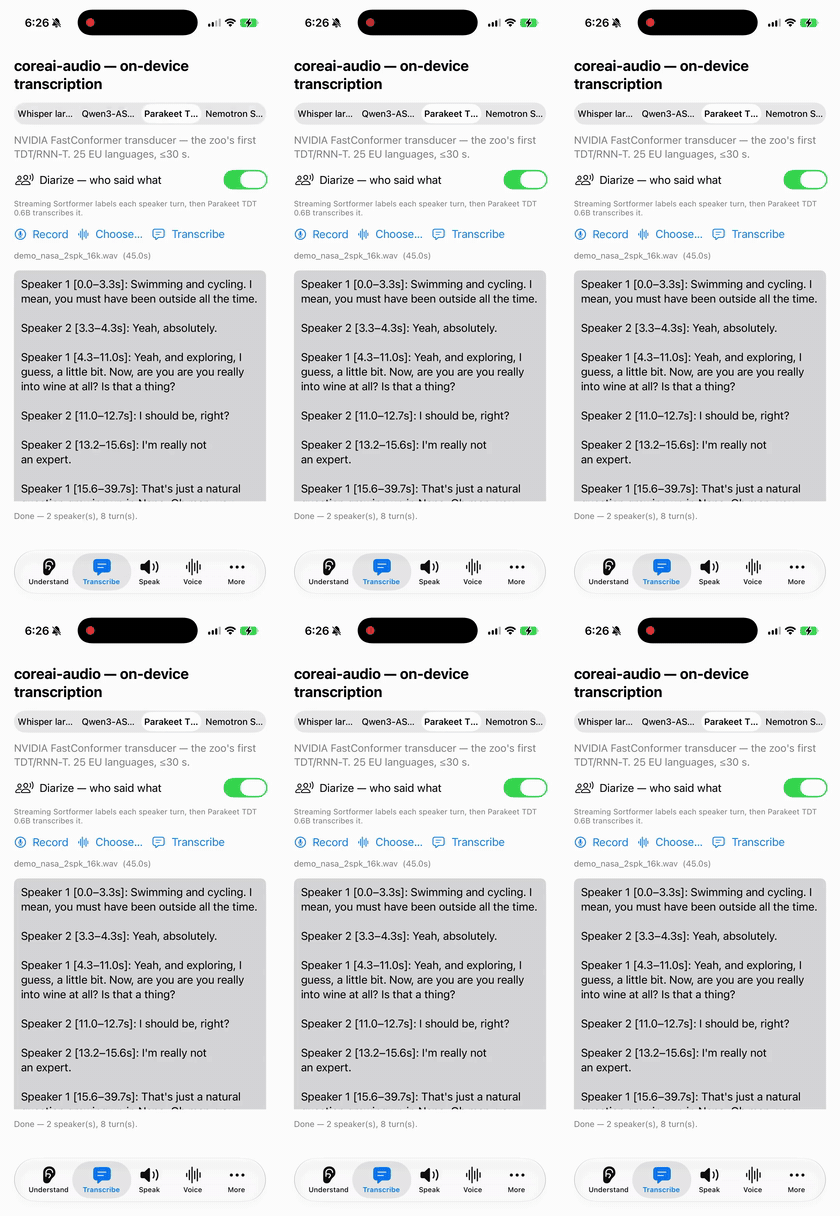
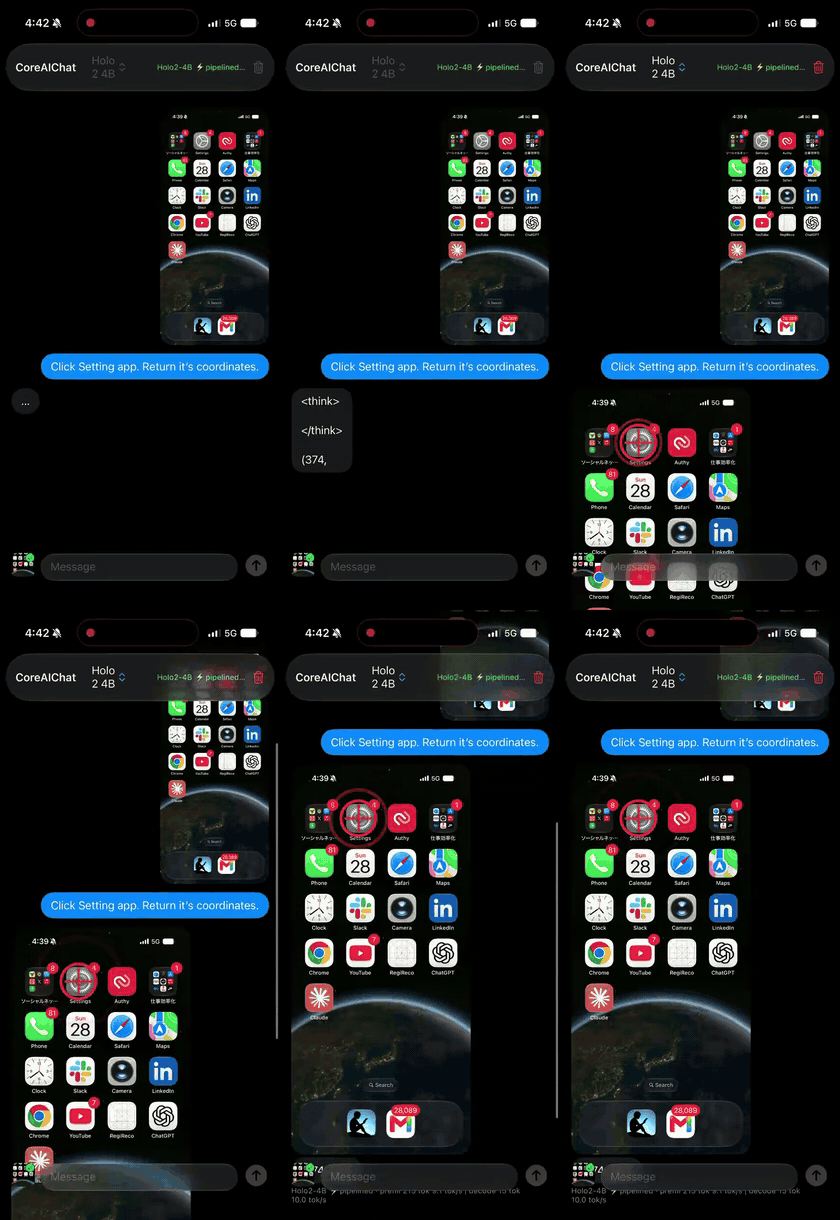
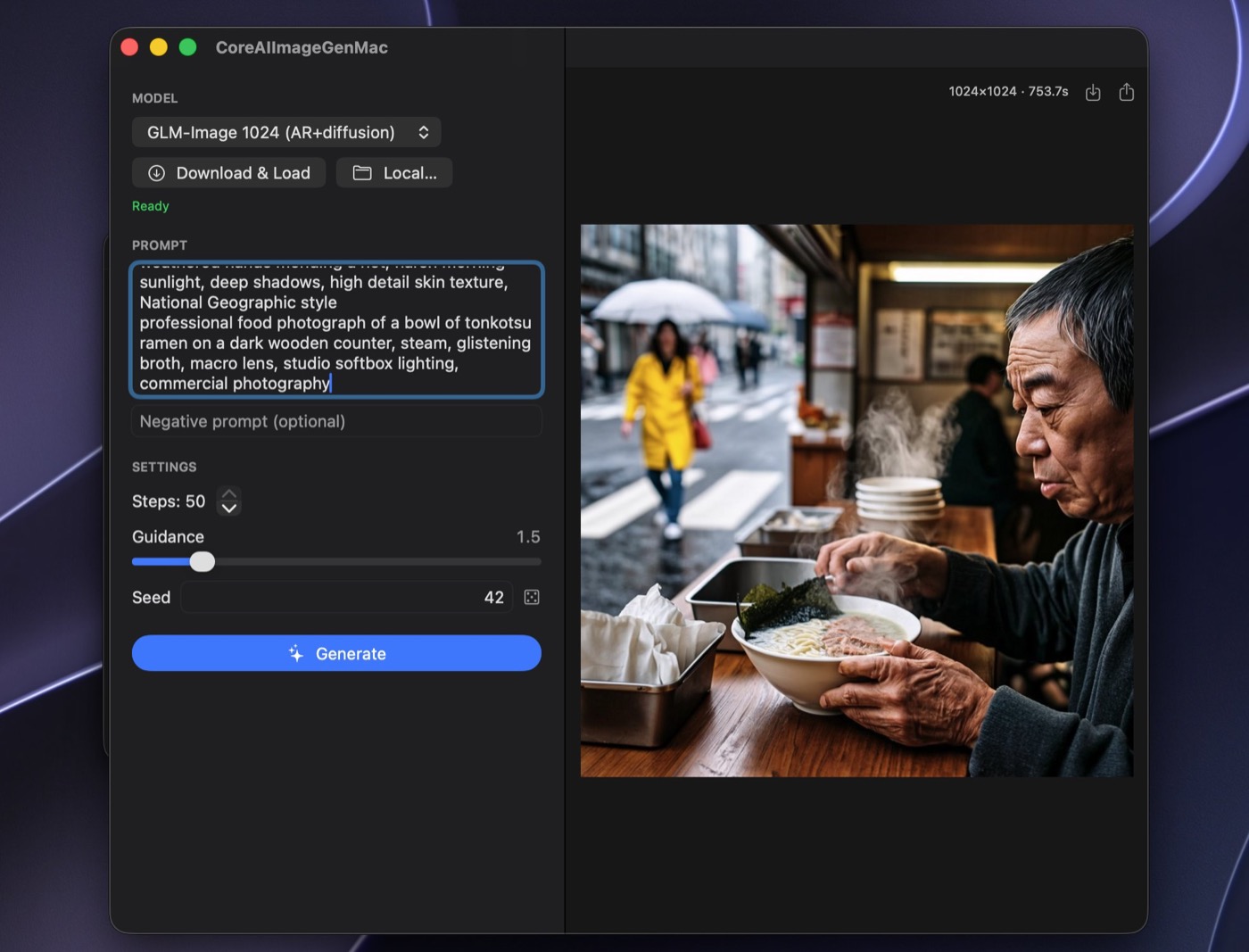
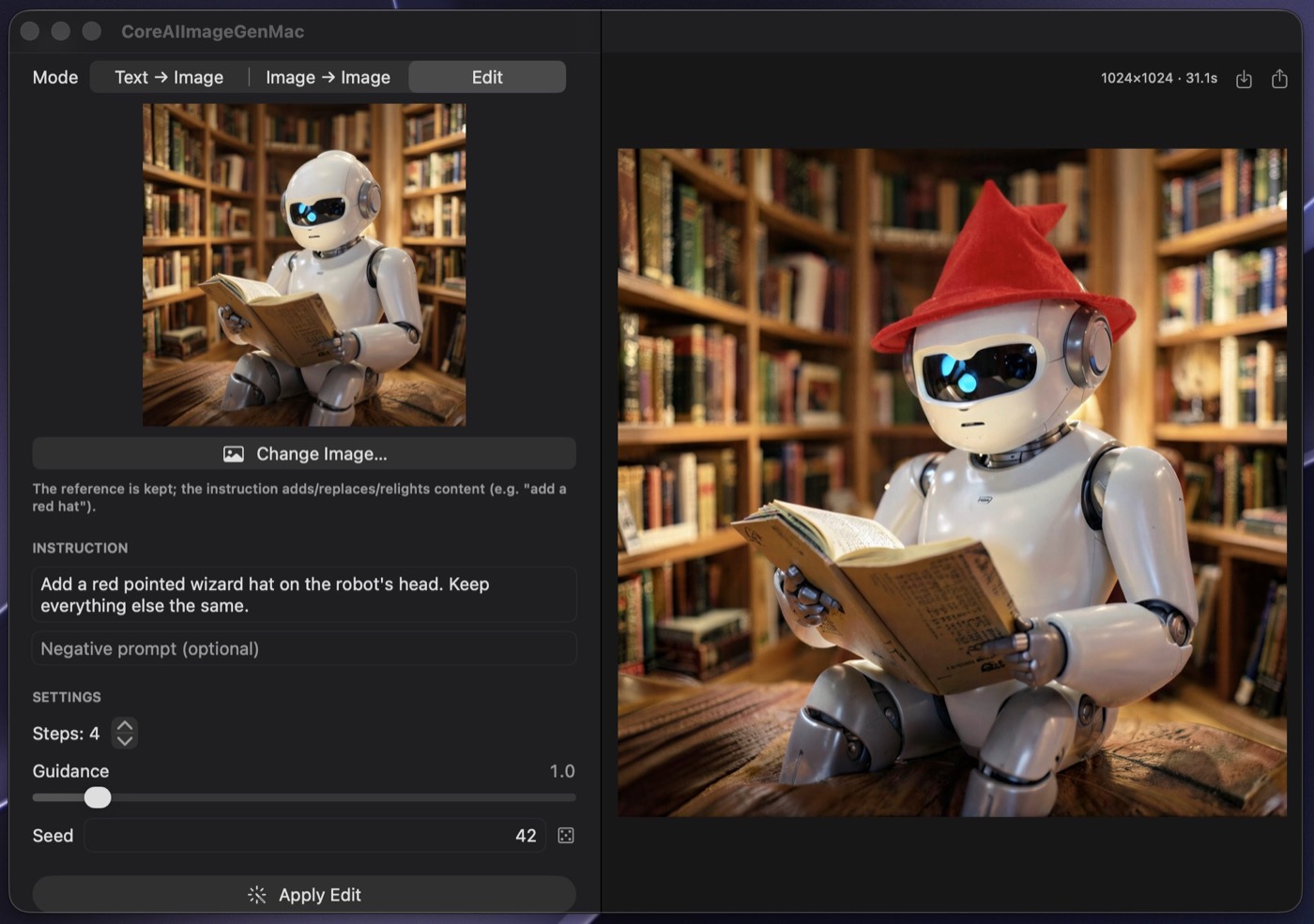
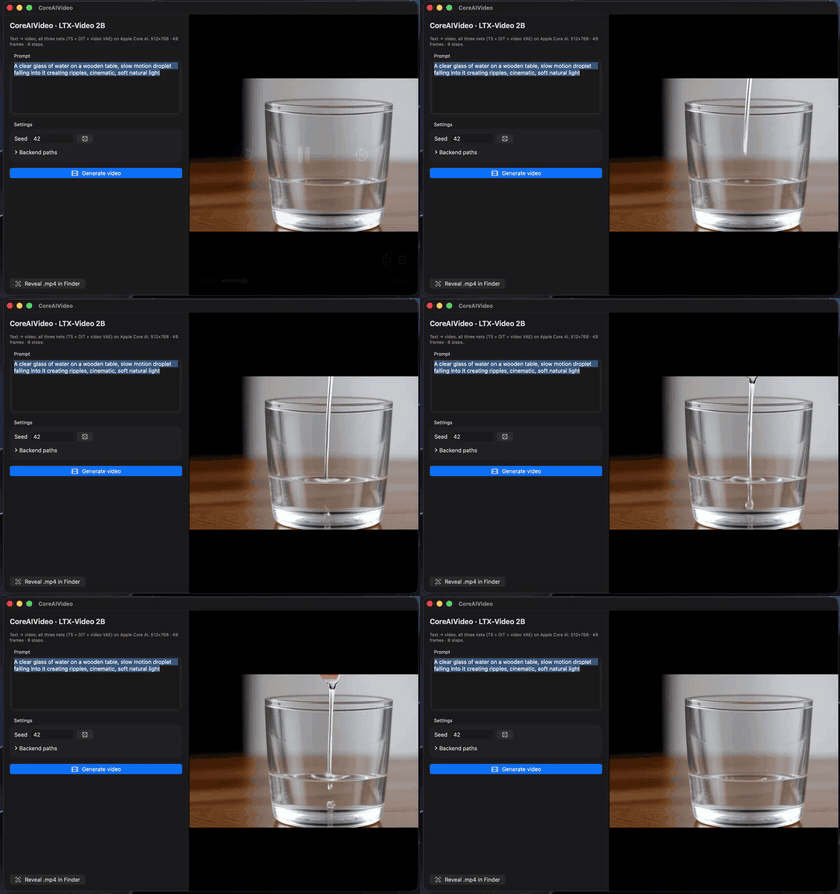
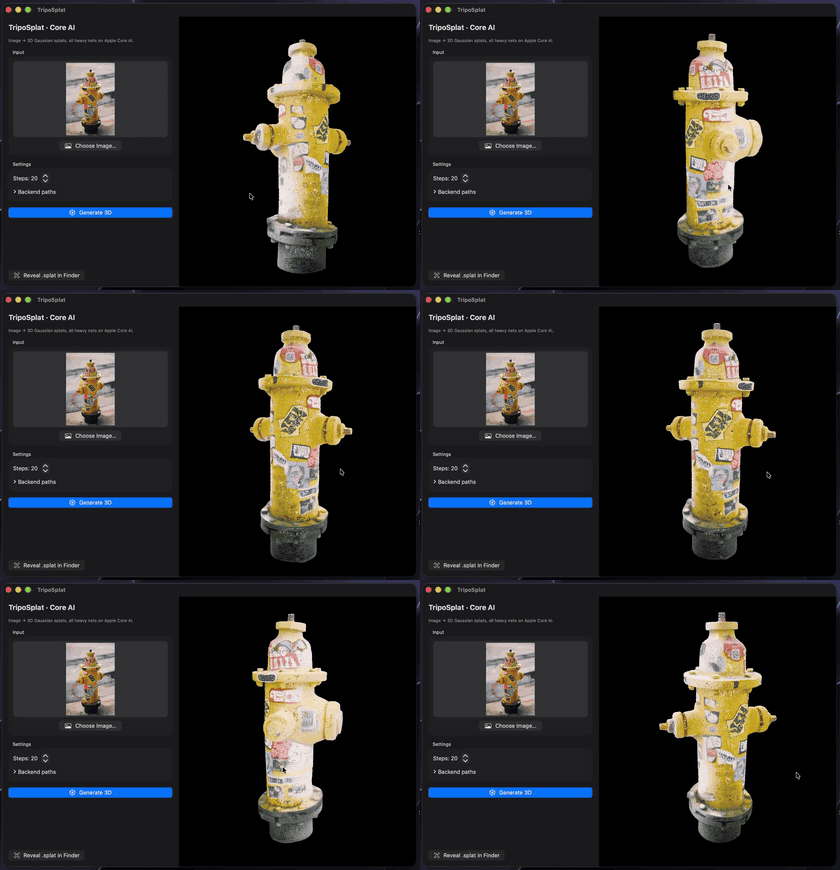
Real-device captures (iPhone 17 Pro / M4 Max), everything fully on-device. Captions lead with the one-line call where a task op covers it; each cell links to the kit example — or zoo app — that runs the same model. (Media lives in coreai-assets, so cloning this repo stays fast.)
 |
 |
 |
ChatSession — chat, Youtu-LLM-2BChatDemo |
CoreAI.transcribe — Whisper v3 turboTranscribe |
CoreAI.transcribeMeeting — Sortformer + ParakeetMeeting |
 |
 |
 |
KitVisionModel — screen VLM, Holo2-4BVLChat |
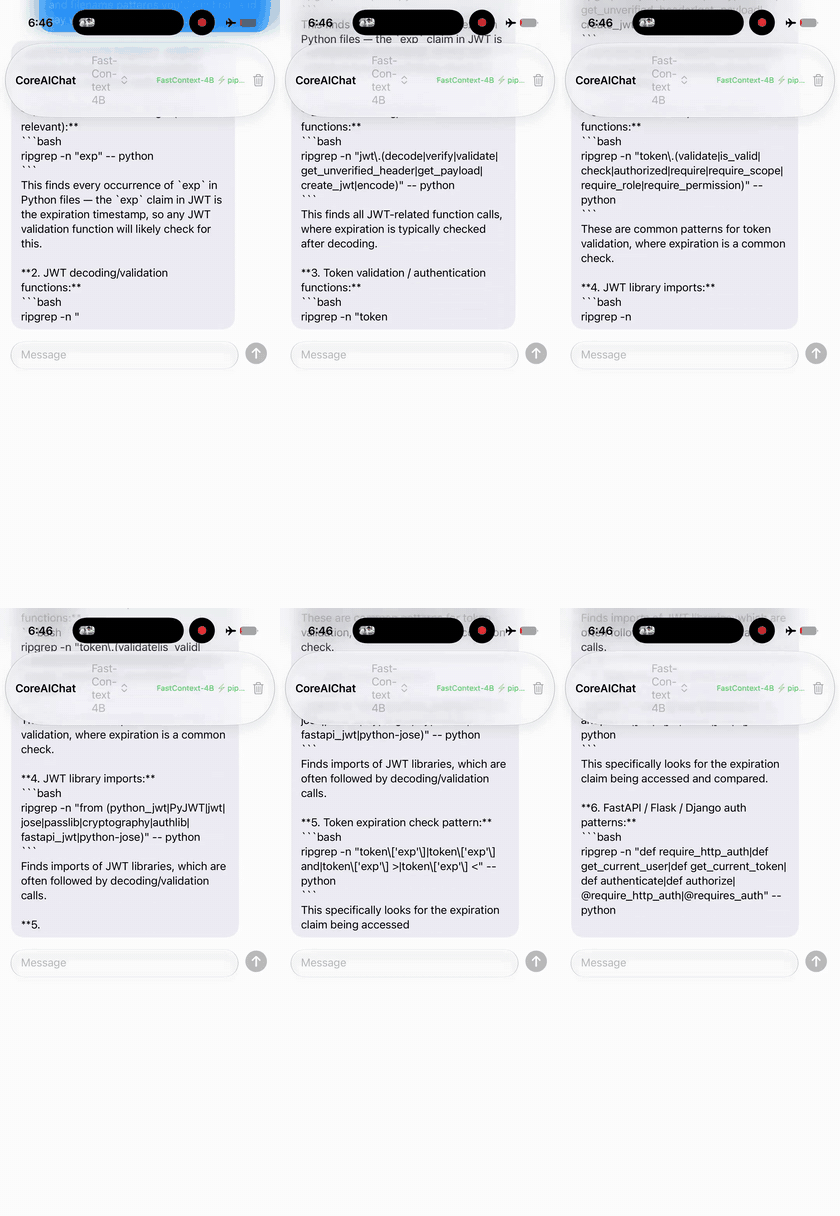
Repo agent — FastContext-4B zoo CoreAIChat |
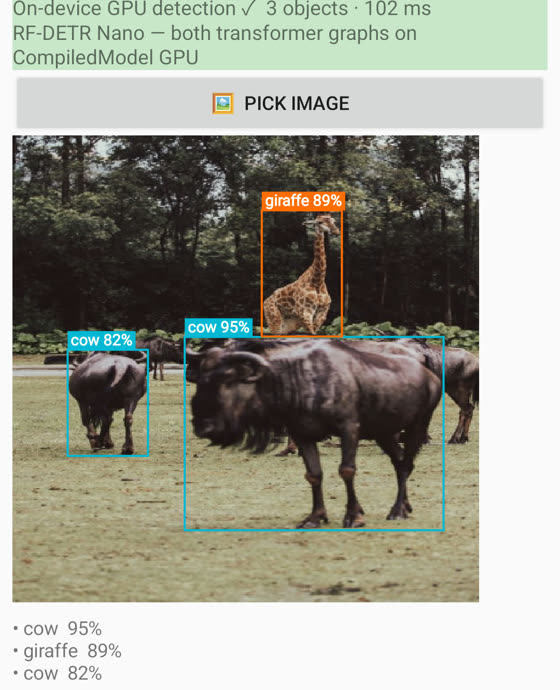
CoreAI.detect — RF-DETR nano, no NMSDetectCamera |
 |
 |
 |
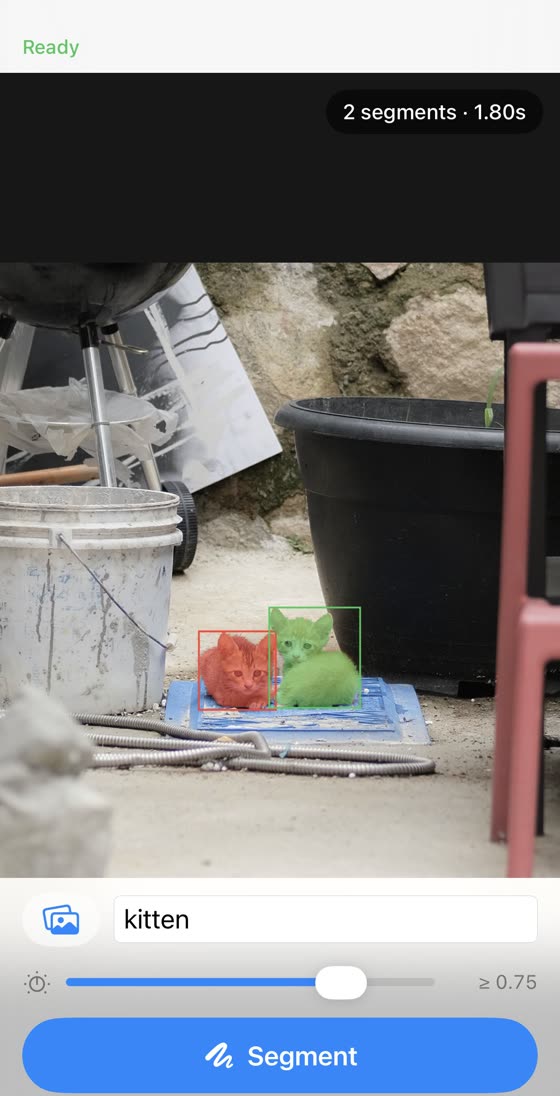
| Segmentation — SAM 3 zoo |
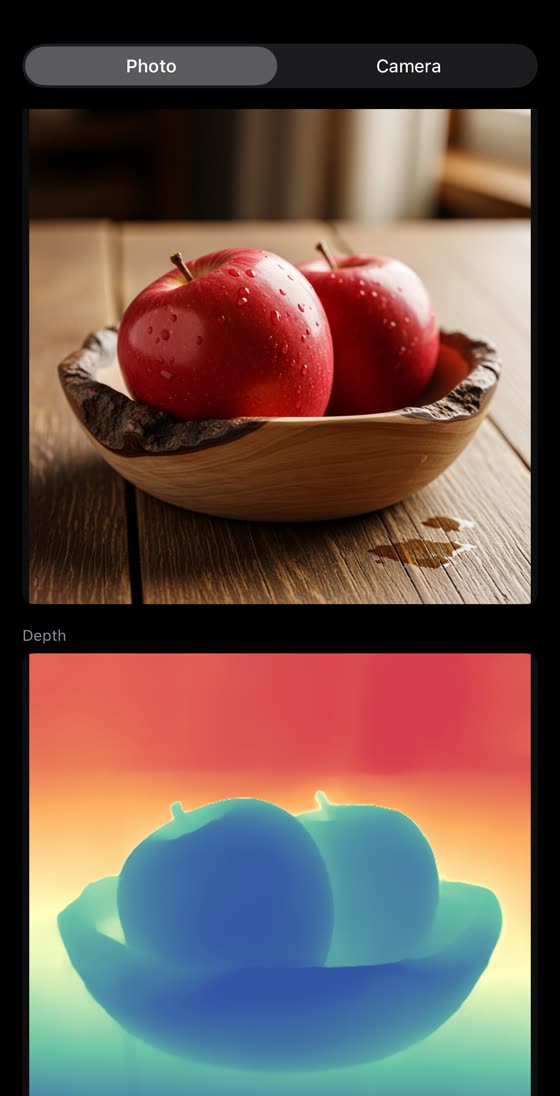
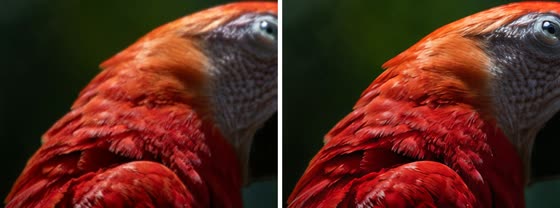
CoreAI.estimateDepth — Depth Anything 3DepthCamera |
CoreAI.upscale — AdcSR ×4UpscaleDemo |
 |
 |
 |
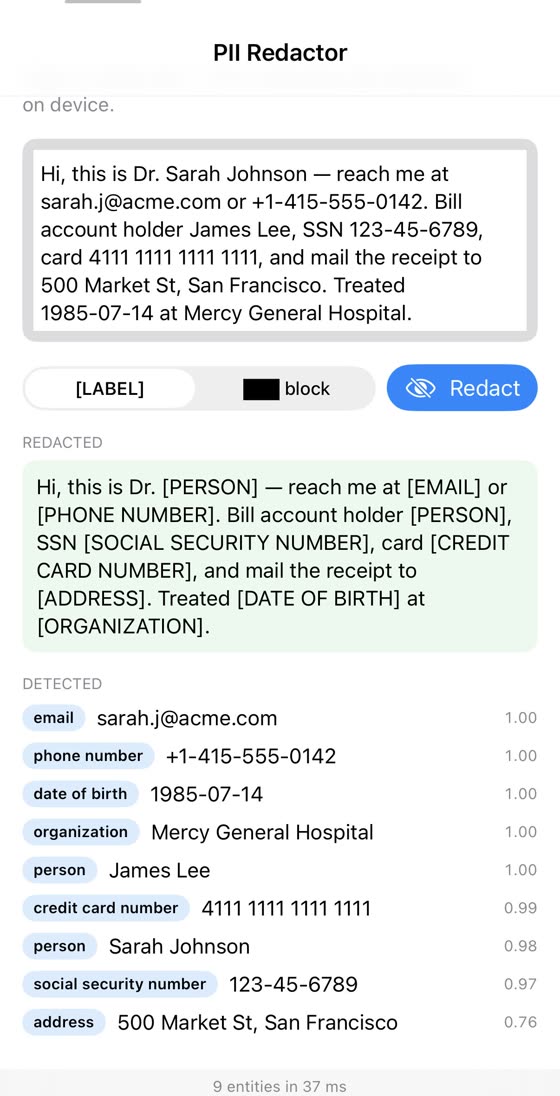
CoreAI.redact — PII, GLiNER2InfoExtract |
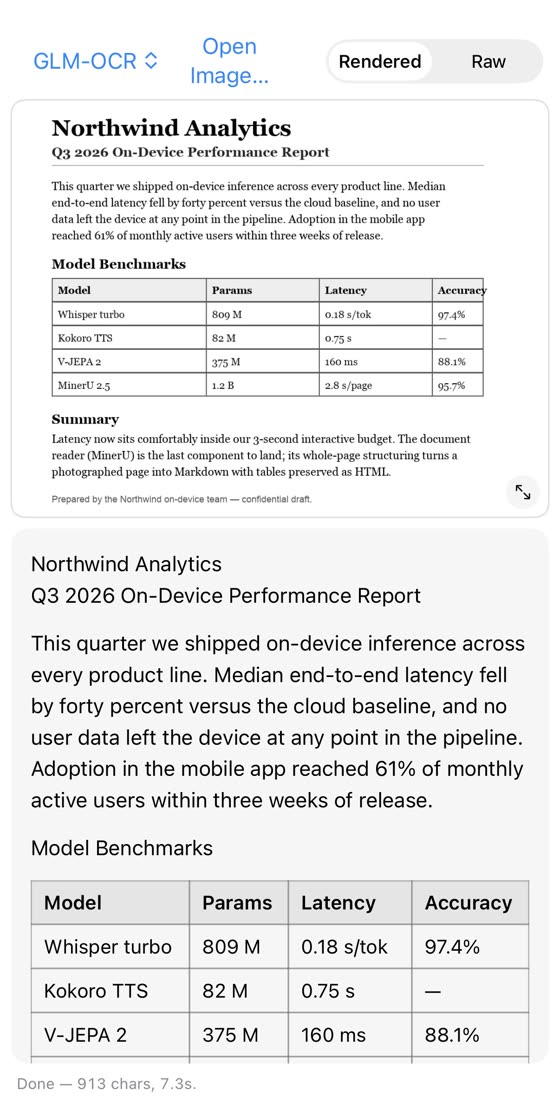
CoreAI.read — GLM-OCR 0.9B, ~4 s/pageReadDoc |
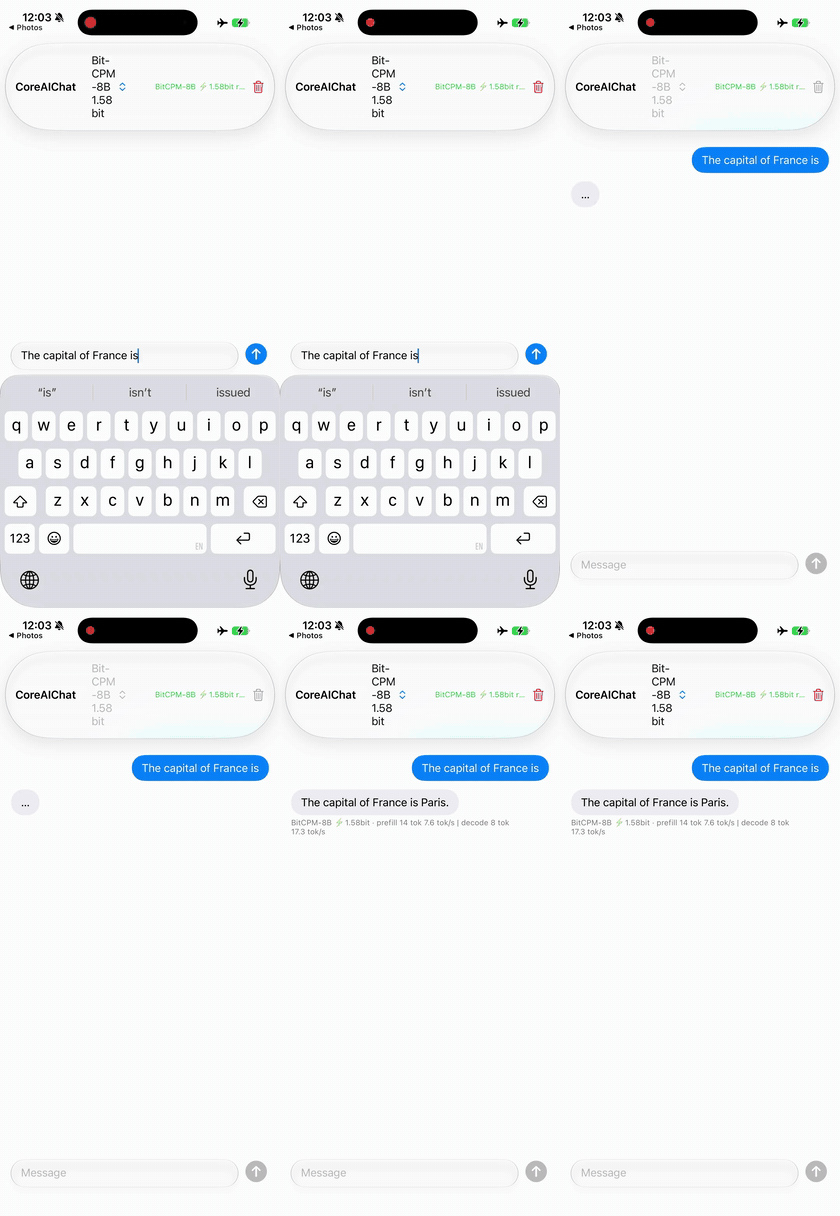
1.58-bit ternary — BitCPM-8B in ~2.1 GB zoo CoreAIChat |
 |
 |
| Text→image — GLM-Image zoo CoreAIImageGen |
In-context edit — FLUX.2 klein zoo CoreAIImageGen |
 |
 |
| Text→video — LTX-Video 2B zoo CoreAIVideo |
Photo→3D splat — TripoSplat zoo TripoSplatMac |
 |
 |
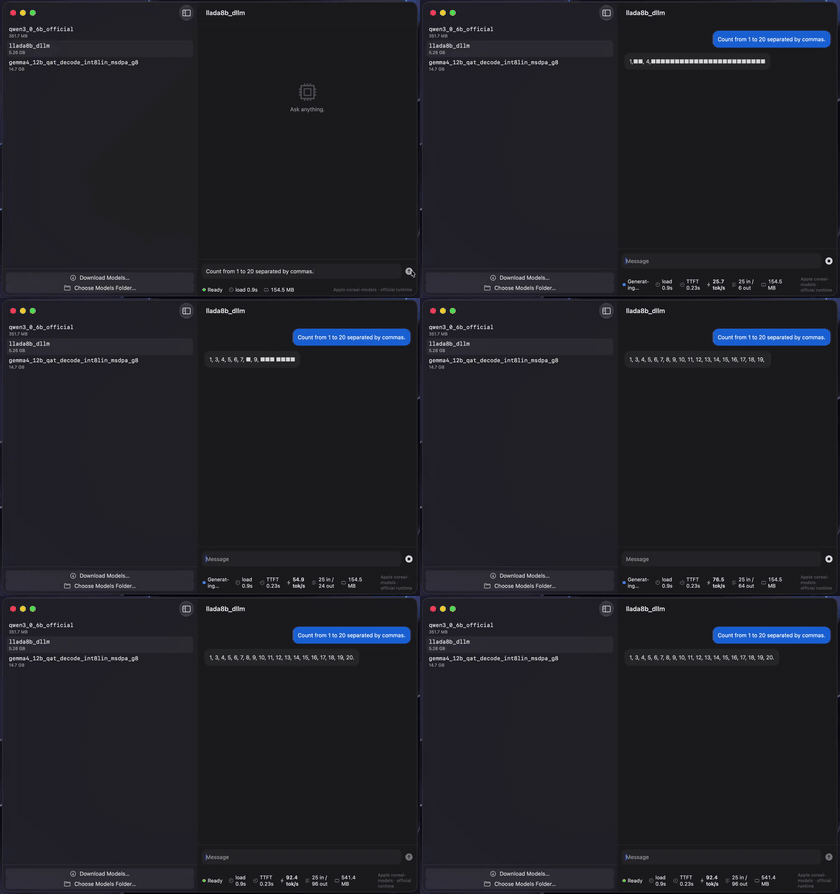
Diffusion LLM (parallel denoise) — LLaDA-8BDiffuseChat |
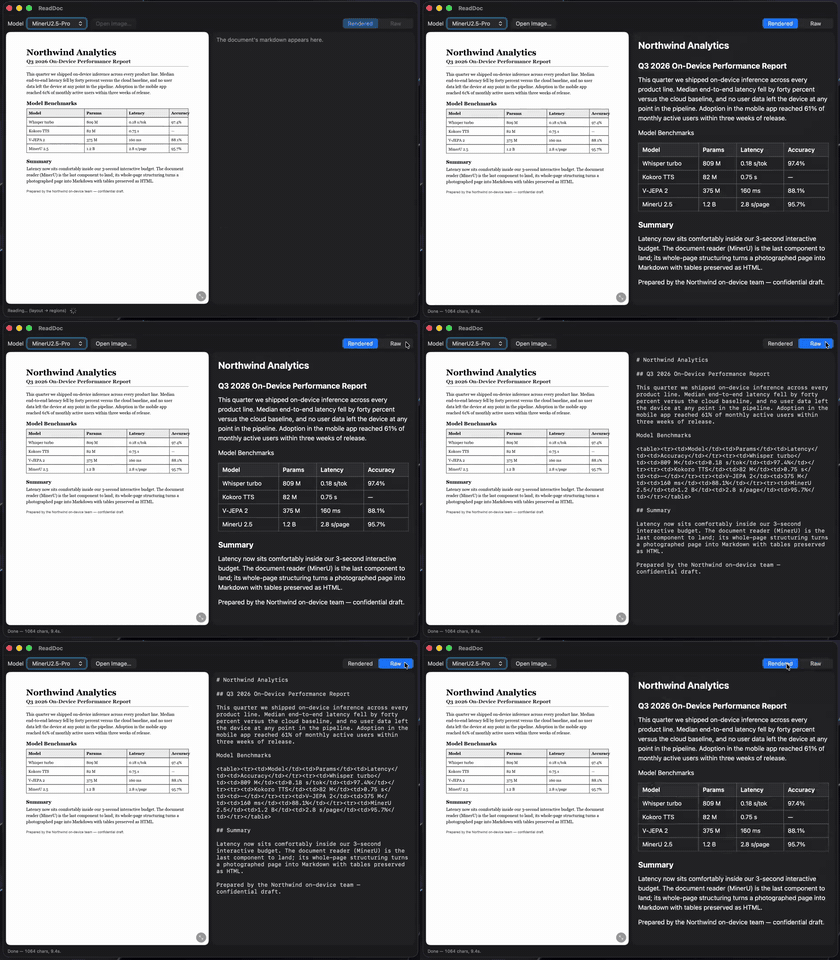
CoreAI.read — MinerU2.5, doc→MarkdownReadDoc |
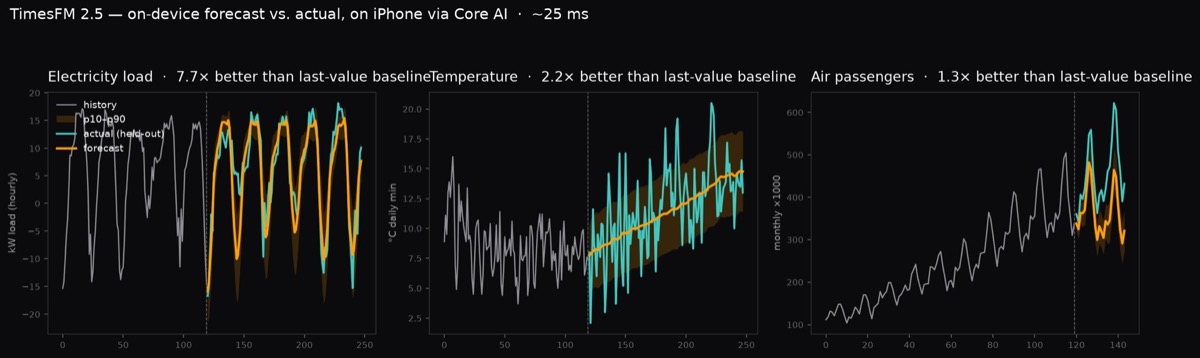
CoreAI.forecast — TimesFM 2.5, ~25 ms/forecast on iPhone · Forecast
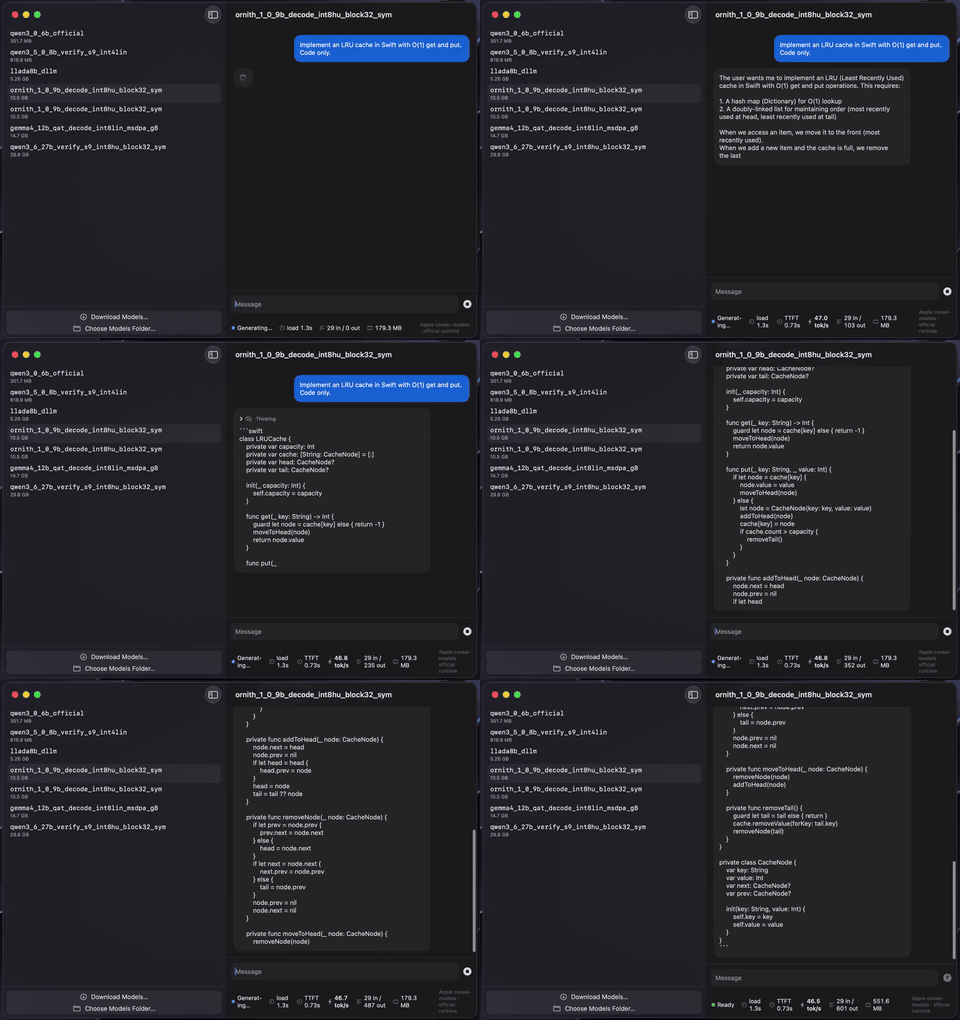
Agentic coding — Ornith-1.0-9B on M4 Max · zoo CoreAIChatMac
KitLanguageModel plugs any catalog chat model into the system LanguageModelSession —
the same FoundationModels API you use for Apple's built-in model — and adds what the stock
CoreAILanguageModel adapter lacks: tool calling (ChatML/Hermes models) and
guided generation (sequential engines).
import FoundationModels
import CoreAIKit

let model = try await KitLanguageModel(model: .qwen3_0_6B)   // downloads once, then cached
let session = LanguageModelSession(model: model, tools: [WeatherTool()])
let answer = try await session.respond(to: "What's the weather in Tokyo?")
KitVisionModel does the same for vision-language models — attach an image to the prompt:
let vlm = try await KitVisionModel(catalog: "qwen3-vl-2b")   // decoder + vision tower
let session = LanguageModelSession(model: vlm)
let answer = try await session.respond(to: Prompt {
    "What is in this photo?"
    Attachment(cgImage)
})
Your Tool implementations, @Generable types, streaming snapshots, and transcripts work
unchanged. See Examples/FMToolDemo, Examples/GuidedDemo, and Examples/VLChat.
What each provider honestly advertises:
KitLanguageModel (text) |
KitVisionModel (VL) |
|
|---|---|---|
| Tool calling | ChatML/Hermes models — the qwen3 family (LFM's pythonic dialect is not parsed) | not in v1, by design |
| Reasoning | thinking models stream .reasoning |
Qwen3-VL thinks by default |
| Guided generation | sequential engines only (engineVariant: .sequential) |
not in v1, by design |
| Vision | — | one image per session; every turn re-prefills the full prompt (the vision encode is reused while the image is unchanged) |
Compared with Apple's stock CoreAILanguageModel adapter, this provider adds tool
calling, per-turn usage events (including Usage.Input.cachedTokenCount), and a KV
fast path that rewinds to the longest shared prefix with the previous turn
(reset(to:) + the engine's implicit prefix caching) instead of re-prefilling the
whole transcript — including across a divergence, e.g. a re-rendered transcript.
| Product | What it gives you |
|---|---|
CoreAIKit |
VoiceActivityDetector (where speech starts and stops), ModelStore (download/cache), ModelCatalog (live model list), ChatSession (streaming chat + live stats + guided generation), KitLanguageModel (FoundationModels provider with tool calling + guided generation) |
CoreAIKitVision |
GraphModel (run any .aimodel), ImageTextEncoder (CLIP), DepthEstimator, CameraFeed, LiveVision (camera → model, with the frame policy and thermal governor already written), KitTracker (detections → stable ids across frames), image preprocessing |
CoreAIKitEmbeddings |
TextEmbedder (EmbeddingGemma, 768-d normalized) for on-device search and RAG |
CoreAIKitUI |
SwiftUI components: ModelPickerBar, ChatTranscriptView, StatsBar |
CoreAIOps |
Twenty anchored task-level ops — text (CoreAI.summarize, .extract typed by @Generable, .translate, .proofread, .redact), audio (.transcribe, .transcribeMeeting, .describeAudio, .speak, .compose, .separate), image (.caption, .detect, .read, .upscale, .estimateDepth), plus .recognizeAction, .search, .forecast — each resolving a catalog model behind a stable API (Cookbook). Live camera: CoreAI.watch() / .watchDepth() per frame, CoreAI.watch(for: .label("person")) to run an expensive model only on the frames that matter |
Beyond this package: coreai-model-zoo is where the models and their conversion recipes live, and awesome-core-ai tracks the wider Core AI ecosystem — Apple's own tooling, other people's converters, sample apps, and benchmarks.
Task ops
Examples/OpsGallery— all twenty ops as cards: pick an input, run the one-line call, see the result (iPhone + Mac)Examples/OpsDemo— task-level ops: one voice memo → transcript, summary, typed action items, translation, spoken reply; or one image → caption, detections, OCR (swift run)
Text & chat
Examples/ChatDemo— multiplatform chat app (~150 lines)Examples/DiffuseChat— diffusion LLM chat: watch LLaDA-8B denoise all tokens in parallel (Mac)Examples/FMToolDemo— local tool calling behindLanguageModelSession(swift run)Examples/GuidedDemo— guided generation: schema-valid JSON by construction (swift run)Examples/InfoExtract— schema-driven extraction / PII redaction with GLiNER2 (iPhone + Mac)
Vision
Examples/VLChat— local VLM image chat (Qwen3-VL) via theKitVisionModelvision executor (iPhone + Mac)Examples/AskVLM— your Qwen3-VL as its own Visual Intelligence tab (offline "ask")Examples/VisualIntel— your own CLIP / RF-DETR behind the system Visual Intelligence search (iOS camera / iPad+Mac screenshot)Examples/PhotoSearch— semantic photo search with CLIP (iOS)Examples/DetectCamera— real-time object detection with RF-DETR, no NMS (iOS; nano 33–39 FPS end-to-end on iPhone 17 Pro via the zero-copy capture pipeline)Examples/LiveCamera— the four live tasks as four tabs:watch(),watchDepth(), a trigger gating a VLM, andscan(videoAt:)over a video file, with the measured stats and thermal governor on screen (iOS;swift run live-clicovers the offline half with no device)Examples/DepthCamera— live camera depth with Depth Anything 3 (iOS)Examples/UpscaleDemo— one-step diffusion super-resolution with AdcSRExamples/ActionCamera— video action recognition with V-JEPA 2 (world model)Examples/ReadDoc— whole-page document OCR → Markdown (GLM-OCR / MinerU2.5)Examples/DocSearch— visual document retrieval, no OCR (ColModernVBERT late interaction)
Audio & speech
Examples/Transcribe— speech→text (Whisper large-v3-turbo, Qwen3-ASR, Parakeet TDT)Examples/Meeting— who-said-what: Sortformer diarization + per-turn ASR in one APIExamples/Speak— text-to-speech (Kokoro, VoxCPM)Examples/Music— text→music with Stable Audio Open Small (~12× realtime on iPhone)Examples/AudioChat— audio understanding — describe sounds, not just transcripts (Qwen2.5-Omni)
Also in the audio surface, without a dedicated example yet: KitDialogue (multi-speaker /
podcast-style TTS — perform("Speaker 1: …\nSpeaker 2: …"), VibeVoice-Realtime-0.5B) and
KitSeparator (song → vocals + instrumental stems, Mel-Band RoFormer).
RAG, agents & system integration
Examples/DocChat— on-device RAG over your notes: embeddings + retrieval tool + local LLM (swift run)Examples/SpotlightChat— local RAG with Apple'sSpotlightSearchTool(WWDC26) behind your own model (swift run)Examples/SpotlightApp— the "ask your notes" RAG chat as a real SwiftUI app (iPhone + Mac), behind your own modelExamples/SiriAsk— ask your local model from Siri (App Intents + onscreen awareness + risk-based confirmation; ≥4B)
Other modalities
Examples/Forecast— time-series forecasting with TimesFM 2.5 (~25 ms/forecast on iPhone)
See docs/GETTING_STARTED.md.
- macOS 27 beta / iOS 27 beta, Xcode 27 beta
- Models run fully on device
Tagged releases, SemVer, a pinned model catalog (each entry carries the verified
Hugging Face revision), and CI + a nightly end-to-end gate on macOS 27 beta. See
docs/STABILITY.md and CHANGELOG.md.
BSD-3-Clause. See LICENSE and NOTICE.txt (portions adapted from
apple/coreai-models and
john-rocky/coreai-model-zoo).