
v1.1.0
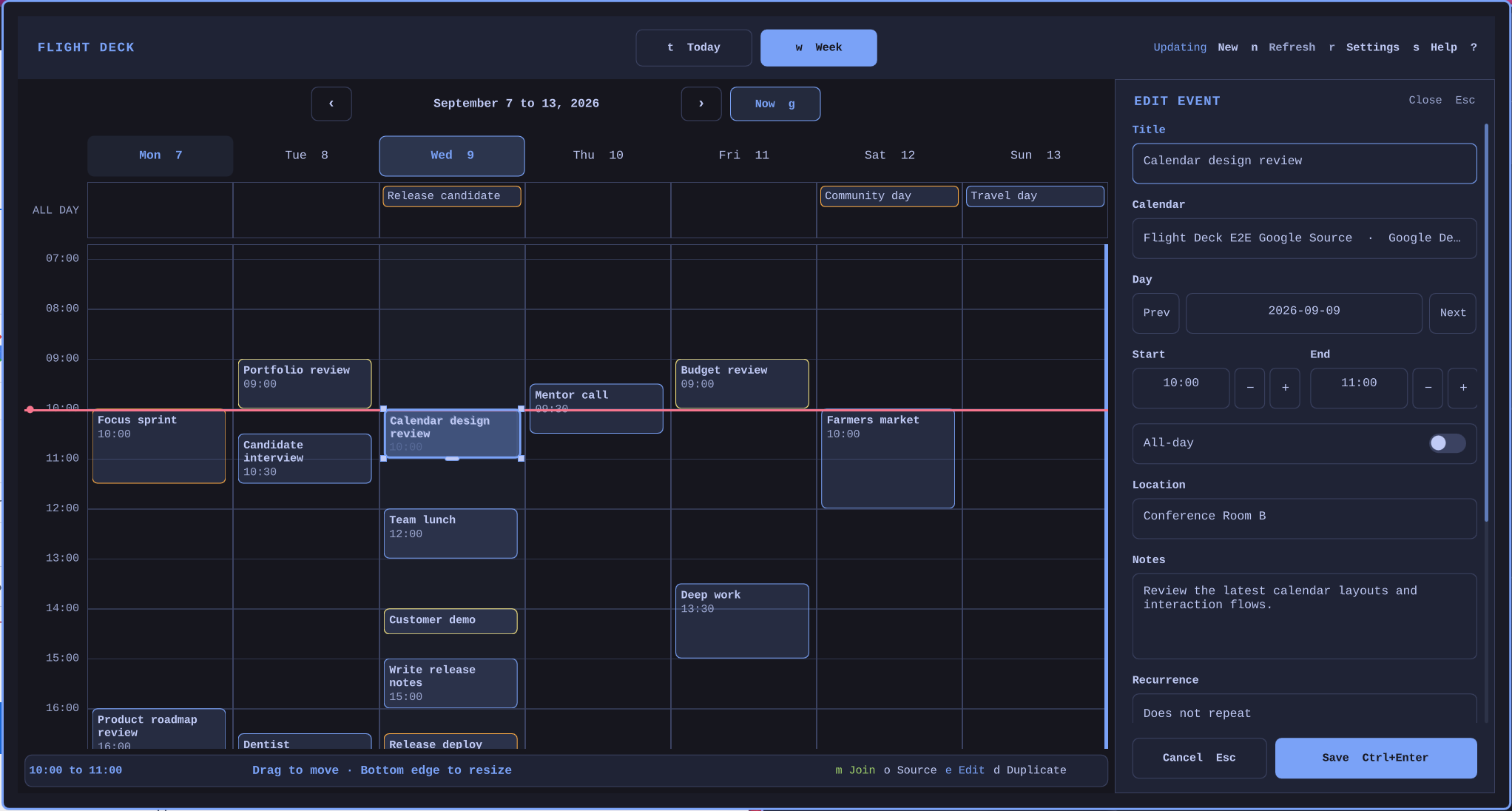
Flight Deck Calendar now supports optional event editing for Google Calendar and Outlook while keeping every account read-only by default.
- Create, edit, duplicate, move, resize, and delete events from the Today and Week views. Changes remain local drafts until Save.
- Edit timed, all-day, and recurring events, including a single occurrence or an entire series.
- Generate supported Google Meet or Outlook meeting links, or preserve an existing meeting link when copying an event.
- Copy events within a provider or between Google and Outlook. Flight Deck verifies the destination first, and deleting the original remains a separate confirmed action.
- Enable editing separately for each account. Google uses
calendar.events.owned, and Outlook usesCalendars.ReadWrite. - Keep OAuth tokens in Secret Service and calendar data in a private local cache. Saved changes go directly to the selected provider.
- Upgrade from v1.0.0 without replacing existing read-only tokens or local OAuth registration overrides.
Attendee-bearing events can be duplicated but not edited or deleted. This and following, attendees, invitations, room booking, reminders, and offline write queues are not included in this release.
Install with:
omarchy plugin add https://github.com/joryeugene/omarchy-calendar.git --enable