Repository navigation
App limits
An app limit is a daily limit for one app. Open Limits, then App limits: the apps on the TV are listed with their limit on the right.
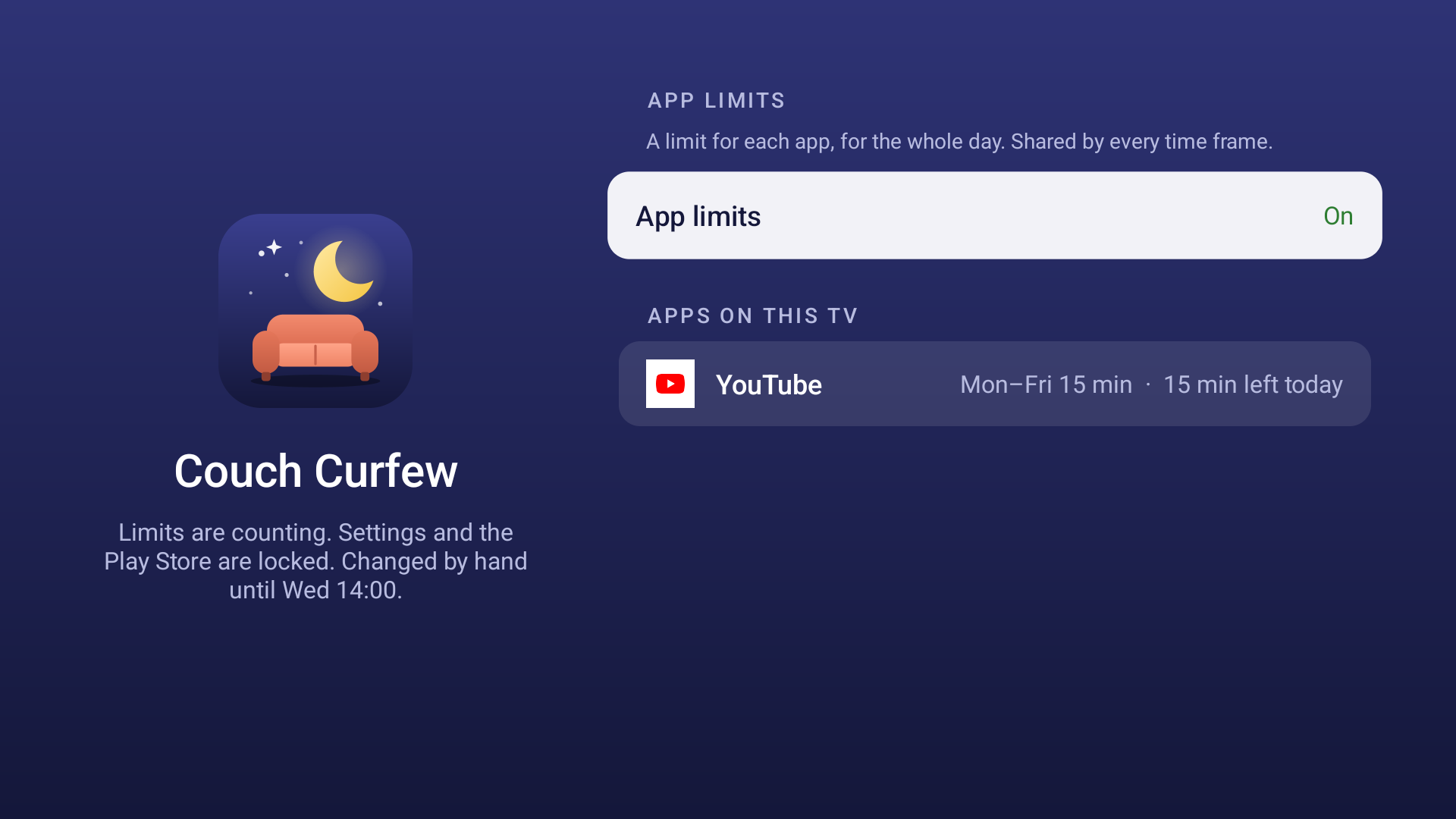
The App limits switch at the top turns all of them off without losing them.
Press OK on an app and choose:
| Option | What it does |
|---|---|
| No limit | The app has no limit of its own. This is the default. It still counts toward the daily total and a time frame's total, if you use them. |
| Not allowed in kids mode | The app can't be opened while kids mode is on. |
| 15 min to 3 h a day | The app can be used that long each day, in kids mode. |

Only the time in kids mode counts. The limit is per app: YouTube with 30 minutes and Netflix with 60 are two separate timers. Time starts again at midnight. An app limit covers the whole day and is shared by every time frame.
An app that should never count or be blocked goes in Always allowed and leaves this list.
In the list of options, pick Different on weekends. The app then shows two rows, Mon–Fri and Sat–Sun, and each one has its own limit: 15 minutes on school days and an hour on weekends, or not allowed during the week at all.
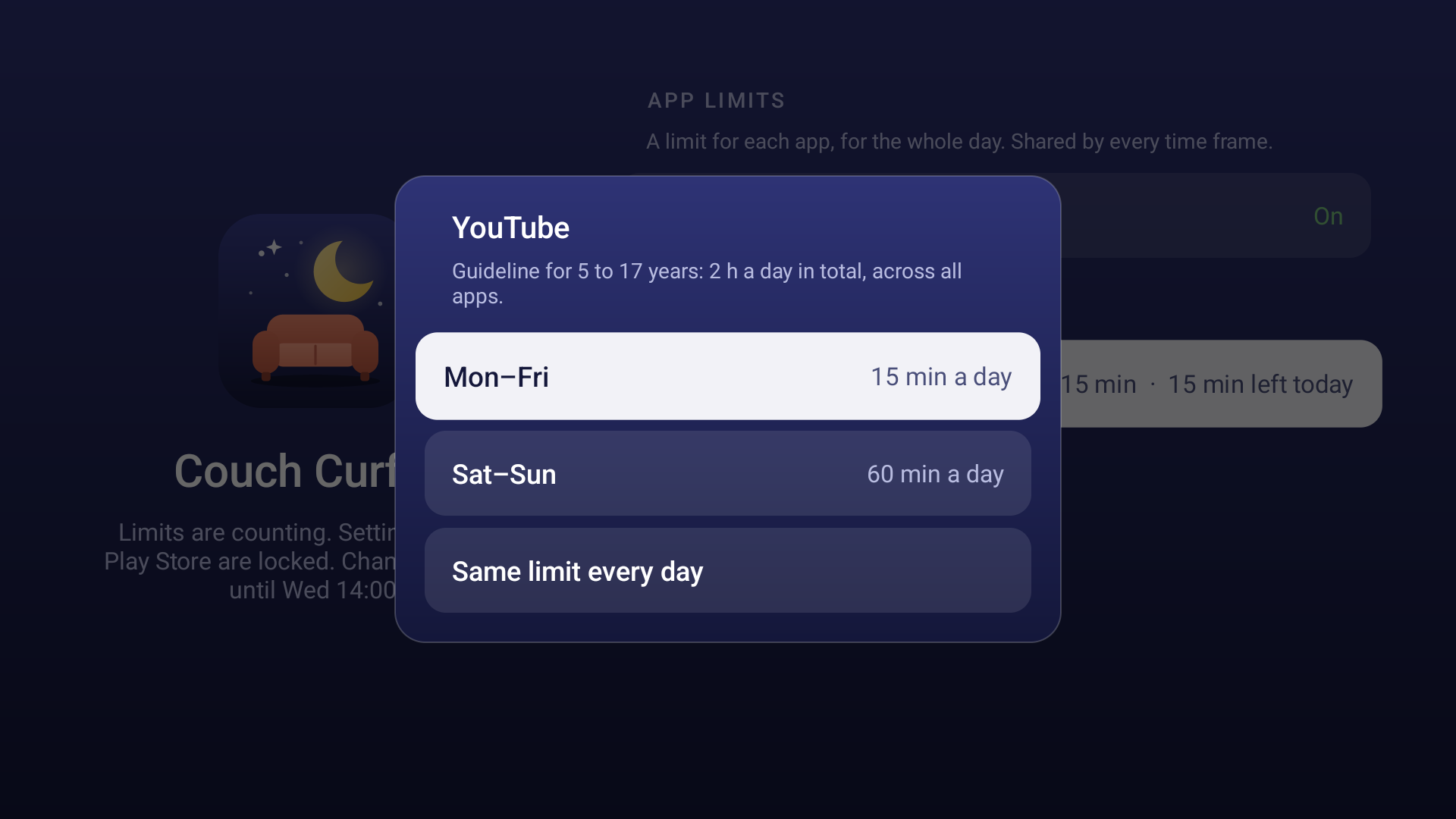
Same limit every day goes back to a single limit.
One minute before, a small warning appears on screen. At zero the app closes and the TV goes to the home screen. The app stays paused until midnight; opening it shows why:

Apps marked Not allowed and the TV's Settings show their own messages ("You can't use this app yet", "This part of the TV is for your parents only").
For a bit more time without changing the limit, see More time today.
- Limit the apps the kids actually use and leave the rest at No limit. A long list of limits is hard to keep up.
- If what matters is the time in front of the TV and not which app, a daily total is one number instead of many.
- Use Not allowed for apps that are only for grown-ups, instead of a tiny limit.
- The picker shows the daily guideline for the age you chose and how much the other limited apps already allow, so you can see the total you are handing out.