Repository navigation
Install and setup
You need an Android TV or Google TV (Android 8.0 or newer) and, only for the install, a computer on the same network with adb.
- On the TV, open Settings → System → About and press OK seven times on Android TV OS build to unlock the developer options. Then turn on Developer options → Network debugging (on some TVs it is called USB debugging or ADB debugging). If you set up the TV with Free My TV or a similar tool, this is already on.
- Download
CouchCurfew.apkfrom the latest release. - From the computer:
The TV asks to allow the computer the first time: accept.
adb connect <tv-ip>:5555
adb install -r CouchCurfew.apk
Updating is the same adb install -r with the new APK. Limits, PIN and history are kept.
Open Couch Curfew from the TV's apps. It opens on the dashboard, which is empty the first day.
Pick the gear at the top right (Limits and settings). The first time, it asks you to create a PIN of 4 to 8 digits and to type it again. Type it with the remote on the keypad and pick OK.

From then on, the gear asks for that PIN. After five wrong tries it makes you wait a minute, and longer each time.
The first row of the settings says Setup needed. Press OK on it. The TV shows a dialog asking to allow USB debugging for Couch Curfew: check Always allow and accept. The row goes away; to repeat the setup later, open Parent and setup.
Setup is what lets the app pause other apps and see which app is in front. Until it is done nothing is recorded and no limit works. On TCL and other TVs that kill background apps, it also lets Couch Curfew start by itself after a reboot.
The settings open on a short list, and each row leads to its own screen:
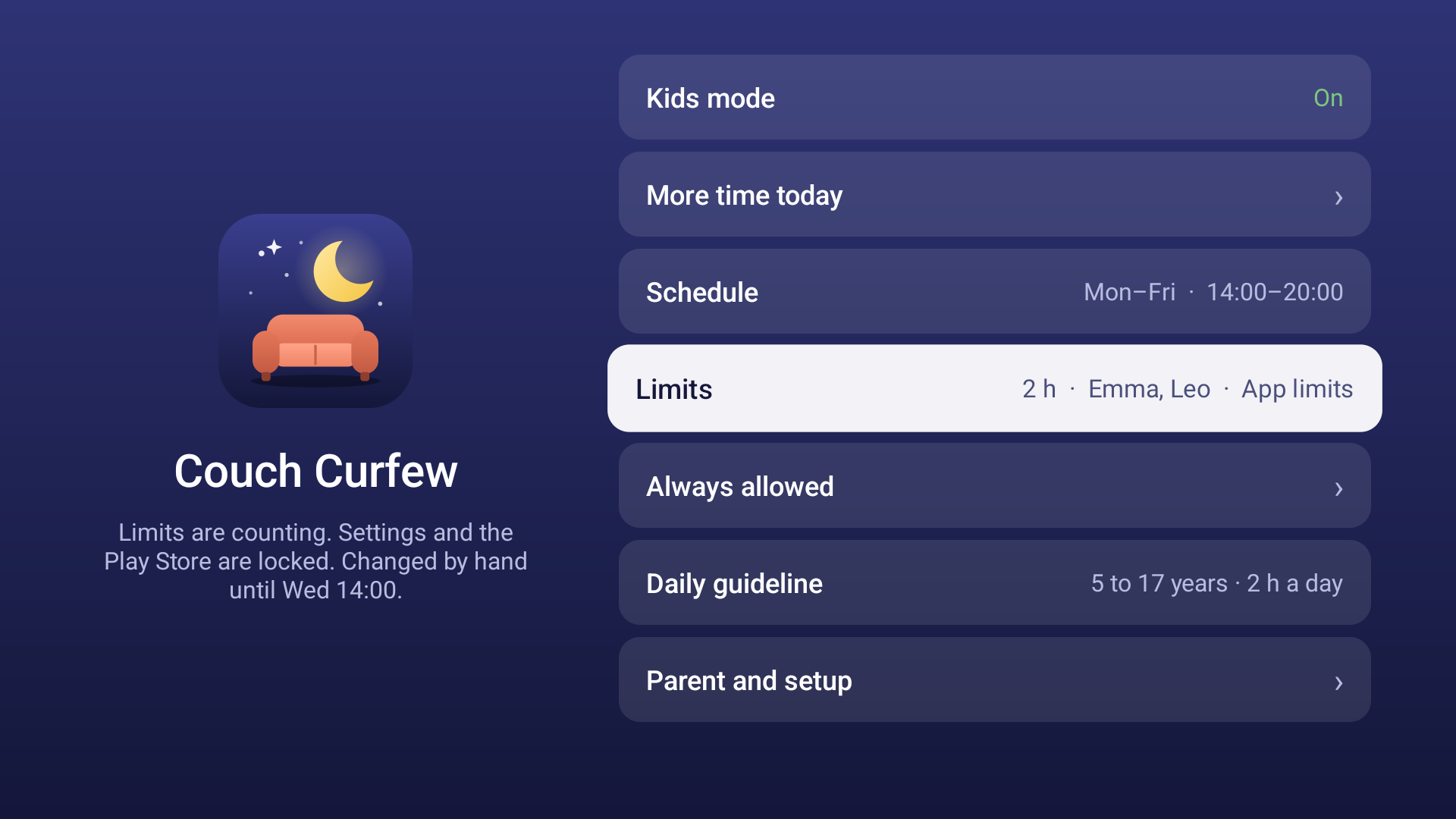
- Kids mode and Schedule: see Kids mode and the schedule.
- More time today: only while kids mode is on. See Limits.
- Limits: the daily total, the time frames and the limits per app. See Limits.
- Always allowed: the apps that never count. See Limits.
- Daily guideline: pick the youngest child's age to color the dashboard. See The dashboard.
- Parent and setup: Change PIN and Setup.
The Back button goes up one screen, and from the first one to the dashboard.
A quick start that works for most homes: open Limits, set a Daily total, then turn Kids mode on.