Repository navigation
Time frames
A time frame is a part of the day with its own time. It exists because a TV has no profile per kid: the TV can't tell who is watching, but in most homes the hour says it. The youngest watches in the morning while the others are at school; the older ones watch in the afternoon.
Each time frame keeps its own count. What is watched in the morning does not spend what the afternoon has.
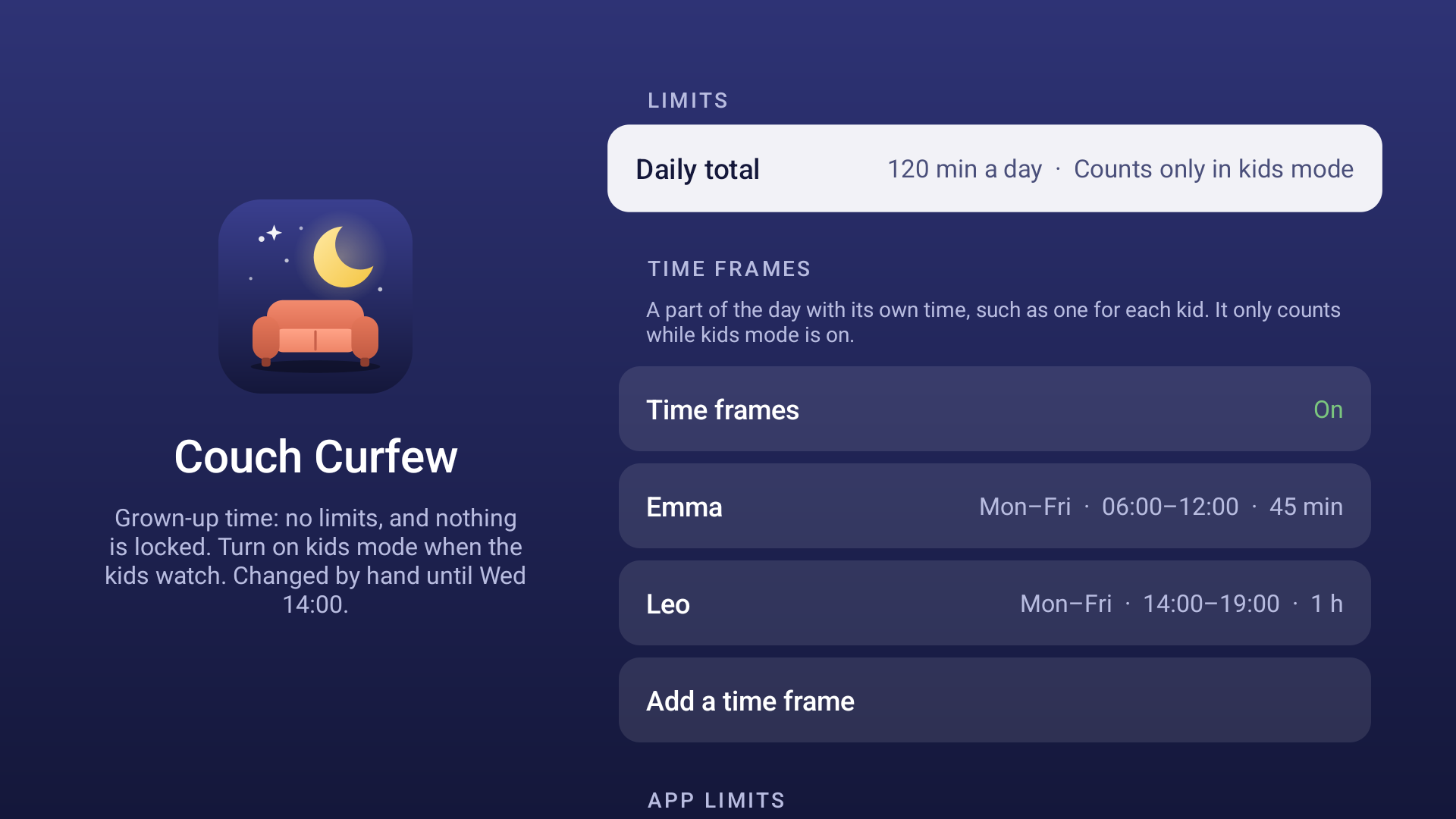
In Limits, pick Add a time frame and answer:
- Name. Pick Morning, Afternoon or Evening, or Type a name to write one with the TV's keyboard. A kid's name says who it is for.
- Which days.
- Starts at and Ends at, in half hours. A time frame starts and ends on the same day.
Two time frames can't overlap: saving one that shares a day and an hour with another is refused, and the message says which one. There can be up to four.

- Total time: one number for every app together while the time frame lasts, from 10 minutes to 2 hours, or Off. With 45 minutes, it is 45 minutes of TV whether it is all YouTube or split with Netflix.
- Limits in this time frame: a limit for one app that only holds inside it. "Netflix, 30 minutes" here means 30 minutes of Netflix in this part of the day, whatever the total still has. Not allowed blocks the app while the time frame lasts.

Both are optional. A time frame with neither changes nothing.
| Time frame | When | Total | Apps |
|---|---|---|---|
| Emma | Mon–Fri 06:00–12:00 | 45 min | YouTube 30 min |
| Leo | Mon–Fri 14:00–19:00 | 1 h |
Emma can watch 45 minutes in the morning, of which no more than 30 on YouTube. Whatever she watches, Leo still has his whole hour in the afternoon.
The app in front closes and the TV goes home. The apps are paused until the time frame ends, not until midnight. Opening one says when TV is back:

The dashboard's Today view has a line for each total that is on, the running time frame's and the daily total:

- The daily total and the app limits still count. They cover the whole day and are shared by every time frame. See the strictest limit wins.
- Only in kids mode. Like every limit, a time frame only counts while kids mode is on. If a time frame falls outside the schedule, it only counts when kids mode is turned on by hand.
- Between time frames none of their limits apply; only the daily total and the app limits do.
- Weekends. A time frame has its own days, so a Saturday morning with other numbers is another time frame.
- Turning them all off. The Time frames switch in Limits turns every time frame off and keeps them.
- More time today works inside a time frame too, and that extra time stays in it.
The Mornings total of 0.5.0 becomes a time frame called Morning, from midnight to the hour it ended, with the same total. Two things change:
- Apps without a limit used to be free in the morning. Now every app counts toward the morning's total, except the always allowed ones.
- Morning time used to leave the apps' daily limits untouched. Now an app's daily limit covers the whole day. If a limit is meant for the afternoon only, set it inside an afternoon time frame.