Repository navigation
Limits
Limits in the settings holds the three kinds of limit. Each one can be on or off by itself, and one that is off keeps what you set, so turning it back on needs no typing.
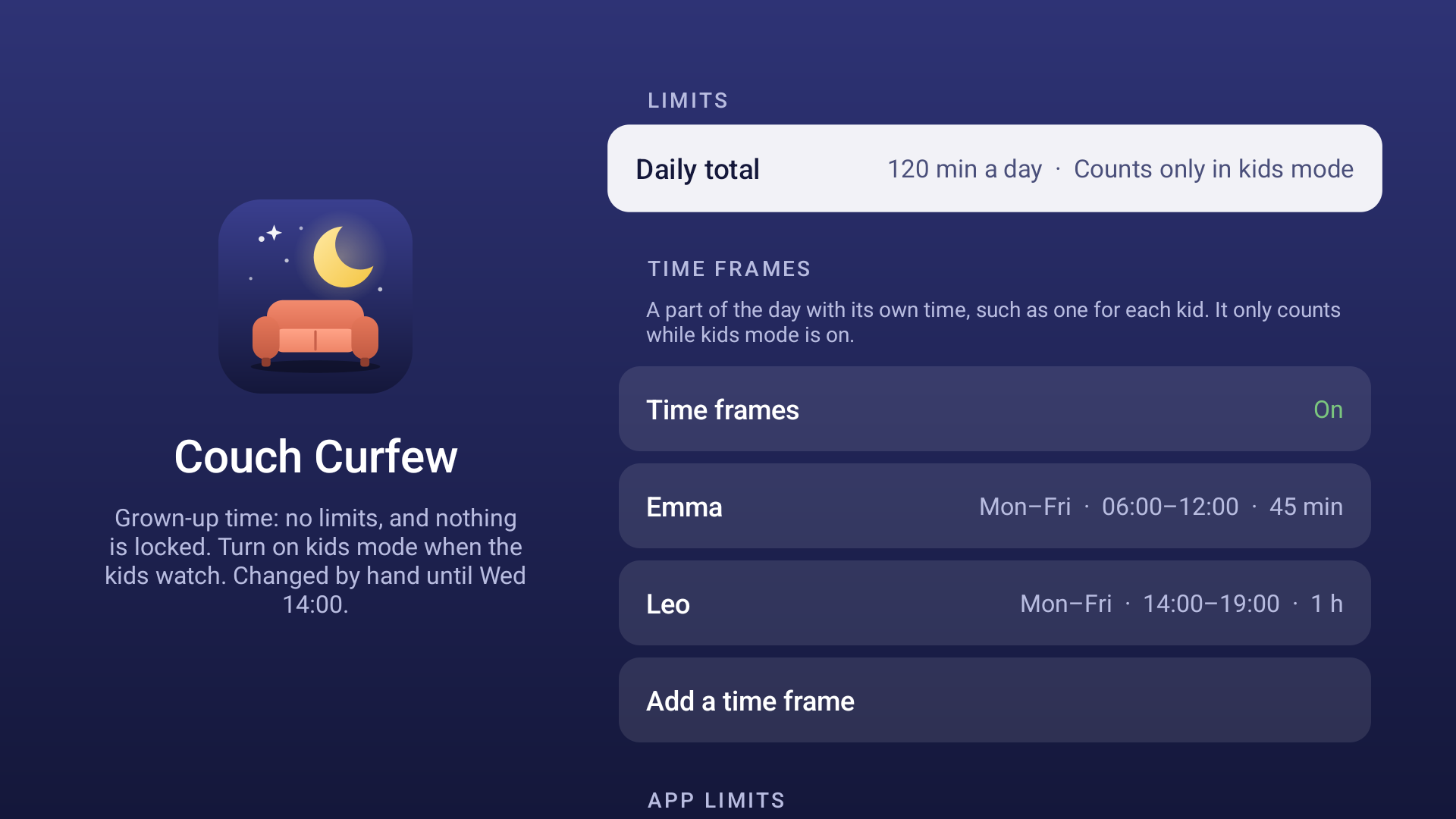
| Kind | What it limits | Example |
|---|---|---|
| Daily total | Every app together, for the whole day | One hour of TV, on whatever they like |
| Time frames | A part of the day, with its own total and its own limits per app | Mornings: 45 minutes, and Netflix no more than 30 |
| App limits | One app, for the whole day | YouTube, 30 minutes a day |
Use one, two or all three. A home with one kid may only need the daily total. A TV shared by kids who watch at different hours is what time frames are for.
Every limit that is on counts at the same time. A minute of Netflix in the morning counts against Netflix's limit in that time frame, the time frame's total, Netflix's daily limit and the daily total. The app is paused as soon as any of them runs out.
Example: the daily total is 2 hours and the morning time frame has 45 minutes. After 45 minutes in the morning the TV apps are paused until the morning ends. In the afternoon there is 1 hour and 15 minutes left of the daily total.
Press OK on Daily total and pick from 30 minutes to 4 hours, or Off.

- It counts every app on the TV, with or without a limit of its own, including apps installed later.
- It does not count the apps marked always allowed, the home screen, Settings or Couch Curfew.
- It is shared by every time frame: morning and afternoon spend the same total.
- Different on weekends gives Saturday and Sunday their own total.
When it runs out, every app that counts is paused until midnight:

Always allowed, on the first screen of the settings, lists the apps on the TV. Press OK on the ones that should never count toward anything and that no limit should block: music, a school app, the photo frame.

An app that becomes always allowed gives back what it used today.
When a kid asks for a bit more, open the settings and pick More time today. It lists the apps that have some limit right now, the ones out of time first. Pick the app, then +15, +30 or +60 min.

The time goes to whichever limit is holding the app back, for today only, and the limits stay as they were. If the limit that ran out is a total (the daily total or a time frame's), the extra time is for every app. The row only shows while kids mode is on.
HDMI devices and live TV inputs are not apps, so no limit or total counts them. See Troubleshooting.