Releases: jwolf842/mbox-email-viewer
Release list
MBOX Email Viewer v1.0.0

🎉 MBOX Email Viewer v1.0.0 - First Release!
I'm excited to announce the first public release of MBOX Email Viewer - a Windows desktop application for viewing and extracting emails from MBOX files (Google Takeout format).
✨ Features
- 📧 Load MBOX Files: Open and parse MBOX files from Google Takeout
- 🔍 Smart Search: Search emails by content, sender, or subject
- 📅 Date Filtering: Filter emails by date range
- 📎 Attachment Management:
- View all attachments
- Extract individual attachments
- Bulk extract all attachments from search results
- 💾 Multiple Export Formats:
- CSV for spreadsheet analysis
- Excel with separate sheets for emails and attachments
- Individual text files for each email
- 🌙 Modern Dark Theme: Easy on the eyes for extended use
- ⚡ Fast Processing: Multi-threaded for responsive UI even with large files
📥 Download
Choose your preferred installation method:
-
🔧 Installer (Recommended):
[MBOX_Email_Viewer_Setup_1.0.0.exe](https://github.com/jwolf842/mbox-email-viewer/releases/download/v1.0.0/MBOX_Email_Viewer_Setup_1.0.0.exe)(XX MB)- Includes Start Menu shortcuts
- Optional desktop shortcut
- Easy uninstall via Windows Settings
-
📦 Portable Version:
[MBOX_Email_Viewer_Portable.exe](https://github.com/jwolf842/mbox-email-viewer/releases/download/v1.0.0/MBOX_Email_Viewer_Portable.exe)(XX MB)- No installation required
- Run from any location
- Perfect for USB drives
💻 System Requirements
- Windows 10 or Windows 11
- 4GB RAM minimum (8GB recommended for large MBOX files)
- 100MB free disk space
🚀 Getting Started
- Download your preferred version above
- For installer: Run and follow the setup wizard
- For portable: Just run the .exe file
- Click "Browse" to select your MBOX file
- Click "Load File" and wait for processing
- Start searching and exploring your emails!
📸 Screenshots
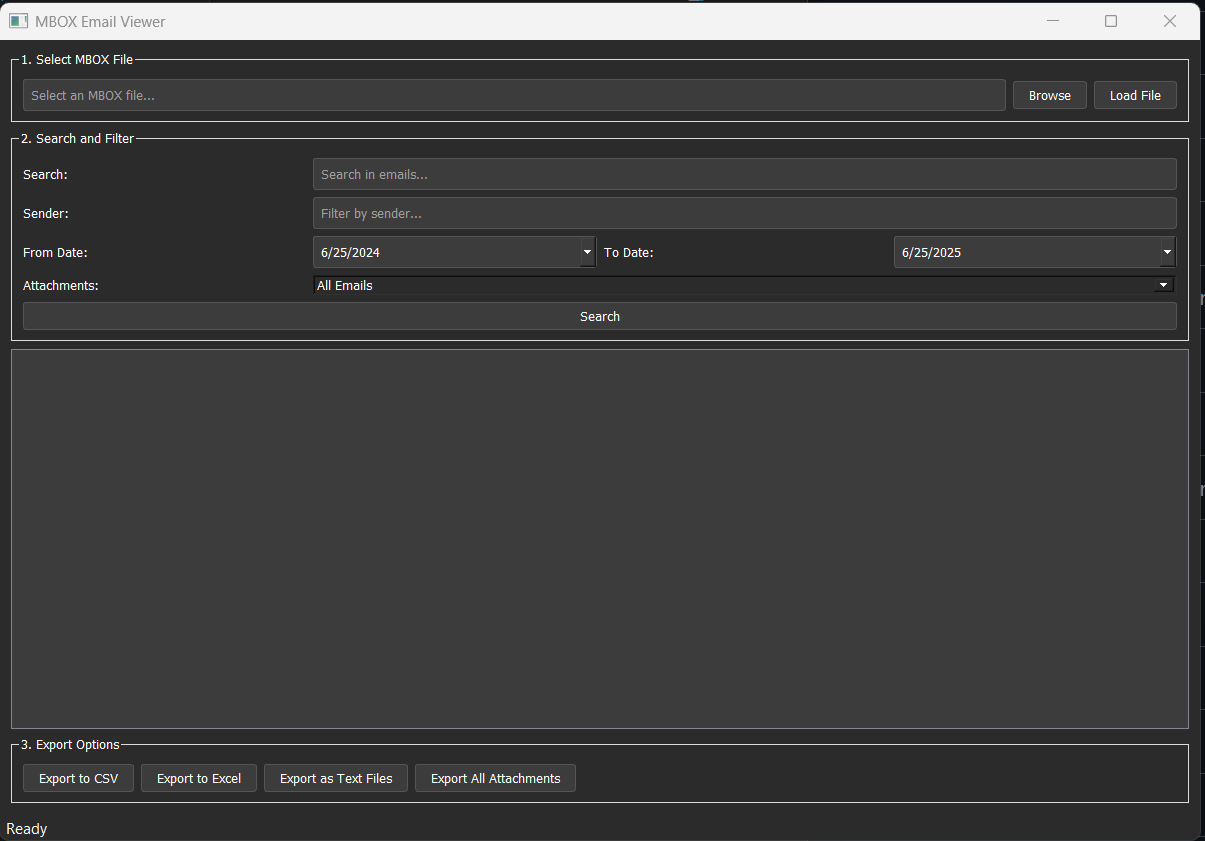
Main window showing email list with search and filter options

Detailed email view with attachment management
🔒 Checksums
For security verification:
SHA256 Checksums:
MBOX_Email_Viewer_Setup_1.0.0.exe: f75ddfcb14fdffc96b2f1ac974fa86b8216b523e97bd1c6b7a3de11c71e4d0fd
MBOX_Email_Viewer_Portable.exe: da697577fe501353b979c88f15c0cd31118d5ce7c1204fd3b2f371b6a263e8e8
📝 Known Limitations
- Initial loading of very large MBOX files (>2GB) may take several minutes
- Some special characters in email subjects might not display correctly in exports
- Currently Windows only (no macOS or Linux support)
🐛 Reporting Issues
If you encounter any problems, please [open an issue](https://github.com/jwolf842/mbox-email-viewer/issues) with:
- Your Windows version
- MBOX file size
- Description of the issue
- Any error messages
🙏 Acknowledgments
Built with:
- Python 3.10
- PyQt5 for the GUI
- pandas for data export
- Love for email archiving 💙
📜 License
This project is licensed under the MIT License - see the [LICENSE](LICENSE) file for details.
Note: This is my first public release! Feedback and suggestions are very welcome. If you find this tool useful, please consider giving it a ⭐ on GitHub!
Thank you for trying MBOX Email Viewer!