esximinitor
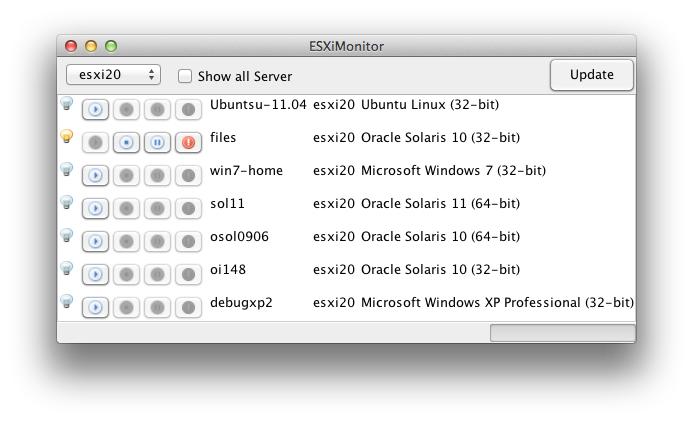
ESXiMonitor is simple GUI tool which enables you to monitor power status of guest OS running on remote "VMWare ESXi" and it also allows you to perform power operation against Guests, including PowerOn, PowerOff, Reset and Shutdown.
This this tools is written in Java.
This tool is utilizing "VMware VI (vSphere) Java API".
Since ESXiMonitor is a 100% Pure Java application, it can work on any platform which has a JRE/JDK implemented for that platform.
- JRE6 or later. (or JDK6 if you intend to re-build java classes)
To execute power operations on ESXi host, you need to enable root SSH login(aka Support Mode).Please refer to following documents.
ESXi 4.1 & 5.x Using Tech Support Mode in ESXi 4.1 and ESXi 5.x
You can launch this tool by just clicking following link below.
Java program and libraries are downloaded and automatically installed on your system.
If you want to download latest source and jar files, you can download it from here from link below.
Download package has jar file. So you don't need to compile java code by yourself.
But if needed, you can compile the java code using ant command.
$ ant
Buildfile: /Users/ka78231/NetBeansProjects/esximonitor/build.xml
 :
default:

BUILD SUCCESSFUL
Total time: 7 seconds
$You can launch this tool by just clicking following link below.
If you want to lauhch this tool locally without accessing Internet, please pre-download the archive file linked from "Download" section.
You can find 'startup.sh' shell script within the archive file.
- UNIX/Linux
$ cd kaizawa-esximonitor-69021cf
$ ./start.sh
- Windows
C:\\> cd kaizawa-esximonitor-69021cf
C:\\> start.bat
If it is first time you run this tool, you will see following dialog window.
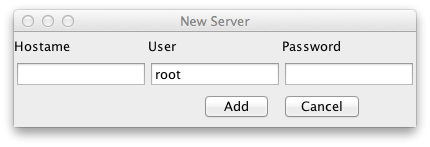
Please specify ESXi hostname and username/password for login. Then click "Add" button.
You will see main window which show guest OSs on ESXi host.
Please note ESXiMonitor tool stores hostname and account information so that you don't need to input these info next time you launch ESXiMonitor tool.
Once a ESXi host is specified, you will see the window like below.
Light icon indicates a power state.
And you will see PowerOn, PowerOff, Reset and Shutdown button next to Light icon.
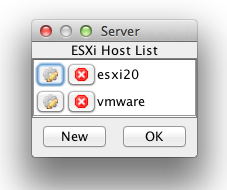
If you want to monitor another ESXi host, please navigate to Edit->Servers menu.
You will see Server dialog window. Click "New" button so that you will see "New Server" dialog. Then add another ESXi hosts.
ESXiMonitor tools remember all host information, so that you never need to input hostname and account information later.
Then, select the server you want to monitor on main window.
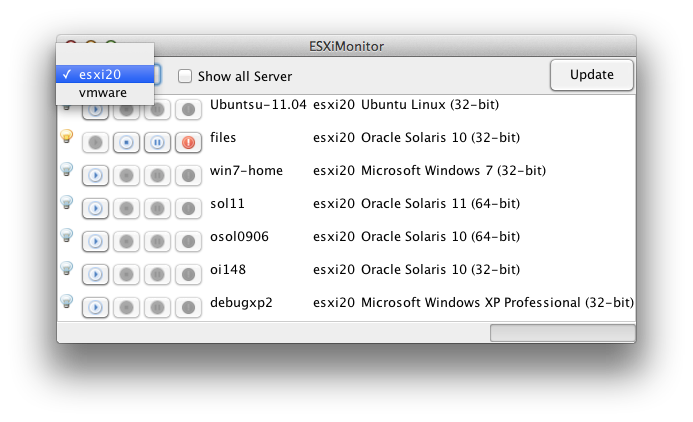
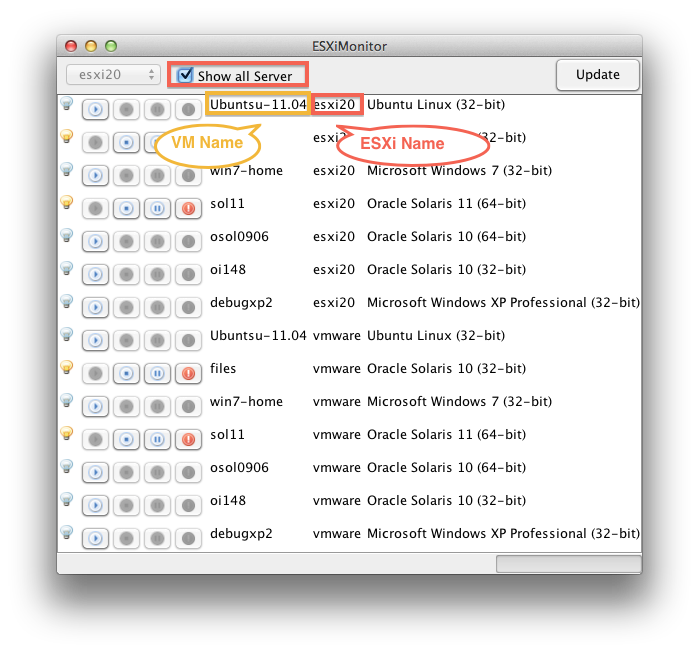
If you check 'Show all Server' checkbox next to server drop down list, all virtual machines on all ESXi server will be shown simultaneously.
ESXiMonitor is provided under BSD License.
This program is an open source software and free of charge.
You can use this program freely for any commercial and non-commercial use.
This tool is utilizing following libraries and icons.
VMware VI (vSphere) Java API
http://vijava.sourceforge.net
Ganymed SSH-2 for Java
http://www.ganymed.ethz.ch/ssh2/
Free icons from FAMFAMFAM - Silk Icons.
http://www.famfamfam.com/lab/icons/silk/