Repository navigation
Releases: karansurebrec/DiskSentry
Releases · karansurebrec/DiskSentry
Release list
DiskSentry v1.3.1 — Storage Telemetry Console

🚀 DiskSentry v1.3.1 — first public release
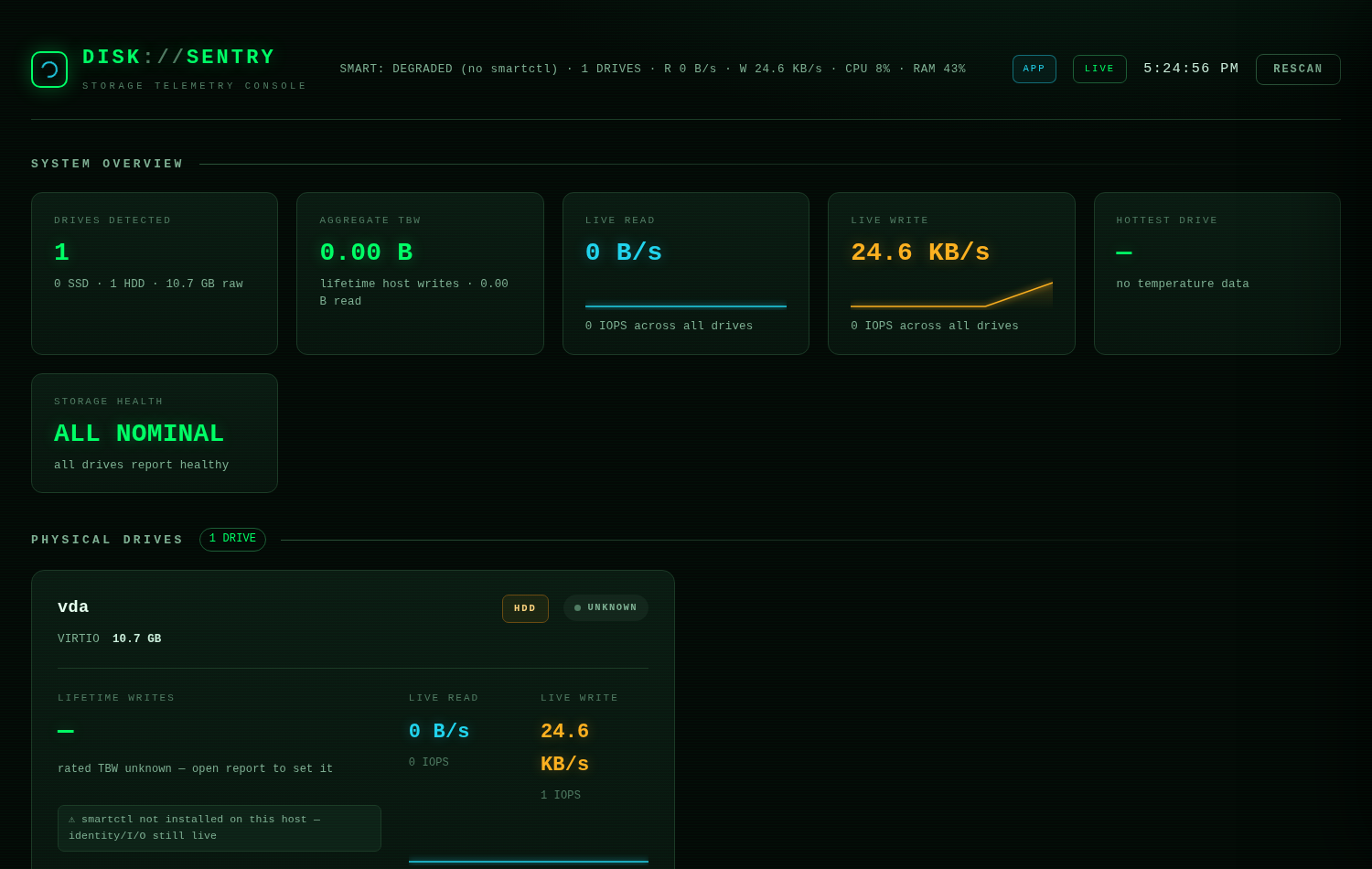
A hacker-terminal-style native desktop app for Windows 10/11 that watches every drive you own — SSD, NVMe, HDD, external USB — in real time. 100% local, no telemetry, nothing leaves your machine.
📥 Downloads
| File | What it's for |
|---|---|
DiskSentry.exe |
✔ Windows 10/11 64-bit — download & double-click. Nothing to install, fully self-contained |
DiskSentry_v1.3.1_source.zip |
Full source code + build_windows.bat one-click EXE builder |
First run: Windows SmartScreen may show "Windows protected your PC" (the exe is not code-signed).
Click More info → Run anyway. Then accept the Administrator (UAC) prompt — reading raw SMART data requires elevation, the same reason CrystalDiskInfo asks for it.
✨ What it does
- All your drives, live — identity, capacity, temperature, health, real-time read/write throughput, IOPS, session totals, history charts
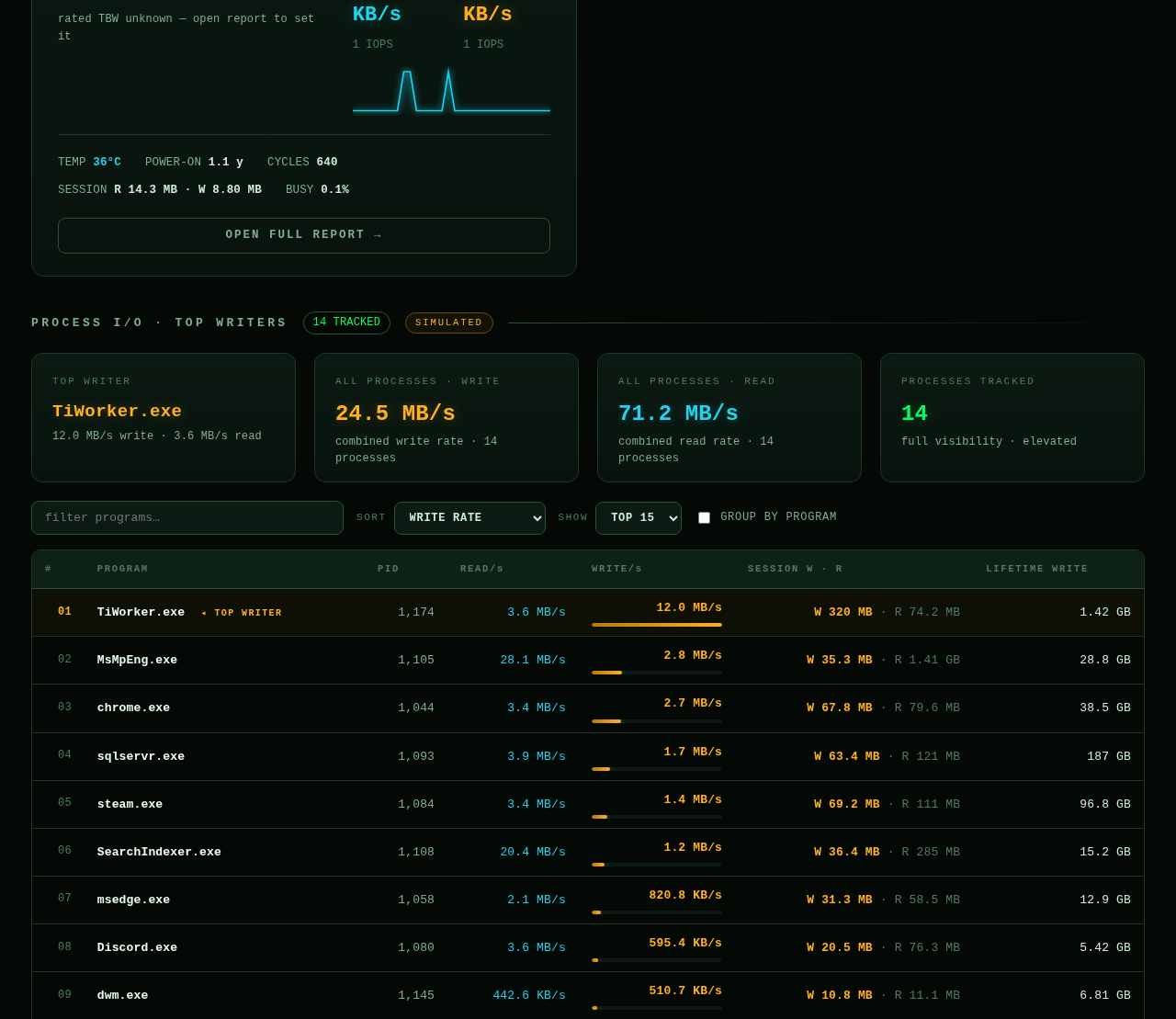
- Who is writing — and to WHICH disk — the TOP WRITERS table ranks every running program by write/read rate and tells you whether it's hitting your C: SSD or the external USB HDD, with open file paths and a per-drive breakdown
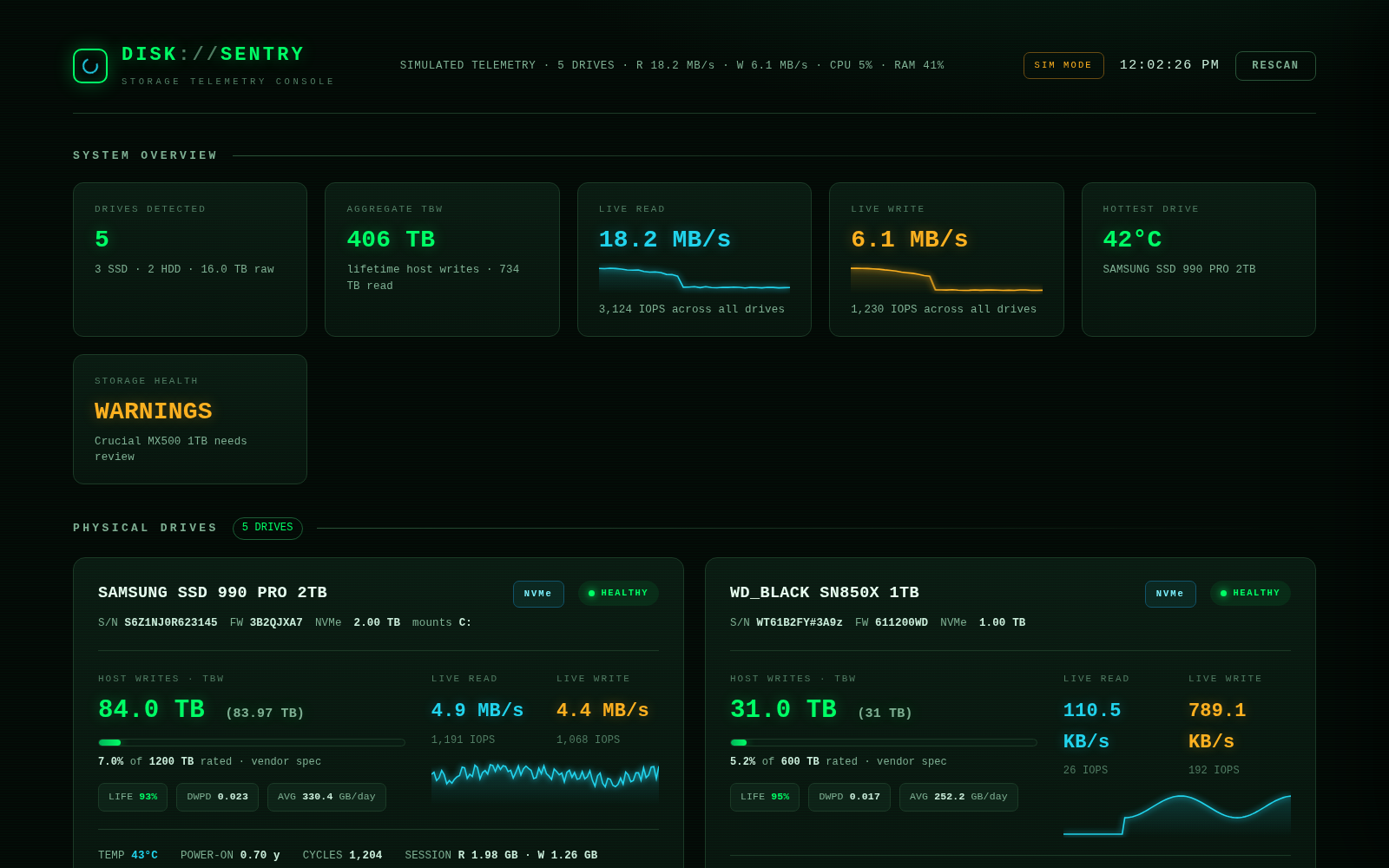
- SSD TBW & endurance — lifetime host writes, rated-TBW budget bar, NAND life left, DWPD, burn-rate projection, history that persists across restarts
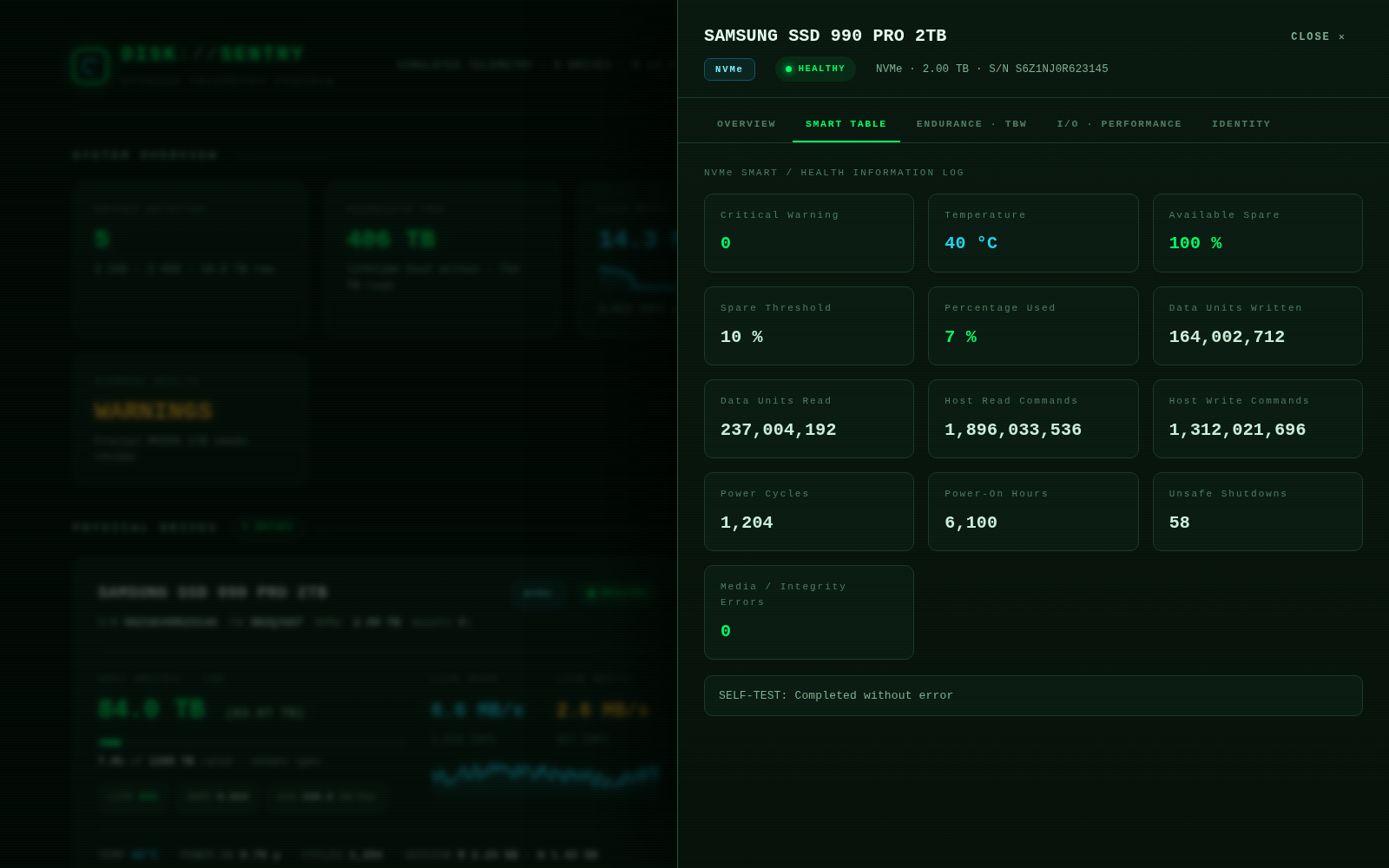
- Full S.M.A.R.T. health — complete ATA attribute tables + NVMe health logs: reallocated/pending/CRC errors, power-on hours, unsafe shutdowns
- USB enclosures handled — auto-probes bridge dialects (Innostor / JMicron / Cypress / Sunplus) and tells you honestly when an enclosure doesn't forward SMART
🖼 More screenshots
| TOP WRITERS (per-process I/O) | S.M.A.R.T. table | TBW endurance |
|---|---|---|
 |
 |
 |
📦 Install
- Download
DiskSentry.exebelow (or build it yourself from source in ~2 min) - Double-click → accept UAC → More info → Run anyway on SmartScreen
- Close the window to quit — a TBW snapshot is saved on exit
Optional (recommended): install smartmontools once for the full SMART table + exact TBW numbers:
winget install smartmontools
then press RESCAN inside DiskSentry. Without it you still get drives, health, temperature and all live I/O.
See the README for full usage instructions, all features and troubleshooting.