Home
This page explains how to use the Orbis Horizon mod in game, from crafting to flying.
Orbis Horizon is an adventure mod. It adds vehicles and camping gear that you craft, set up from a crate and pack away again. Four items exist today, the Small Tent, the Large Tent and two hot air balloons, a small one-person balloon and a large one. More flying vehicles and more camping gear are planned.
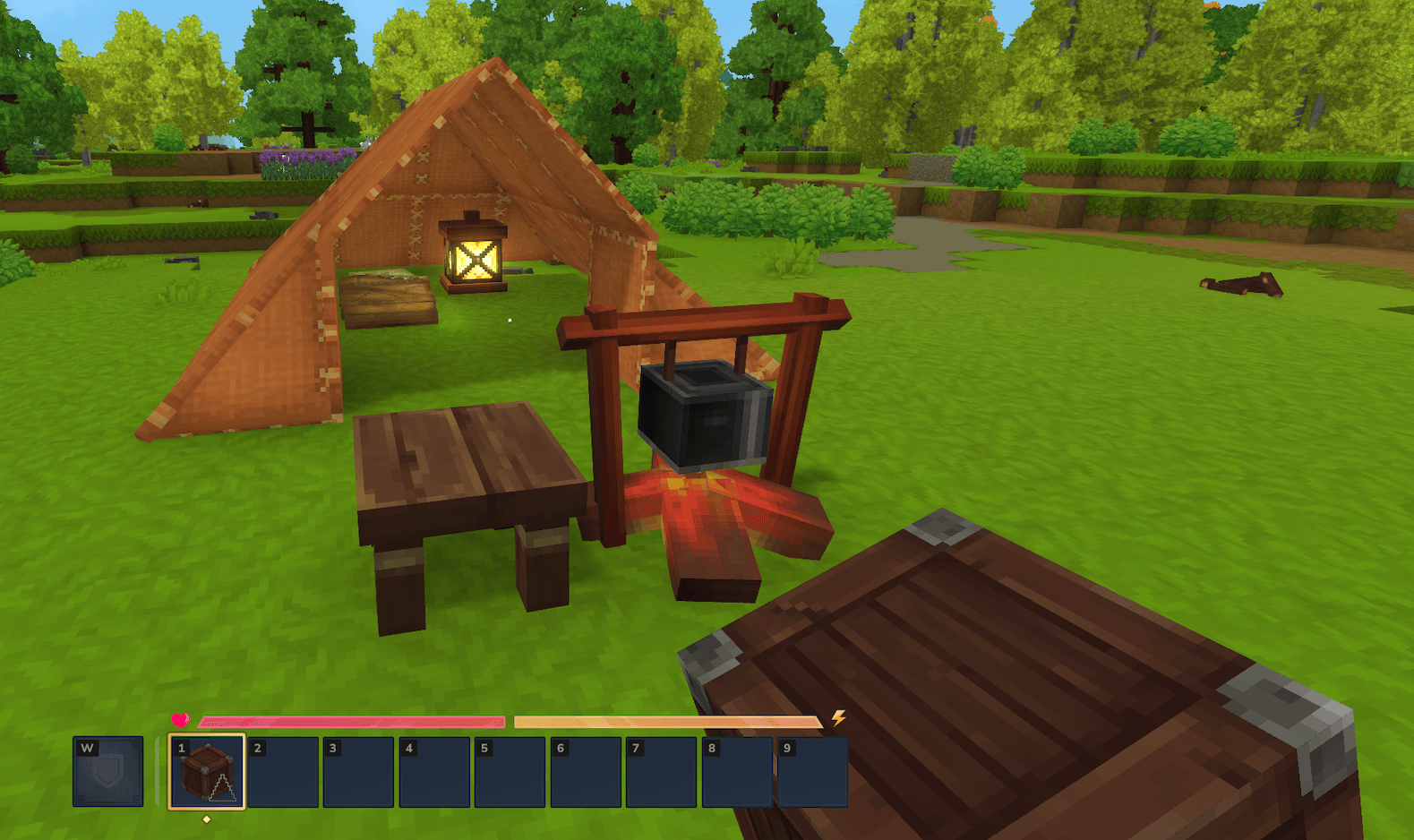
The Small Tent gives you a bed, a campfire, a stool and a lantern wherever you stop. It is the easiest item to get. The Large Tent adds a second bed, two chests, a second stool and candles.
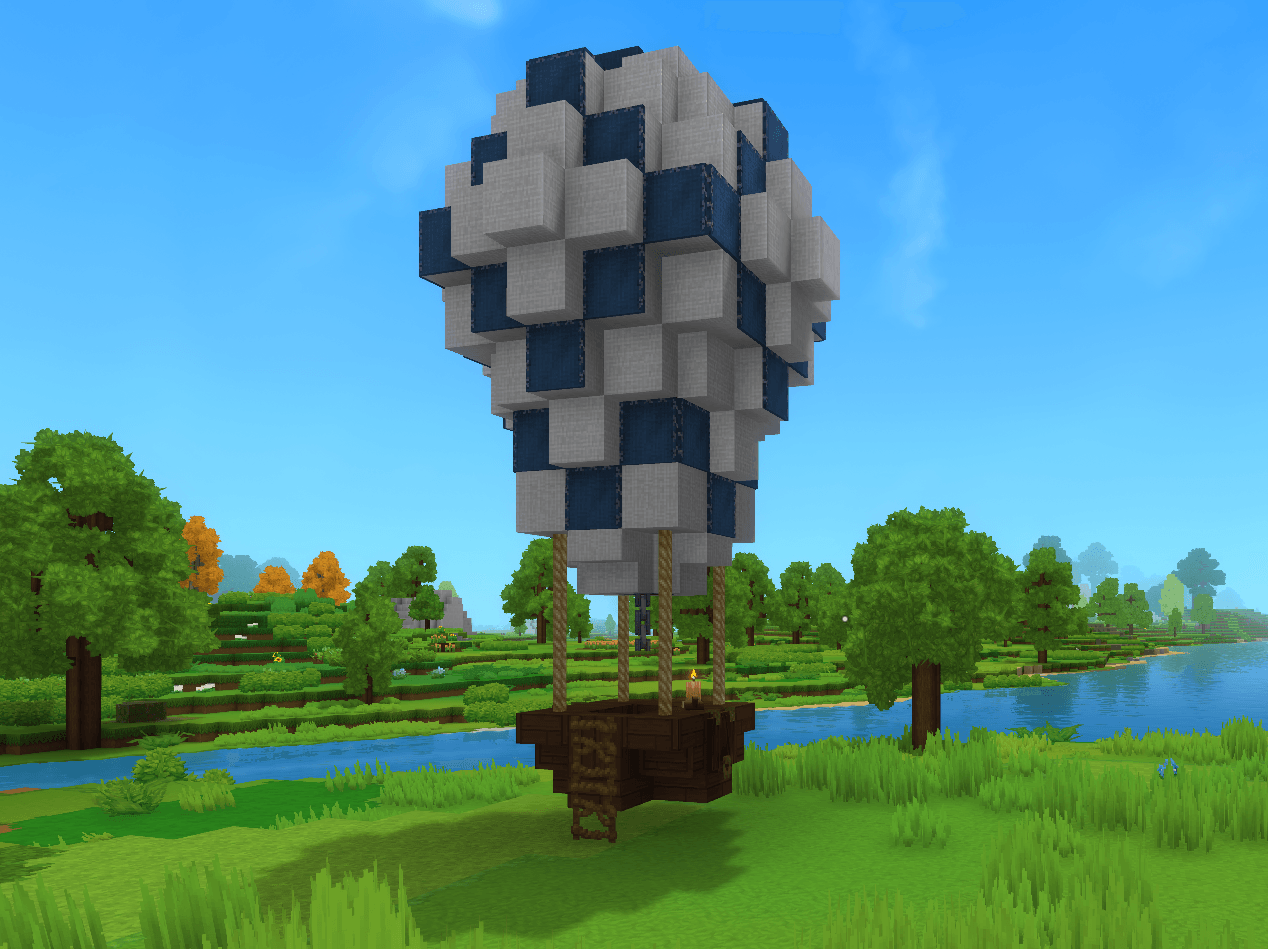
The hot air balloons are structures you place with a crate. You fill the burner with fuel, climb into the basket, pull the chain and fly freely. The small balloon carries the pilot alone. The large balloon carries the pilot and up to 4 passengers. A deployed balloon or tent is locked, so nobody can break it or build on it by accident.
The mod is still in development and some features have not been tested in game yet. If something behaves differently from what is written here, the game is right and this page needs updating.
Everything is crafted at the basic workbench, in the Tinkering tab. The items are listed by difficulty, starting with the easiest. No recipe has to be learnt for any of them.
Quantities are balance proposals and may change in a later version.
The Small Tent needs a tier 1 workbench, so a freshly built one is enough.
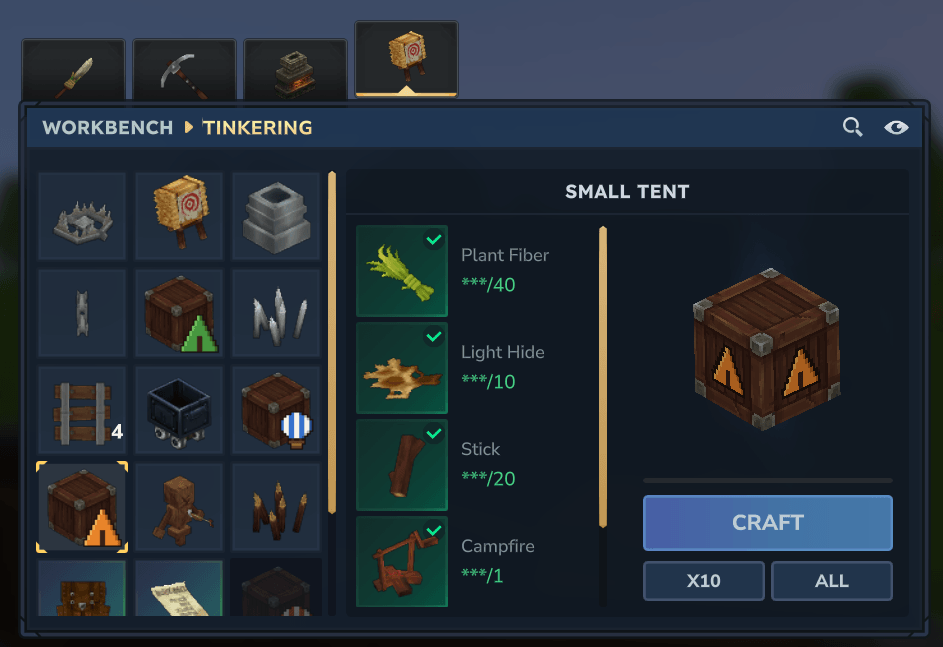
| Ingredient | Quantity |
|---|---|
| Fibre | 40 |
| Light hide | 10 |
| Stick | 20 |
| Campfire | 1 |
| Crude bed | 1 |
Crafting takes 3 seconds and gives one Small Tent crate. The campfire and the bed are game items that you craft beforehand.
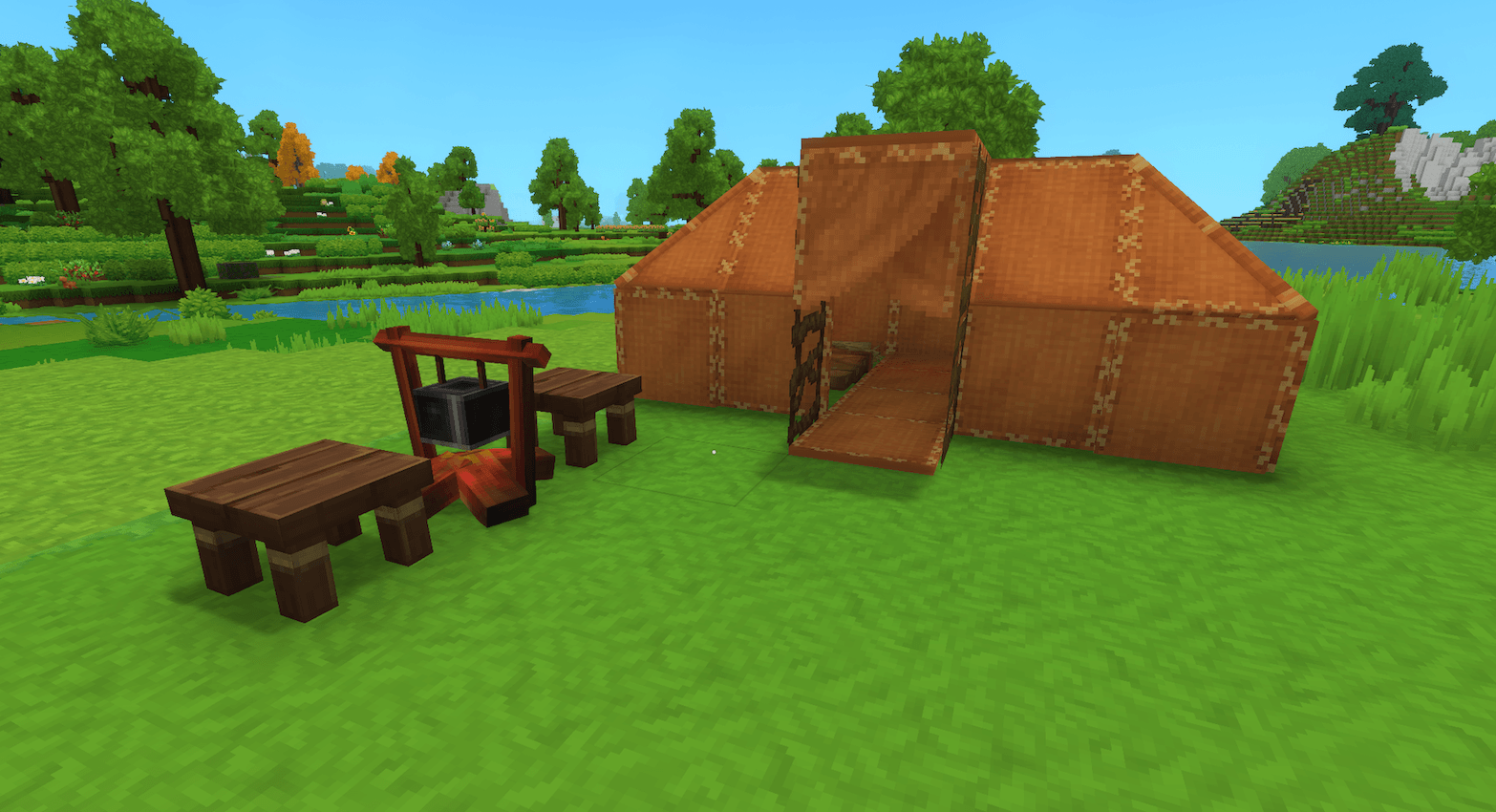
The Large Tent needs a tier 2 workbench.
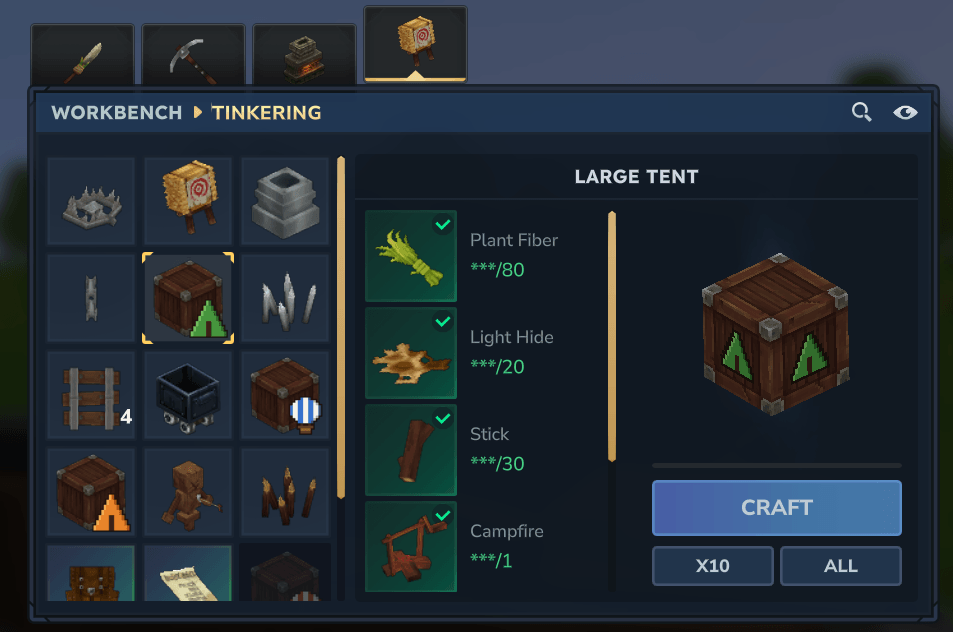
| Ingredient | Quantity |
|---|---|
| Fibre | 80 |
| Light hide | 20 |
| Stick | 30 |
| Campfire | 1 |
| Crude bed | 2 |
| Small crude chest | 2 |
Crafting takes 4 seconds and gives one Large Tent crate. The campfire, the beds and the chests are game items that you craft beforehand.
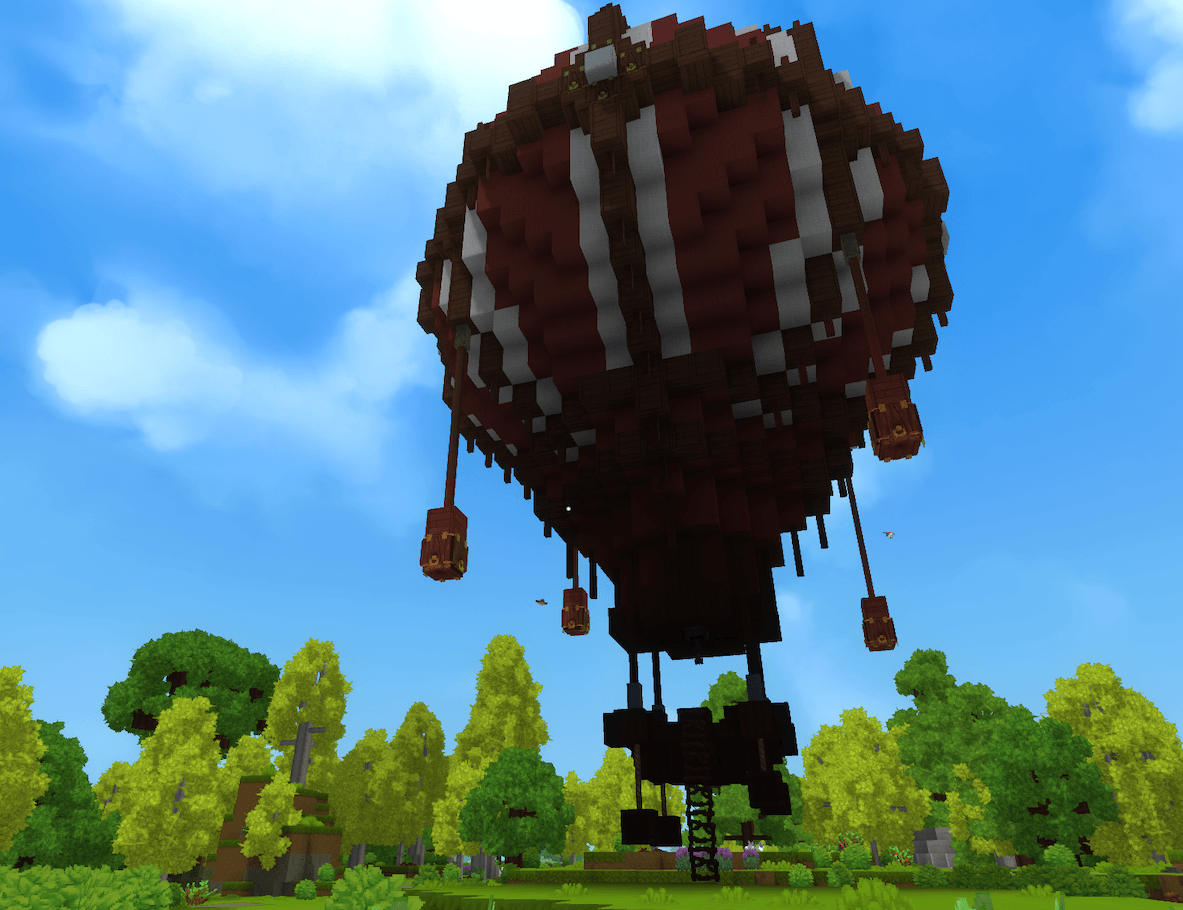
Both balloons need the same three parts, crafted in this order because the crate uses the first two.
- The burner.
- The chain.
- The deployment crate of the balloon you want.
The burner and the chain are shared by both balloons. The workbench level depends on the balloon.
| Item | Workbench tier |
|---|---|
| Burner | 2 |
| Chain | 2 |
| Small balloon crate | 2 |
| Large balloon crate | 3 |
Upgrade the basic workbench with the materials the game asks for at each level. A tier 2 workbench is enough for the burner, the chain and the small balloon. The large balloon crate needs tier 3.
The burner holds the fuel and takes 3 seconds to craft.
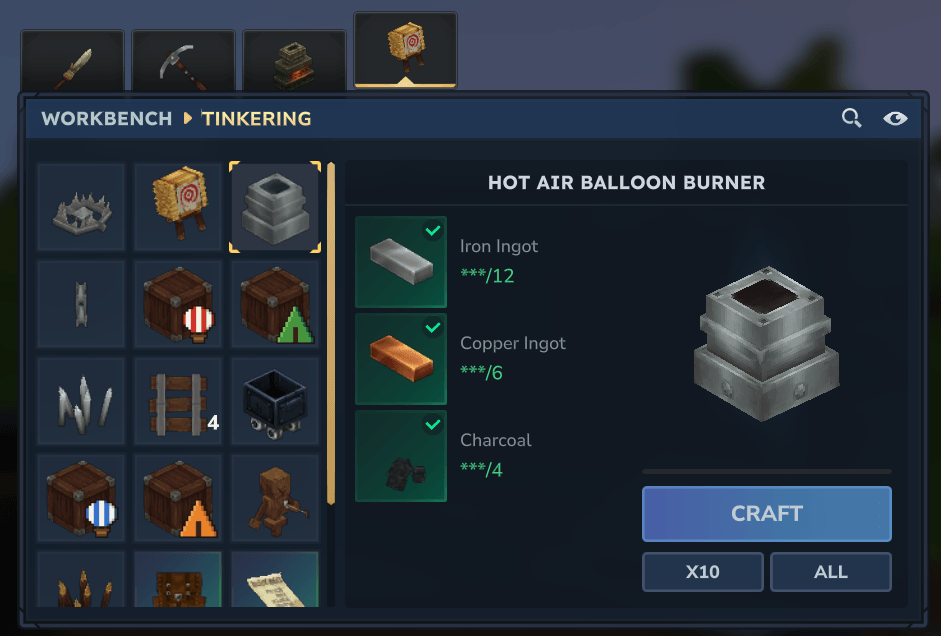
| Ingredient | Quantity |
|---|---|
| Iron bar | 12 |
| Copper bar | 6 |
| Charcoal | 4 |
The take-off chain takes 1 second to craft.
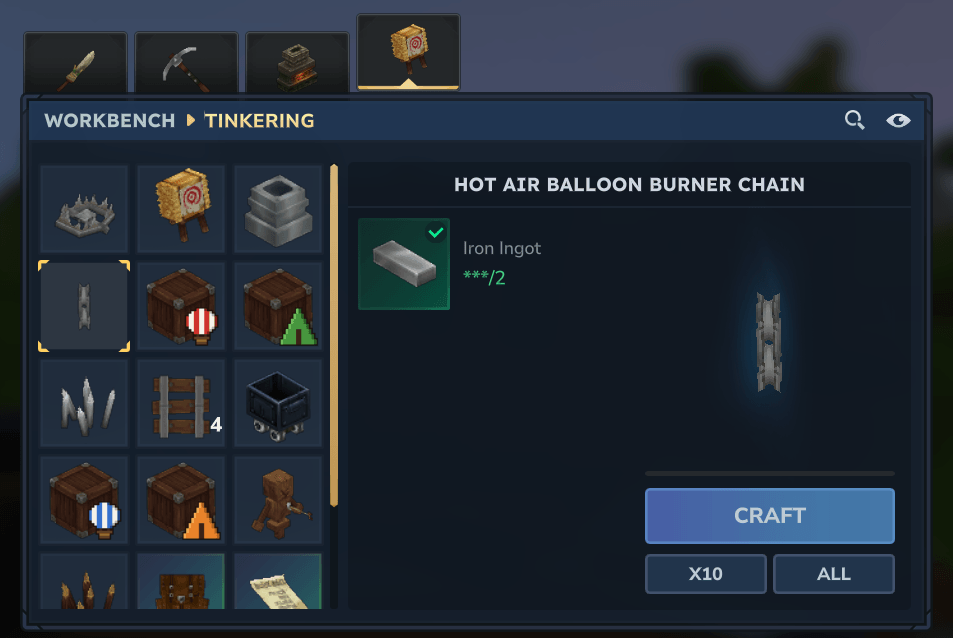
| Ingredient | Quantity |
|---|---|
| Iron bar | 2 |
Each deployment crate takes 3 seconds to craft. The small balloon crate is the cheaper one.
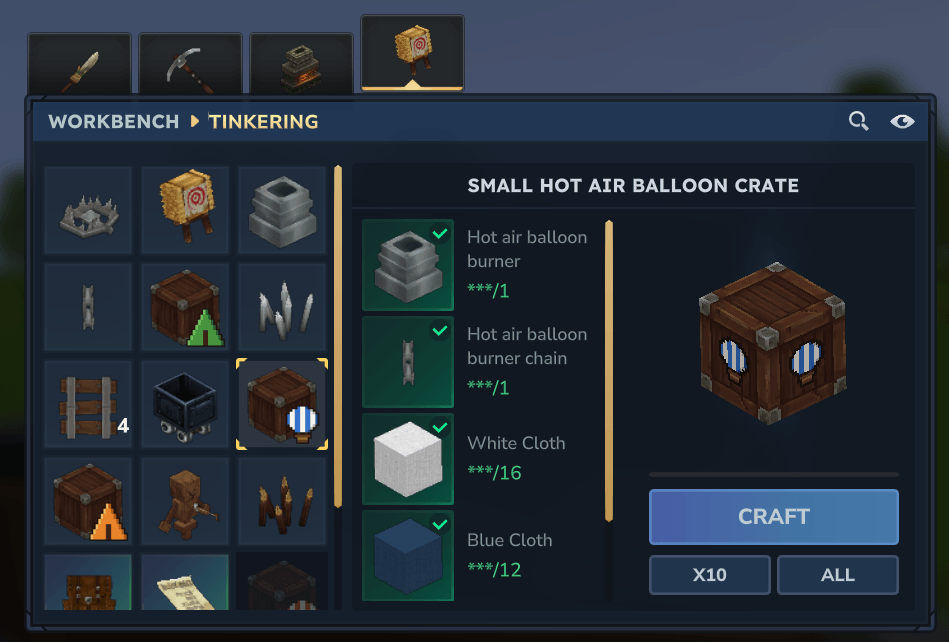
| Small balloon crate | Quantity |
|---|---|
| Hot air balloon burner | 1 |
| Hot air balloon burner chain | 1 |
| White wool block | 16 |
| Blue wool block | 12 |
| Hardwood planks | 6 |
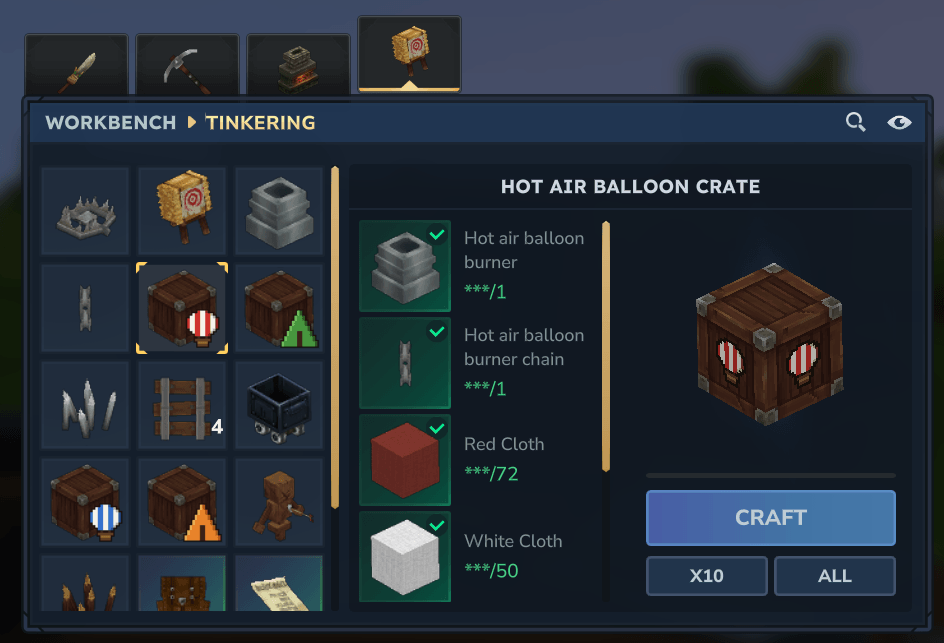
| Ingredient | Quantity |
|---|---|
| Large balloon crate | Quantity |
| --- | --- |
| Hot air balloon burner | 1 |
| Hot air balloon burner chain | 1 |
| Red wool block | 72 |
| White wool block | 50 |
| Hardwood planks | 48 |
| Iron bar | 12 |
All the crates work the same way. You use the secondary click (usually right click) while holding the crate, and the structure appears in front of you.
Each tent has two crates, the full one and the empty one. The steps below use the Small Tent, the Large Tent works the same way with its own crates, "Large Tent" and "Large Tent (empty crate)".
- Aim at the ground a few blocks in front of you and use the secondary click with the full "Small Tent" crate. The tent appears facing you, with its entrance and campfire on your side.
- The tent needs free room. If a tree, a rock or a wall is in the way, a message tells you there is not enough space and the crate is kept.
- Grass and flowers under the tent are simply replaced.
- Once the tent is up, the crate in your hand becomes "Small Tent (empty crate)" in the same inventory slot.
- To pack the tent, aim at it and use the secondary click with the empty crate. The tent disappears and the crate is full again.
- Only the player who set the tent up, or an operator, can pack it.
- Anything left in the campfire drops on the ground when you pack the tent. The Large Tent also drops the contents of its two chests.
- The empty crate of one tent does not fit the other tent. A message tells you so and nothing changes.
- Do not stand on one of the ladders of the Large Tent when you pack it, you could fall.
- While it stands, the tent cannot be broken and no block can be placed on it. You can still sleep in the bed, sit on the stool and cook on the campfire.
- Use the secondary click on the ground with the crate. The balloon appears facing you and the crate is used up.
- The large balloon needs a clear area of about 25 x 25 x 40 blocks, so pick an open field. The small balloon needs about 7 x 14 x 7 blocks.
- The balloon is locked once placed. You cannot break its blocks, and you cannot place blocks on it or inside the basket. You can still open the burner, climb the ladder and pull the chain. On the large balloon you can also open the chests and sit on the stools.
- There is currently no way for a regular player to put a balloon back into a crate. An operator can remove one with the despawn command (see Commands) and receives the crate of that balloon back.
The burner is the pipe above the chain, inside the basket. Open it with the use key to see its slots.
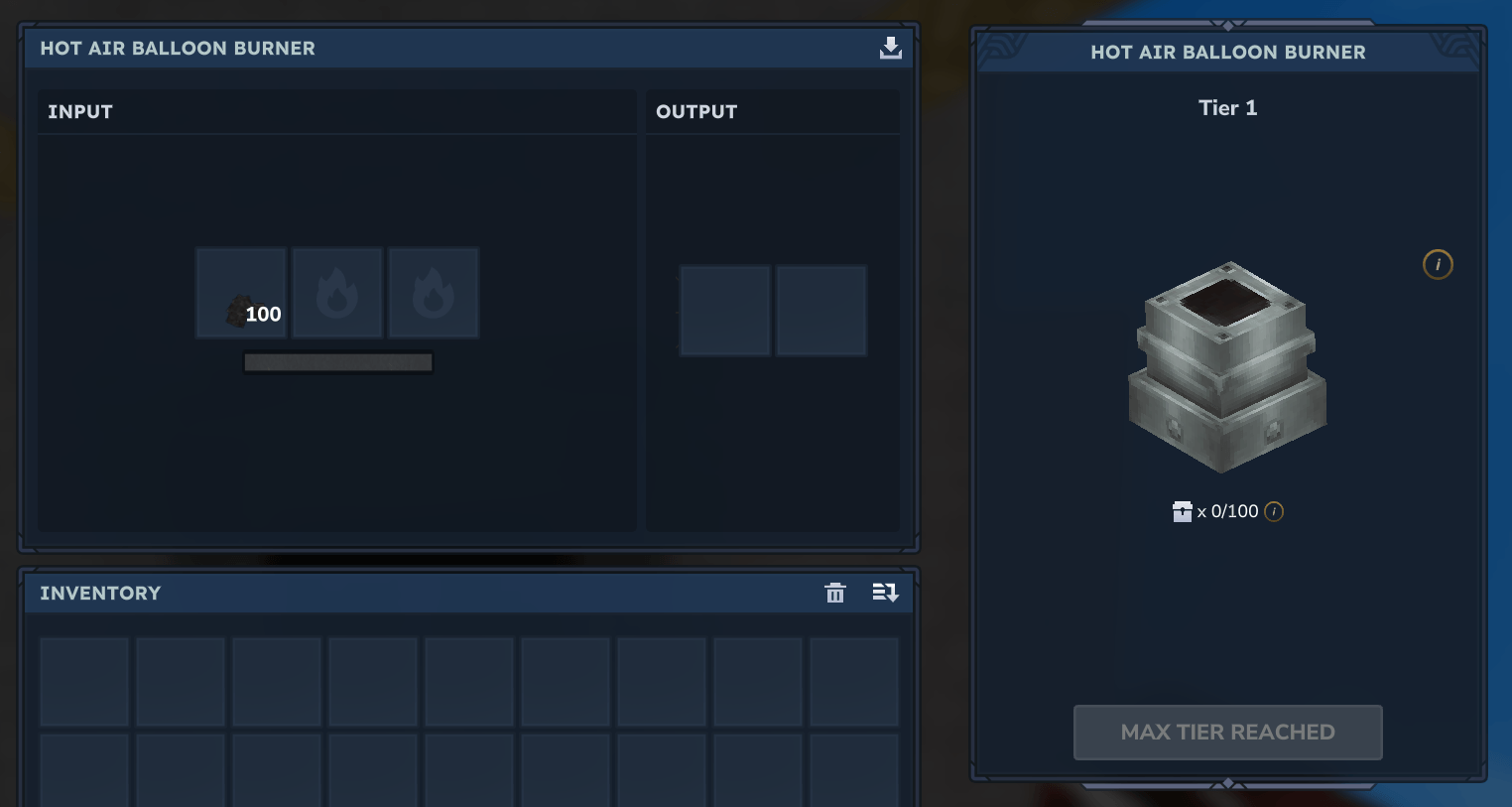
- The three input slots only accept fuel such as planks, logs, sticks, bark or charcoal. Anything else is refused.
- The output slots are for the charcoal the burner can produce while it burns. You can take it out but not put anything in.
- A flame and a light appear on the burner as soon as it has fuel, and go out when it is empty.
- Nothing burns while the balloon is on the ground.
- Each fuel item lasts a few seconds in flight (about 6 seconds for a plank or a piece of charcoal, 9 for a log, 4 for a stick, 3 for bark). A full stack of planks gives a few minutes of flight.
- Take-off is refused if the burner is empty.
- Put fuel in the burner.
- Climb the ladder into the basket.
- Stand in the middle of the basket and use the chain below the burner.
- You take off and fly like in creative mode, moving forwards, up and down. Your speed is lower than in normal creative flight.
While you hold the jump key to climb, the flame grows bigger and you hear a flamethrower sound. It goes back to normal when you stop climbing.
A message shows the remaining flight time every 15 seconds, then at 30 and 10 seconds before the end.
At night, the four yellow crystals of the balloon and the burner flame give light in flight.
The balloon stops at the surface of water and other liquids, so it never sinks. Fire does not block it.
- Double jump to stop. The balloon is set back down in blocks where you are, on the ground or in the air.
- Once set down, you can walk in the basket, open the chests and the burner, and pull the chain to leave again.
- If the balloon cannot be set down because something is in the way, you stay in flight and a message tells you so.
- If you leave the game during a flight, the balloon is set down where it is, with its contents.
- If the pilot dies, the pilot respawns normally and the balloon comes down by itself, with its passengers still seated.
When the balloon is set down in mid-air, it keeps burning fuel and comes down by itself when the fuel runs out.
- Large balloon: players standing in the basket when you take off are seated on the four stools and travel with you. They are set down next to their seat when the balloon lands.
- The limit is the number of stools plus the pilot. The large balloon carries 5 people, the pilot and 4 passengers. The small balloon has no stool and carries the pilot alone. With more people on board, take-off is refused and a message gives the limit.
- Items in the two chests of the large balloon and in the burner are kept during the flight and given back on landing, so there is no need to empty them first. The small balloon has no chest, only the burner.
- Pets and other non-player creatures are not carried.
You get a message and the flame goes out. The balloon then descends on its own at about 5 blocks per second until it touches the ground, and is set down in blocks. Everybody on board stays seated during the descent. On the small balloon, the pilot sits at the centre of the basket. Add fuel to the burner and pull the chain to take off again.
Every /orbishorizon command is reserved for operators. In single player, the owner of a creative world is an operator. In another world, type /op self. On a server, an existing operator uses /op add <player>.
Regular players do not need any command. They take off with the chain and land with a double jump.
The commands below are all under /orbishorizon balloon. They work with both balloons.
| Command | What it does |
|---|---|
takeoff |
Takes off with the balloon you are standing in, like the chain does. |
land |
Sets the balloon down where it is, in the direction you are facing. |
despawn (or remove) |
Removes the nearest balloon within 48 blocks, placed or flying. The contents of the burner and chests drop on the ground, the people on board are set on the ground and you receive a balloon crate. If your inventory is full, the crate drops at your feet. |
The following commands are for testing and fine tuning. You will rarely need them.
| Command | What it does |
|---|---|
debug |
Shows the balloon type, positions, fuel level and state of your current flight (in English). |
light on, off, radius:N, radius:default or show
|
Turns the lights of the balloon in flight on or off, or changes their range. Options can be combined with +. |
passengers mount or teleport
|
Chooses how passengers are held on the balloon. Teleport is a fallback if mounting looks wrong. |
seatpose <options> |
Changes how seated passengers are shown during flight. Applies to the next take-off. |
seatheight <y> |
Sets the height of the passenger seats above the floor, in blocks. Applies to the next take-off. |
attach on or off
|
Attaches the balloon display to the pilot or not. Applies to the next take-off. |
offset <x> <y> <z> |
Shifts the display of the flight model, in blocks. It is not saved. |
model <id> |
Forces the 3D model used in flight for every balloon, for tests. model default goes back to each balloon's own model. |
spawnmodel <id> |
Shows a still model about 15 blocks in front of you, for tests. |