Lab 1
- Download and install Python. It may be downloaded
- with Anaconda distribution which also includes Conda (recommended)
-
by a direct link
Pay attention you may have system Python installed. Make sure you know how to prevent conflicts or sort them out otherwise use Anaconda.
- Download and install pip.
- If you have Anaconda installed just run the following command from the command line:
~ conda install pip-
- Otherwise use the official documentation
- Download and install PyCharm Community IDE. It may be downloaded
- via JetBrains Toolbox (recommended)
-
by a direct link
You may use any other IDE you prefer but PyCharm will be used as IDE in the description below.
- Download and install Git
- Download and install Postman
- Create a GitHub account (or use an existing one)
- Fork basic-backend repository (instruction)
- Clone the forked repository to your local machine (video instruction)
The video instruction is for Intellij IDEA but can be applied to PyCharm as well - Open the cloned repository in PyCharm Community IDE
- Select Conda Python interpreter if you have Anaconda installed
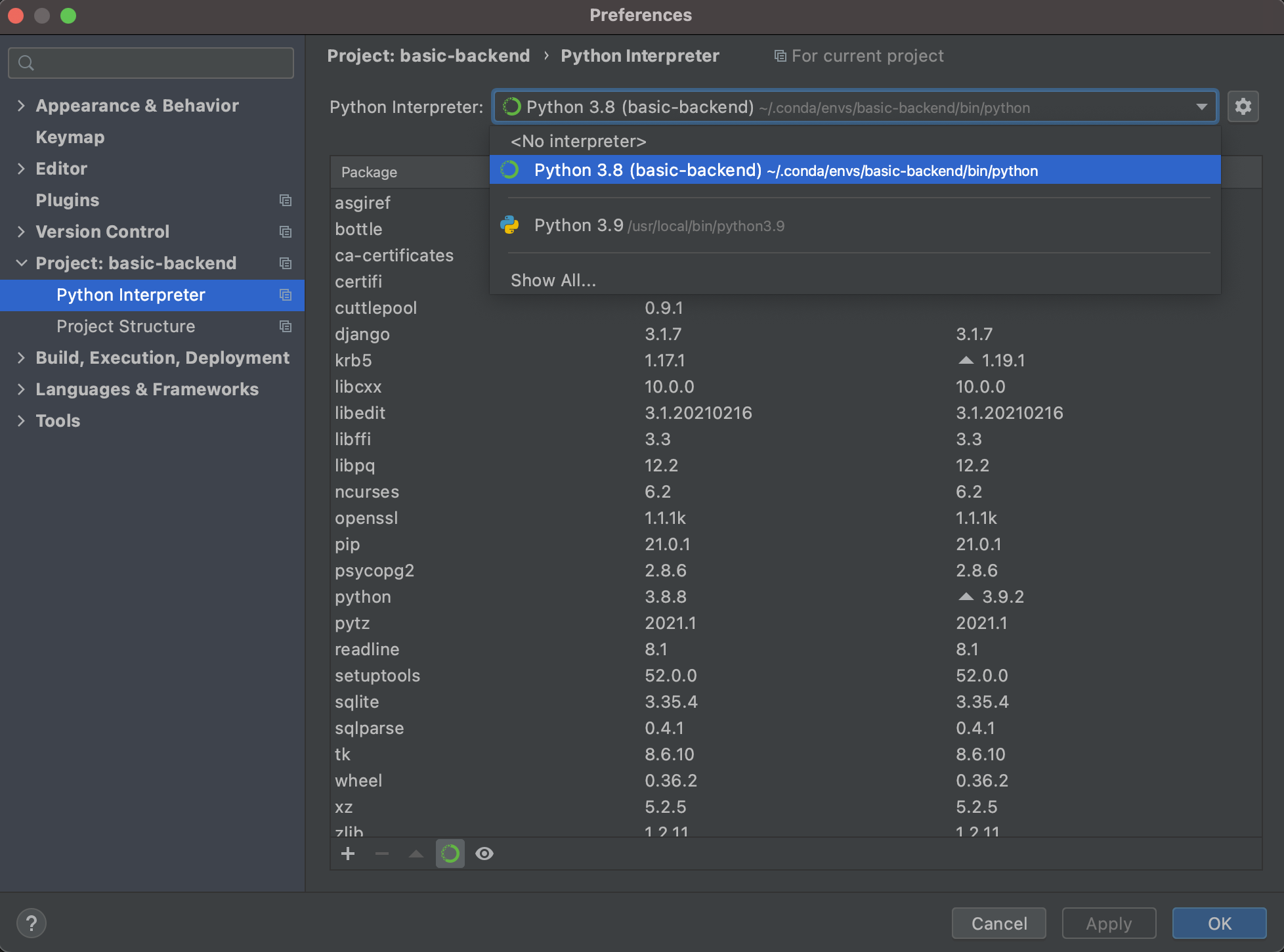
- Select Conda Python interpreter if you have Anaconda installed
- Run the server (instruction)
- Try to send requests to the server using its API description
GET requests may be sent from the browser

To send both GET and POST requests you may use Postman. Also you may import the Postman collection for the server. - Explore the source code of the server app
- Find HTTP request handlers and SQL statements
- Take a look at the script to prepare SQLite DB file
- Add a user with your name and a random phone number to DB either with HTTP request or with SQL statement.
- Commit and push changes (instruction)
- Send a link to your forked repository to the group chat in Telegram