Repository navigation
How Apps Are Installed
When you install an APK, Mac.apk turns it into a Mac app. This page covers what that means, where things go, and why installed apps take the space they do.
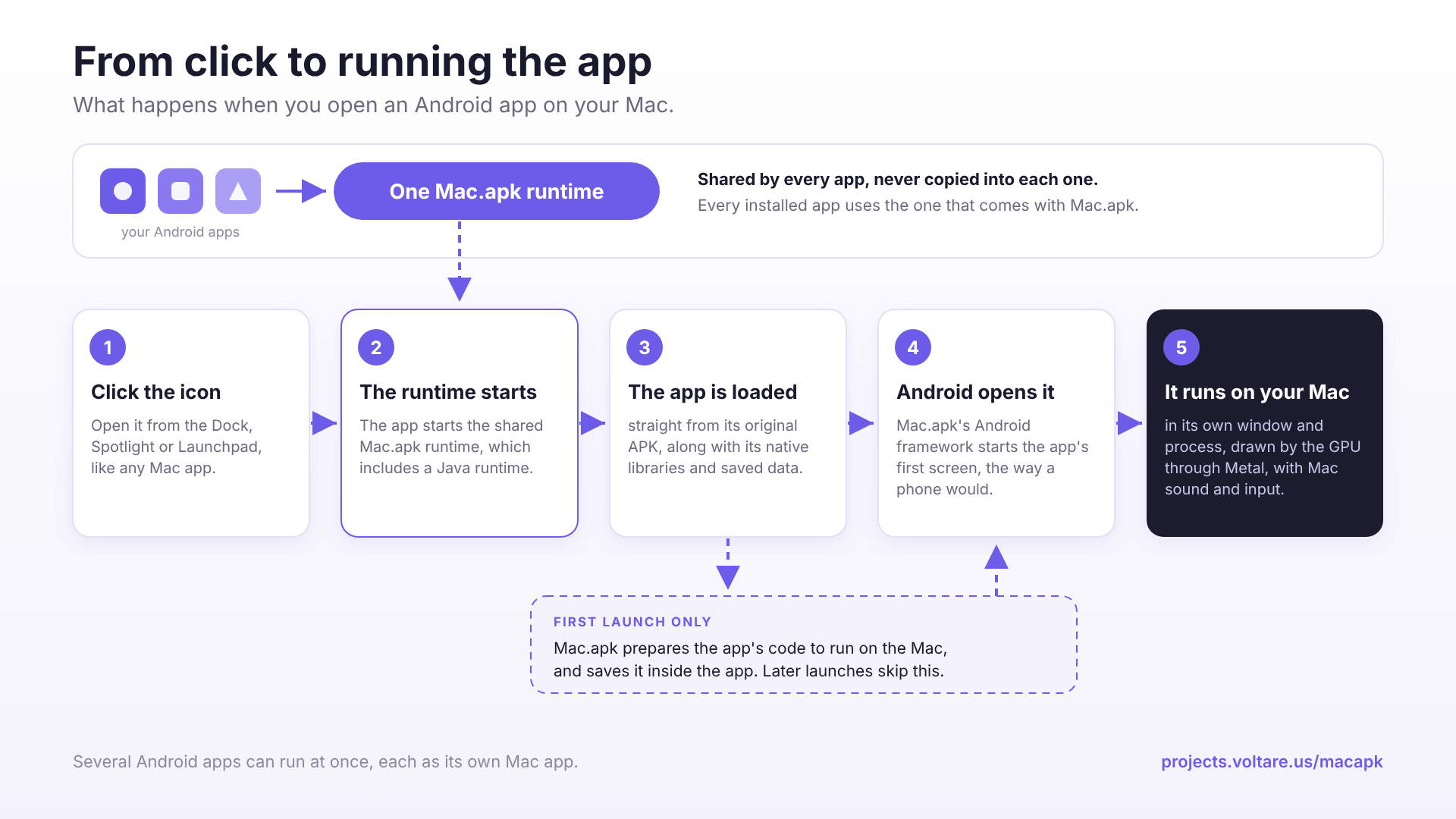
Each Android app gets its own entry in your Applications folder, with its own name and icon. "Crossy Road" becomes a Mac app called Crossy Road. You can open it from the Dock, Spotlight or Launchpad, pin it, and switch to it with ⌘Tab like anything else. You don't need to open Mac.apk first.
The app itself holds what it needs to run:
- The original APK, kept exactly as you installed it. Android reads an installed app straight from its APK, and so does Mac.apk.
- The app's native libraries, unpacked next to the APK, the way Android lays out an installed app.
Everything the app creates lives in its own folder in ~/Library/Application Support/MacApk, named after the app's package (for example com.example.app):
- Your saved data: the app's settings, saves and private files.
- The app's prepared code. The first time the app runs, Mac.apk converts its code to run on the Mac and keeps the result (more in How Mac.apk Works).
To get there, open Settings in Mac.apk and click Open App Data Folder under App data. Deleting an app's folder clears its data, and the app starts fresh the next time it opens.
Your shared storage (Download, Pictures and so on) is separate again: every app sees the same storage, the way apps on a phone do. See Files and Privacy.
Preparing the app's code is the slow part, up to a minute for a large app. It happens once per app, and once more after you update Mac.apk. Later launches are fast.
Counting the APK, its libraries and its prepared code, an installed app usually takes one and a half to three times the size of its APK. A big 3D game can run a few hundred megabytes over. Finder shows only part of that as the app's size, because the prepared code and your saves sit in the app's data folder. Uninstalling from the Mac.apk window gets all of it back.
The Android runtime itself isn't copied into each app. Every installed app uses the one that comes with Mac.apk, which is why you install the runtime once in Installation. Updating Mac.apk updates that runtime, not your apps: each app keeps its own version and saves, and runs on the new runtime the next time it opens. To update an app itself, see Managing Apps.
Keeping data out of the app means an app's saves have one place you can open, back up or clean, and a running app never changes the app you installed. Apps installed before this layout move their data out on their next launch, with nothing for you to do.
It also means dragging an app to the Trash leaves its data folder behind, the way most Mac apps leave theirs. Managing Apps covers uninstalling and what happens to your saves.