


PyCForge is a deterministic Python-to-C source transpiler with a full PyQt5 desktop workspace, a command-line interface, and a Python API. It converts a documented, deliberately bounded Python subset into readable C11 source while producing diagnostics, source mappings, decision traces, and reproducible fingerprints.
Open the 32-page PyCForge Programmer's Conversion Guide (PDF)
PyCForge requires Python 3.11 or newer. Install it from PyPI:
python -m pip install pycforgeThat one command installs PyQt5 and the desktop application as required dependencies. There is no GUI extra and no separate desktop package.
Launch the desktop workspace:
pycforge-workspaceThe equivalent module command is:
python -m pycforge.ideSave this as example.py:
def add(left: int, right: int) -> int:
    return left + right
Convert it:
pycforge convert example.py --output example.cPyCForge produces:
#include <stdint.h>

int64_t add(int64_t left, int64_t right);

int64_t add(int64_t left, int64_t right)
{
    return left + right;
}
The generated C is deterministic for the same authenticated source bundle and converter configuration.
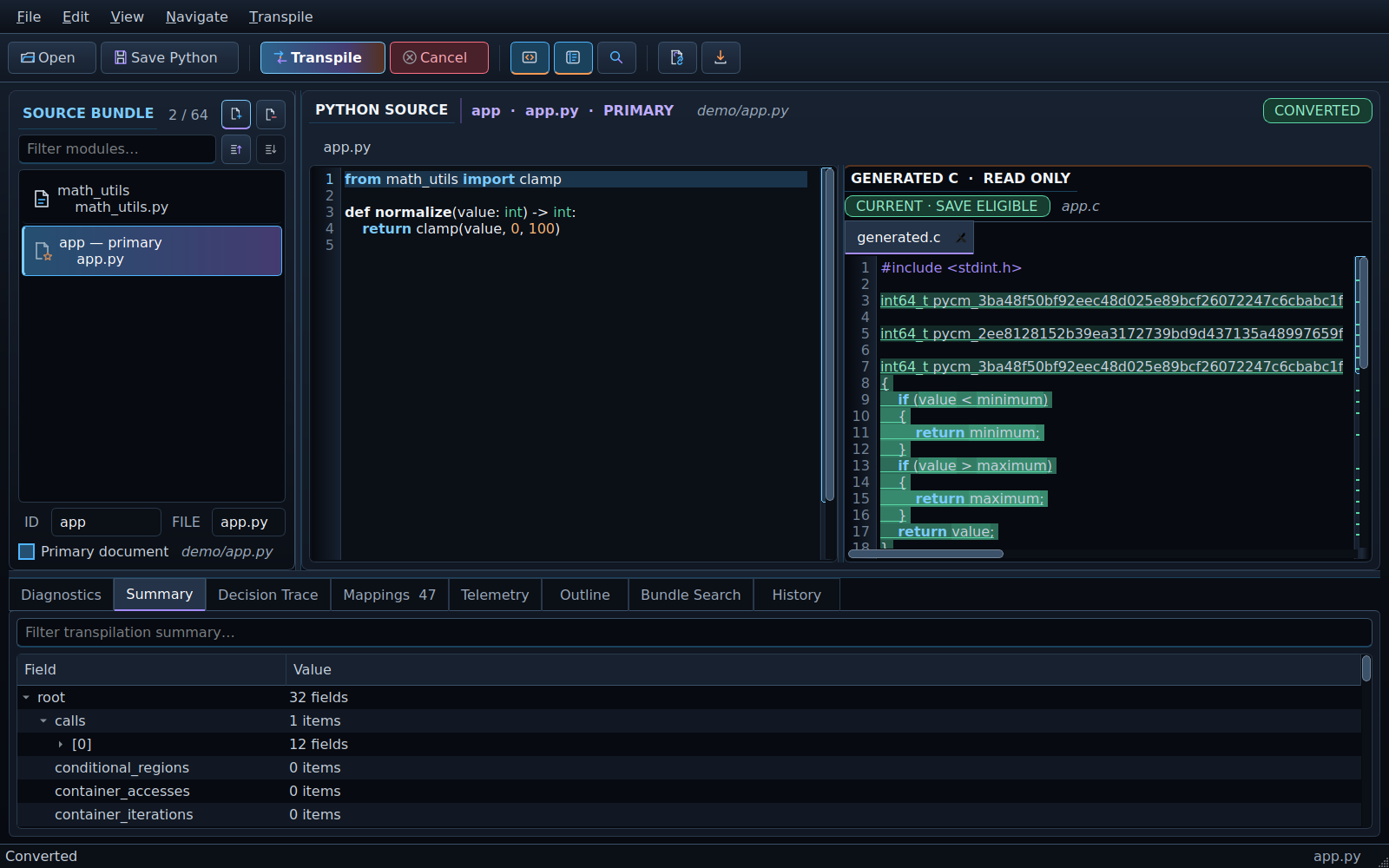
- A Python-first PyQt5 workspace with document tabs, source splitting, navigation, search, outline, command palette, and conversion history.
- Explicit source bundles containing 1 to 64 Python documents, including bounded cross-module function imports.
- Read-only generated C with diagnostics, source mappings, conversion summary, decision trace, and telemetry inspectors.
- Isolated, cancellable desktop conversion so the converter does not run on the GUI thread.
- A headless CLI for scripts and build pipelines.
- A Python API for applications that need structured conversion results.
- Stable diagnostics and fail-closed rejection of unsupported Python.
Write generated C to a file:
pycforge convert input.py --output generated.cEmit the structured result as JSON:
pycforge --format json convert input.pySee all commands and options:
pycforge --helpfrom pycforge import ConversionRequest, PythonToCConverter
source = """\
def add(left: int, right: int) -> int:
return left + right
"""
result = PythonToCConverter().convert(
ConversionRequest.from_source(source)
)
if result.generated_c is not None:
print(result.generated_c)
else:
for diagnostic in result.diagnostics:
print(diagnostic)The desktop workspace, CLI, and Python API use the same converter and result contracts.
PyCForge is intentionally not a general Python runtime. Its current subset
includes strictly annotated top-level functions using selected scalar values,
arithmetic and comparisons, if/elif/else, bounded while and range
loops, direct eligible function calls, fixed homogeneous containers, and a
bounded static-record profile.
Anything outside the documented subset is unsupported by default and is rejected with diagnostics rather than silently approximated. Read the exact supported-Python specification before adopting PyCForge for production input.
PyCForge parses supplied source as data. It does not import or execute the input Python, scan the host environment for modules, or resolve undeclared files. It stops after C source generation and does not compile, assemble, link, load, or execute the generated C.
Python int values map to the documented signed 64-bit representation domain;
other supported Python values likewise follow explicit target-C contracts.
Review the
product boundary
and the Programmer's Conversion Guide for the complete limitations.
- Programmer's Conversion Guide — 0.15.2 Reference Edition (PDF)
- Supported Python
- Workspace specification
- Current state
- Release notes
- Changelog
- Security policy
git clone https://github.com/lastforkbender/pycforge.git
cd pycforge
python -m venv .venv
python -m pip install --upgrade pip
python -m pip install -e .
python -m pip install pytest
QT_QPA_PLATFORM=offscreen python -m pytest -q
The normal editable installation includes PyQt5, matching the package users receive from PyPI. Automated release checks cover Python 3.11 and 3.12 on Linux with real PyQt5 widgets using Qt's offscreen platform.
PyCForge is free software released under the GNU General Public License v3.0 only.