Repository navigation
Models and cost
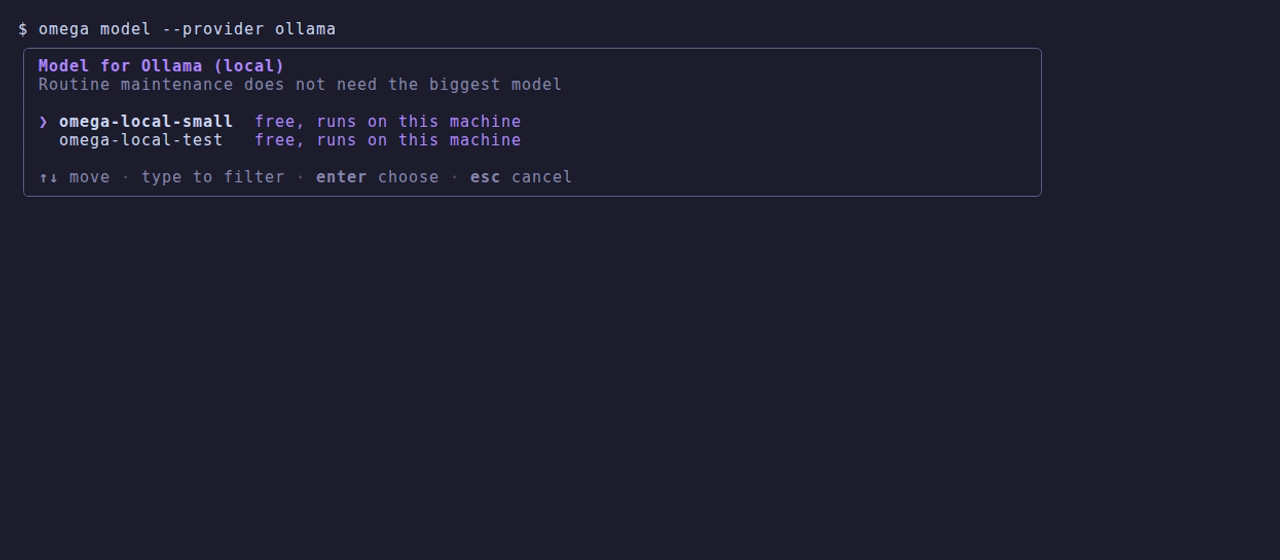
Routine maintenance does not need the biggest model. With the default automatic choice omega runs on a fast model and switches to a smart one the first time a step fails, to diagnose it.
Which two models those are is decided from live data, not from a list compiled into omega. Once a day omega reads OpenRouter's public model catalogue, which carries each model's list price and its benchmark score (the Artificial Analysis intelligence index), keeps the models your key can actually use, and picks:
- fast: the best score per dollar among the models that reach at least 40% of the best score on offer (score² ÷ price). Price weighs most.
- smart: the best value among the models within 20% of the best score (score³ ÷ price). Score weighs most, but a model that costs four times more for a few points does not win.
Price is the blend a maintenance run pays: three parts input to one part output. Only models that call tools, answer in text, have a measured score and are not free, batch or about-to-be-removed routes are eligible. A pick is kept until another model beats it by more than 10%, so two models that trade places by a decimal do not alternate.
omega models                   # every model: score, price, and the two picks
omega models --refresh         # read the catalogue again now
omega models openrouter flash  # another provider, filtered
model score in $/M out $/M
claude-fable-5-2 64.6 $8 $40
claude-opus-5-5 59.1 $4 $20
▸ claude-sonnet-5-5 54.5 $2 $10 smart
▸ claude-haiku-5-5 36.5 $0.1 $0.5 fast
The download is a plain request to openrouter.ai with nothing about you in
it, also when your provider is another one. omega config set model_catalog off
stops it. Without a catalogue (first run offline, or switched off) omega uses
the names it was built with: claude-haiku-5-5 → claude-sonnet-5-5 for
Anthropic, gpt-5.4-mini → gpt-5.5 for OpenAI, the same Claude pair on
OpenRouter and claude-sonnet-4-6 on OpenCode Zen. Local providers use the
model you pick.
Limits worth knowing: the score is a general benchmark, not a measure of how well a model does maintenance; the catalogue has no speed figures; and on OpenCode Zen the prices used for the comparison are OpenRouter's, which may differ from what Zen charges.
omega model                    # card: Automatic, the two tiers, or any model of the provider
omega model claude-sonnet-5-5  # pin a model
omega model auto               # back to automatic
omega --model claude-opus-5-5 fix   # one run with a specific model
During a run, ctrl+p (or /model in the input box) switches between the
run's models from the next turn. A model you pick by hand stays for the rest
of the run, so the automatic switch on failure no longer applies.
Override the tiers per provider with fast_model and smart_model (see
Configuration); they win over the automatic picks. The status
bar and the final summary show the tokens used, including prompt cache reads,
and the cost when the model's price is known; prices come from the same
catalogue, so a model released after your copy of omega is still priced. omega caches the conversation with the Anthropic API, so long sessions
mostly bill cache reads at a tenth of the input price.
As a reference, a read only omega tune session on a real Mac (about 190k input
tokens, 80% of them served from the cache, plus six web searches and page reads)
cost under one cent ($0.009) with Claude Haiku 5.5, against $2.35 for a
similar session pinned to Claude Opus 5.5 before conversation caching was added.
omega can run fully on your Mac with any server that speaks the OpenAI Chat Completions API:
| Provider | Default endpoint | Notes |
|---|---|---|
ollama |
http://localhost:11434/v1 |
ollama pull qwen3:14b or another model with tool calling |
lmstudio |
http://localhost:1234/v1 |
start the server from LM Studio's Developer tab |
custom |
your base_url
|
MLX (mlx_lm.server), llama.cpp, vLLM, a corporate gateway… |
omega setup                   # local servers that are running are marked on the card
omega model --provider ollama # pick one of your local models
omega --provider ollama analyze
No API key is needed (one can be stored with omega auth set custom for gateways
that require it), local runs show no cost, and omega checks that the server is
reachable before starting. The model must support tool calling; larger models
(14B and up) follow the agent workflow much better than small ones.
Apple Intelligence. macOS ships an on-device foundation model, but it is only reachable from Swift through the FoundationModels framework, and its context window (4,096 tokens) is too small for an agent that reads command output and documentation. omega therefore uses local servers such as Ollama, LM Studio or MLX for on-device runs.