Repository navigation
Safety approvals and memory
Before running anything, omega classifies the command (including compound
commands with &&, ;, |) and applies the highest risk level found:
| Risk | Examples | Default |
|---|---|---|
| read-only |
brew outdated, df -h, git config --list, docker system df, any --dry-run or --help
|
runs |
| normal |
brew upgrade, npm update -g, pipx upgrade-all, rustup update
|
runs |
| dangerous |
rm, sudo, output redirection to a file, sed -i, find -delete, editing configs, any unknown command
|
asks |
| always ask |
docker … prune, docker rm, docker rmi, docker volume rm
|
asks every time, even with --yes
|
| blocked |
rm -rf ~ or / (extra flags and .. still count), find / -delete, diskutil erase…, dd of=/dev/…, curl … | sh, csrutil disable, nvram, reading a private key or a credential file (~/.ssh/id_ed25519, ~/.aws/credentials, ~/.netrc, .env, security … -w) |
never runs |
-
omega config set approval all: also ask before normal updates. -
omega config set approval never, or--yes: never ask, except for Docker cleanups. Blocked commands stay blocked. -
--dry-run(or theanalyzetask): only read-only actions until you pick something on a card. -
Commands run with stdin closed and non-interactive variables, so nothing hangs on a hidden prompt; each command has a time limit (
command_timeout).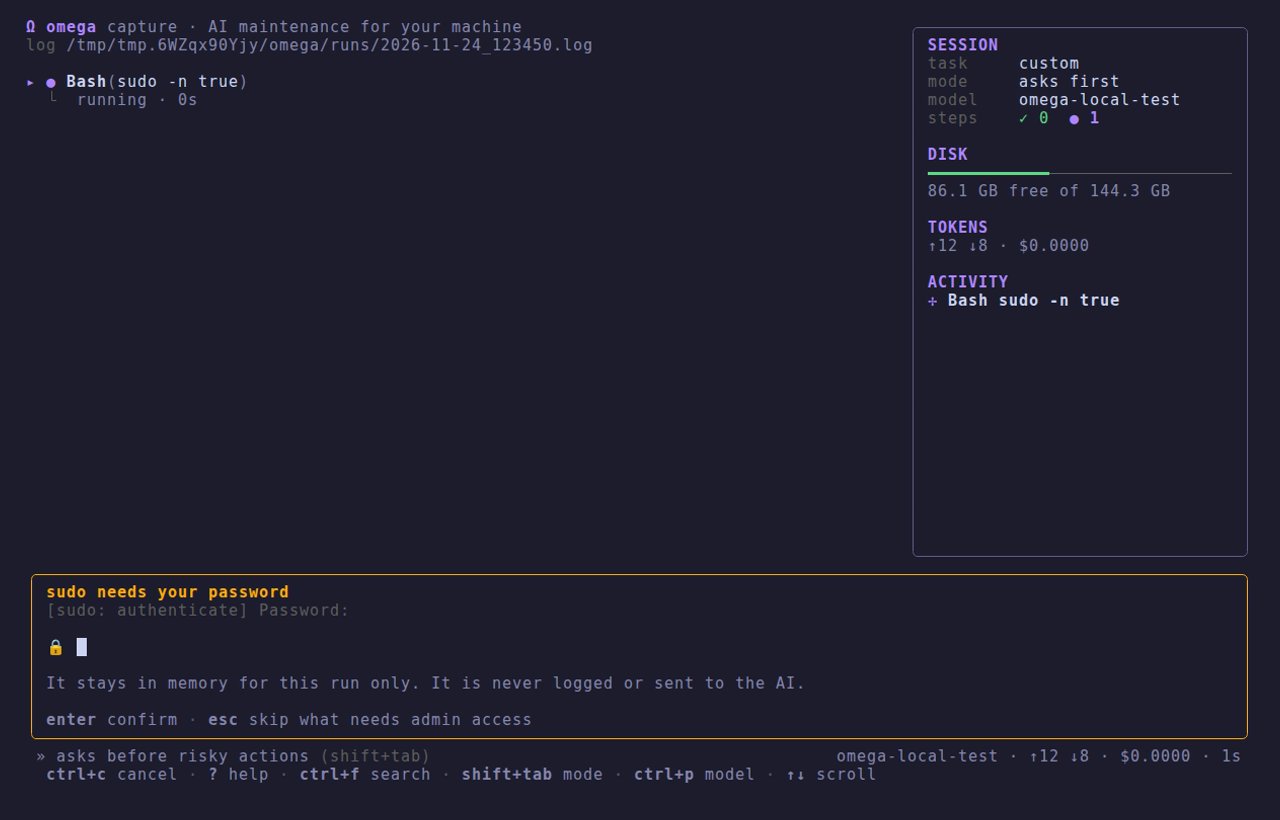
-
Commands run in their own session, detached from your terminal, so nothing can write over the interface. When something calls
sudo, a small wrapper sends the password request to omega, which shows a password card, checks the password with sudo and keeps it in memory for that run only (never logged, never sent to the AI).Escskips what needs admin access.omega --sudoasks for it before the run starts instead. -
On a Mac, a command that macOS stops for lack of a privacy permission (Full Disk Access, Automation, Accessibility, a protected folder) brings up a card that opens the place to grant it and retries when you have; see When macOS blocks omega itself. omega never grants itself a permission: only you can, in macOS's own window.
-
write_filealways requires approval (unless--yes), shows the diff and saves afile.omega-bak-YYYYMMDD-HHMMSScopy. -
Denied actions are shown in the interface and recorded in the run log.
-
The agent is instructed never to touch personal data (Documents, Desktop, Downloads, Photos, iCloud, SSH keys, keychains).
When the agent learns something lasting about your machine (a step that always
fails and why, a special path, a preference of yours), it saves it with the
remember tool in ~/.config/omega/notes.md, and those notes are included in
the agent's instructions on the next run. omega notes shows them;
omega notes clear forgets them. The file is plain Markdown, so you can add
permanent instructions yourself ("never update node, I manage it with fnm").