Usage
In order to use Útil paisagem, click on "Settings" and adjust the path to scenery imagery to an appropriate folder — it has to be called Orthophotos (see below). Adjust other settings according to your needs. The parent of the Orthophotos folder must be set at FlightGear launcher as an aditional scenery folder (in the case of the example below, it would be the /media/Windows/FlightGear Leandro/Útil paisagem folder.
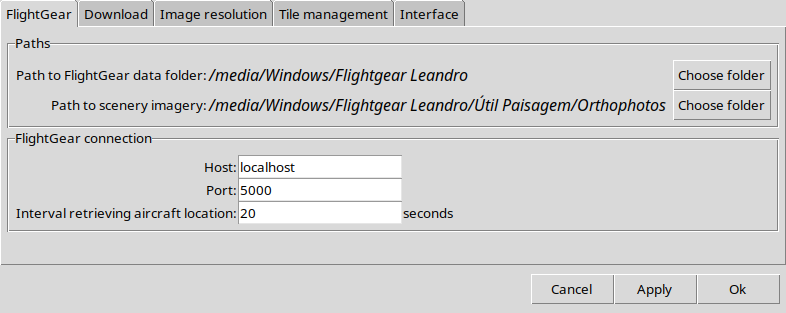
If you want to follow the aircraft live in FlightGear and download the scenery around it, you must pass --telnet=5000 as an additional setting (Settings tab on the launcher.)
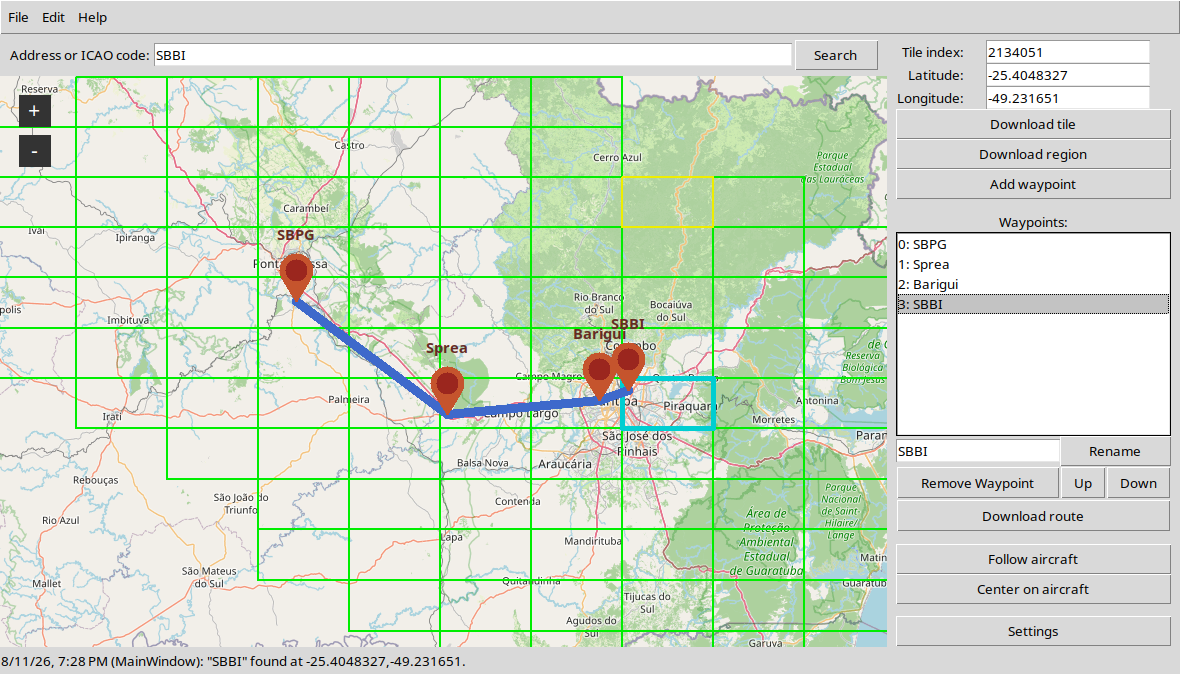
The best approach for scenery download, however, is doing it in advance, so that you don't have to reload the scenery in flight. You may add waypoints or define a center tile to download satellite imagery before entering the simulator. You may find a place using the search bar or enter its coordinates. Aircraft following should be used as a helper when getting off-route.