
An autonomous AI coding agent for the terminal. Reads, writes, and edits code across multi-round tool loops — with Grok, OpenAI, and Anthropic.
bfcode runs an autonomous agent loop: you describe a task, and it reads files, writes code, runs commands, searches the web, and iterates — up to 25 rounds — without waiting for input. It spawns subagents for parallel subtasks, falls back to alternate models on failure, and auto-compacts context to stay within limits.
- Autonomous agent loop — 25-round tool execution, subagents (explore/plan/build), batch parallel calls, model fallback chain, context window guard, one-shot mode
- Multi-provider — Grok, OpenAI, Anthropic with streaming, retry/backoff, cost tracking
- 29+ tools — file read/write/edit/patch, bash, glob, grep, browser automation, web search/fetch, PDF, image generation, TTS, memory, todos, plans, LSP code intelligence — plus dynamic MCP and plugin tools
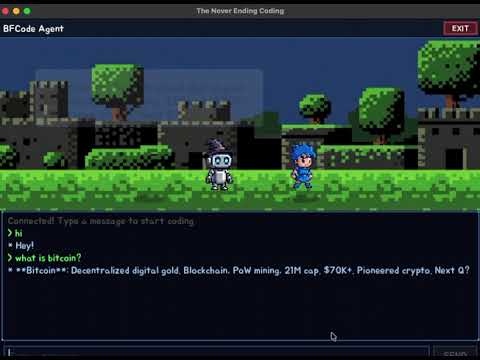
- TUI — full-screen terminal interface with scrollable chat, input history, code highlighting, undo
- Custom agents — define agents via
.bfcode/agents/*.mdwith model, tools, and system prompt - MCP support — connect local (stdio) and remote (HTTP/SSE) MCP servers for extensible tool discovery
- Plugin system — installable plugins with custom tools and hooks under
.bfcode/plugins/ - LSP integration — code intelligence via rust-analyzer, gopls, and typescript-language-server
- Telegram bot — run bfcode as a Telegram bot with per-chat sessions and access control
- Skills — reusable prompt templates with YAML frontmatter
- Sessions — persistent conversations with forking, child listing, and markdown export
- Infrastructure — HTTP gateway, background daemon, cron scheduler, lifecycle hooks, diagnostics
# 1. Set at least one API key
export GROK_API_KEY=your-key         # or OPENAI_API_KEY or ANTHROPIC_API_KEY

# 2. Build and install
cd cli
make install                        # builds release and copies to ~/.local/bin

# 3. Run
bfcode                              # start interactive session
bfcode chat "fix the failing test" # one-liner| Variable | Required | Description |
|---|---|---|
GROK_API_KEY |
One of these | Grok (X.AI) API key |
OPENAI_API_KEY |
is required | OpenAI API key (also enables image_generate and tts tools) |
ANTHROPIC_API_KEY |
Anthropic API key |
| Variable | Description |
|---|---|
BRAVE_API_KEY |
Enables websearch tool via Brave Search |
TAVILY_API_KEY |
Enables websearch tool via Tavily (alternative to Brave) |
| Variable | Default | Description |
|---|---|---|
BFCODE_API_URL |
http://localhost:11434/v1/chat/completions |
Custom OpenAI-compatible endpoint (Ollama, vLLM, LM Studio, etc.) |
BFCODE_API_KEY |
"ollama" |
API key for the custom endpoint |
BFCODE_CONTEXT_LIMIT |
131072 |
Context window size for the custom endpoint |
| Variable | Description |
|---|---|
BFCODE_MODEL |
Override model name (highest priority) |
BFCODE_TEMPERATURE |
Override temperature (0.0–2.0) |
BFCODE_PROVIDER |
Override provider (anthropic, openai, grok, compatible) |
| Variable | Description |
|---|---|
TELEGRAM_BOT_TOKEN |
Required for bfcode telegram |
TELEGRAM_ALLOWED_CHATS |
Comma-separated chat IDs to restrict bot access |
CHROME_PATH |
Custom path to Chrome/Chromium for browser tools |
bfcode                              # interactive REPL (default)
bfcode chat "your message here" # start with an initial messagebfcode session list # list all sessions
bfcode session new # create a new session
bfcode session resume <id> # resume a previous session
bfcode session export [id] [-o file] # export session as markdown
bfcode session fork [id] [-m index] # fork session at message index
bfcode session children [id] # list child sessions of a forkbfcode model # show current model
bfcode model gpt-4o # switch to GPT-4o (auto-detects provider)
bfcode model claude-opus-4-6 # switch to Claude
bfcode model grok-3 # switch to Grokbfcode context env # generate environment snapshot
bfcode context summary # show compaction summary
bfcode context save # save compaction summary
bfcode context list # list context files
bfcode context show # show combined system context
bfcode memory list # list all memories
bfcode memory show <name> # show a specific memory
bfcode memory save <name> [-t type] [-d desc] [-c content] # save a memory
bfcode memory delete <name> # delete a memorybfcode plan list # list saved plans
bfcode plan create <name> # create a plan (reads from stdin)
bfcode skills list # list available skills
bfcode skills show <name> # show a skill's content
bfcode skills import <path> # import skills from folder or .zipbfcode mcp list # list configured MCP servers
bfcode mcp tools # show tools from connected serversbfcode plugin list # list loaded plugins
bfcode plugin hooks # list configured hooks
bfcode plugin init <name> # scaffold a new plugin# Gateway — HTTP API server for multi-user access
bfcode gateway start [-l addr] [--tailscale] # start (default: 127.0.0.1:8642)
bfcode gateway status [-u url] # check status
bfcode gateway chat -u url [-k key] "message" # send message to remote gateway
# Daemon — background service
bfcode daemon start # start as background daemon
bfcode daemon stop # stop the daemon
bfcode daemon status # check daemon status
bfcode daemon install # install as system service (systemd/launchd)
bfcode daemon uninstall # uninstall the system service
bfcode daemon update # check for updates
# Cron — scheduled tasks
bfcode cron list # list scheduled jobs
bfcode cron add <schedule> <cmd> [-d desc] # add a job (e.g. "5m", "1h", "daily")
bfcode cron remove <id> # remove a job
bfcode cron enable <id> # enable a job
bfcode cron disable <id> # disable a job
# Telegram bot
bfcode telegram # start Telegram bot (long polling)bfcode doctor # run 12 health checks
bfcode diagnostics # show system info for bug reportsbfcode clear # clear current session
bfcode compact # compact conversation to reduce tokens
bfcode config # show current configuration
bfcode cfg show # show merged config with sources
bfcode cfg validate # validate config files
bfcode cfg init [-f json|yaml] [--project] # initialize config
bfcode cfg sources # show config file locations
bfcode cfg migrate # migrate old config format
bfcode undo [n] # undo last N file changes (default 1)| Command | Aliases | Description |
|---|---|---|
/help |
/h |
Show command help |
/quit |
/exit, /q |
Exit the REPL |
/clear |
Clear session conversation | |
/compact |
Compact conversation | |
/new |
Create a new session | |
/sessions |
List all sessions | |
/resume <id> |
Switch to a session by ID | |
/model [name] |
Show or change model | |
/plan <name> |
Save a plan | |
/plans |
List saved plans | |
/export [file] |
Export session as markdown | |
/context |
Show compaction summary | |
/undo [n] |
Undo last N file changes | |
/paste [msg] |
Attach clipboard image | |
/agents |
List available agents | |
/skills |
List available skills | |
/skill <name> |
Activate a skill | |
/cron [args] |
Manage cron jobs | |
/doctor |
Run health checks |
Image input: use @image.png to attach a file or @clipboard to paste from clipboard.
Config files are loaded in priority order (later overrides earlier):
~/.bfcode/config.jsonorconfig.yaml(global).bfcode/config.jsonorconfig.yaml(project)- Environment variables (
BFCODE_MODEL,BFCODE_TEMPERATURE,BFCODE_PROVIDER)
Objects are deep-merged, arrays are concatenated, scalars are overwritten.
{
  "model": "claude-opus-4-6",
  "temperature": 1.0,
  "provider": "anthropic",
  "fallback_models": ["gpt-4o", "grok-3"],
  "mcp_servers": {
    "my-server": {
      "type": "local",
      "command": "npx",
      "args": ["-y", "my-mcp-server"],
      "env": {}
    }
  },
  "hooks": [],
  "env": {},
  "include": [],
  "gateway": {
    "listen": "127.0.0.1:8642",
    "api_keys": [],
    "tailscale": false,
    "max_sessions": null
  },
  "daemon": {
    "respawn": true,
    "max_respawns": null,
    "auto_update_hours": null,
    "log_file": null
  }
}cli/src/
├── main.rs # Agent loop (25 rounds)
├── api.rs # Multi-provider API client
├── tools.rs # 29+ tool definitions
├── agent.rs # Custom agents and subagent modes
├── fallback.rs # Model fallback chain
├── guard.rs # Context window guard
├── tui.rs # Terminal UI
├── browser.rs # Chrome automation (CDP)
├── lsp.rs # LSP client (rust-analyzer, gopls, tsserver)
├── mcp.rs # MCP server manager (local + remote)
├── telegram.rs # Telegram bot integration
├── context.rs # Context and memory
├── config.rs # Configuration
├── gateway.rs # HTTP gateway
├── daemon.rs # Background daemon
├── cron.rs # Cron scheduler
├── plugin.rs # Plugins and lifecycle hooks
├── skill.rs # Skill templates
├── search.rs # TF-IDF search
├── persistence.rs # Session storage and forking
├── doctor.rs # Diagnostics
└── types.rs # Types and models
cd cli
make build          # debug build
make release        # release build
make install        # release build + install to ~/.local/bin
make test           # run tests
make format         # cargo fmt
make clean          # cargo clean
Prebuilt binaries are available on the Releases page for Linux (amd64/arm64) and macOS (amd64/arm64).


MIT