Home
Applies to Censorarr 1.6.5
Censorarr is a self-hosted clean-audio manager for movies and TV shows. It scans media, transcribes dialogue, detects configured profanity, and can add a separate English - CLEAN audio track while preserving the original audio streams.
Choose the guide for your platform:
- Windows Installation — native Windows 11 x64 installer, no Docker required.
-
Native Linux Installation — Debian/Ubuntu-family x86_64
.deb, no Docker required. - Synology Container Manager — recommended Synology deployment.
- Docker / Linux Installation — standard Docker deployment.
Only two things are required:
- A Movies and/or TV Shows folder available to Censorarr.
- A transcription backend:
- local CPU, or
- the optional Censorarr GPU Worker on another NVIDIA-equipped host.
Everything else is optional.
| Integration | Required? | What it adds |
|---|---|---|
| Plex | No | Rating filters, playback-aware start gating, library refresh |
| Radarr | No | Movie posters and richer movie metadata |
| Sonarr | No | TV/episode metadata |
| Bazarr | No | Automatic subtitle acquisition |
| GPU Worker | No | NVIDIA-accelerated Whisper transcription |
Censorarr works without Plex, Radarr, Sonarr, or Bazarr. Without Radarr/Sonarr, the Media pages fall back to the configured media folders.
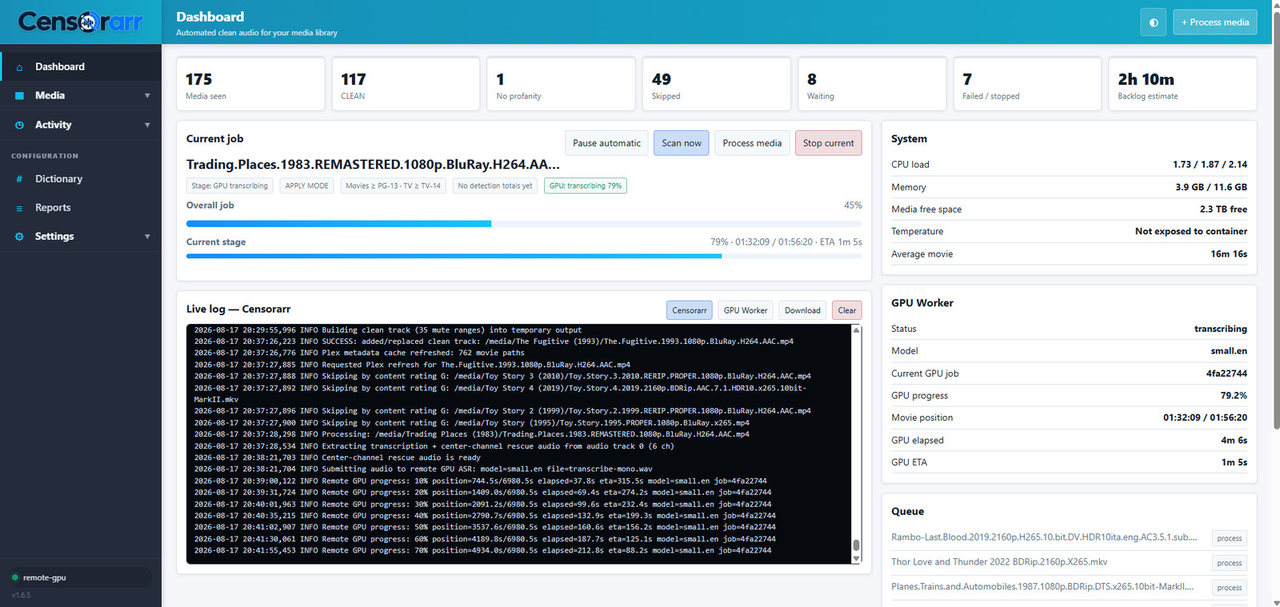
The Dashboard shows current processing, queue status, GPU-worker progress, system information, and live logs.
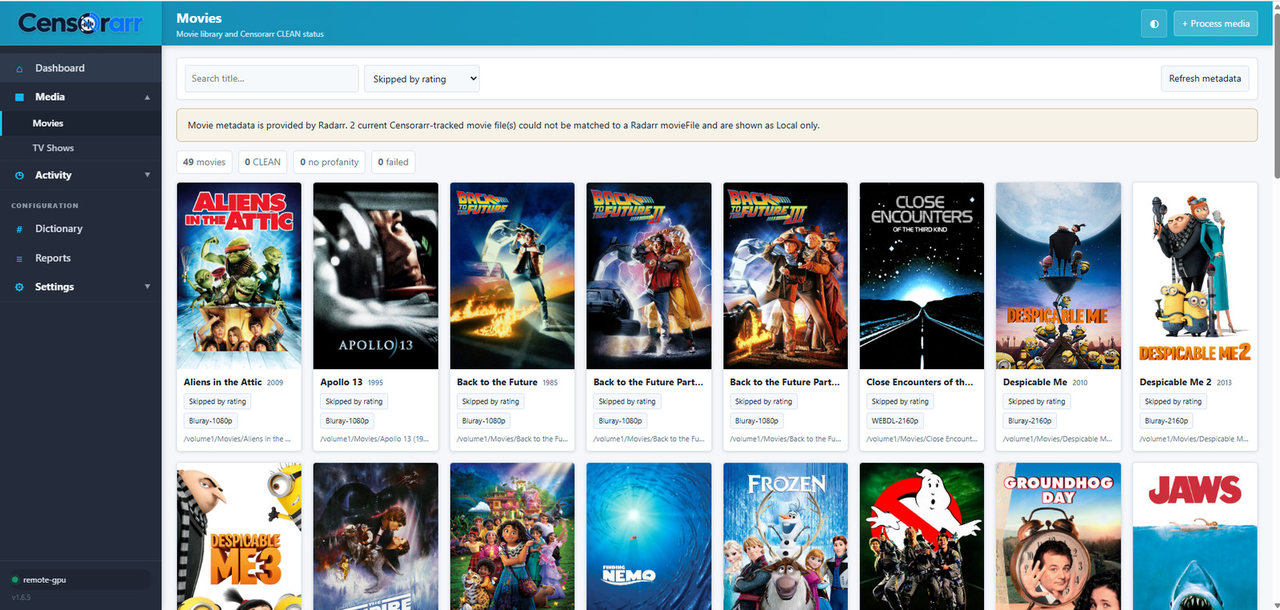
The Movies page shows posters, metadata, quality, and each movie's current Censorarr status.
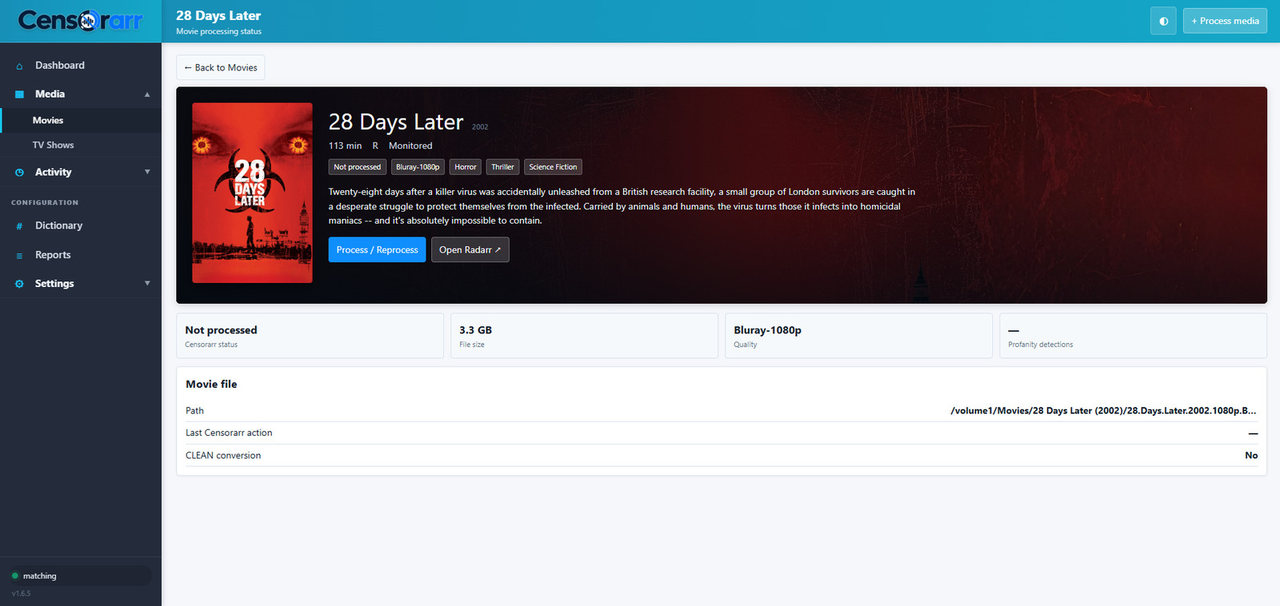
Open a movie for a detailed view of its file, metadata, CLEAN conversion status, and processing controls.
- Quick Start
- Pick your installation guide:
- First-Run Setup Wizard
- Media Folders & Permissions
- Transcription & GPU Worker
- Optional integrations:
- Profanity & Detection
- CLEAN Audio, Review & Safety
- Scheduling & Notifications
- Updating
- Troubleshooting
- Configuration Reference
- Security & Secrets
Start with:
- a small test folder or small media set,
- Dry Run enabled,
- local CPU first if you want to validate the main install before adding the GPU Worker,
- optional integrations disabled until the core scan works.
Once Censorarr can see and analyze your test files correctly, add integrations one at a time.
No speech-recognition or subtitle system can guarantee 100% profanity recall. Censorarr writes temporary output, validates it, and only then replaces the original pathname, but you should still keep backups of important media and test your settings before using Apply mode across a full library.