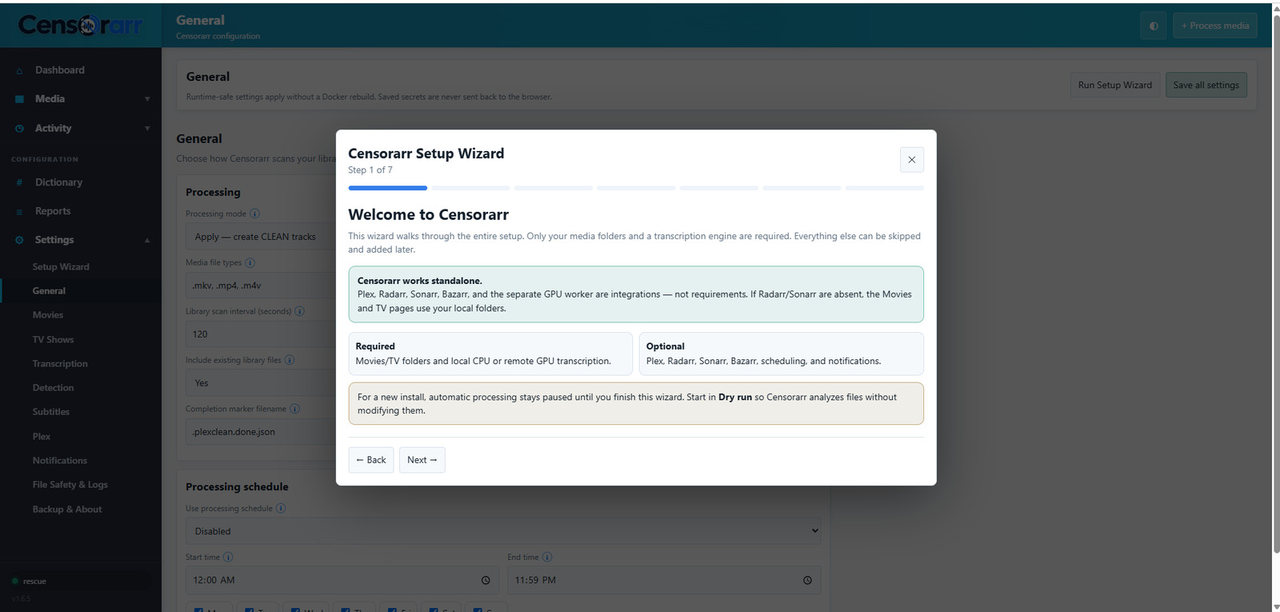
Setup Wizard
Fresh installations stay idle until the Setup Wizard is completed.
You can reopen it later from Settings → Setup Wizard.
The first-run wizard walks through required media/transcription settings and optional integrations step by step.
Typical container paths:
Movies: /media
TV:     /tv
On native Windows, use real Windows paths such as D:\Movies, E:\TV Shows, a mapped drive, or a reachable UNC path.
Start with Dry Run enabled.
Dry Run still needs read permission to the source media because Censorarr must inspect, extract audio, and transcribe it.
Choose one:
Best for initial validation or systems without an NVIDIA worker.
Default configuration uses CPU/int8.
Use the Censorarr GPU Worker only.
You need:
- worker URL, e.g.
http://GPU-IP:9000 - matching worker token
- reachable TCP 9000
Uses the GPU Worker with local CPU fallback when configured.
See Transcription & GPU Worker.
Skip this if you do not need Plex-specific features.
Plex can add:
- rating filters
- playback-aware start gating
- library refresh after processing
See Plex Integration.
These are metadata integrations. They are not required for scanning or processing media.
- Radarr enriches Movies
- Sonarr enriches TV Shows
See Radarr & Sonarr.
Subtitle Assist can use:
- external subtitle files
- embedded English text subtitles
- optional Bazarr downloads
Bazarr is not required.
Verify:
- correct media roots
- Dry Run vs Apply
- backend selection
- optional integrations you actually want
Finish setup only after the media permission checks pass.
For troubleshooting, do not enable everything at once.
- Core + local CPU + Dry Run
- Verify file discovery
- Verify transcription/detection
- Add GPU Worker
- Add Plex
- Add Radarr/Sonarr
- Add Bazarr
- Switch to Apply after testing