Quick Start
CompareQueries does not store metrics by itself. It executes queries against a real target datasource (for example Prometheus, Loki, Elasticsearch, SQL).
- Install the plugin
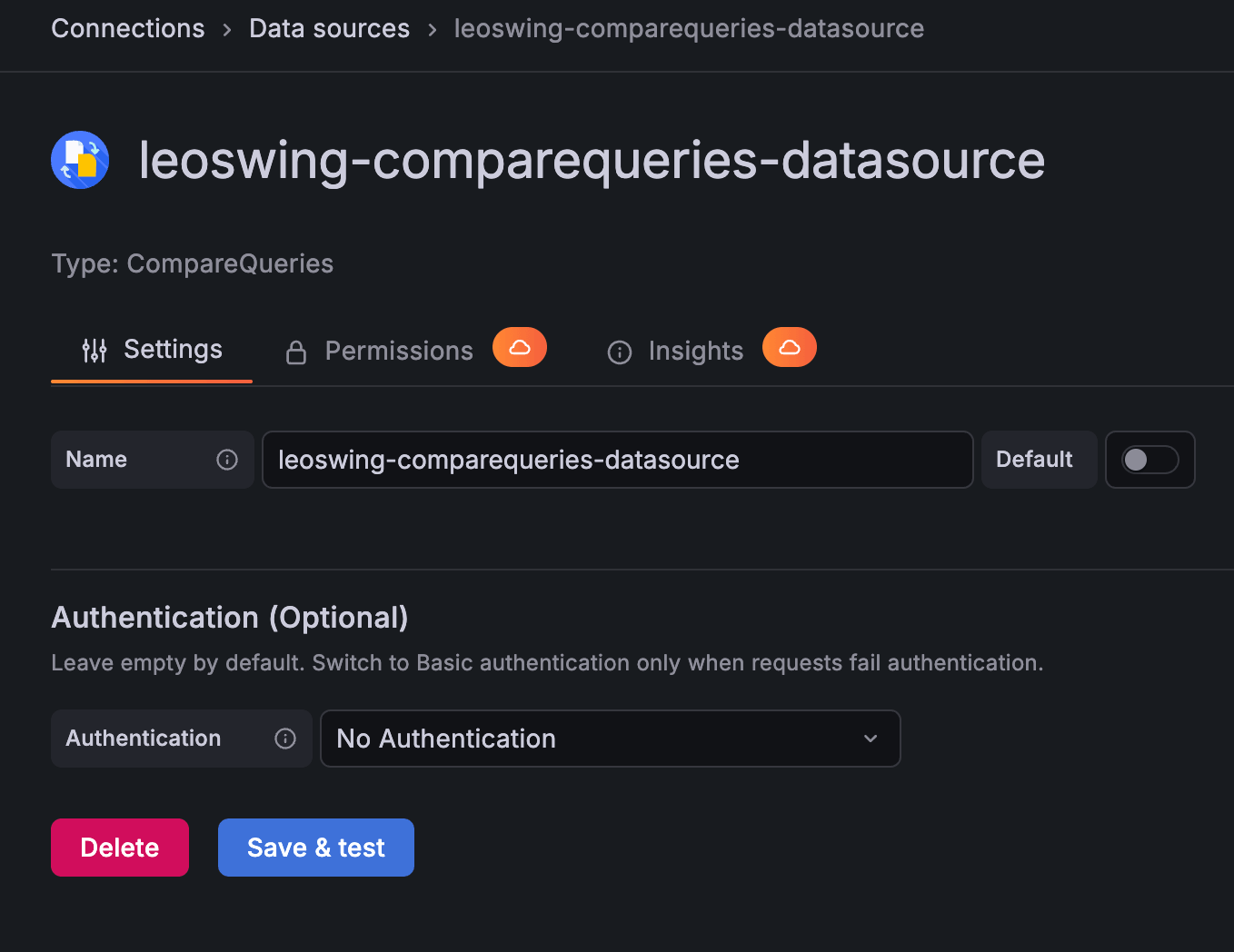
leoswing-comparequeries-datasource. - Ensure your target datasource is already configured in Grafana.
Go to:
Grafana -> Connections -> Data sources -> Add new data source -> search "compare"

Recommended default:
-
Authentication (Optional):No Authentication
Use Basic authentication only when backend or alerting requests fail authentication. In that case, configure:
-
Service Accounttoken - Optional
Grafana URL(only if auto-detection is incorrect)
- Create a dashboard panel.
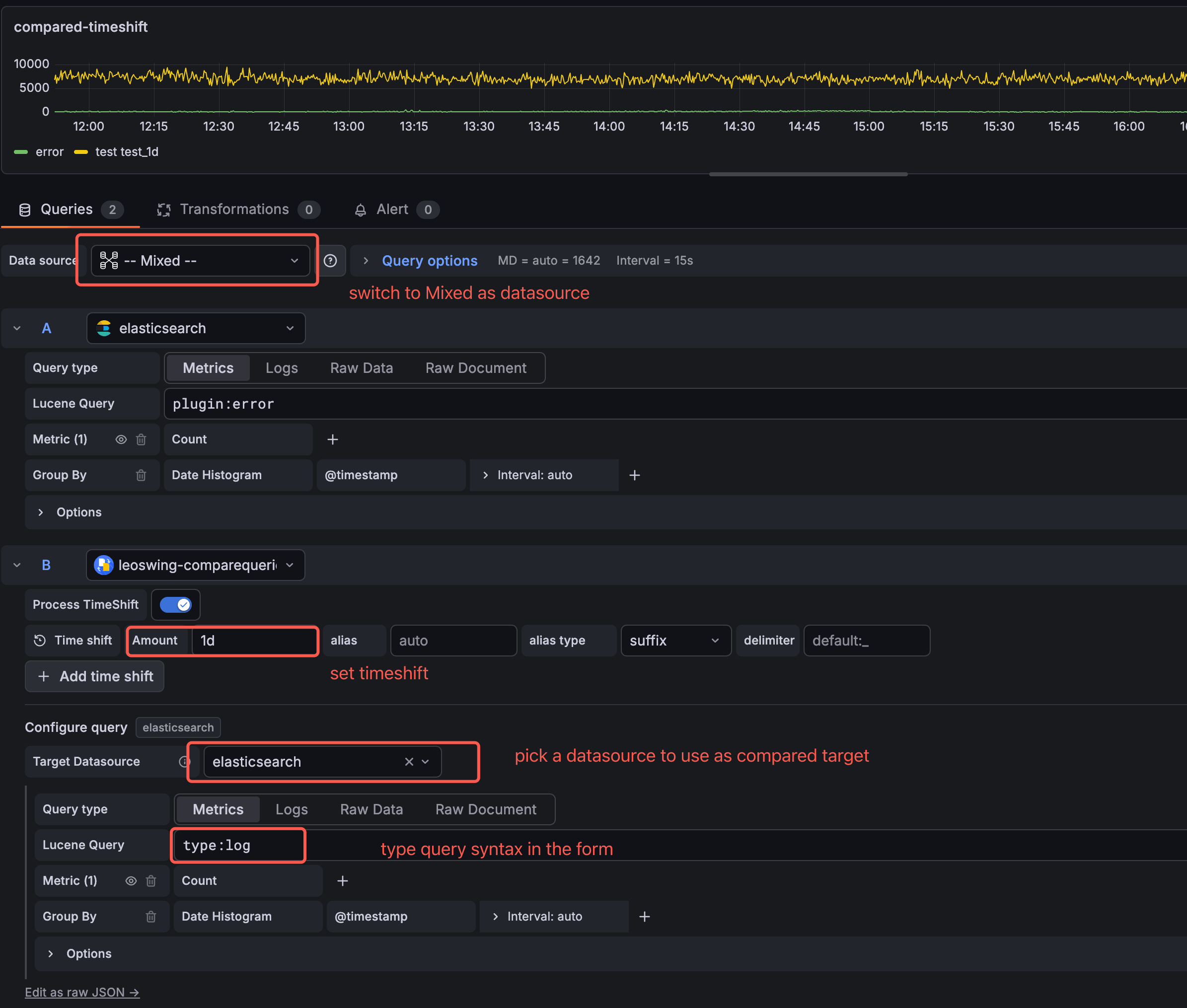
- Set panel datasource to
-- Mixed --. - Add a query row and select
CompareQueriesas the row datasource. - In CompareQueries editor, select
Target Datasource. - Build the target query with its native editor.
- Add one or more time-shift rows (
Amountexamples:1d,1w,30m). - Optional: enable
Process TimeShiftto align shifted series with the current time window.
- Empty
Amountmeans no shift (base series). - For Grafana 13+ and all new dashboards, use the
Target Datasourceflow above. - Legacy RefId workflow is only for existing dashboards on older Grafana versions.