


Warning
Educational Purposes Only & Disclaimer This project was created strictly for educational and research purposes to understand game mechanics and client-side vulnerabilities. Using modifications, scripts, or cheats in Krunker.io directly violates the game's Terms of Service and will result in your account being permanently banned.
The developers of EmbarkDev do not encourage or endorse cheating in multiplayer games. We assume zero responsibility for any bans, account losses, or other consequences that may occur from using this software. Use at your own risk!
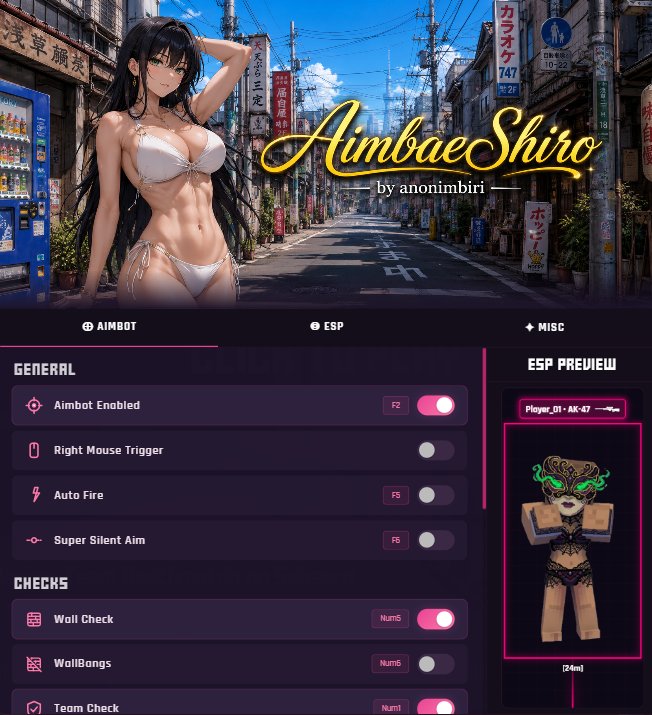
- Advanced Aimbot: Toggle between Super Silent (invisible tracking) or Non-Silent (physical crosshair lock).
- Legit Aim (Humanizer): Bypass detection with human-like tracking! Fine-tune Flick Speed, Aim Randomness, Aim Tremor, and utilize ADS Stability to look completely natural.
- Smart Checks: Automatically avoids targeting teammates, walls (unless Wallbangs is enabled), and fully supports tracking AI/Bots.
- Dynamic FOV: Customizable targeting radius with an optional on-screen visual circle.
- Combat Assists: Features like Auto Fire, Auto Reload (instantly reloads on empty), Anti-Aim (spins your hitbox), and Auto Nuke.
- Comprehensive ESP: Highlights enemies and Bots/AI with Customizable Glowing Boxes, Energy Lines (Trails), and Wireframe mode.
- Rich Info Tags: Displays Player Name, Level, Health Bar, Distance, and Weapon Icons directly above targets.
- Camera Mods: Play Krunker in Third Person Mode and fully adjust your Weapon Zoom (ADS zoom multiplier).
- Aesthetics: Force bullet trails with Always Trails, and use the Client-Side Skin Unlocker to equip any skin, dye, or melee locally.
- Custom Colors: Personalize ESP Lines, Boxes, and Bot colors via the built-in color picker.
- Auto Bhop (Slide Hop): Effortlessly preserve and gain speed with automatic sliding—just hold Space.
- Anti-Kick: Bypasses Krunker's inactivity kick timers.
- Custom Hotkey Binder: Press any key to bind features directly in the game UI (ESC to cancel, DEL to unbind).
EmbarkDev features a completely custom, anime-themed menu built directly into the game.
- Neon effects, smooth transitions, and dynamic falling petals.
- Intuitive toggle switches, sliders, and color pickers.
- Easily accessible via a custom button on Krunker's main menu.
Option 1: Install via GreasyFork (Recommended) 👉 Click here to install from GreasyFork
Option 2: Clone/Download from GitHub 🔗 levifrsn63/embarkdev-internal Repository
- Track versions and update notes directly on our GitHub Releases page:
https://github.com/levifrsn63/embarkdev-internal/releases
MIT License. See LICENSE for more details.