




This README is also available in Russian.
Search tool typos in the text, files and websites.
Used API Yandex.Speller.
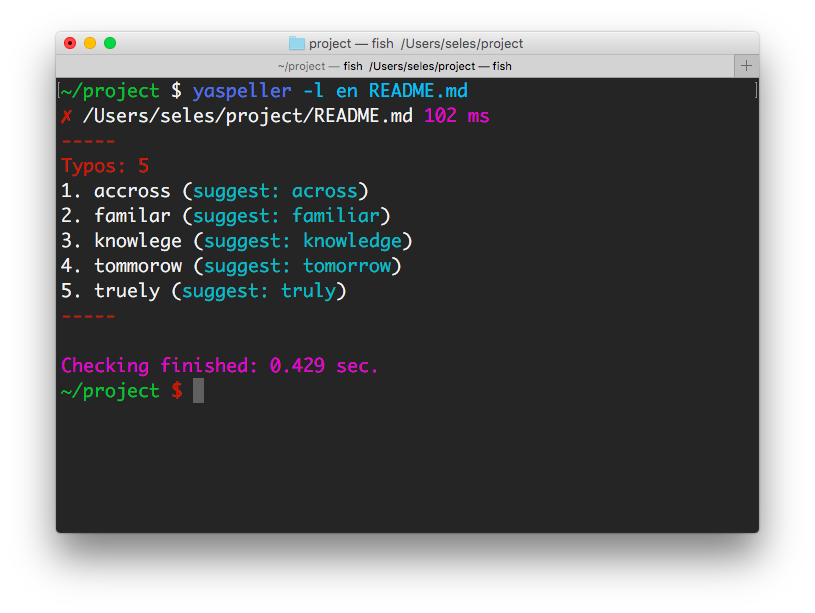
npm install yaspeller -g
yaspeller [options] <file-or-directory-or-link...>
yaspeller README.md— search typos in the file.yaspeller -e ".md,.html,.js" ./texts/— finding typos in files in the folder.yaspeller https://ru.wikipedia.org/wiki/%D0%9E%D0%BF%D0%B5%D1%87%D0%B0%D1%82%D0%BA%D0%B0— search typos in the page.yaspeller http://bem.info/sitemap.xml— search typos at the addresses specified in the sitemap.xml.echo "Hello, world!" | yaspeller
Formats: plain, html, markdown or auto.
Default: auto.
Languages: en, ru or uk.
Default: en,ru.
Configuration file path.
Set file extensions to search for files in a folder.
Example: .md,.htm,.txt.
JSON file for own dictionary.
[
    "someword1", // someword1 = someword1 and Someword1
    "Someword2", // Someword2 = Someword2
    "someword3"
]
Regular expressions are supported:
[
    "unknownword",
    "unknown(W|w)ord[12]?", // unknown(W|w)ord[12]? = unknown(W|w)ord[12]? and Unknown(W|w)ord[12]?
    "Unknown(W|w)ord[34]?" // Unknown(W|w)ord[34]? = Unknown(W|w)ord[34]?
]
Examples:
yaspeller --dictionary my_dict.json .
yaspeller --dictionary my_dict.json:my_dict2.json .
Set type of report: console, html, markdown or json.
Default: console
Example: console,html,custom_report.js
Check the correctness of using the letter “Ё” (Yo) in Russian texts.
Do not use a dictionary environment (context) during the scan.
This is useful in cases where the service is transmitted to the input of a list of individual words.
Highlight repetitions of words, consecutive. For example, I flew to to to Cyprus.
Celebrate words, written in Latin, as erroneous.
Ignore HTML tags.
Default: code,kbd,object,samp,script,style,var
Option to formats html and markdown.
Remove the text from the scan using regular expressions.
Ignore the incorrect use of UPPERCASE / lowercase letters, for example, in the word moscow.
Ignore words with numbers, such as avp17h4534.
Ignore words, written in Latin, for example, madrid.
Ignore Roman numerals I, II, III, ....
Ignore words written in capital letters.
Ignore Internet addresses, email addresses and filenames.
Max count of requests at a time.
Default: 2.
Clean output without colors.
Output only errors.
Debug mode.
npm install yaspeller --save-dev
Add the text in package.json / scripts:
"yaspeller": "yaspeller .",
To run the linter:
npm run yaspeller
Yaspeller is configured using .yaspellerrc JSON file at the root of the project.
{
  "excludeFiles": [
    ".git",
    "libs",
    "node_modules",
    "yaspeller"
  ],
  "lang": "ru",
  "fileExtensions": [
    ".md",
    ".js",
    ".css"
  ],
  "dictionary": [
    "someword1"
  ]
}
Advanced example:
{
  "excludeFiles": [
    ".git",
    "yaspeller",
    "node_modules",
    "libs"
  ],
  "format": "html",
  "lang": "en",
  "fileExtensions": [
    ".md",
    ".js",
    ".css"
  ],
  "report": ["console", "html"],
  "dictionary": [
    // JSON comments
    "someword1", // someword1 = someword1 and Someword1
    "Someword2", // Someword2 = Someword2
    "some(w|W)ord[23]", // some(w|W)ord[23] = some(w|W)ord[23] and Some(w|W)ord[23]
    "Some(w|W)ord" // Some(w|W)ord = Some(w|W)ord
  ],
  "ignoreText": [
    "<php\?[^]*?\?>", // Shortly
    ["<php\?[^]*?\?>", "g"] // Longly
  ],
  "ignoreTags": ["code", "script"],
  "ignoreUrls": true,
  "findRepeatWords": true,
  "maxRequests": 5
}| Property | Type | Details |
|---|---|---|
format |
String |
--format |
lang |
String |
--lang |
excludeFiles |
Array |
|
fileExtensions |
Array |
--file-extension |
dictionary |
Array |
--dictionary |
report |
Array |
--report |
checkYo |
Boolean |
--check-yo |
byWords |
Boolean |
--by-words |
findRepeatWords |
Boolean |
--find-repeat-words |
flagLatin |
Boolean |
--flag-latin |
ignoreTags |
Array |
--ignore-tags |
ignoreText |
Array |
--ignore-text |
ignoreCapitalization |
Boolean |
--ignore-capitalization |
ignoreDigits |
Boolean |
--ignore-digits |
ignoreLatin |
Boolean |
--ignore-latin |
ignoreRomanNumerals |
Boolean |
--ignore-roman-numerals |
ignoreUppercase |
Boolean |
--ignore-uppercase |
ignoreUrls |
Boolean |
--ignore-urls |
maxRequests |
Number |
--max-requests |
var re = /a-z/; // yaspeller ignorevar re = /a-z/; /* yaspeller ignore */<span>a-z</span> <!-- yaspeller ignore -->/* yaspeller ignore:start */
var reUpper = /A-Z/,
reLower = /a-z/;
/* yaspeller ignore:end */<!-- yaspeller ignore:start -->
<span>A-Z</span>
<div>a-z</div>
<!-- yaspeller ignore:end -->Gulp plugin
var gulp = require('gulp'),
    run = require('gulp-run'); // npm install gulp-run --save-dev

gulp.task('yaspeller', function (cb) {
    run('./node_modules/.bin/yaspeller .').exec()
        .on('error', function (err) {
            console.error(err.message);
            cb();
        })
        .on('finish', cb);
});
Grunt plugin
module.exports = function(grunt) {
    grunt.loadNpmTasks('grunt-shell'); // npm install grunt-shell --save-dev
    grunt.initConfig({
        shell: {
            yaspeller: {
                options: {stderr: false},
                command: './node_modules/.bin/yaspeller .'
            }
        }
    });
    grunt.registerTask('lint', ['shell:yaspeller']);
};MIT License