Repository navigation

More teeth, more control, and a new stage.
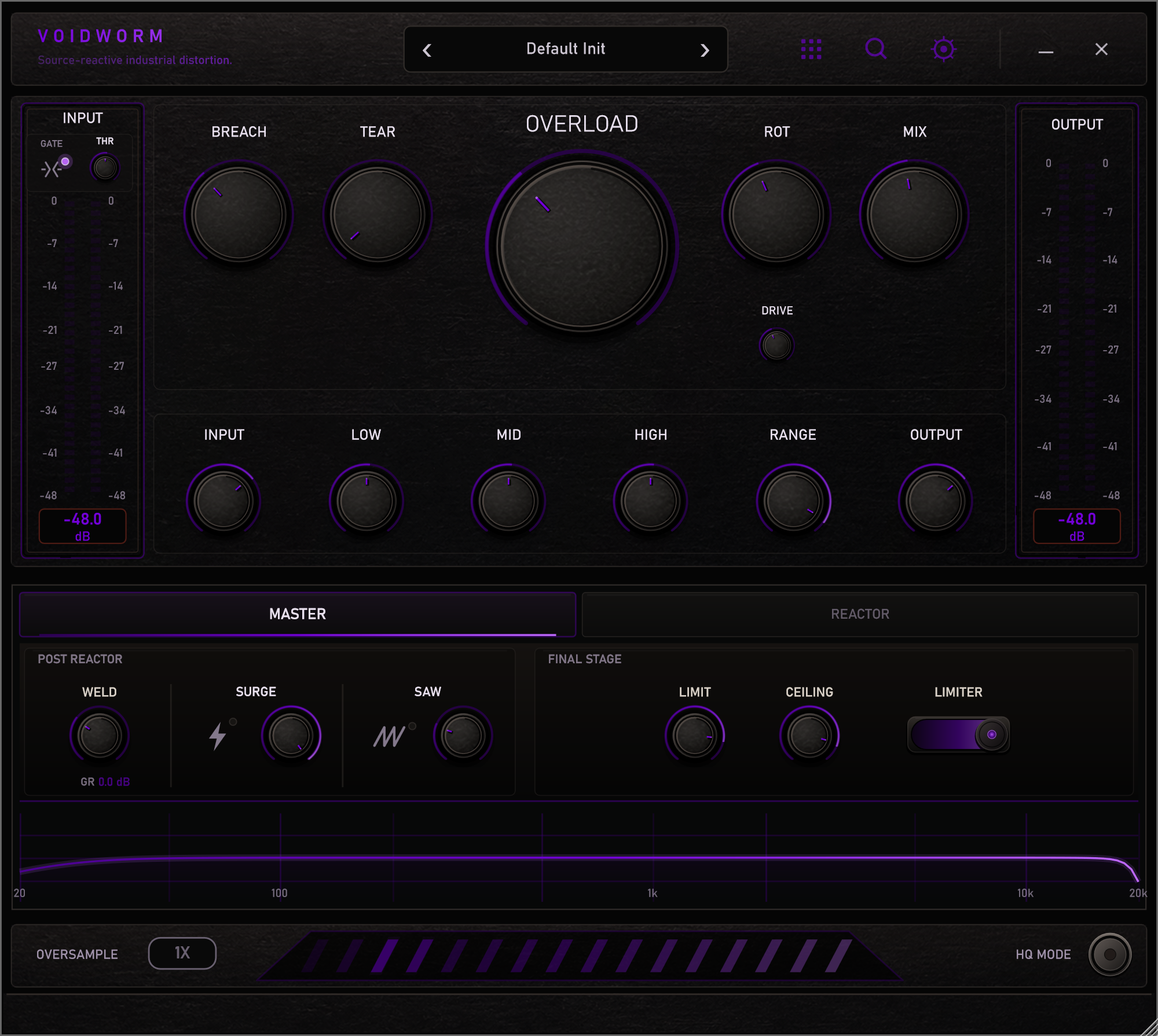
SAW: a new stage
SAW bends the signal through a saw, square, or triangle transfer that follows the source's own level, so the edge it adds moves with the playing instead of sitting on top of it. Click its icon to switch it on, right-click or scroll it to change the shape, and AMT sets how much. It runs at about 400 kHz internally whatever the oversampling factor, so the shapes stay clean; switched off it costs nothing.
SURGE gets an amount
SURGE now has its own AMT. At 100%, the default, it is exactly the SURGE you know; lower, it escalates thresholds, sag, density and compression only that far.
SURGE and SAW sit side by side with WELD on the MASTER page, drawn alike: a name, an icon to click, a lamp that lights while the stage is on, and its amount.
MASS and FEEDBACK with teeth
MASS and FEEDBACK were the calm reactors. Their character controls now go further in the upper half:
- MASS SATURATION clips the lows much harder and squares them off; HARMONICS lets that grit through. MASS stays the bass reactor, with a fuzz-like bite.
- FEEDBACK RETURN wakes it up on short notes too, drives it harder, eases its safety compressor and brings it forward in the mix.
At the middle, where every instance starts, they sound exactly as before.
INPUT
A new INPUT knob opens the bottom row, which now reads INPUT · LOW · MID · HIGH · RANGE · OUTPUT. It sets the level into the whole plugin, dry signal and gate included, from -24 to +12 dB, and the input meter shows the level after it.
A MIX that moves evenly
MIX used an equal-power crossfade. Dry and wet are largely the same signal, so they added up in the middle and most of the audible change waited for the top of the knob. MIX is now a straight crossfade with an even taper: half the knob is half the change, with no loudness bump on the way.
Sessions and presets made with earlier versions convert when they load and keep their exact dry/wet balance; the new default, 46%, is the old 72%.
Smaller things
- Every knob shows its value while you turn it, including WELD, LIMIT, CEILING and the REACTOR page (some used to draw it out of sight).
- WELD's gain reduction sits right under WELD; the MASTER page has more room and one name per control.
- GATE, SURGE and SAW lamps all light the same way.
- The installers' help link points to lewonn.com/voidworm, where you can also try VOIDWORM in your browser.
Compatibility
Existing sessions and presets open as they were: MIX converts, INPUT starts at 0 dB, SURGE at full amount and SAW off. Presets saved in 1.2.0 store INPUT, SURGE's amount and SAW.