A Chrome extension for downloading Lovable.dev project source code as a ZIP archive — instantly, with one click.
Lovable.dev supports exporting project source code, but it requires connecting a GitHub repository. This extension skips that entirely — click the icon, get a ZIP of your entire project in seconds. No GitHub, no setup, no waiting.
Install directly from the Chrome Web Store.
- Download the latest
extension-*.zipfrom Releases - Unzip the file
- Open
chrome://extensions - Enable "Developer mode"
- Click "Load unpacked" and select the unzipped folder
npm install
npm run build
Load the build/ directory as an unpacked extension in Chrome:
- Open
chrome://extensions - Enable "Developer mode"
- Click "Load unpacked" and select the
build/folder
- Navigate to any project on lovable.dev
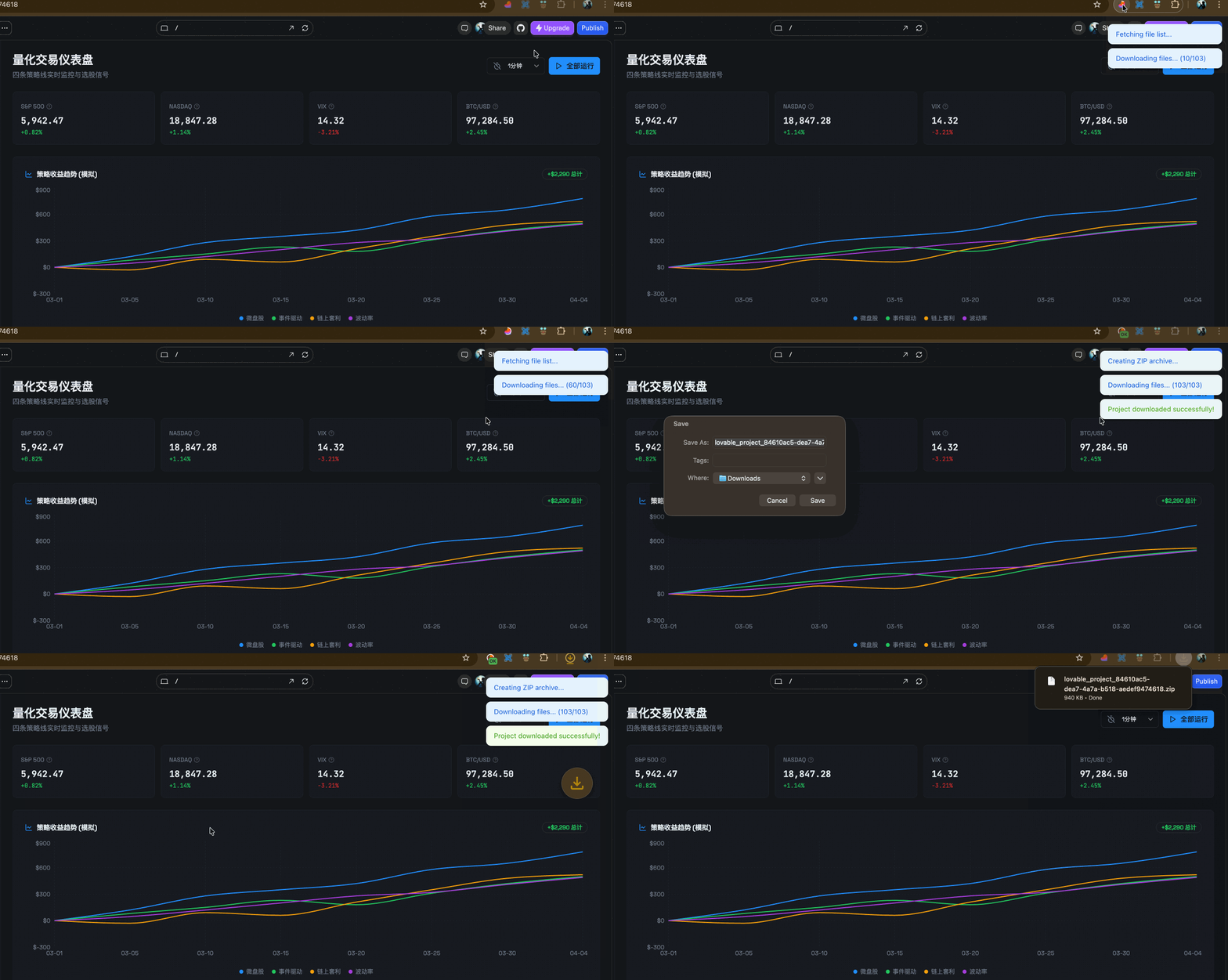
- Click the Lovable Downloader icon in the toolbar
- Wait for the progress ring to complete
- Save the ZIP file when prompted
To cancel a download in progress, click the icon again.
npm run devWatches for file changes and rebuilds automatically. Reload the extension in Chrome after each rebuild.
| Script | Description |
|---|---|
npm run dev |
Watch mode with auto-rebuild |
npm run build |
Production build to build/ |
npm run build:zip |
Build and package as .zip |
npm run typecheck |
TypeScript type checking |
bash scripts/trim-icon.sh [padding%] |
Trim icon padding (default 5%, max 40%) |
src/
  service-worker.ts    # Background service worker — API calls, download orchestration, progress icon
  content-script.ts    # Toast notification UI (Shadow DOM), token relay
  inject.ts            # Page-context script to read Supabase auth token from localStorage

scripts/
  build.mjs            # esbuild production build
  dev.mjs              # esbuild watch mode
  chrome-manifest.mjs  # Manifest v3 definition
  chrome-prebuild.mjs  # Copies manifest + static assets to build/
  chrome-generate-image.sh  # Generates icon sizes via ImageMagick
  chrome-zip.mjs       # Packages build/ as .zip
  trim-icon.sh         # Trims and pads the source icon

public/
  icon.png             # Extension icon (192x192, used as source for all sizes)
  icon-original.png    # Untouched original for idempotent trimming
- The extension passively captures Lovable API auth tokens via
webRequest - When the user clicks the extension icon on a Lovable project page, it:
- Resolves authentication (intercepted token or Supabase localStorage fallback)
- Fetches the project file list from the Lovable API
- Downloads all files concurrently (batches of 5)
- Bundles everything into a ZIP and triggers a browser download
- Progress is shown via a circular ring on the extension icon and toast notifications
MIT