Repository navigation
References
Links checked on 28 October 2026. Projects, product revisions, store listings, legal requirements and firmware compatibility change; verify the current page before acting.
- Learn to fly an FPV drone (for total beginners) — playlist
- Liftoff FPV simulator
- Liftoff: Micro Drones — Steam store · official product overview — separate simulator focused on the micro-drone class and indoor environments.
- Learning log template
- Joshua Bardwell — RadioMaster / radio setup playlist
- RadioMaster official site
- EdgeTX
- ExpressLRS — Getting Started
- ExpressLRS — Binding
- ExpressLRS — Web UI
- ExpressLRS — hardware overview
- ExpressLRS code repository
- Joshua Bardwell — Betaflight setup and roadmap playlist
- Joshua Bardwell — PID tuning playlist
- Betaflight home
- Betaflight App docs
- Setup guide
- Safety guide
- Receiver guide
- Modes
- Failsafe tab
Use the videos as a guided learning sequence, but check firmware-version-specific and safety-critical instructions against the current official documentation. PID tuning is an advanced topic: first establish a known-good baseline and understand backups, failsafe and prop-off bench safety.
- TBS Source One open-source frame
- CADDXFPV / Walksnail
- BETAFPV
- Gyroflow code + documentation
- OpenVTx
- RubyFPV website · repository
- OpenHD repository · documentation
- awesome-flying-fpv
- Design Info — FPV parts
- DRK Store — FPV accessories and parts
- Robu.in — drone parts
- Robu.in — drone kits
- Robu.in — FPV cameras
Store listings are starting points only. Check exact model/revision, compatibility, included accessories, warranty, stock and delivered cost. The Buying Parts in India page has a checklist.
Prefer exact manufacturer documents and official rules for specifications, firmware targets, wiring, and legality. Community videos/forums are excellent teaching aids, but re-check safety-critical details against current official material.
- Mouser / Amphenol drone component breakdown
- SpeedyBee F405 V3 official specs — discontinued model page; see as example only.
- BETAFPV F4 1S 12A AIO
- BETAFPV F4 1S 12A AIO V3
- CADDXFPV / Walksnail Avatar VRX
- ArduPilot GPS/Compass overview
Use these photos and diagrams to learn part names. Specs, layout and firmware targets must be checked against the exact board revision and current manufacturer documentation.
Important
Mandatory beginner video course before your first real flight: complete the Learn to fly an FPV drone (for total beginners) playlist in sequence while practising in Liftoff. This is a buildFPV learning requirement, not an official licence or certification; continue to check safety requirements and current local rules.
Open the full beginner FPV playlist on YouTube.

Use these as guided explanations alongside the diagrams and official manuals. I could not reliably confirm the playlist/video titles from public page metadata, so the links are grouped by the topic supplied with them rather than making claims about their exact syllabus.
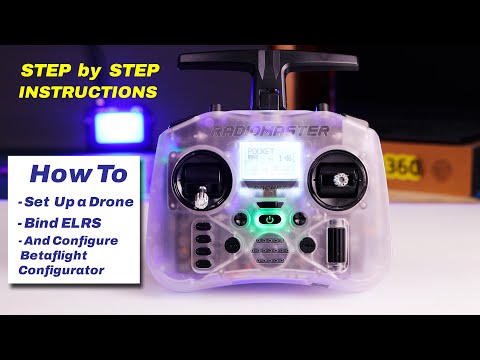
Watch RadioMaster Pocket — How To Set Up and Bind a Drone — Step by Step alongside this button guide. Compare menu names and binding/Betaflight steps with your exact Pocket, EdgeTX, ELRS and receiver versions. For simulator-only input, use USB joystick mode; binding a real drone receiver is a separate task.
These are supplementary learning resources, not an official DGCA certification path or a legal authority. Playlist/video titles and exact coverage were not reliably verified during this pass; check the contents, publication dates and claims yourself.
- DGCA/rules playlist supplied with the video
- Additional supplied drone/rules-awareness playlist
- Drone Technology playlist (additional awareness resource) — general context; not verified as a current DGCA-rules syllabus.
Before every outdoor flight, use current official sources below, especially the latest DGCA / Ministry of Civil Aviation material and Digital Sky airspace map. Old videos may omit amendments, changed airspace status or operation-specific requirements.
- Drone Coding and Machine Learning learning path
- How to Program a Tello Drone With Python
- Simulator / Pyimverse Python drone-programming tutorial
- Supplied coding/ML video and playlist
- Additional supplied coding/ML video
Individual videos appear as clickable thumbnails where a video ID was provided. GitHub Markdown filters YouTube iframe embeds, so playlist resources use stable direct playlist links rather than raw iframe HTML.